pengenalan
Thank you for choosing the DCT Wireless Magnetic Camera. This battery-powered WiFi camera is designed for versatile home security, offering features such as color night vision, advanced motion detection, and flexible storage options. Its magnetic mount allows for easy installation and repositioning. This manual provides detailed instructions for setting up, operating, and maintaining your camera to ensure optimal performance.
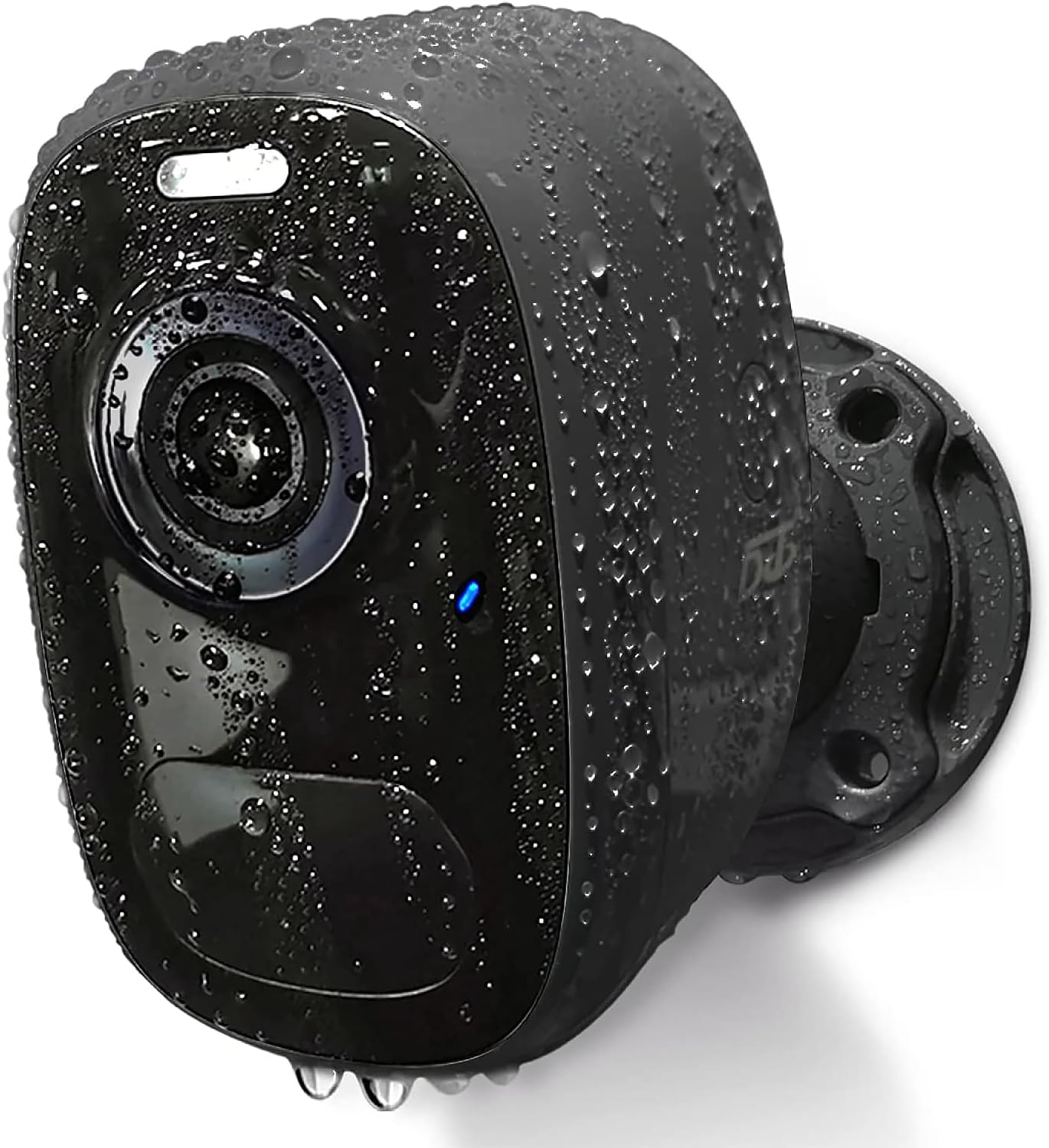
Image: The DCT Wireless Magnetic Camera, highlighting its waterproof capabilities.
Kandungan Pakej
Sila sahkan bahawa semua item disertakan dalam pakej anda:
- Badan Kamera
- Installation Accessories (Magnetic Mount, Screws, Wall Plugs)
- Manual Arahan
- Kabel Pengecas USB

Imej: Selesaiview of the camera and its included accessories.
Spesifikasi Teknikal
| Ciri | Spesifikasi |
|---|---|
| Nama Model | CG1-magnetic |
| Penggunaan Dalaman/Luar | Luaran, Dalaman |
| Sumber Kuasa | Dikuasakan Bateri |
| Protokol Ketersambungan | Wi-Fi (2.4GHz sahaja) |
| Jenis Pengawal | iOS, Android |
| Resolusi Tangkapan Video | 1080p (2K HD Live Video) |
| Julat Penglihatan Malam | 33 Kaki |
| Tahap Ketahanan Air | IP65 Kalis Air |
| Saiz Maksimum yang Disokong Memori Flash | 128 GB (SD Card) |
| Dimensi Item (L x W x H) | 3.7 x 3.4 x 2.5 inci |
| Ciri Khas | HD Resolution, Magnetic mount, 2-Way Audio, Night Vision, Motion Sensor |
Panduan Persediaan
1. Mengecas Kamera
Before first use, fully charge the camera using the provided USB cable. A full charge typically takes 8 hours and can last 1-3 months depending on usage. The camera can also be continuously powered by connecting it to a compatible solar panel (sold separately).
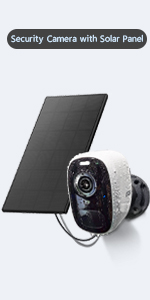
Image: Charging options for the camera.
2. App Installation and Account Registration
The DCT camera operates with the VicoHome app. Download the app from your device's app store (iOS or Android) or by scanning the QR code below. Register a new account with a valid email address.

3. Network Configuration (2.4GHz WiFi Only)
Ensure your camera is within range of a 2.4GHz WiFi network. This camera does not support 5GHz WiFi. Follow the in-app instructions to connect your camera to your home network.

Image: The camera's waterproof design and 2.4GHz WiFi compatibility.
4. Memasang Kamera
The DCT camera offers two installation methods:
- Pemasangan Magnet: The strong magnetic mount allows for quick, drill-free installation and 360° rotation. This method is ideal for temporary use or frequent repositioning and will not damage walls.
- Standard Bracket Installation: For a more permanent fixture, use the included bracket, screws, and wall plugs.

Image: Magnetic mount installation with 360° rotation.
Arahan Operasi
1. Pemantauan Video Langsung
Access the VicoHome app on your smartphone to view live 2K HD video from your camera anytime, anywhere. The app provides a comprehensive overview of all connected cameras.

Image: House Security Overview in the VicoHome App.
2. Motion Detection and AI Recognition
The camera features an advanced PIR sensor for accurate motion detection. It can identify and differentiate between people, pets, vehicles, and packages using smart AI technology. When motion is detected, you will receive real-time notifications on your phone.

Image: PIR Motion Detection features.

Image: AI Smart Recognition with Behavior Analysis.
3. Mod Penglihatan Malam
The camera offers two night vision modes for clear visibility in low-light conditions:
- Penglihatan Malam Warna Penuh: Provides excellent color images and videos at night.
- Penglihatan Malam Inframerah: Offers a visible range of 33ft in black and white.

Image: Comparison of day, white light, and infrared night vision modes.
4. Two-Way Audio and Alarms
Utilize the built-in microphone and speaker for two-way audio communication. You can talk to visitors or deter intruders directly through the app. The camera also features an automatic or manual siren and spotlight as a deterrent.

Imej: Fungsi Audio Dua Hala.
5. Video Storage
All motion detection videos can be stored in two ways:
- Local SD Card: Supports up to a 128GB micro SD card (not included).
- Storan Awan: Free 3-day, 0.5GB cycle cloud storage is provided without subscription.
6. Perkongsian Peranti
You can share access to your camera with up to 8 other users. They will need to download the VicoHome app and register an account. The camera owner can then share access via a QR code within the app.

Image: Device Sharing process.
Penyelenggaraan
- Hayat Bateri: Recharge the camera when the battery level is low, as indicated in the app. Battery life varies based on activity and settings.
- Pembersihan: Lap kanta dan badan kamera dengan lembut,amp kain. Elakkan bahan kimia yang keras.
- Perlindungan Cuaca: The camera is IP65 waterproof, designed to withstand various weather conditions (windy, rainy, snowy). Ensure the charging port cover is securely closed when not charging.
Menyelesaikan masalah
- Kamera Tidak Bersambung ke WiFi:
- Ensure your WiFi network is 2.4GHz.
- Periksa kekuatan isyarat WiFi di lokasi kamera.
- Mulakan semula penghala anda dan kamera.
- Verify correct WiFi password entry in the app.
- Hayat Bateri Pendek:
- Peristiwa pengesanan gerakan yang kerap dan secara langsung viewing consume more battery. Adjust motion sensitivity or recording duration.
- Ensure the camera is fully charged (8 hours).
- Consider connecting to a solar panel for continuous power.
- Isu Pengesanan Gerakan:
- Adjust PIR sensitivity settings in the app.
- Pastikan tiada halangan dalam bidang kamera view.
- Check for strong light sources or heat vents that might trigger false alarms.
- Kualiti Video Lemah:
- Pastikan sambungan WiFi stabil.
- Bersihkan lensa kamera.
Waranti dan Sokongan
DCT provides lifelong technical support for your camera. If you have any questions or encounter issues, please contact DCT's 24-hour customer service team for assistance. Your satisfaction is our priority.
For further assistance, please refer to the official DCT website or the VicoHome app's support section.


