1. Pengenalan
The SMONET 1080P Baby Monitor system provides a secure and reliable way to monitor your child. This system includes a portable 4.3-inch display unit and two cameras: one dome camera with pan-tilt functionality and one fixed-angle camera. Designed for ease of use, it offers features such as two-way talk, night vision, crying detection, temperature monitoring, and lullabies to assist in childcare.
This manual provides detailed instructions for setting up, operating, and maintaining your baby monitor system. Please read it thoroughly before use to ensure proper functionality and safety.

Image 1.1: The SMONET 1080P Baby Monitor system, featuring the portable display unit, a pan-tilt camera, and a dome camera.

Image 1.2: Illustrates the versatility of the baby monitor cameras, suitable for monitoring infants in a crib and older children during playtime.

Image 1.3: A parent is shown working on a laptop, with the baby monitor display unit positioned on a table nearby, demonstrating continuous connection.
2. Kandungan Pakej
Sila semak kandungan pakej semasa membuka kotak. Jika ada item yang hilang atau rosak, hubungi sokongan pelanggan.
- 1 x 4.3-inch Portable Display Unit
- 1 x Pan-Tilt Camera
- 1 x Dome Camera
- 3 x Penyesuai Kuasa (untuk monitor dan kamera)
- 1 x Manual Pengguna (dokumen ini)
3. Produk Lebihview
3.1 Display Unit (Monitor)
The portable display unit features a 4.3-inch LCD screen for live video feed. It includes control buttons for navigation, volume, brightness, and menu access. The monitor operates on a built-in rechargeable Lithium Ion battery.
3.2 Kamera
The system includes two cameras: a pan-tilt camera and a dome camera. Both cameras feature 1080P video capture resolution, IR night vision, and built-in microphones and speakers for two-way audio. The pan-tilt camera offers 355° horizontal and 120° vertical rotation for comprehensive room coverage.

Image 3.1: The pan-tilt camera illustrating its 355-degree horizontal and 120-degree vertical rotation range.
3.3 Secure Connection
The communication between the cameras and the display unit is based on a built-in Wi-Fi connection, ensuring a private and secure link without requiring an internet connection or external applications. This design minimizes potential security risks associated with internet-connected devices.

Image 3.2: Visual representation indicating that the baby monitor system operates without requiring an external network or smartphone application.
4. Persediaan
4.1 Mengecas Unit Paparan
- Connect the display unit to a power outlet using the provided power adapter.
- Charge the unit for at least 4 hours before initial use to ensure optimal battery performance. The battery indicator on the screen will show charging status.
4.2 Placing the Cameras
- Place the cameras in a location that provides a clear view of your child. Ensure the camera is out of reach of children and pets.
- For optimal night vision, avoid placing the camera directly facing a window or strong light source.
- Connect each camera to a power outlet using its respective power adapter.
4.3 Menghidupkan
- Press and hold the power button on the display unit until the screen turns on.
- The cameras will automatically power on when connected to an electrical outlet.
- The display unit should automatically connect to the cameras. If not, refer to the 'Pairing Cameras' section in the operating instructions.
5. Arahan Operasi
5.1 Navigasi Asas
- Butang Kuasa: Press and hold to turn the monitor on/off. Press briefly to turn the screen on/off while the unit remains active.
- Butang Menu: Access settings and features.
- Butang Navigasi (Atas/Bawah/Kiri/Kanan): Move through menu options and control camera pan/tilt.
- Butang OK: Sahkan pilihan.
- Butang Kelantangan: Adjust the audio volume from the camera.
- Butang VOX: Activate/deactivate VOX (Voice Operated Exchange) mode.
5.2 Pan, Tilt, and Zoom (Pan-Tilt Camera Only)
Use the navigation buttons on the display unit to remotely adjust the viewing angle of the pan-tilt camera. The camera supports 355° horizontal and 120° vertical rotation. Digital zoom may also be available via the menu.
5.3 Ceramah Dua Hala
To speak to your child through the camera, press and hold the dedicated talk button (if available, or a specific menu option) on the display unit. Release the button to listen.

Image 5.1: The baby monitor display unit illustrating the two-way talk feature, with speech bubbles indicating communication between parent and child.
5.4 Penglihatan Malam
The cameras are equipped with infrared (IR) night vision, which automatically activates in low-light conditions. This provides a clear black-and-white video feed of your child even in a dark room.

Image 5.2: The baby monitor camera highlighting its night vision capabilities, alongside icons for temperature detection and comforting lullabies.
5.5 VOX (Voice Operated Exchange) / Crying Alarm
When VOX mode is active, the display unit's screen will automatically light up and/or an alarm will sound if the camera detects sound above a certain threshold, such as your baby crying. You can adjust the sensitivity level in the menu settings.
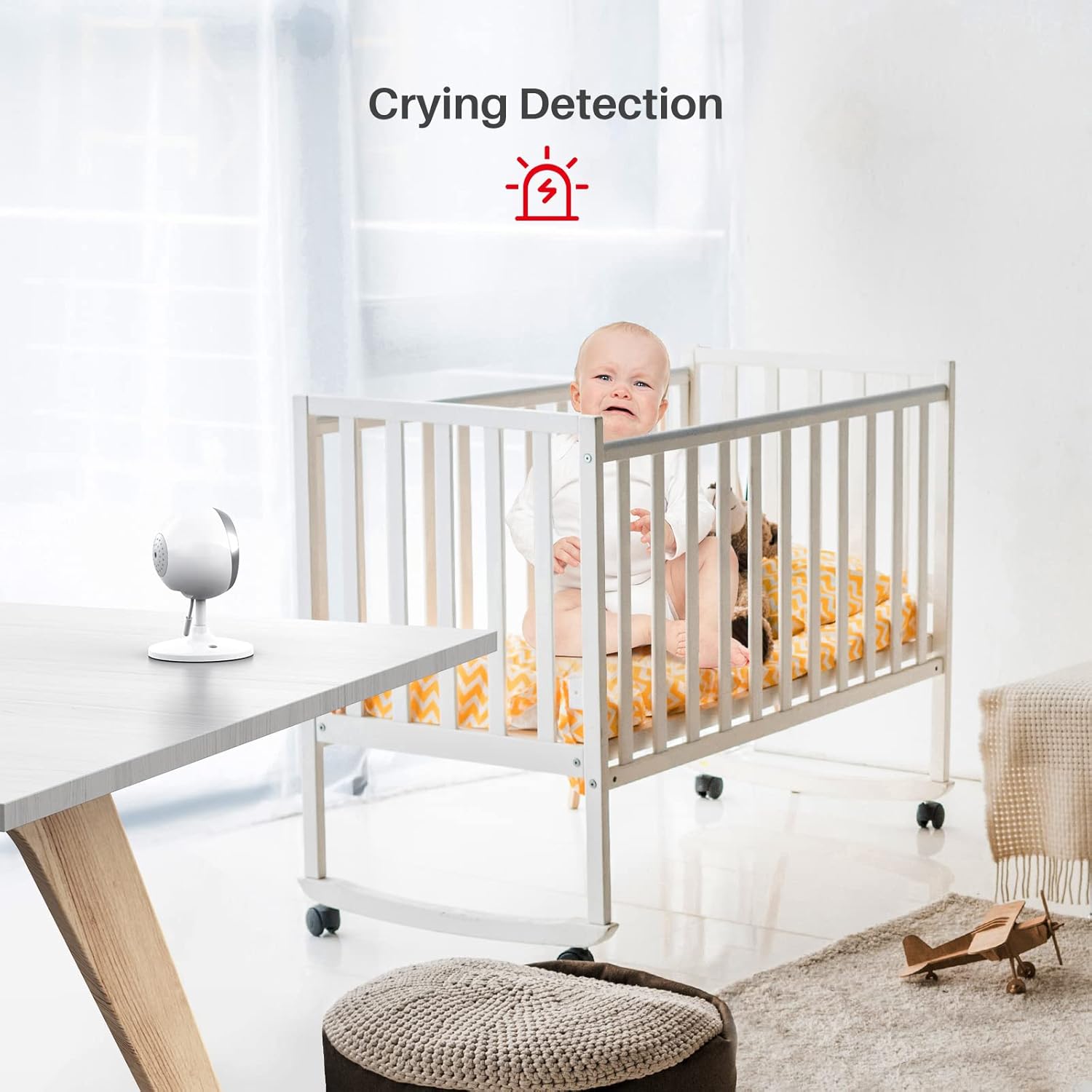
Image 5.3: A baby in a crib, accompanied by a visual icon indicating the crying detection alarm feature.
5.6 Pemantauan Suhu
The cameras include a temperature sensor that monitors the room temperature. The temperature reading is displayed on the monitor screen. You can set alerts for temperature ranges in the menu.
5.7 Lagu pengantar tidur
Access the menu to select and play built-in lullabies through the camera's speaker to soothe your child.
5.8 Multi-Camera Support & Switching
The monitor supports connecting up to 4 cameras. To switch between connected cameras, use the dedicated camera switch button on the display unit. Please note that the monitor does not support split-screen viewing; it displays one camera feed at a time.
5.9 Feeding Alarm
The monitor includes a feeding alarm feature. You can set reminders for feeding times through the menu settings.
6. Penyelenggaraan
6.1 Pembersihan
- Wipe the display unit and camera lenses with a soft, dry cloth.
- Jangan gunakan pembersih atau pelarut yang melelas.
6.2 Battery Care (Display Unit)
- Untuk memanjangkan hayat bateri, elakkan daripada menyahcas sepenuhnya bateri dengan kerap.
- If the monitor will not be used for an extended period, charge it fully before storage and recharge every few months.
- Always use the original power adapter for charging.
7. Penyelesaian masalah
If you encounter issues with your SMONET Baby Monitor, please refer to the following common problems and solutions:
| Masalah | Kemungkinan Punca | Penyelesaian |
|---|---|---|
| Tiada imej/isyarat pada monitor | Camera not powered on or out of range; monitor battery low; cameras not paired. | Ensure cameras are plugged in and powered. Move monitor closer to cameras. Recharge monitor. Re-pair cameras via menu settings (refer to manual for specific steps). |
| Poor image quality/freezing | Interference from other devices; camera lens dirty; low light conditions. | Move monitor/cameras away from other electronic devices. Clean camera lens. Ensure adequate lighting for optimal color image (night vision will activate in darkness). |
| Tiada bunyi atau kualiti audio yang lemah | Monitor volume too low; camera microphone blocked; interference. | Increase monitor volume. Ensure nothing is obstructing the camera's microphone. Reduce interference by moving devices. |
| Bateri monitor cepat habis | Screen always on; VOX sensitivity too high; aging battery. | Use VOX mode to turn off the screen when quiet. Reduce screen brightness. Keep monitor plugged in for extended use. Battery life naturally degrades over time. |
| Camera disconnects frequently | Out of range; interference; power supply issue. | Move camera closer to the monitor. Check for strong interference sources. Ensure camera power adapter is securely connected and functioning. |
| Monitor restarts unexpectedly / "Saving Data" message | Software glitch; power instability. | Perform a factory reset (check menu for option). Ensure stable power supply. Note: This monitor does not record or save data; any such message may indicate a system anomaly. If issues persist, contact customer support. |
8. Spesifikasi
| Ciri | Perincian |
|---|---|
| Jenama | SMONET |
| Model | 1080P Baby Monitor with 2 Cameras |
| Teknologi Ketersambungan | Tanpa Wayar (Wi-Fi Terbina Dalam) |
| Resolusi Tangkapan Video | 1080p |
| Display Unit Size | 4.3 inci |
| Camera Form Factor | Dome (one camera), Pan-Tilt (one camera) |
| Pan-Tilt Rotation | 355° Mendatar, 120° Menegak |
| Ciri Khas | Motion Sensor (Crying Alarm), Night Vision, Two-Way Talk, Temperature Sensor, Lullabies, Feeding Alarm |
| Sumber Kuasa | AC/DC (for cameras), Rechargeable Lithium Ion Battery (for monitor) |
| Bateri Diperlukan | Yes (1 Lithium Ion battery included for monitor) |
| Jenis Pemasangan | Wall Mount (optional for cameras) |
| Berat Barang | 2.16 paun (jumlah pakej) |
| ASIN | B09N6V8WCL |
9. Waranti dan Sokongan
For warranty information and customer support, please refer to the documentation included with your product or contact SMONET directly through their official website or the retailer where the product was purchased. Please have your product model and ASIN (B09N6V8WCL) ready when contacting support.


