
1. Pengenalan
Thank you for choosing the HOTO 12V Cordless Brushless Drill. This manual provides essential information for the safe and efficient operation, maintenance, and troubleshooting of your new tool. Please read it thoroughly before first use and keep it for future reference.
The HOTO 12V Cordless Brushless Drill features an intuitive LED display, 30 adjustable torque gears, and dual working modes (self-select and pulse). Its compact and lightweight design, coupled with USB-C charging, makes it suitable for a variety of household and DIY tasks. The brushless motor ensures stable operation and extended tool life.

Image: The HOTO Brushless Drill in action, demonstrating its versatility across different applications such as furniture assembly, wall drilling, and general screwing tasks.
2. Arahan Keselamatan
Sentiasa ikuti langkah berjaga-jaga keselamatan asas untuk mengurangkan risiko kebakaran, kejutan elektrik dan kecederaan diri.
- Read all instructions carefully before operating the tool.
- Wear appropriate personal protective equipment, including eye protection, gloves, and hearing protection.
- Pastikan kawasan kerja anda bersih dan terang. Kawasan bersepah atau gelap mengundang kemalangan.
- Jangan kendalikan alatan kuasa dalam atmosfera yang mudah meletup, seperti di hadapan cecair mudah terbakar, gas atau habuk.
- Jauhkan kanak-kanak dan orang ramai semasa mengendalikan alat kuasa. Gangguan boleh menyebabkan anda hilang kawalan.
- Elakkan menghidupkan alat secara tidak sengaja. Pastikan suis berada dalam kedudukan mati sebelum menyambungkan ke pek bateri, mengambil atau membawa alat.
- Secure the workpiece firmly before drilling or driving.
- Jangan paksa alat kuasa. Gunakan alat kuasa yang betul untuk aplikasi anda.
- Putuskan sambungan pek bateri daripada alat kuasa sebelum membuat sebarang pelarasan, menukar aksesori atau menyimpan alatan kuasa.
- Simpan alatan kuasa melahu daripada capaian kanak-kanak dan jangan benarkan orang yang tidak biasa dengan alatan kuasa atau arahan ini untuk mengendalikan alatan kuasa.
3. Kandungan Pakej
Your HOTO 12V Cordless Brushless Drill package includes the following items:
- HOTO 266 in-lbs (30N·m) Brushless Drill Driver
- 8 x Drill Bits (4 x Metal Drill: 3/4/5/6mm; 4 x Woodworking Drill: 4/5/6/7mm)
- 10 x Driver Bits (C6.3x50mm: 1 x Slotted Bit SL5, 2 x Phillips Bit PH1/PH2, 3 x Hex Head Bit H3/H4/H5, 1 x Torx Bit T25, 1 x Pozidriv Bit PZ2, 1 x Tri-Wing TW1, 1 x Triangular △2.3)
- 1 x Kabel USB-C

Imej: A terperinci view of the HOTO Brushless Drill's accessory set, including different sizes of metal and woodworking drill bits, alongside a selection of S2 long driver bits.
4. Persediaan
4.1. Mengecas Bateri
The HOTO Brushless Drill features a built-in 2000 mAh rechargeable Lithium-Ion battery. Before first use, fully charge the drill. Use the provided USB-C cable to connect the drill to a compatible USB power source (e.g., wall adapter, power bank).
- Locate the USB-C charging port on the drill.
- Insert the USB-C cable into the drill's port.
- Sambungkan hujung kabel yang lain ke sumber kuasa.
- The LED display will indicate charging status and battery level.

Image: A close-up shot of the HOTO Brushless Drill, highlighting its USB Type-C charging port with a charging cable securely connected.
4.2. Memasang/Menukar Mata Gerudi
The drill is equipped with a 3/8 inch keyless chuck for quick and easy bit changes.
- Ensure the drill is powered off and the forward/reverse switch is in the neutral (locked) position.
- Grip the rear half of the chuck and rotate the front half counter-clockwise to open the chuck jaws.
- Insert the desired drill bit or driver bit into the chuck, ensuring it is centered.
- Rotate the front half of the chuck clockwise to tighten the jaws securely around the bit. Do not overtighten.
- Untuk mengeluarkan sedikit, balikkan proses itu.
Video: An official HOTO TOOLS US video titled "Everything You Want in HOTO Brushless Drill Tool Box" demonstrating the contents of the tool box and how bits are stored and potentially inserted into the drill.
5. Arahan Operasi
5.1. Hidupkan/Mati Kuasa
To power on the drill, press and hold the main trigger. Release the trigger to power off.
5.2. Memahami Paparan LED
The intelligent LED display provides real-time information about the drill's status.
- Penunjuk Gear: Displays the current torque setting (1-30).
- Kuasa Bateri: Menunjukkan baki cas bateri.
- Mod Dwi: Indicates whether the drill is in Self-Select or Pulse mode.
- Hadapan/Undur: Displays the current rotation direction.

Image: A close-up of the HOTO Brushless Drill's smart HD display, illustrating the digital torque adjustment interface.
5.3. Adjusting Torque
In Self-Select mode, the torque can be precisely adjusted from 1 to 30 gears using the controls near the LED display. This allows for optimal power delivery based on the material and task.
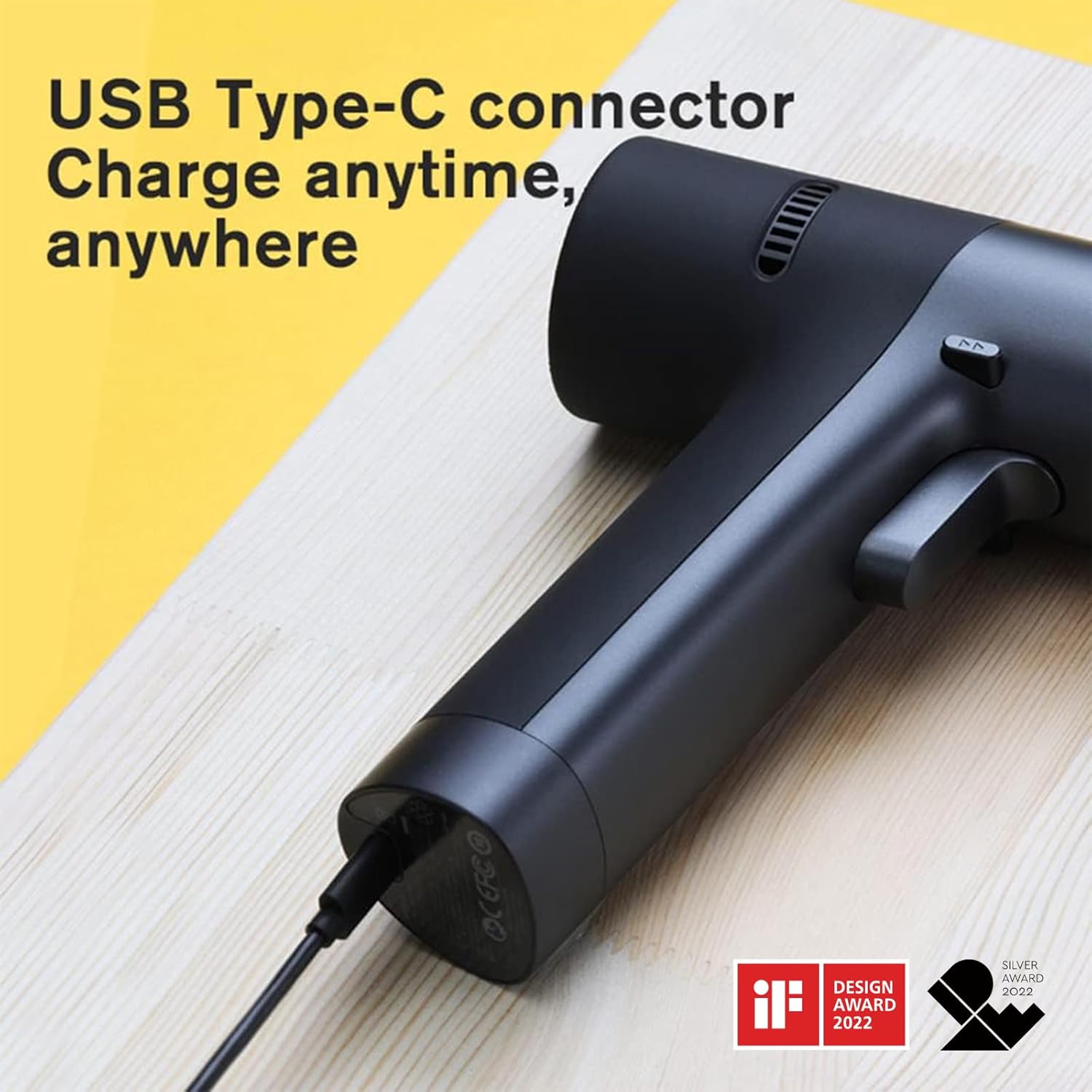
Image: The HOTO Brushless Drill's Smart HD Display, detailing the dual mode selection (Pulse or Self-selecting) and the forward/backward indicators.
5.4. Selecting Working Modes (Self-Select/Pulse)
The drill offers two distinct working modes:
- Self-Select Mode: Provides precise torque adjustment from 1-30 gears. Ideal for tasks requiring specific power levels.
- Mod Nadi: Utilizes an intelligent chip for intermittent start and stop, enhancing user safety and control, especially for beginners or delicate tasks.
5.5. Suis Maju / Terbalik
A dedicated switch allows you to easily change the rotation direction for driving or removing screws. Position the switch in the middle to lock the trigger and prevent accidental operation.
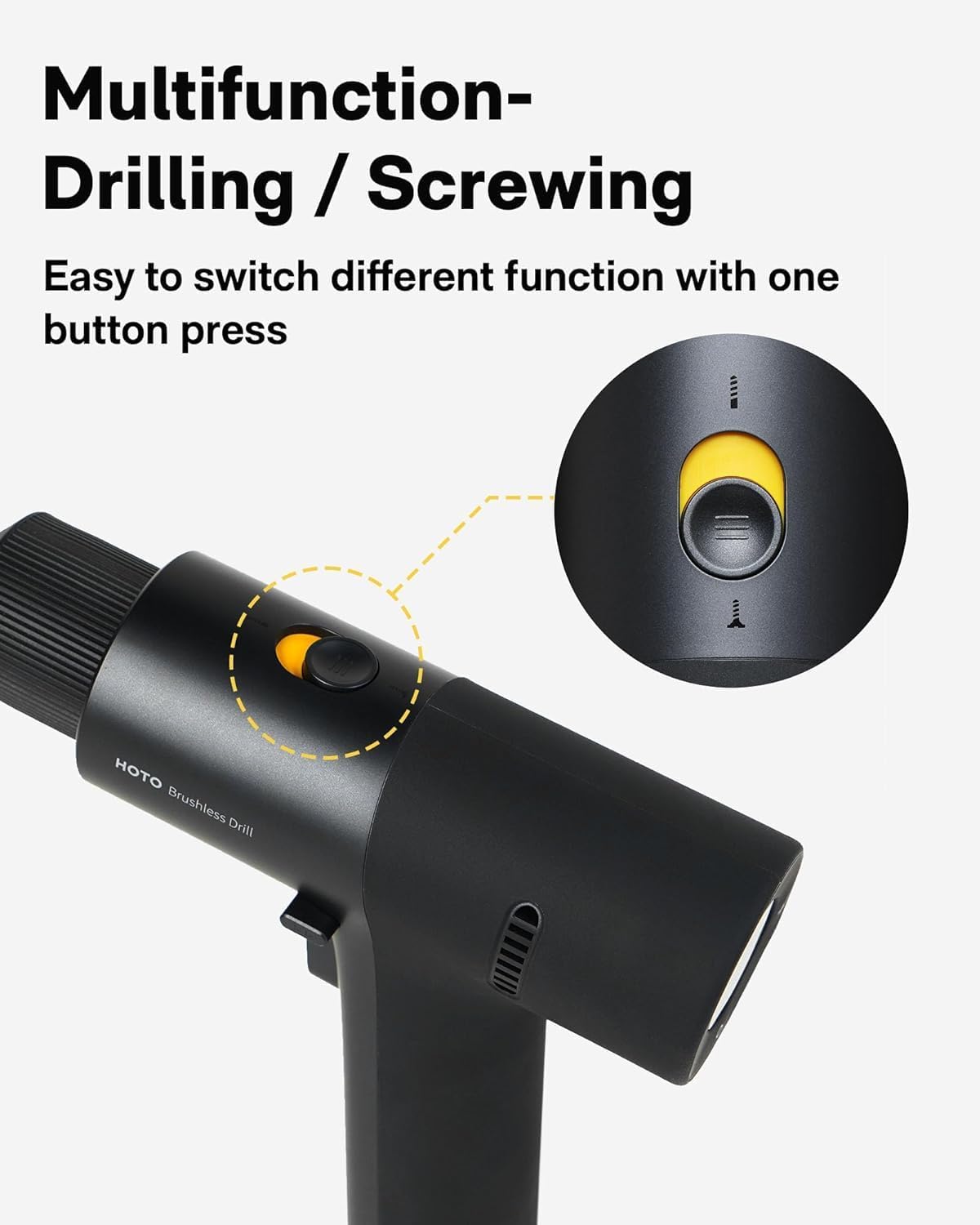
Image: A close-up of the HOTO Brushless Drill, highlighting the multifunction button used for switching between drilling and screwing operations.
5.6. Kawalan Kelajuan Boleh Ubah
The drill's speed is controlled by the pressure applied to the trigger. A lighter press results in lower speed, while a firmer press increases the RPM up to 1400 RPM.
Video: An official HOTO TOOLS US video titled "First Look at the [PixelDrive] | Smart Electric Screwdriver" demonstrating the smart display, speed control, and bit connection features of a HOTO screwdriver, which shares similar operational principles with the drill.
6. Penyelenggaraan
- Pembersihan: Regularly clean the drill's exterior with a soft, damp cloth. Do not use harsh chemicals or abrasive cleaners. Keep ventilation openings free of dust and debris.
- Storan: Store the drill and accessories in a dry, secure place away from direct sunlight and extreme temperatures. Ensure the battery is partially charged before long-term storage.
- Penjagaan Bateri: Avoid fully discharging the battery. Recharge the battery before it is completely depleted to prolong its lifespan. Do not expose the battery to water or fire.
- Penyelenggaraan Bit: Keep drill bits and driver bits clean and sharp. Replace worn or damaged bits to ensure optimal performance and safety.
7. Penyelesaian masalah
If you encounter issues with your HOTO Brushless Drill, refer to the following common problems and solutions:
- Gerudi tidak menyala:
- Periksa sama ada bateri telah dicas. Isi semula jika perlu.
- Ensure the forward/reverse switch is not in the neutral (locked) position.
- Kehilangan kuasa/Prestasi berkurangan:
- Bateri mungkin lemah. Cas semula bateri.
- Pastikan tetapan tork yang betul dipilih untuk tugas tersebut.
- Check if the drill bit or driver bit is dull or damaged. Replace if needed.
- Sedikit tergelincir dalam chuck:
- Pastikan chuck diketatkan dengan kukuh di sekeliling mata gerudi.
- Check if the bit shank is clean and free of oil or debris.
- Terlalu panas:
- Allow the drill to cool down. Avoid continuous heavy-duty use.
- Pastikan bukaan pengudaraan tidak disekat.
8. Spesifikasi Teknikal
| Ciri | Spesifikasi |
|---|---|
| Jenama | PANAS |
| Nombor Model | 53187 |
| Voltage | 12 Volt |
| Tork Maksimum | 266 in-lbs (30N·m) |
| Kelajuan | Sehingga 1400 RPM |
| Kapasiti Bateri | 2000 mAh Litium Ion |
| Saiz Chuck | 3/8 Inch Keyless |
| Jenis Pengecasan | USB-C |
| Berat Barang | 880 g |
| Dimensi | 18.49 x 17.98 x 5.38 cm |
| bahan | PC+ABS |
9. Waranti dan Sokongan
HOTO products are manufactured to high-quality standards. For warranty information, product support, or to inquire about replacement parts, please refer to the official HOTO webtapak atau hubungi peruncit anda. Simpan resit pembelian anda sebagai bukti pembelian.
Untuk bantuan lanjut, sila layari HOTO Store on Amazon.


