1. Pengenalan
This manual provides detailed instructions for the setup, operation, and maintenance of your Loluka Smart Watch JYAW12PROLA. Please read this manual thoroughly to ensure proper use and to maximize the functionality of your device.
1.1 Kandungan Pakej
Selepas membongkar, sila sahkan bahawa semua item yang disenaraikan di bawah ada:
- 1x Loluka Smart Watch
- 1x Watch Box
- 1x Manual Pengguna (dokumen ini)
- 1x Kabel Pengecasan Magnetik
2. Persediaan
2.1 Mengecas Jam Tangan Pintar
Before first use, fully charge your smart watch. Use the provided magnetic charging cable.
- Connect the magnetic end of the charging cable to the charging contacts on the back of the watch. Ensure a secure connection.
- Palamkan hujung USB kabel pengecas ke penyesuai kuasa USB standard (tidak disertakan) atau port USB komputer.
- Skrin jam tangan akan menunjukkan status pengecasan. Pengecasan penuh biasanya mengambil masa kira-kira 2-3 jam.
Nota: A full charge provides approximately 2-5 days of working time and up to 15 days of standby time, depending on usage.
2.2 Menghidupkan/Mematikan
- Untuk Menghidupkan: Tekan dan tahan butang sisi sehingga skrin menyala.
- Untuk Mematikan: Navigate to the 'Settings' menu on the watch, then select 'Power Off' or press and hold the side button and confirm power off.
2.3 Pemasangan Aplikasi dan Penggandingan Peranti
To unlock the full features of your Loluka Smart Watch, you need to install the companion application on your smartphone and pair the devices.
- Muat turun Apl: Scan the QR code provided in the watch's quick start guide or search for the designated app (e.g., 'SZOS' or similar, as mentioned in some product descriptions) in your smartphone's app store (Apple App Store for iOS, Google Play Store for Android).
- Pasang dan Buka: Pasang aplikasi dan buka pada telefon pintar anda.
- Dayakan Bluetooth: Pastikan Bluetooth didayakan pada telefon pintar anda.
- Pasangkan Peranti: Within the app, navigate to the 'Device' or 'Add Device' section. The app will search for available devices. Select 'JYAW12PROLA' or the corresponding device name when it appears.
- Sahkan Gandingan: Follow the on-screen prompts on both your phone and watch to confirm the pairing.
Keserasian: The smart watch supports iOS 10.0 or above and Android 5.0 or above smartphones. It is not compatible with PCs, iPads, or tablets.
3. Arahan Operasi
The Loluka Smart Watch features a 1.3-inch full touch screen for navigation and interaction.
3.1 Navigasi Asas
- Leret ke atas/bawah: Tatal melalui menu atau pemberitahuan.
- Leret Kiri/Kanan: Akses widget atau tetapan pantas yang berbeza.
- Ketik: Pilih item atau sahkan tindakan.
- Butang Sisi: Typically used to return to the home screen or access the main menu.
3.2 Fungsi Panggilan Bluetooth
Sebaik sahaja dipasangkan dengan telefon pintar anda, anda boleh membuat dan menerima panggilan terus dari jam tangan anda.
- Membuat Panggilan: Access the 'Dialer' or 'Contacts' function on your watch to initiate a call.
- Menerima Panggilan: When a call comes in, the watch will display the caller ID. You can answer or reject the call directly from the watch screen.
3.3 Message Notifications
The watch can display notifications from your smartphone, including SMS, social media alerts, and other app notifications.
- Pastikan kebenaran pemberitahuan diaktifkan untuk aplikasi pendamping pada telefon pintar anda.
- Notifications will appear on the watch screen and the watch will vibrate.
3.4 Multi-Sports Modes
The watch includes multiple built-in exercise modes to track your physical activity.
- Access the 'Sports' or 'Workout' menu on your watch.
- Select the desired exercise mode (e.g., running, walking, cycling).
- The watch will track metrics such as steps, calories burned, and distance during your workout.
3.5 Penjejakan Tidur
The watch monitors your sleep patterns to help you understand and improve your sleep quality.
- Wear the watch while sleeping. It will automatically detect and record different sleep stages, including deep sleep and periods of wakefulness.
- View detailed sleep data in the companion app, which provides a scientific evaluation of your sleep quality over a 7-day period.

Image: The smart watch screen showing sleep monitoring data, including sleep duration and quality metrics. A person is shown sleeping in the background.
3.6 Dail Tersuai
Personalize your watch face with various pre-installed dials or create custom ones.
- Long-press the watch face on the home screen to access dial options.
- Swipe left or right to browse available dials and tap to select.
- The companion app may offer additional custom dial options, allowing you to upload personal images or designs.
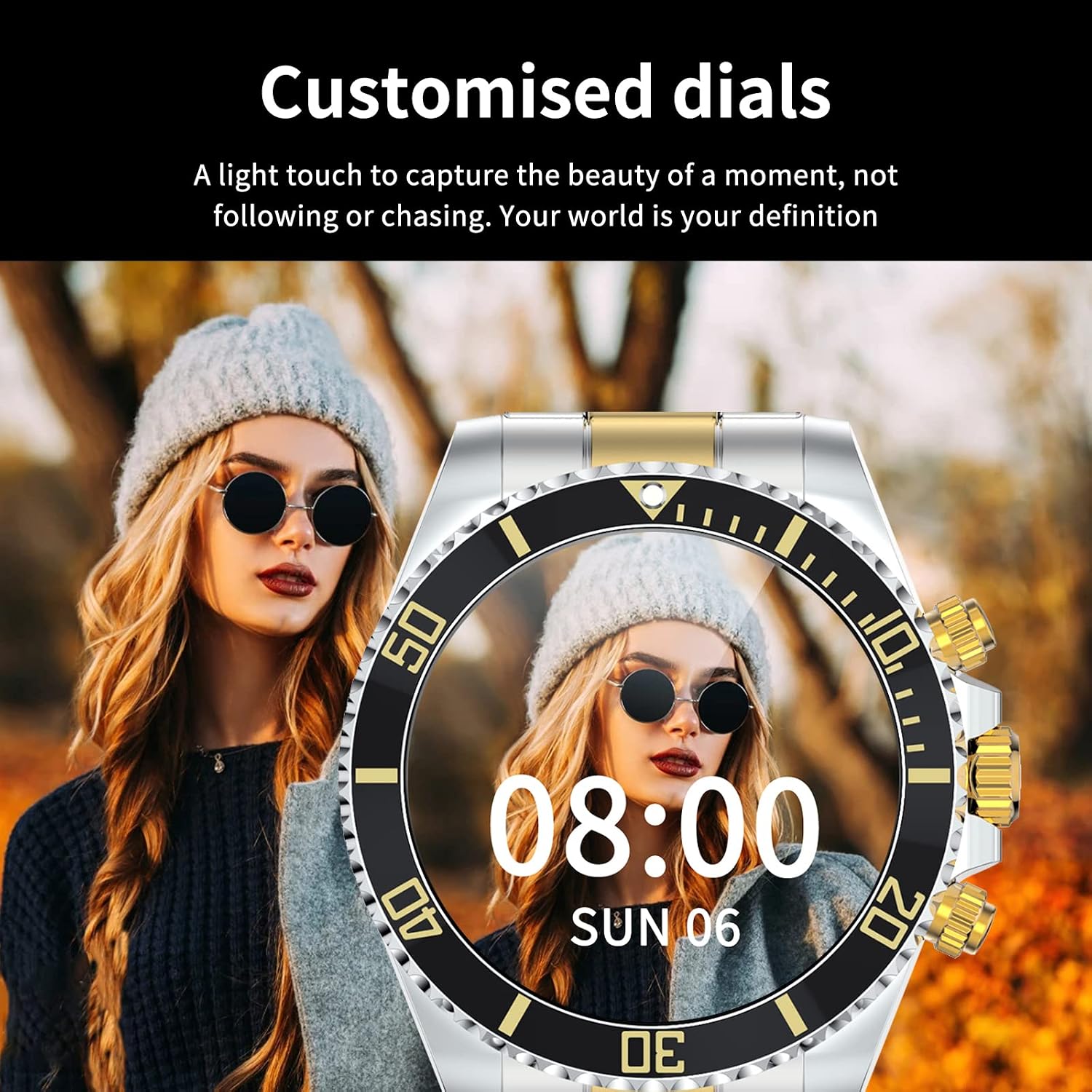
Image: A Loluka Smart Watch displaying a customized digital watch face with time and date, worn by a person.
3.7 Ciri Tambahan
- Pedometer: Menjejaki langkah, kalori yang dibakar dan jarak sepanjang hari.
- Alarm/Sedentary Reminder: Set alarms and receive reminders to move after periods of inactivity via the companion app.
- Kawalan Kamera Jauh: Gunakan jam tangan anda sebagai pengatup jauh untuk kamera telefon pintar anda.
- Kawalan Muzik: Control music playback on your smartphone (play, pause, skip tracks, adjust volume) directly from the watch.

Image: The smart watch displaying music control options, with a smartphone showing a music playlist in the background.
4. Penyelenggaraan
4.1 Tahan Air
The Loluka Smart Watch is rated IP67 waterproof.
- It can withstand splashes, hand washing, and rain.
- Penting: Jam tangan adalah TIDAK suitable for hot water bathing, diving, swimming, or water-related work where it would be submerged for extended periods or exposed to high-pressure water.

Image: A Loluka Smart Watch partially submerged in water, with text indicating 'IP67 life waterproof' and warnings about unsuitable activities.
4.2 Pembersihan
Untuk mengekalkan penampilan dan kefungsian jam tangan anda:
- Wipe the watch and band regularly with a soft, dry, lint-free cloth.
- Jika perlu, gunakan sedikit damp kain untuk kotoran degil, kemudian keringkan dengan teliti.
- Avoid using harsh chemicals, cleaning solvents, or strong detergents, as these can damage the watch's finish and seals.
4.3 Penjagaan Bateri
- Elakkan menyahcas sepenuhnya bateri dengan kerap.
- Simpan jam tangan di tempat yang sejuk dan kering apabila tidak digunakan untuk tempoh yang lama.
- Gunakan hanya kabel pengecasan yang disediakan.
5. Penyelesaian masalah
If you encounter issues with your Loluka Smart Watch, refer to the following common solutions:
- Tonton tidak dihidupkan: Pastikan jam tangan dicas sepenuhnya. Sambungkannya ke pengecas selama sekurang-kurangnya 30 minit.
- Tidak boleh berpasangan dengan telefon pintar:
- Pastikan Bluetooth didayakan pada telefon dan jam tangan anda.
- Pastikan jam tangan berada dalam julat Bluetooth telefon anda.
- Mulakan semula telefon dan jam tangan anda.
- Pastikan aplikasi pendamping dikemas kini kepada versi terkini.
- Lupakan peranti dalam tetapan Bluetooth telefon anda dan cuba pasangkan semula melalui aplikasi.
- Pemberitahuan tidak muncul:
- Check app notification settings on your phone and within the companion app.
- Pastikan jam tangan disambungkan melalui Bluetooth.
- Penjejakan aktiviti tidak tepat: Pastikan jam tangan dipakai dengan kemas di pergelangan tangan anda. Tentukur jam tangan melalui aplikasi jika ada.
- Hayat bateri pendek: Reduce screen brightness, disable unnecessary features, and ensure the watch is not constantly searching for Bluetooth connections.
Jika langkah-langkah ini tidak menyelesaikan masalah anda, sila hubungi khidmat pelanggan.
6. Spesifikasi
| Nombor Model | JYAW12PROLA |
| Saiz Skrin | 1.3-inch full color screen |
| Resolusi | 240*240 piksel |
| Bluetooth | Dual Bluetooth 3.0/4.0 |
| Kapasiti Bateri | 380mAh (1 Lithium Metal battery required) |
| Jenis Operasi | Skrin Sentuh Penuh |
| Jenis Pengecasan | Pengecasan Magnet |
| Masa Pengecasan Penuh | lebih kurang 2-3 jam |
| Masa Bekerja | 2-5 hari (penggunaan biasa) |
| Masa Tunggu Sedia | Sehingga 15 hari |
| Penilaian Kalis Air | IP67 |
| Bahan Kes | Aloi |
| Bahan Band | Keluli Tahan Karat |
| Jenis Genggam | Fold Clasp |
| Diameter Bekas Dail | 46mm (1.81") |
| Ketebalan Sarung Dail | 13mm (0.51") |
| Lebar Jalur | 22mm (0.86") |
| Panjang Jalur | 230mm (9.05") |
| Bahasa yang Disokong | English, French, Italian, Spanish, Arabic, German, Polish, Portuguese, Malay, Czech, Turkish, Russian, Greek, Persia, Hebrew |
| Keserasian OS | iOS 10.0+ / Android 5.0+ |
7. Waranti dan Sokongan
Your Loluka Smart Watch is designed for reliability and performance. While specific warranty details are not provided in this manual, we are committed to customer satisfaction.
If you have any questions, encounter issues, or require assistance with your product, please do not hesitate to contact our customer support team. We are dedicated to offering the best possible solution to you.
Sila rujuk kepada dokumentasi pembelian anda atau peruncit website for contact information and any applicable warranty terms.