pengenalan
Thank you for choosing the KOSETON E9 True Wireless Earbuds. This manual provides essential information for setting up, operating, and maintaining your new earbuds. Please read it carefully to ensure optimal performance and longevity of your device.
Apa yang ada dalam Kotak
- KOSETON E9 Wireless Earbuds
- Kes Pengecasan
- Ear Tips (3 size options: S, M, L)
- Kabel Pengecas USB-C
- Panduan Mula Pantas
Persediaan
1. Mengecas Fon Telinga dan Sarung
Before first use, fully charge the earbuds and the charging case. Connect the provided USB-C cable to the charging port on the case and to a compatible USB power source.

The KOSETON E9 True Wireless Earbuds are shown in their open baby pink charging case. The earbuds are nestled in their respective slots, and four blue LED indicator lights are visible on the front of the case, indicating battery status.
- Penunjuk LED pada bekas pengecasan akan menyala untuk menunjukkan status pengecasan.
- A full charge provides up to 30 hours of total battery life with the charging case.

This image highlights the 30-hour total battery life of the KOSETON E9 earbuds. The baby pink earbuds and their charging case are depicted alongside large, stylized '30 hours' text, emphasizing extended usage.
2. Berpasangan Bluetooth
- Buka bekas pengecas. Fon telinga akan memasuki mod berpasangan secara automatik.
- Pada peranti anda (telefon pintar, tablet, dll.), dayakan Bluetooth.
- Cari untuk "E9" in the list of available Bluetooth devices and select it to connect.
- Sebaik sahaja disambungkan, anda akan mendengar gesaan audio dan fon telinga sedia untuk digunakan.
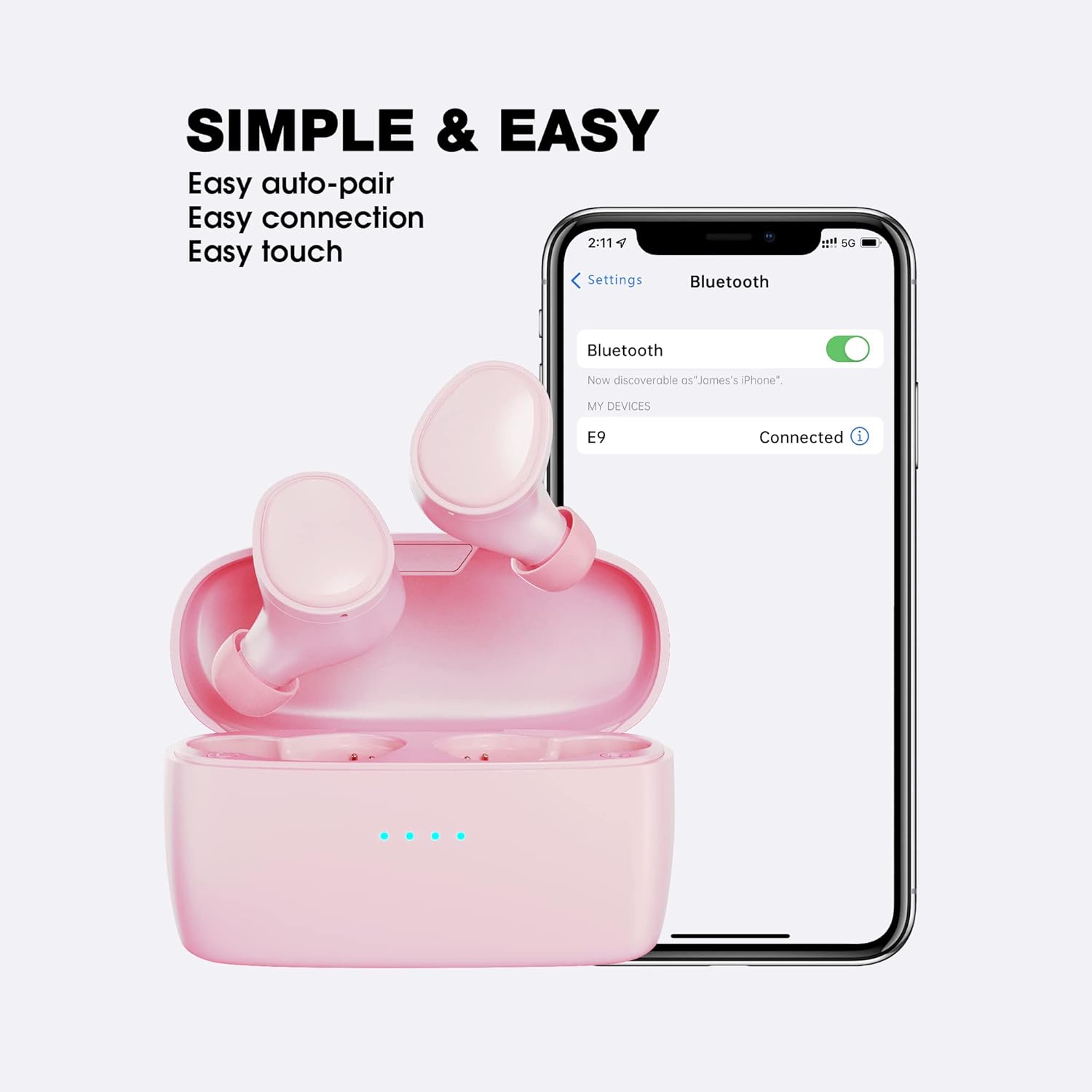
This image illustrates the simple and easy connection process of the KOSETON E9 earbuds. The earbuds are next to a smartphone screen displaying Bluetooth settings, with 'E9' listed as 'Connected', highlighting auto-pairing and easy touch controls.
The KOSETON E9 earbuds are compatible with both iOS and Android devices.
3. Kesesuaian Optimum
For the best sound quality and comfort, choose the ear tips that fit your ears most securely. Three sizes (S, M, L) are included. Gently insert the earbuds into your ear canal and twist slightly to ensure a snug fit.

The KOSETON E9 earbuds, their charging case, three sizes of ear tips, and a USB-C charging cable are displayed. Text emphasizes 'Compact & Comfort for women and kids', indicating the product's ergonomic design and customizable fit.
Arahan Operasi
Kawalan Sentuh
The KOSETON E9 earbuds feature intuitive touch controls for various functions:
- Main/Jeda: Ketik sekali pada salah satu fon telinga.
- Lagu Seterusnya: Ketik dua kali pada fon telinga kanan.
- Trek Sebelumnya: Ketik dua kali pada fon telinga kiri.
- Jawab/Tamatkan Panggilan: Ketik sekali pada salah satu fon telinga.
- Tolak Panggilan: Tekan dan tahan salah satu fon telinga selama 2 saat.
- Aktifkan Pembantu Suara: Ketik tiga kali pada salah satu fon telinga (cth, Siri, Google Assistant).
Kualiti Bunyi dan Pembatalan Bunyi
The KOSETON E9 earbuds deliver crystal-clear sound. They also feature in-ear noise cancellation for clear calls, isolating your voice from ambient noise.

The KOSETON E9 earbuds are shown in their charging case, with one earbud partially removed, next to text stating 'Crystal Clear Sound'. A graphic indicates '3X clearer than ordinary wireless earbuds' with a 'Noise' and 'Voice' bar, suggesting enhanced audio clarity.
Penyelenggaraan
- Pembersihan: Regularly clean the earbuds and charging case with a soft, dry cloth. Do not use harsh chemicals or abrasive materials.
- Petua Telinga: Remove and clean the ear tips periodically with mild soap and water. Ensure they are completely dry before reattaching.
- Storan: Apabila tidak digunakan, simpan fon telinga dalam bekas pengecasnya untuk melindunginya dan memastikan ia dicas.
- Tahan Air: The earbuds are water-resistant (sweatproof), making them suitable for sports and exercise. However, they are not designed for submersion in water. Avoid exposing them to excessive moisture.
Menyelesaikan masalah
- Fon telinga tidak berpasangan: Ensure both earbuds are in the charging case, then open the lid to activate pairing mode. Check your device's Bluetooth settings to ensure "E9" is selected.
- Hanya satu fon telinga berfungsi: Letakkan kedua-dua fon telinga kembali ke dalam bekas pengecasan, tutup penutupnya, dan kemudian bukanya semula. Ini selalunya akan menetapkan semula sambungan antara kedua-dua fon telinga.
- Tiada bunyi: Periksa tahap kelantangan pada kedua-dua peranti anda dan fon telinga. Pastikan fon telinga disambungkan dengan betul melalui Bluetooth.
- Isu pengecasan: Verify that the USB-C cable is securely connected to both the charging case and the power source. Ensure the charging contacts on the earbuds and inside the case are clean and free of debris.
Spesifikasi
| Nama Model | E9 |
| Teknologi Ketersambungan | Wayarles (Bluetooth 5.0) |
| Penempatan Telinga | Di Telinga |
| Kawalan Bunyi | Sound Isolation (In-Ear Noise Cancelling for Calls) |
| Hayat Bateri | Sehingga 30 Jam (dengan kes pengecasan) |
| Kaedah Kawalan | Sentuh |
| Tahap Ketahanan Air | Kalis Air (Kalis Peluh) |
| Berat Barang | 0.08 Kilogram (2.82 auns) |
| bahan | plastik |
| Peranti Serasi | iOS dan Android |
Waranti dan Sokongan
KOSETON provides a lifetime warranty for these wireless earbuds. For any support inquiries, please refer to the contact information provided in your Quick Start Guide or visit the official KOSETON webtapak.


