pengenalan
The TrolMaster LMA-12 Lighting Control Adapter D is designed to integrate specific lighting fixtures, such as Dimlux Ballasts, with the TrolMaster Hydro-X control system. This adapter allows the Hydro-X system to manage and automate lighting schedules and intensity for compatible horticultural lighting equipment, enhancing control over your growing environment.
Produk Selesaiview
Ciri-ciri Utama
- Enables Hydro-X system control over Dimlux Ballasts.
- Simple plug-and-play integration.
- Robust design suitable for horticultural environments.
Komponen
The LMA-12 adapter typically includes the main adapter unit and an integrated RJ12 cable for connection to the control system.
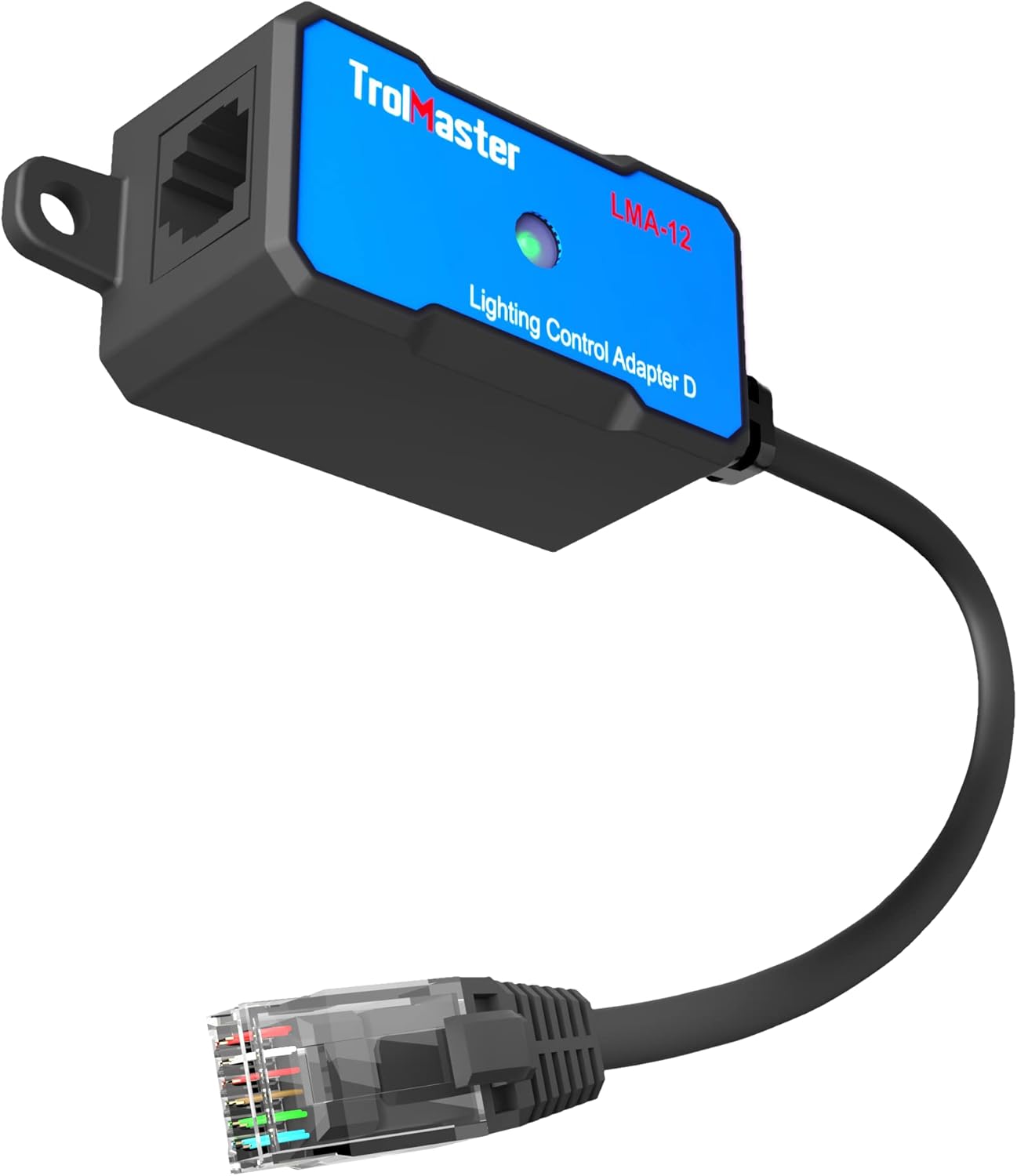
Image: The TrolMaster LMA-12 Lighting Control Adapter D, showing the main unit and its attached RJ12 cable. This adapter facilitates communication between the Hydro-X controller and compatible lighting ballasts.
Arahan Persediaan
Follow these steps to properly set up your LMA-12 Lighting Control Adapter D:
- Kenal pasti Komponen: Ensure you have the TrolMaster Hydro-X controller, the LMA-12 adapter, and your Dimlux Ballast(s).
- Connect LMA-12 to Hydro-X: Plug the RJ12 cable from the LMA-12 adapter into an available control port on your TrolMaster Hydro-X controller.
- Connect LMA-12 to Ballast: Connect the other end of the LMA-12 adapter (or a splitter, if controlling multiple ballasts) to the control port of your Dimlux Ballast.
- Hidupkan kuasa: Ensure all devices are properly connected and then power on your Hydro-X controller and lighting system.
- Konfigurasi: Refer to your Hydro-X controller's manual for specific steps on how to detect and configure the connected lighting fixtures within the system settings.

Image: A diagram illustrating the connection sequence: 1. Controller (Hydro-X), 2. Lighting Control Adapter (LMA-12), 3. Splitter (optional), and 4. G Ballast (Dimlux Ballast). This shows how the LMA-12 integrates into the lighting control system.
Arahan Operasi
Once the LMA-12 adapter is connected and recognized by your Hydro-X controller, you can manage your Dimlux Ballasts through the Hydro-X interface.
- Penjadualan: Use the Hydro-X controller to set daily lighting schedules, including ON/OFF times.
- Peredupan: Adjust the light intensity (dimming) of your connected ballasts directly from the Hydro-X controller.
- Automasi: Configure advanced automation rules based on environmental conditions monitored by your Hydro-X system.
For detailed operation of the Hydro-X controller, please consult its dedicated user manual.
Penyelenggaraan
The LMA-12 adapter requires minimal maintenance to ensure optimal performance.
- Pembersihan: Periodically wipe the adapter with a dry, soft cloth to remove dust. Do not use liquid cleaners directly on the unit.
- Pemeriksaan: Regularly check the RJ12 cable and connectors for any signs of wear or damage. Ensure connections are secure.
- Persekitaran: Operate the adapter within recommended environmental conditions (temperature, humidity) to ensure longevity.
Menyelesaikan masalah
Adapter Not Detected by Hydro-X
- Semak Sambungan: Ensure the RJ12 cable is securely plugged into both the LMA-12 and the Hydro-X controller.
- Integriti Kabel: Inspect the RJ12 cable for any visible damage. Try a different RJ12 cable if available.
- Hydro-X Port: Try connecting the LMA-12 to a different control port on the Hydro-X controller.
- Mulakan semula Sistem: Power cycle the Hydro-X controller and the connected lighting system.
Lighting Fixture Not Responding
- Sambungan Balast: Verify the connection between the LMA-12 (or splitter) and the Dimlux Ballast.
- Ballast Power: Ensure the Dimlux Ballast is powered on and functioning correctly independently of the control system.
- Hydro-X Settings: Confirm that the lighting fixture is correctly configured and enabled within the Hydro-X controller's settings.
- Keserasian: Ensure your specific Dimlux Ballast model is compatible with the LMA-12 adapter.
Spesifikasi
| Ciri | Perincian |
|---|---|
| Nombor Model | LMA-12 |
| Pengeluar | TrolMaster |
| Nombor Bahagian | LMA-12 |
| Dimensi Produk | 5.12 x 7.36 x 3.47 inci |
| Berat Barang | 1 paun |
| warna | Hitam |
| Komponen yang Disertakan | Modul |
| Bateri Diperlukan? | Tidak |
Maklumat Waranti
TrolMaster products are typically covered by a manufacturer's warranty. For specific details regarding the warranty period and terms for your LMA-12 adapter, please refer to the warranty card included with your product or visit the official TrolMaster webtapak. Simpan bukti pembelian anda untuk sebarang tuntutan waranti.
Sokongan
If you encounter issues not covered in this manual or require further assistance, please contact TrolMaster customer support.
- Sumber Dalam Talian: Visit the official TrolMaster website for FAQs, additional documentation, and software updates.
- Hubungi Sokongan: Refer to the contact information provided on the TrolMaster website or in your product packaging for direct support.
When contacting support, please have your product model (LMA-12) and purchase information ready to expedite assistance.


