1. Pengenalan
Thank you for choosing the MageGee 60% Wired Gaming Keyboard. This ultra-compact keyboard is designed for gamers, typists, and travelers, offering a blend of performance, portability, and customizable RGB backlighting. This manual provides essential information for setting up, operating, maintaining, and troubleshooting your new keyboard.

Berakhirview of the MageGee 60% Wired Gaming Keyboard, showcasinreka bentuknya yang padat dan lampu latar RGB yang bertenaga.
2. Kandungan Pakej
- MageGee 60% Wired Gaming Keyboard
- Kabel USB Jenis-C ke USB-A
- Manual Pengguna (dokumen ini)
3. Arahan Persediaan
3.1 Menyambung Papan Kekunci
- Locate the USB Type-C port on the back or side of the keyboard.
- Connect the smaller end of the provided USB Type-C cable to the keyboard's port.
- Sambungkan hujung kabel USB-A yang lebih besar ke port USB yang tersedia pada komputer anda.
- Papan kekunci ini boleh dipasang dan digunakan dan akan dikenali secara automatik oleh sistem pengendalian anda.
3.2 Keserasian Sistem
The MageGee 60% Wired Gaming Keyboard is compatible with a wide range of operating systems, including:
- Windows 10, Windows 8, Windows 7, Windows XP, Windows VISTA
- Mac OS
For use with gaming consoles such as XBOX, PlayStation, or Nintendo Switch, a compatible converter adapter is recommended (not included).

This image illustrates the core features of the keyboard, including its 61 anti-ghosting keys, detachable Type-C cable for connectivity, multiple backlight modes, compact 60% layout, ergonomic design, and durable construction.
4. Arahan Operasi
4.1 Keyboard Layout and Keys
This keyboard features a 60% compact layout with 61 keys. It includes anti-ghosting technology for all 61 keys, ensuring accurate registration of multiple simultaneous key presses, which is beneficial for gaming.
4.2 Kawalan Lampu Latar
The keyboard features customizable RGB backlighting with multiple effects. You can adjust the backlight modes, brightness, and speed using specific key combinations.
- Changing Backlight Modes: The keyboard offers various backlight effects, including normal light, wave, horse riding, and breathing modes. Specific key combinations (often involving the 'FN' key) are used to cycle through these modes. Refer to the keycaps for symbols indicating backlight functions.
- Melaraskan Kecerahan: There are 5 levels of brightness control. Use the designated key combinations (typically 'FN' + arrow keys or other function keys) to increase or decrease the backlight intensity.
- Melaraskan Kelajuan: The speed of dynamic backlight effects can also be adjusted across 5 levels. Use the designated key combinations (typically 'FN' + arrow keys or other function keys) to modify the effect speed.

The keyboard's customizable RGB backlighting is shown, demonstrating different lighting patterns and the ability to adjust brightness and speed to suit user preferences.
4.3 Reka Bentuk Ergonomik
The keyboard is designed with an ergonomic key layout that adapts to the natural movement arc of your hands. The key height is optimized to provide comfort and reduce fatigue during long periods of use.
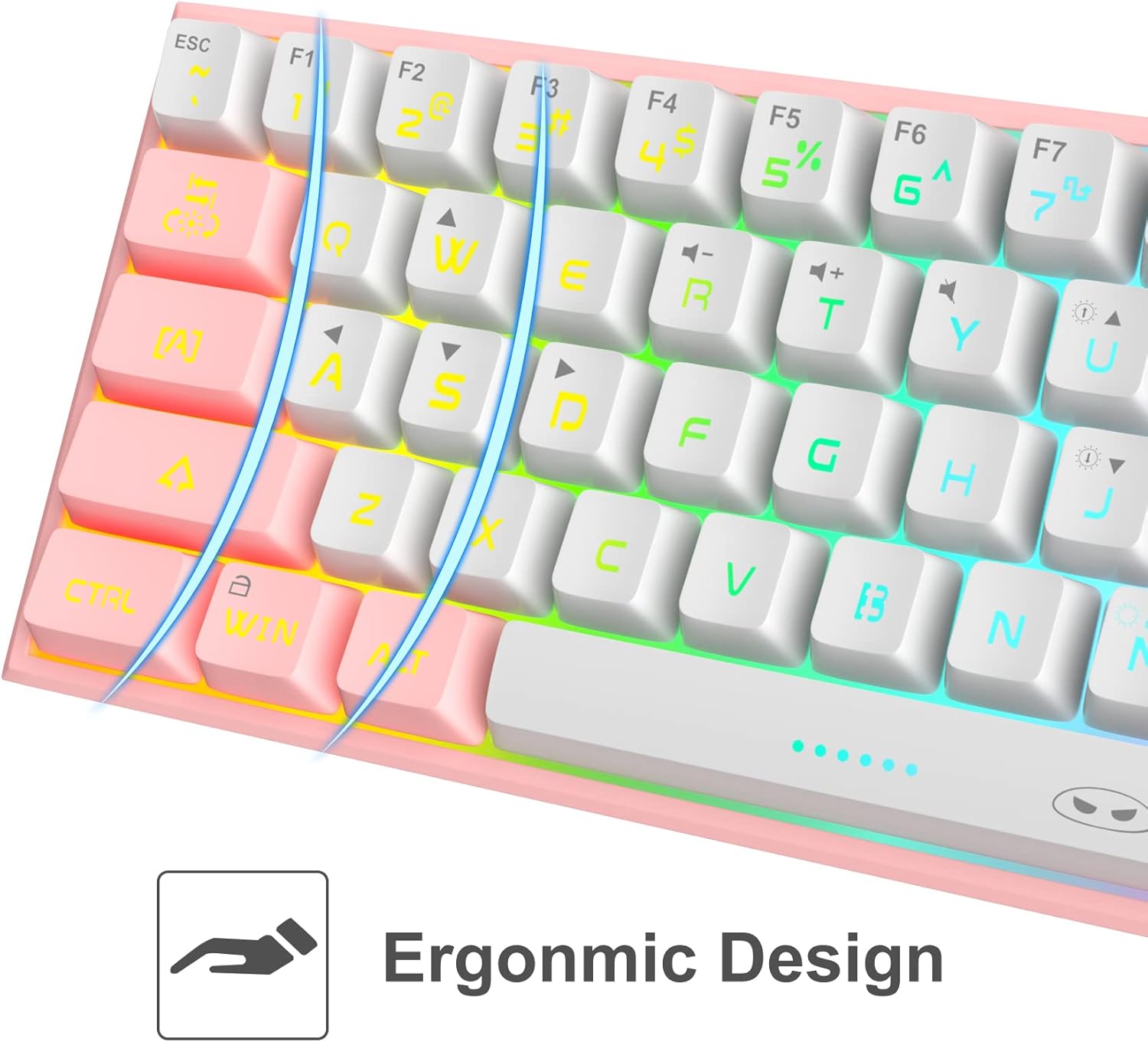
A terperinci view of the keyboard's keycaps, emphasizing the ergonomic design that contributes to comfortable and reduced-fatigue use during extended periods.
5. Penyelenggaraan
To ensure the longevity and optimal performance of your MageGee keyboard, follow these maintenance guidelines:
- Pembersihan: The keyboard features a waterproof design, which helps protect against accidental spills. For general cleaning, disconnect the keyboard from your computer. Use a soft, damp cloth to wipe down the keycaps and chassis. For stubborn dirt, a small amount of mild soap can be used. Ensure the keyboard is completely dry before reconnecting.
- Penyingkiran habuk: Gunakan udara termampat untuk mengeluarkan habuk dan serpihan dari antara penutup kekunci.
- Storan: Apabila tidak digunakan untuk tempoh yang lama, simpan papan kekunci di tempat yang kering dan sejuk, jauh daripada cahaya matahari langsung.
6. Penyelesaian masalah
If you encounter issues with your MageGee keyboard, refer to the following common problems and solutions:
| Masalah | Kemungkinan Punca | Penyelesaian |
|---|---|---|
| Papan kekunci tidak bertindak balas | Sambungan kabel longgar, port USB tidak betul, isu pemandu. | Pastikan kabel USB disambungkan dengan selamat pada papan kekunci dan komputer. Cuba port USB yang lain. Mulakan semula komputer anda. |
| Lampu latar tidak berfungsi | Lampu latar dimatikan, kecerahan ditetapkan kepada minimum. | Use the designated key combinations to turn on the backlight or increase brightness. |
| Certain keys not registering | Serpihan di bawah penutup kekunci, konflik perisian. | Clean the affected key area with compressed air. Test the keyboard on another computer to rule out software issues. |
| Keyboard input lag | USB port issue, system performance. | Try a different USB port. Ensure your computer meets the system requirements for your applications. |
7. Spesifikasi
| Ciri | Perincian |
|---|---|
| Model | B09LV96L71 |
| Jenama | MageGee |
| Teknologi Ketersambungan | Berwayar (USB Jenis-C) |
| Susun atur papan kekunci | 60% Compact, 61 Keys |
| Pencahayaan latar | RGB Backlit (multiple modes, adjustable brightness/speed) |
| Ciri Khas | Waterproof, Anti-ghosting (all 61 keys), Ergonomic Design |
| Dimensi Produk | 12 x 5 x 2 inci |
| Berat Barang | 1.05 paun |
| bahan | Akrilonitril Butadiena Stirena (ABS) |
| warna | Putih Merah Jambu |
| Peranti Serasi | PC, Mac, Gaming Consoles (with adapter) |
8. Waranti dan Sokongan
8.1 Maklumat Waranti
Specific warranty details for the MageGee 60% Wired Gaming Keyboard may vary by region and retailer. Please refer to the warranty card included with your purchase or contact your point of sale for detailed information regarding warranty coverage and terms.
8.2 Sokongan Pelanggan
For technical assistance, troubleshooting beyond this manual, or inquiries about your product, please contact MageGee customer support through their official website or the retailer from whom you purchased the product. Have your model number (B09LV96L71) and purchase details ready when contacting support.


