1. Pengenalan
The NETUM NT-1228BC is a versatile 1D CCD barcode scanner designed for efficient data capture. It supports multiple connection methods including Bluetooth, 2.4G Wireless, and wired USB, making it compatible with a wide range of devices such as smartphones, tablets, and PCs running Windows, Mac, Android, and iOS operating systems. This scanner is specifically engineered to read 1D barcodes directly from both physical paper and digital screens, including computer monitors and mobile devices, even those with poor printing or minor damage.

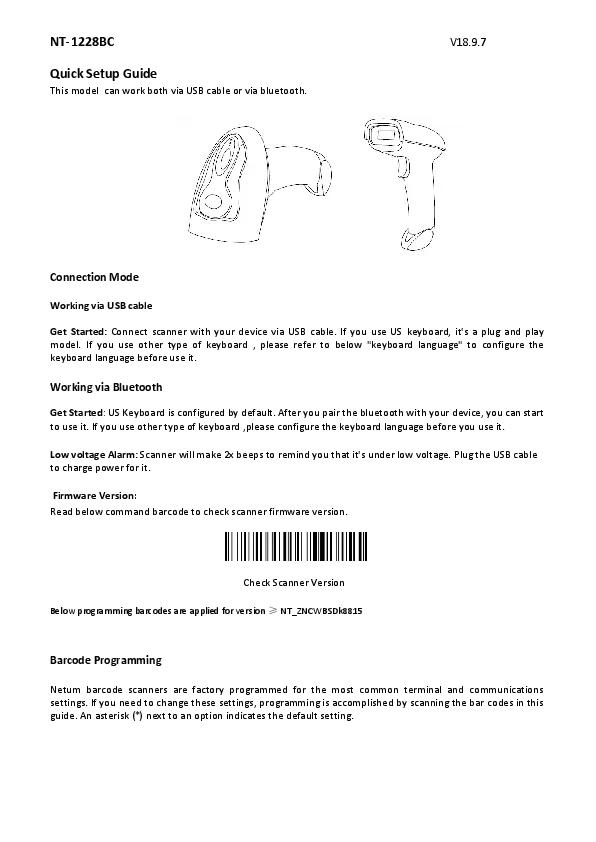
Image 1.1: The NETUM NT-1228BC barcode scanner, showing its ergonomic design, scan trigger, and the included USB charging cable and 2.4G wireless receiver.
2. Kandungan Pakej
Sila sahkan bahawa semua item yang disenaraikan di bawah terdapat dalam pakej anda:
- 1 x NETUM NT-1228BC Bluetooth CCD Barcode Scanner
- 1 x Penerima Tanpa Wayar 2.4G
- 1 x Kabel Pengecas USB
- 1 x Panduan Pengguna
3. Persediaan
3.1 Mengecas Pengimbas
Before initial use, fully charge the scanner. Connect the provided USB charging cable to the scanner's charging port and to a USB power source (e.g., computer USB port, USB wall adapter). A full charge typically takes approximately 2 hours and provides up to 30 hours of continuous scanning.
3.2 Mod Sambungan
The NT-1228BC scanner offers three primary connection methods:
3.2.1 Sambungan Bluetooth
This mode allows wireless connection to Bluetooth-enabled devices such as smartphones, tablets, and computers.
- Pastikan pengimbas dihidupkan.
- Press and hold the trigger button on the scanner until it enters pairing mode (indicated by a specific LED light pattern or sound, refer to the quick start guide for details).
- On your host device (phone, tablet, PC), navigate to Bluetooth settings and search for available devices.
- Select "NETUM NT-1228BC" (or similar name) from the list to pair.
- The scanner supports both HID (Human Interface Device) and SPP (Serial Port Profile) modes. The default mode is typically HID, which functions like a keyboard input.
3.2.2 Sambungan Wayarles 2.4G
For devices without Bluetooth or for a dedicated wireless connection, use the provided 2.4G wireless receiver.
- Pasangkan penerima wayarles 2.4G ke port USB yang tersedia pada komputer anda.
- Power on the barcode scanner.
- The scanner should automatically connect to the receiver. If not, refer to the quick start guide for specific pairing instructions for 2.4G mode.
3.2.3 Sambungan Berwayar
For a direct and stable connection, use the USB cable.
- Connect one end of the USB cable to the scanner's port.
- Sambungkan hujung kabel USB yang lain ke port USB yang tersedia pada komputer anda.
- Pengimbas akan berfungsi sebagai peranti berwayar dan juga dicas secara serentak.
4. Arahan Operasi
4.1 Mengimbas Kod Bar
Untuk mengimbas kod bar:
- Ensure the scanner is connected to your host device via your chosen method (Bluetooth, 2.4G Wireless, or Wired).
- Point the scanner's window at the 1D barcode you wish to scan.
- Press the trigger button. A red scanning line will emit from the scanner.
- Position the scanning line across the entire barcode. A successful scan will typically be indicated by an audible beep and/or a change in the LED indicator.
The CCD scanning technology allows for reading 1D barcodes from various surfaces, including printed labels, computer screens, smartphone displays, and even through glass or plastic wrap. It is also effective for barcodes with minor printing imperfections or scratches.
4.2 Keserasian
The NETUM NT-1228BC scanner is compatible with the following operating systems and software applications:
- Operating Systems: Windows, Mac OS X, Android, iOS
- Software: Works with common applications such as Microsoft Word, Excel, Novell, and most other software that accepts keyboard input.
4.3 Pengurusan Bateri
The scanner is equipped with a 2000mAh battery, providing extended operational time. When the battery level is low, the scanner will indicate this (e.g., via an LED indicator or beep pattern). Recharge the scanner using the provided USB cable as described in Section 3.1.
5. Penyelenggaraan
5.1 Pembersihan
To maintain optimal performance, keep the scanner's window and body clean. Use a soft, dry, lint-free cloth to wipe the surfaces. For stubborn dirt, a slightly damp cloth with mild soap can be used, followed by a dry cloth. Avoid using abrasive cleaners, solvents, or harsh chemicals, as these can damage the device.
5.2 Penyimpanan
When not in use, store the scanner in a cool, dry place away from direct sunlight, extreme temperatures, and high humidity. Protect it from drops and impacts. If storing for an extended period, ensure the battery has a partial charge (around 50%) to prolong its lifespan.
6. Penyelesaian masalah
If you encounter issues with your NETUM NT-1228BC scanner, please refer to the following common problems and solutions:
- Scanner not pairing or connecting:
- Ensure the scanner is fully charged.
- Verify that the correct connection mode (Bluetooth, 2.4G Wireless, or Wired) is selected and active.
- For Bluetooth, ensure your host device's Bluetooth is enabled and discoverable.
- For 2.4G Wireless, ensure the receiver is securely plugged into a USB port.
- Try restarting both the scanner and the host device. - Cannot read barcodes:
- Confirm the barcode is a 1D type. This scanner does not support 2D/QR/Data Matrix codes.
- Ensure the barcode is within the scanner's reading range and the red scanning line covers the entire barcode.
- Check for sufficient lighting. Avoid direct glare on the barcode.
- For screen barcodes, adjust screen brightness if necessary.
- Clean the scanner's reading window if it is dirty. - No data transmission after scanning:
- Verify the scanner is successfully connected to your host device.
- Ensure the application you are using on your host device is ready to receive input (e.g., a text field is active).
- Check the compatibility section (Section 4.2) to ensure your operating system and software are supported. - Scanner cannot be programmed for prefix/suffix:
- Please note that this model currently does not support programming custom prefixes or suffixes. - Incompatibility with Square POS:
- This scanner is not compatible with Square POS systems.
7. Spesifikasi
| Model | NT-1228BC |
| Teknologi Pengimbasan | CCD (1D Barcodes only) |
| Teknologi Ketersambungan | Bluetooth, Tanpa Wayar 2.4G, Kabel USB |
| Peranti Serasi | Desktop, Laptop, Smartphone, Tablet, Mobile PDA |
| Sistem Operasi yang Serasi | Windows, Mac OS X, Android, iOS |
| Sumber Kuasa | Battery Powered (2000mAh), Corded Electric (via USB) |
| Hayat Bateri | Up to 30 hours continuous scanning |
| Masa Mengecas | lebih kurang 2 jam |
| Pengeluar | NETUM |
| ASIN | B09LQK5KP3 |
8. Waranti dan Sokongan
For warranty information and technical support, please refer to the warranty card included in your product package or visit the official NETUM website. You may also contact NETUM customer service directly for assistance with product inquiries, troubleshooting, or warranty claims.