1. Arahan Keselamatan
Sentiasa patuhi langkah berjaga-jaga keselamatan asas semasa menggunakan alat elektrik untuk mengurangkan risiko kebakaran, renjatan elektrik dan kecederaan diri. Baca semua arahan sebelum mengendalikan alat ini.
Amaran Keselamatan Alat Kuasa Am
- Keselamatan Kawasan Kerja: Pastikan kawasan kerja bersih dan terang. Kawasan bersepah atau gelap mengundang kemalangan. Jangan kendalikan alatan kuasa dalam atmosfera mudah meletup, seperti dalam kehadiran cecair mudah terbakar, gas atau habuk. Alat kuasa menghasilkan percikan api yang boleh menyalakan habuk atau asap. Jauhkan kanak-kanak dan orang ramai semasa mengendalikan alat kuasa. Gangguan boleh menyebabkan anda hilang kawalan.
- Keselamatan Elektrik: Palam alat kuasa mesti sepadan dengan soket. Jangan sekali-kali mengubah suai palam dalam apa jua cara. Jangan gunakan sebarang palam penyesuai dengan alat kuasa yang dibumikan (dibumikan). Palam yang tidak diubah suai dan soket yang sepadan akan mengurangkan risiko renjatan elektrik. Elakkan sentuhan badan dengan permukaan yang dibumikan atau dibumikan, seperti paip, radiator, dapur dan peti sejuk. Terdapat peningkatan risiko renjatan elektrik jika badan anda dibumikan atau dibumikan. Jangan dedahkan alat kuasa kepada hujan atau keadaan basah. Air yang memasuki alat kuasa akan meningkatkan risiko renjatan elektrik. Jangan menyalahgunakan kord. Jangan sekali-kali menggunakan kord untuk membawa, menarik atau mencabut plag alat kuasa. Jauhkan kord daripada haba, minyak, tepi tajam atau bahagian yang bergerak. Kord yang rosak atau terbelit meningkatkan risiko renjatan elektrik.
- Keselamatan Diri: Stay alert, watch what you are doing and use common sense when operating a power tool. Do not use a power tool while you are tired or under the influence of drugs, alcohol or medication. A moment of inattention while operating power tools may result in serious personal injury. Use personal protective equipment. Always wear eye protection. Protective equipment such as dust mask, non-skid safety shoes, hard hat, or hearing protection used for appropriate conditions will reduce personal injuries. Prevent unintentional starting. Ensure the switch is in the off-position before connecting to power source, picking up or carrying the tool. Carrying power tools with your finger on the switch or energising power tools that have the switch on invites accidents. Remove any adjusting key or wrench before turning the power tool on. A wrench or a key left attached to a rotating part of the power tool may result in personal injury. Do not overreach. Keep proper footing and balance at all times. This enables better control of the power tool in unexpected situations. Dress properly. Do not wear loose clothing or jewellery. Keep your hair and clothing away from moving parts. Loose clothes, jewellery or long hair can be caught in moving parts. If devices are provided for the connection of dust extraction and collection facilities, ensure these are connected and properly used. Use of dust collection can reduce dust-related hazards.
- Penggunaan dan Penjagaan Alat Kuasa: Do not force the power tool. Use the correct power tool for your application. The correct power tool will do the job better and safer at the rate for which it was designed. Do not use the power tool if the switch does not turn it on and off. Any power tool that cannot be controlled with the switch is dangerous and must be repaired. Disconnect the plug from the power source and/or the battery pack from the power tool before making any adjustments, changing accessories, or storing power tools. Such preventive safety measures reduce the risk of starting the power tool accidentally. Store idle power tools out of the reach of children and do not allow persons unfamiliar with the power tool or these instructions to operate the power tool. Power tools are dangerous in the hands of untrained users. Maintain power tools and accessories. Check for misalignment or binding of moving parts, breakage of parts and any other condition that may affect the power tool’s operation. If damaged, have the power tool repaired before use. Many accidents are caused by poorly maintained power tools. Keep cutting tools sharp and clean. Properly maintained cutting tools with sharp cutting edges are less likely to bind and are easier to control. Use the power tool, accessories and tool bits etc. in accordance with these instructions, taking into account the working conditions and the work to be performed. Use of the power tool for operations different from those intended could result in a hazardous situation.
- Penggunaan dan Penjagaan Alat Bateri: Isi semula hanya dengan pengecas yang ditentukan oleh pengilang. Pengecas yang sesuai untuk satu jenis pek bateri mungkin menimbulkan risiko kebakaran apabila digunakan dengan pek bateri yang lain. Gunakan alatan kuasa hanya dengan pek bateri yang ditetapkan secara khusus. Penggunaan mana-mana pek bateri lain boleh menyebabkan risiko kecederaan dan kebakaran. Apabila pek bateri tidak digunakan, jauhkan ia daripada objek logam lain, seperti klip kertas, syiling, kunci, paku, skru atau objek logam kecil lain, yang boleh membuat sambungan dari satu terminal ke terminal yang lain. Pemintas terminal bateri boleh menyebabkan melecur atau kebakaran. Dalam keadaan kesat, cecair mungkin dikeluarkan daripada bateri; elakkan bersentuhan. Jika terkena secara tidak sengaja, siram dengan air. Jika cecair terkena mata, dapatkan bantuan perubatan tambahan. Cecair yang dikeluarkan daripada bateri boleh menyebabkan kerengsaan atau melecur.
- Perkhidmatan: Minta alat kuasa anda diservis oleh pembaikan bertauliah dengan hanya menggunakan alat ganti yang sama. Ini akan memastikan keselamatan alat kuasa dikekalkan.
2. Produk Lebihview
The POWERPLUS POWDP15200 is a versatile 20V cordless impact drill driver designed for various drilling and screwing applications. It is part of the Dual Power range, meaning its battery and charger (sold separately) are compatible with other Dual Power tools.
Ciri-ciri Utama:
- Adjustable Speed and Rotation: Two-speed gearbox (0-450 min-1 / 0-1800 min-1) and a forward/reverse switch for optimal control.
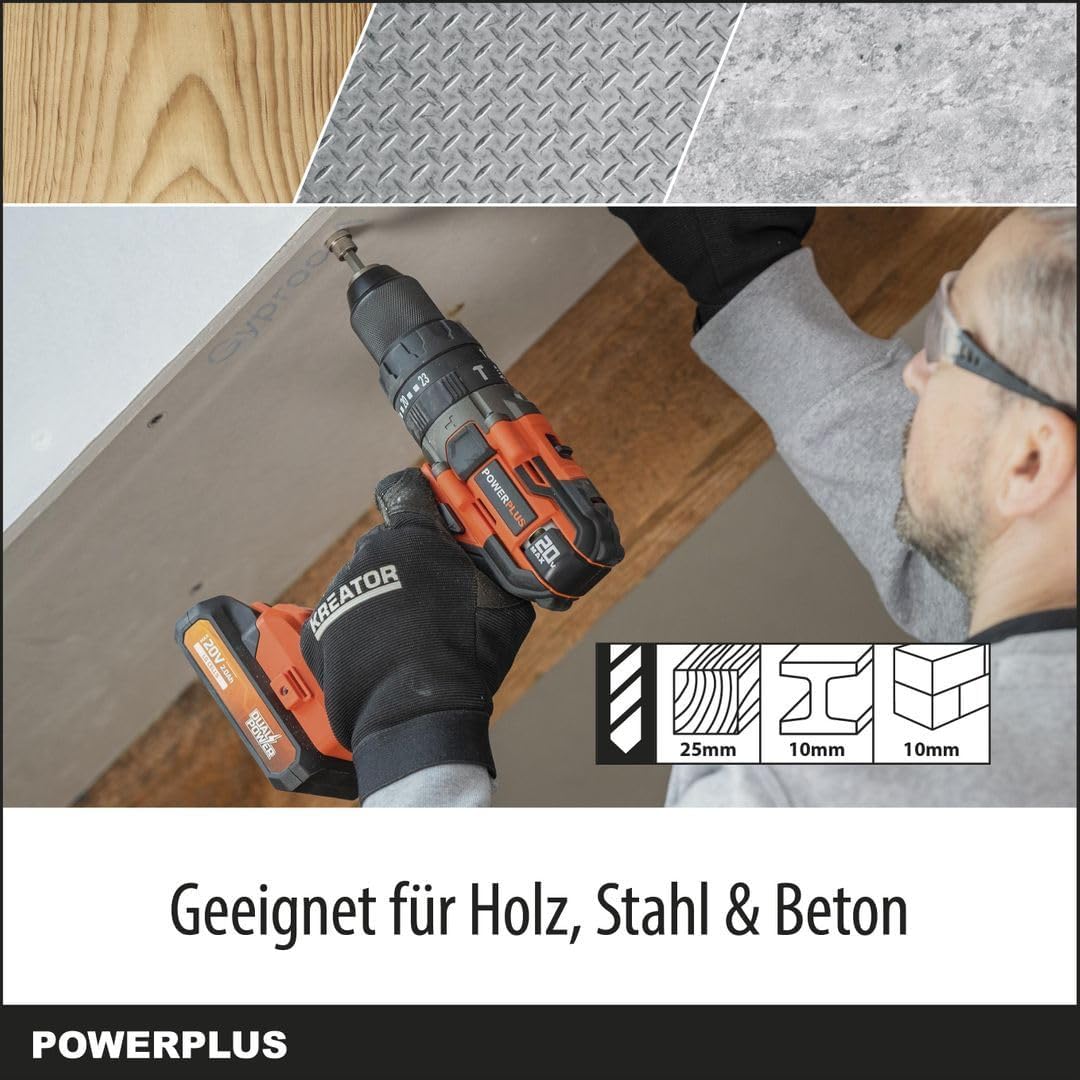
- Keupayaan Pelbagai Bahan: Drills up to 25 mm in wood, 10 mm in steel, and 10 mm in concrete.
- Fungsi 3-dalam-1: Offers screwing, drilling, and impact drilling modes with 23+2 torque settings.
- Prestasi Kuat: Delivers up to 50 Nm of torque and an impact rate of 7200-28800 strokes per minute.
- Keterlihatan Dipertingkat: Integrated LED work light illuminates the work area.
- Mekanisme Keselamatan: Features soft start, quick stop, and overload protection.
- Quick Accessory Change: Spindle lock for easy chuck and bit changes.
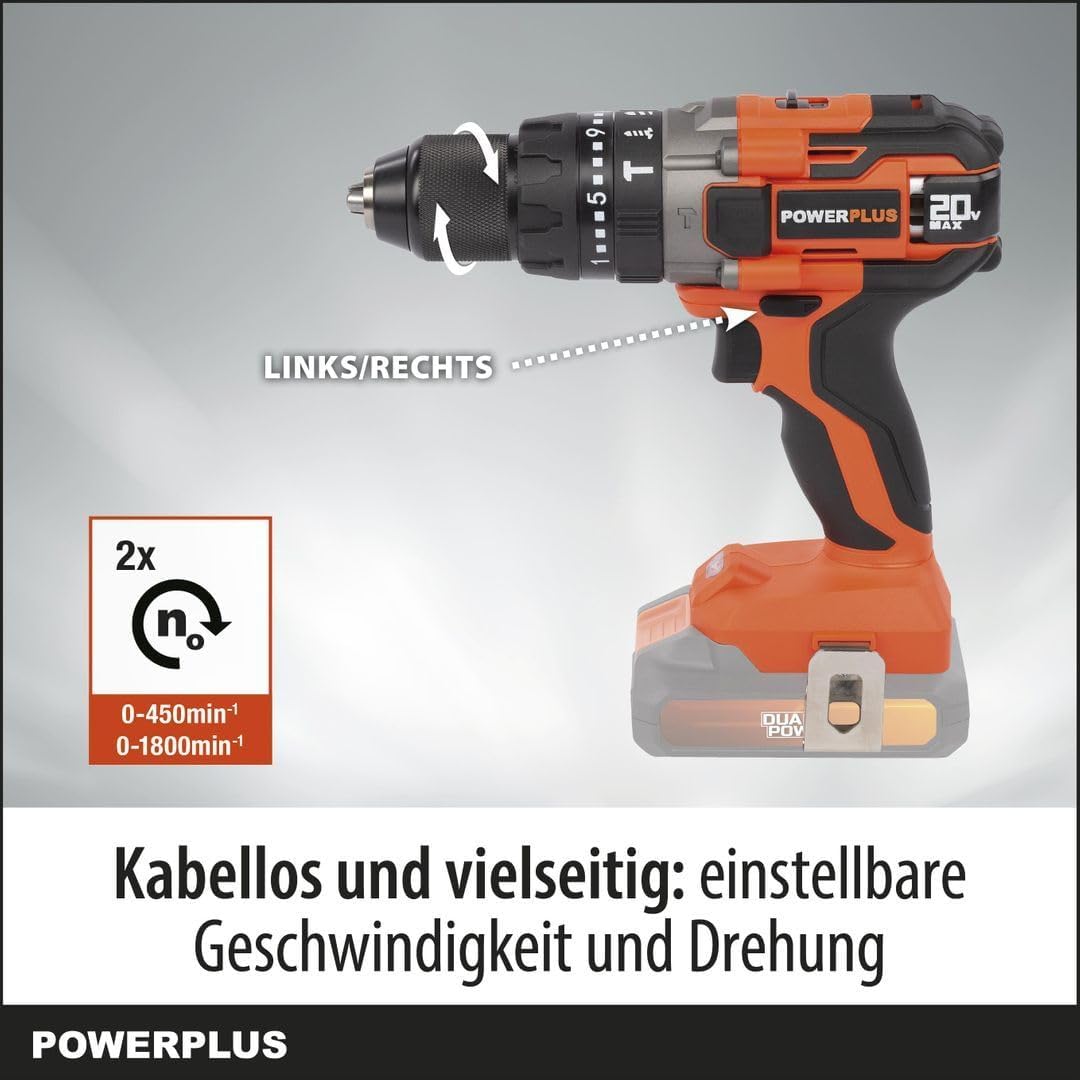
Rajah 2.1: Depan view of the POWERPLUS POWDP15200 Cordless Impact Drill Driver. This image shows the overall design of the tool, including the chuck, speed selector, and handle.
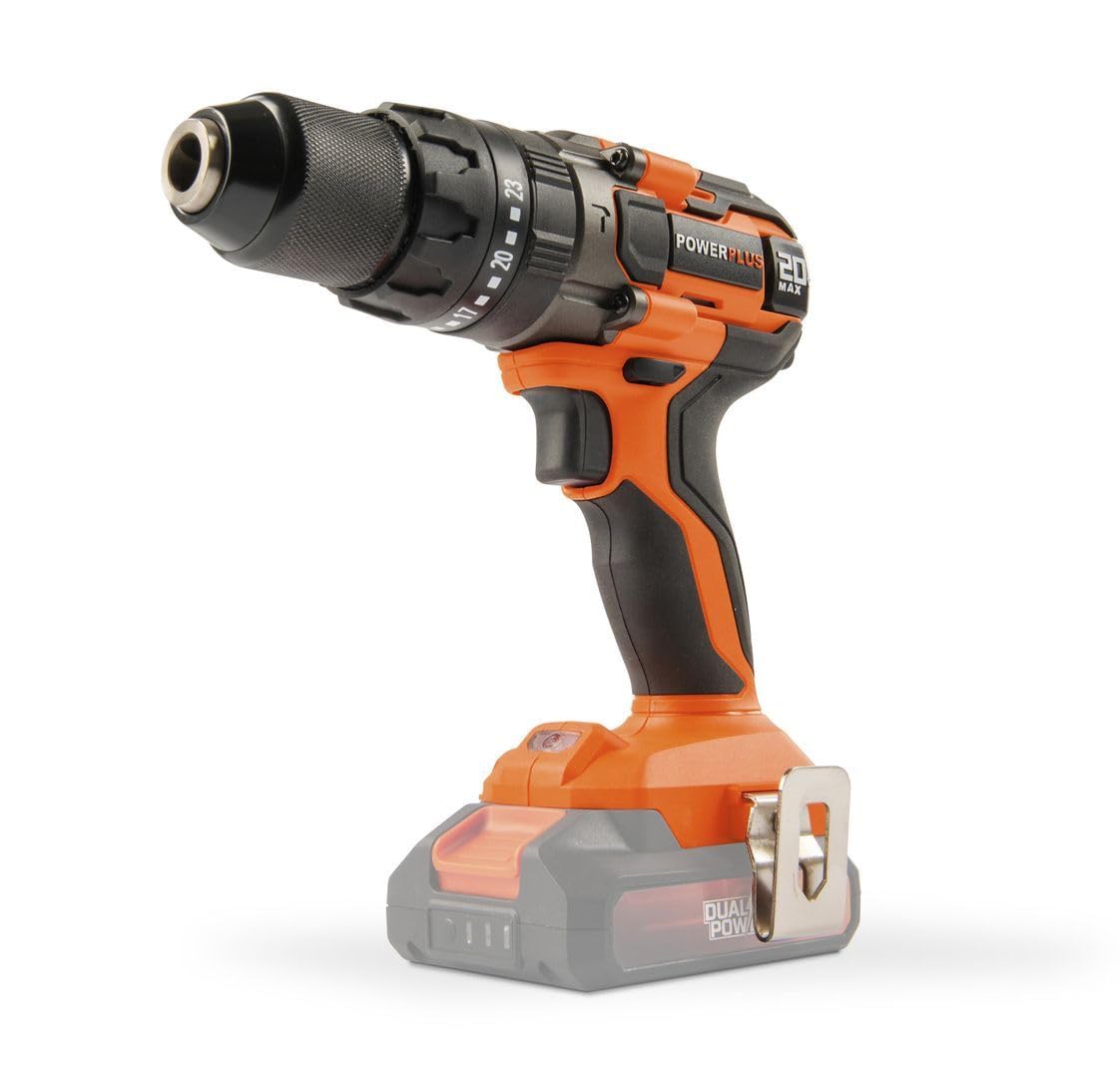
Figure 2.2: The POWERPLUS POWDP15200 drill driver with a compatible Dual Power battery attached. Note that the battery and charger are sold separately.
3. Persediaan
3.1. Pemasangan dan Pengecasan Bateri
This tool requires a 20V Dual Power battery and a compatible charger, which are not included and must be purchased separately. Ensure the battery is fully charged before first use.
- To install the battery, align the battery pack with the slot in the base of the drill handle.
- Luncurkan bateri ke tempatnya sehingga ia mengklik dengan selamat.
- Untuk mengeluarkan bateri, tekan butang pelepas pada sisi pek bateri dan luncurkannya keluar.

Rajah 3.1: Belakang view of the drill driver, showing the battery compartment where the Dual Power battery slides in.
Rajah 3.2: Sisi view of the drill driver, illustrating the ergonomic handle and the battery interface.

Figure 3.3: Close-up of the drill chuck and torque adjustment ring. This ring allows selection of 23 torque settings for screwing, a drill mode, and an impact drill mode.
3.2. Memasang Mata Gerudi atau Mata Pemutar Skru
- Pastikan alat dimatikan dan bateri ditanggalkan untuk keselamatan.
- Putar chuck lawan jam untuk membuka rahang.
- Insert the desired drill bit or screwdriver bit into the chuck. Ensure the bit is centered and fully inserted.
- Rotate the chuck clockwise to tighten the jaws firmly around the bit. The spindle lock feature assists in holding the chuck steady during this process.
- Pull on the bit to ensure it is securely fastened.
4. Operasi
4.1. Selecting Speed and Rotation Direction
The drill driver features a two-speed gearbox and a forward/reverse selector.
- Pemilih Kelajuan: Use the switch on top of the drill to select between two speeds:
- Position 1 (Low Speed): 0-450 min-1, ideal for screwing and larger drilling diameters.
- Position 2 (High Speed): 0-1800 min-1, suitable for smaller drilling diameters and faster work.
- Suis Hadapan/Undur: Located above the trigger, this switch controls the rotation direction.
- Push left for forward rotation (screwing in, drilling).
- Push right for reverse rotation (unscrewing, removing bits).
- Kedudukan tengah mengunci picu untuk keselamatan semasa penyimpanan atau pertukaran mata.

Figure 4.1: Illustration of the speed selector (2x n0) and the forward/reverse switch (LINKS/RECHTS). The image highlights the two speed ranges: 0-450 min-1 and 0-1800 min-1.
4.2. Adjusting Torque and Mode
The torque adjustment ring allows you to select the appropriate torque for screwing or switch to drilling or impact drilling modes.
- Screwing Mode: Rotate the ring to select one of the 23 torque settings. Lower numbers are for smaller screws and softer materials, higher numbers for larger screws and harder materials. This prevents over-tightening and stripping screw heads.
- Drilling Mode (Ikon Mata Gerudi): Select this mode for general drilling without impact. The clutch will not engage, providing full power.
- Impact Drilling Mode (Hammer Drill Icon): Select this mode for drilling into masonry or concrete. This mode combines rotation with a hammering action.
Figure 4.2: Close-up of the chuck and torque adjustment ring, showing the 23 torque settings, drill icon, and impact drill icon.
4.3. Memulakan dan Menghentikan Alat
- To start the tool, press the trigger switch. The tool features a soft start mechanism for controlled acceleration.
- The integrated LED work light will illuminate when the trigger is pressed, providing visibility to the work area.
- To stop the tool, release the trigger switch. The quick stop feature will rapidly halt the chuck's rotation.
Figure 4.3: The drill driver with its LED work light activated, illuminating the area in front of the chuck for improved visibility.
4.4. Drilling and Screwing Tips
- Always use sharp, appropriate bits for the material and task.
- For drilling, apply steady, even pressure. Do not force the tool.
- For screwing, start with a lower torque setting and increase if necessary to avoid stripping screw heads.
- When drilling into hard materials or concrete, use the impact drilling mode and ensure the bit is designed for impact use.
- The tool is suitable for drilling up to 25mm in wood, 10mm in steel, and 10mm in concrete.

Figure 4.4: The drill driver being used to drill into a wooden surface, demonstrating its capability for wood applications up to 25mm.

Figure 4.5: The drill driver in operation, illustrating its powerful 50 Nm torque and controlled performance for various tasks.
5. Penyelenggaraan
Regular maintenance ensures the longevity and optimal performance of your POWERPLUS POWDP15200 drill driver.
5.1. Pembersihan
- Sentiasa putuskan sambungan bateri sebelum membersihkan.
- Pastikan bukaan pengudaraan bersih untuk mengelakkan terlalu panas. Gunakan berus lembut atau udara termampat untuk membersihkan habuk dan serpihan.
- Lap perumah alat dengan lembut, damp kain. Jangan gunakan bahan kimia yang keras atau pembersih yang kasar.
- Bersihkan rahang chuck dengan kerap untuk memastikan cengkaman yang betul pada bit.
5.2. Penyimpanan
- Simpan alat tersebut di tempat yang kering, selamat, dan jauh daripada kanak-kanak.
- Keluarkan bateri daripada alat sebelum disimpan untuk tempoh yang lama.
- Simpan bateri di tempat yang sejuk dan kering, jauh dari cahaya matahari langsung dan suhu yang melampau.
6. Penyelesaian masalah
Jika anda menghadapi masalah dengan pemacu gerudi anda, rujuk kepada masalah dan penyelesaian biasa berikut:
| Masalah | Kemungkinan Punca | Penyelesaian |
|---|---|---|
| Alat tidak bermula. | Bateri tidak dipasang dengan betul atau dinyahcas. Kunci pencetus terlibat. | Ensure battery is fully charged and properly inserted. Check that the forward/reverse switch is not in the center (locked) position. |
| Reduced power or stops during operation. | Battery low. Overload protection activated. | Recharge the battery. Reduce pressure on the tool or use a lower speed/torque setting. Allow the tool to cool down if it has overheated. |
| Sedikit tergelincir dalam chuck. | Chuck tidak diketatkan secukupnya. Bit shank kotor atau rosak. | Tighten the chuck firmly. Clean the bit shank or replace damaged bits. |
| Getaran atau bunyi yang berlebihan. | Damaged bit. Loose components. | Replace the bit. Check for any loose parts. If the problem persists, contact customer support. |
7. Spesifikasi
| Ciri | Spesifikasi |
|---|---|
| Nombor Model | POWDP15200 |
| Jenama | KUASA |
| Nominal Voltage | 20 V |
| Maks. Tork | 50 Nm |
| No-load Speed (Gear 1) | 0 - 450 minit-1 |
| No-load Speed (Gear 2) | 0 - 1800 minit-1 |
| Impact Rate (Gear 1) | 0 - 7200 sebatan/min |
| Impact Rate (Gear 2) | 0 - 28800 sebatan/min |
| Kapasiti Chuck | Maks. Ø13 mm |
| Tetapan Tork | 23 + 1 (Drill) + 1 (Impact Drill) |
| Kapasiti Penggerudian (Kayu) | 25 mm |
| Kapasiti Penggerudian (Keluli) | 10 mm |
| Kapasiti Penggerudian (Konkrit) | 10 mm |
| Berat (tanpa bateri) | 1.36 kg |
| Dimensi (L x W x H) | 22 x 8 x 19.8 cm |
| Material (Motor winding) | Tembaga |
| Bahan (Perumahan) | PA6-GF30 |
| Material (Gear housing) | aluminium |
| Ciri Khas | Automatic stop, Integrated LED work light, Soft start, Quick stop, Overload protection, Spindle lock |
| Komponen yang Disertakan | 1x belt clip, 1x instruction manual, 1x screw |
| Pengecas bateri | Not included, required (Dual Power compatible) |
8. Waranti dan Sokongan
For warranty information, please refer to the documentation provided with your purchase or visit the official POWERPLUS webtapak. Simpan bukti pembelian anda untuk sebarang tuntutan waranti.
For technical support, spare parts, or service inquiries, please contact your local POWERPLUS dealer or authorized service center. Contact information can typically be found on the manufacturer's webtapak atau dalam dokumentasi yang disertakan.