pengenalan
This manual provides comprehensive instructions for the setup, operation, and maintenance of your Technical Pro 2000 Watts Professional Mixer and Amplifier, model TP2000BT. This unit is designed for versatile audio applications, including DJ, karaoke, and home theater systems, offering powerful amplification and multiple input options.
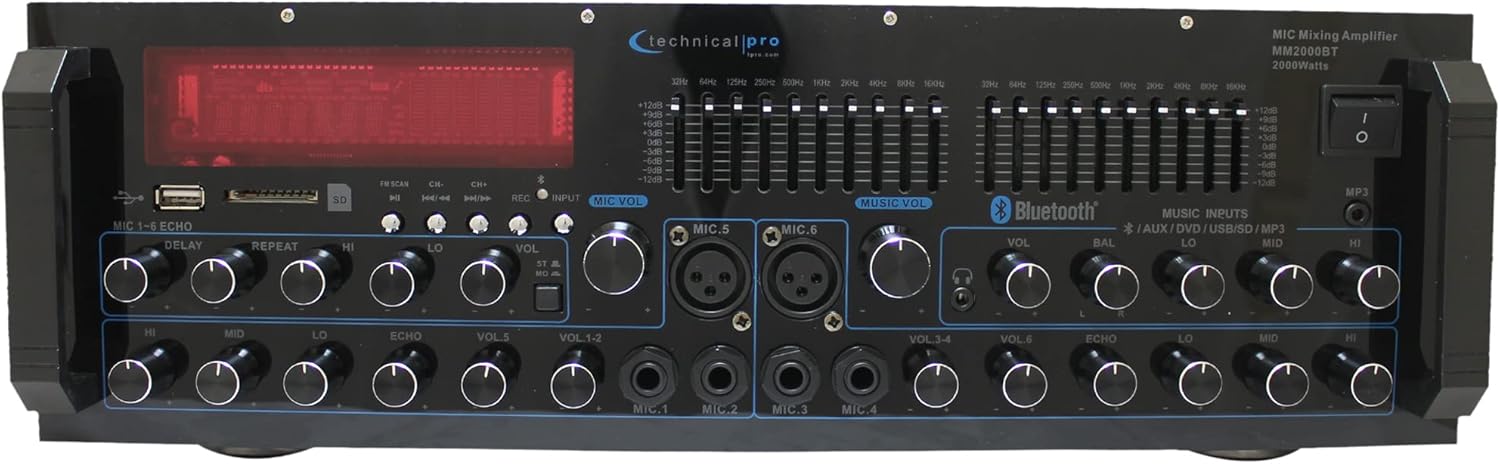
Imej: Depan view of the Technical Pro 2000 Watts Professional Mixer and Amppenguat, pertunjukancasing its various controls and display.
Ciri-ciri Utama
- 2000-Watt Peak Power: Delivers high power output suitable for multi-speaker setups with 2-8 ohms impedance.
- Berbilang Input: Supports FM/AM radio, MP3 audio playback, USB Flash Drive Reader, AUX 3.5mm input, 2 ¼” mic inputs, headphone jack, and RCA (L/R) output jacks for subwoofers.
- Kesambungan Bluetooth: Seamless wireless music streaming from smartphones, tablets, laptops, and computers.
- Kawalan EQ: Features dual 10-band graphic equalizers for precise audio adjustments.
- Kawalan Panel Depan: Intuitive controls for independent audio source selection, microphone volume, echo control, bass, treble, and master volume. Includes LED backlight illumination with dimmer.
- 6 Microphone Inputs: Dedicated inputs for multiple microphones, ideal for karaoke and live performances.
- Dual Speaker Output: Connects to two sets of speakers (Channel A and Channel B) with 4-16 ohms impedance.

Image: A visual representation highlighting the amplifier's features such as 2000 watts peak power, various inputs (RCA, USB, SD Card, Bluetooth, MP3), outputs (Banana binding post, RCA Line Out, Headphones), Bluetooth compatibility range, and adjustment range.
Persediaan
Membongkar dan Pemeriksaan Awal
Buang dengan berhati-hati amplifier from its packaging. Ensure all components are present:
- Technical Pro 2000 Watts Professional Mixer and Amplifier (Model TP2000BT)
- Kabel Kuasa
- Manual Pengguna (dokumen ini)
- Alat Kawalan Jauh (jika disertakan)
Inspect the unit for any signs of damage during transit. If any damage is found, contact your retailer immediately.
Penempatan
Letakkan amplifier on a stable, flat surface. Ensure adequate ventilation around the unit to prevent overheating. Do not obstruct the cooling fan located on the rear panel.

Imej: Terperinci view of the front and back panels, illustrating the layout of controls and connection ports.
Pembesar Suara Penyambung
Connect your speakers to the "SPEAKER OUTPUT" terminals on the rear panel. The unit is designed to work with multi-speakers with 2-8 ohms impedance, and the speaker output terminals are specifically labeled for 4-16 ohms. Ensure correct polarity (+ to + and – to –) for optimal sound quality. The amplifier features dual speaker outputs (Channel A and Channel B).

Image: Close-up of the rear panel, highlighting the speaker output terminals and RCA input/output connections.
Menyambungkan Sumber Audio
The amplifier menawarkan pelbagai pilihan input:
- RCA Inputs (DVD, AUX): Use RCA cables to connect external audio devices like DVD players, CD players, or other audio sources to the "INPUT" section on the rear panel.
- Kad USB/SD: Insert a USB flash drive or SD card into the respective slots on the front panel for MP3/WAV/WMA playback.
- Bluetooth: For wireless audio streaming, refer to the "Bluetooth Operation" section.
- Input Mikrofon: Connect up to six microphones using the ¼” (Mic 1-4) and XLR/¼” combo (Mic 5-6) inputs on the front panel.
- Output Fon Kepala: Connect headphones to the dedicated jack on the front panel.
Arahan Operasi
Hidupkan/Mati Kuasa
Press the "POWER" button on the front panel to turn the unit on or off. The LED display will illuminate when the unit is powered on.
Pemilihan Sumber
Use the input selection buttons on the front panel (e.g., USB/SD, Bluetooth, AUX, DVD) to choose your desired audio source.
Kawalan Kelantangan dan Nada
- Jumlah Induk: Melaraskan volum keluaran keseluruhan amplebih hidup.
- Kelantangan Mikrofon: Individual volume controls for each microphone input (VOL 1-6).
- Bes/Trebel: Adjusts the low and high frequency response of the audio.
- Baki: Melaraskan keseimbangan saluran kiri/kanan.
- Echo Controls (Delay, Repeat, Hi, Lo): Adjusts the echo effect for microphone inputs.

Imej: Terperinci view of the front panel, highlighting the AUX inputs, bass and treble controls, and the digital display.
Operasi Bluetooth
- Select "Bluetooth" as the input source using the front panel controls.
- Pada peranti anda yang didayakan Bluetooth (telefon pintar, tablet, dsb.), cari peranti Bluetooth yang tersedia.
- Select "Technical Pro" or "TP2000BT" from the list to pair.
- Setelah dipasangkan, anda boleh menstrim audio secara wayarles ke amplebih hidup.
Main Semula USB/Kad SD
Insert a USB flash drive or SD card (max 32GB) containing MP3, WAV, or WMA audio files into the corresponding slot on the front panel. The unit will automatically switch to USB/SD mode and begin playback. Use the navigation buttons (Play/Pause, Next, Previous) to control playback.
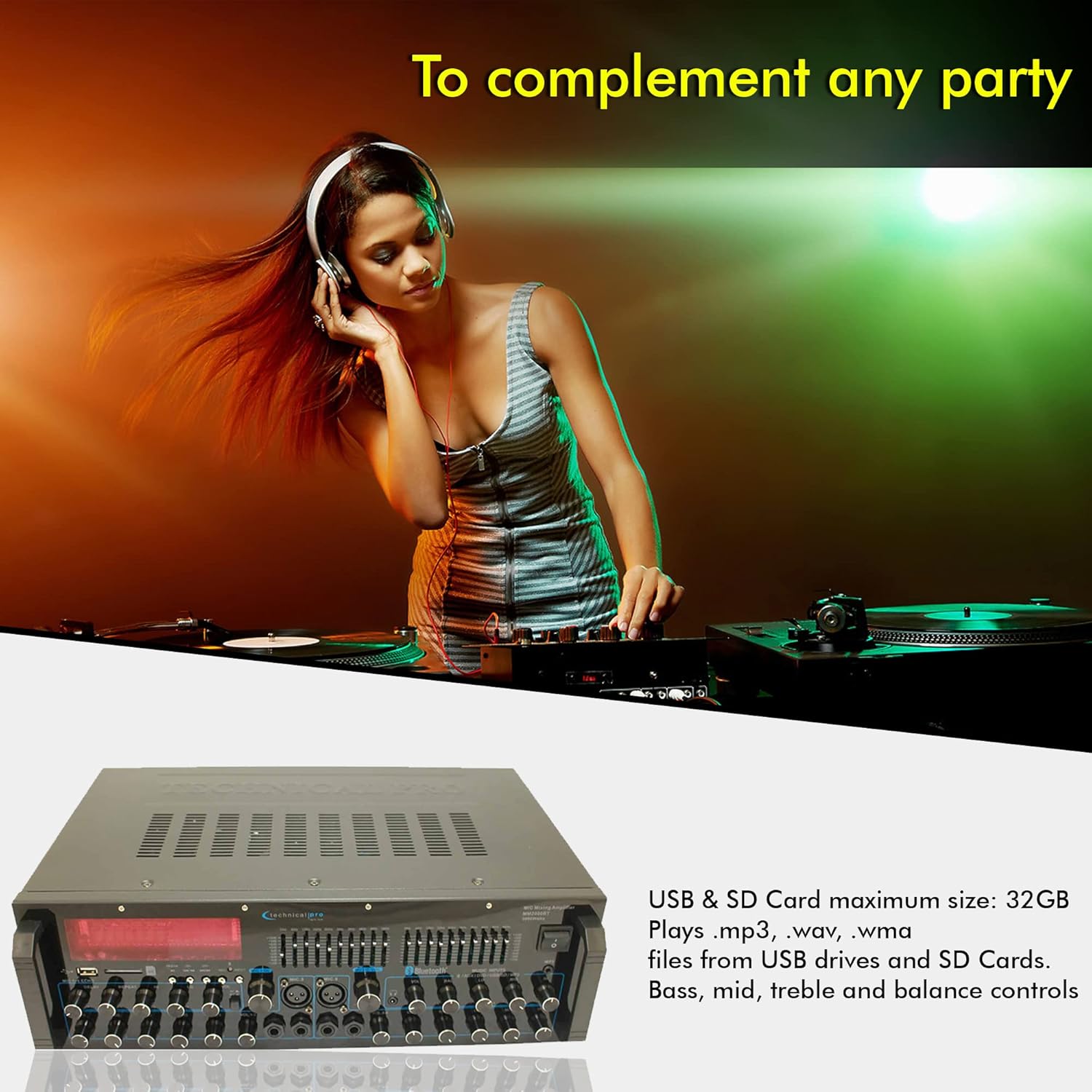
Imej: The amplifier's front panel with USB and SD card slots highlighted, indicating support for MP3, WAV, WMA files and a maximum size of 32GB.
Pelarasan Penyamaan
The dual 10-band graphic equalizers allow for precise frequency adjustments. Move the sliders up or down to boost or cut specific frequency ranges to tailor the sound to your preference and acoustic environment.
Video: An official product video demonstrating the features of the Technical Pro 2000 Watts Professional Mixer and Amplifier, including its dual 10-band EQs, various inputs, and dual speaker outputs.
Penyelenggaraan
- Pembersihan: Gunakan kain lembut dan kering untuk membersihkan bahagian luar unit. Jangan gunakan pembersih cecair atau aerosol.
- Pengudaraan: Pastikan bukaan pengudaraan bersih daripada habuk dan serpihan untuk mengekalkan aliran udara yang betul dan mengelakkan terlalu panas.
- Storan: Jika menyimpan unit untuk tempoh yang lama, putuskan sambungannya daripada kuasa dan simpan di tempat yang sejuk dan kering jauh daripada cahaya matahari langsung dan suhu yang melampau.
Menyelesaikan masalah
| Masalah | Kemungkinan Punca | Penyelesaian |
|---|---|---|
| Tiada Kuasa | Power cable not connected; Power outlet faulty; Unit fuse blown. | Periksa sambungan kabel kuasa; Cuba soket lain; Rujuk juruteknik yang berkelayakan untuk penggantian fius. |
| Tiada Keluaran Bunyi | Speakers not connected correctly; Volume too low; Incorrect input source selected; Mute function active. | Verify speaker connections and polarity; Increase master volume; Select the correct input source; Deactivate mute. |
| Kegagalan Berpasangan Bluetooth | Device too far; Bluetooth not enabled on device; Amplifier tidak dalam mod berpasangan. | Alihkan peranti lebih dekat amplifier; Enable Bluetooth on your device; Ensure amplifier is set to Bluetooth input. |
| Bunyi Herot | Input signal too high; Speaker impedance mismatch; EQ settings incorrect. | Reduce input source volume; Ensure speakers are 4-16 ohms; Adjust EQ settings. |
For issues not listed here, please contact Technical Pro customer support.
Spesifikasi
| Ciri | Perincian |
|---|---|
| Nombor Model | TP2000BT |
| Output Kuasa | Kuasa Puncak 2000 Watt |
| Bilangan Saluran | 2 |
| Impedans Pembesar Suara | Supports 2-8 ohms speakers; Speaker output terminals designed for 4-16 ohms. |
| Teknologi Ketersambungan | Bluetooth, USB, SD Card, RCA, 3.5mm AUX |
| Input Mikrofon | 6 (4 x 1/4", 2 x XLR/1/4" Combo) |
| Dimensi Produk | 19"D x 10"W x 5"H (48.26cm D x 25.4cm W x 12.7cm H) |
| Berat Barang | 14.1 paun (6.4 kg) |
| Tarikh Tayangan | 11 Mac 2025 |
| Pengeluar | Pro Teknikal |

Imej: Dimensi bagi amplifier, indicating its width, depth, and height.
Waranti dan Sokongan
This Technical Pro product is covered by a manufacturer's warranty. For specific warranty terms and conditions, please refer to the warranty card included with your product or visit the official Technical Pro webtapak. Pelan perlindungan lanjutan juga mungkin tersedia untuk pembelian.
For technical support, troubleshooting assistance, or service inquiries, please contact Technical Pro customer service. Contact information can typically be found on the manufacturer's webtapak atau pada pembungkusan produk.
Anda juga boleh melawat Technical Pro Store on Amazon untuk maklumat lanjut dan sumber produk.


