Produk Selesaiview
The Cosmic Byte CB-GK-22 Veritas is a Tenkeyless (TKL) membrane keyboard designed for various computing tasks, including gaming. It features RGB LED backlighting with multiple effects, double injection keycaps for durability, and 25-key anti-ghosting capabilities.

Rajah 1: Atas-bawah view of the Cosmic Byte CB-GK-22 Veritas TKL Membrane Keyboard with RGB lighting activated.
Arahan Persediaan
Follow these steps to set up your Cosmic Byte CB-GK-22 Veritas keyboard:
- Buka pek Papan Kekunci: Carefully remove the keyboard and any included accessories from the packaging.
- Sambung ke Komputer: Cari port USB yang tersedia pada komputer anda. Masukkan penyambung USB papan kekunci ke dalam port USB.
- Pemasangan Pemandu: The keyboard is plug-and-play. Your operating system (Windows, Linux, macOS) should automatically detect and install the necessary drivers. No additional software installation is typically required.
- Sahkan Fungsi: Once connected, the keyboard's RGB lighting should illuminate. Test typing in a text editor to ensure all keys are responsive.
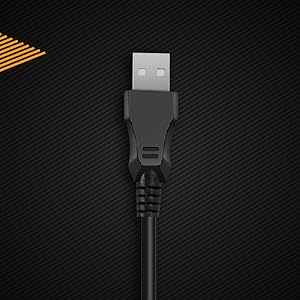
Rajah 2: Jarak dekat view of the keyboard's USB connector, ready for connection to a computer.
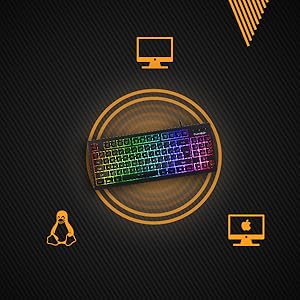
Figure 3: The keyboard is compatible with various operating systems, including Windows, Linux, and macOS.
Arahan Operasi
Fungsi Papan Kekunci Asas
The CB-GK-22 Veritas functions as a standard TKL keyboard. All keys perform their labeled functions. The keyboard features 25-key anti-ghosting, allowing multiple key presses to be registered simultaneously, which is beneficial for fast-paced typing and gaming.
Kawalan Lampu Latar RGB
The keyboard features 7-color RGB backlighting with various effects. Use the following key combinations to control the lighting:
- Pelarasan Kecerahan: Tekan Fn + Halaman Ke Atas to increase brightness (5 levels). Press Fn + Halaman Ke Bawah to decrease brightness (5 levels).
- Kesan Lampu Latar: The keyboard supports 9 backlight effects, including 6 dazzling effects. Specific key combinations for cycling through effects are typically indicated on the keyboard itself or in a quick start guide. Common combinations include Fn + Kunci Tatal or Fn + Masukkan.
- Sonic Spectrum Mode: This mode allows the RGB lighting to react to ambient sound. Activate this mode using the designated key combination, often Fn + Rumah or Fn + Tamat.

Figure 4: The keyboard features a Tenkeyless layout and includes Sonic Spectrum and sound-reactive LED lighting modes.
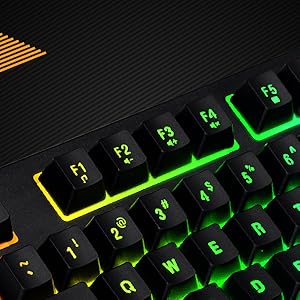
Figure 5: Detail of the function keys (F1-F12) with active RGB backlighting.
Double Injection Keycaps
The keycaps are manufactured using a double injection process, which ensures that the legends (characters on the keys) are scratch-resistant and will not fade over time. This design also makes the keys easier to clean.
Penyelenggaraan
Proper maintenance helps extend the lifespan of your keyboard:
- Pembersihan tetap: Use a soft, dry cloth to wipe down the keycaps and keyboard surface. For dust and debris between keys, use compressed air.
- Pembersihan Dalam: Untuk kotoran degil, sedikit dampen a cloth with water or a mild, non-abrasive cleaning solution. Ensure no liquid enters the keyboard.
- Elakkan Tumpahan: Keep liquids away from the keyboard to prevent damage to internal components. If a spill occurs, immediately disconnect the keyboard and allow it to dry completely before reconnecting.
- Storan: When not in use for extended periods, store the keyboard in a clean, dry environment away from direct sunlight or extreme temperatures.
Menyelesaikan masalah
Jika anda menghadapi masalah dengan papan kekunci anda, rujuk kepada penyelesaian biasa berikut:
- Papan Kekunci Tidak Membalas:
- Pastikan kabel USB disambungkan dengan selamat ke kedua-dua papan kekunci dan komputer.
- Cuba sambungkan papan kekunci ke port USB lain pada komputer anda.
- Uji papan kekunci pada komputer lain untuk menentukan sama ada masalahnya adalah pada papan kekunci atau komputer asal.
- Mulakan semula komputer anda.
- Lampu Latar Tidak Berfungsi atau Tidak Betul:
- Check if the brightness is set to the lowest level. Use Fn + Halaman Ke Atas untuk meningkatkan kecerahan.
- Cycle through backlight effects using the designated key combinations (e.g., Fn + Kunci Tatal or Fn + Masukkan).
- Ensure no software is overriding the keyboard's lighting settings (though this keyboard typically does not require software).
- Kekunci Tidak Mendaftar atau Menjadi Hantu:
- Clean around the affected keys to remove any debris that might be obstructing the key mechanism.
- The keyboard supports 25-key anti-ghosting. If more than 25 keys are pressed simultaneously, some inputs may not register.
Spesifikasi
| Ciri | Perincian |
|---|---|
| Nama Model | CB-GK-22 Veritas |
| Jenama | Bait Kosmik |
| Jenis Papan Kekunci | TKL Membrane Keyboard |
| Lampu latar | 7-Color RGB Backlit, 9 Effects, Sonic Spectrum Mode |
| Tahap Kecerahan | 5 Peringkat |
| Anti-Ghosting | 25 Kekunci |
| Kekunci Kekunci | Suntikan Berganda |
| Ketersambungan | USB |
| Dimensi Produk | 37.2 x 15.1 x 3.7 cm |
| Berat Barang | 629 g |
| Komponen yang Disertakan | Kabel USB |
| Bahasa | Inggeris |
| ASIN | B09K5GYWBH |
Waranti & Sokongan
Maklumat Waranti
The Cosmic Byte CB-GK-22 Veritas TKL Membrane Keyboard comes with a Waranti terhad 1 tahun from the date of purchase. This warranty covers manufacturing defects under normal use. It does not cover damage caused by misuse, accidents, unauthorized modifications, or normal wear and tear.
Sila simpan bukti pembelian anda untuk tuntutan waranti.
Sokongan Pelanggan
For technical assistance, warranty claims, or any product-related inquiries, please contact Cosmic Byte customer support:
- Hubungan Pengilang: 1800 31300 7700
- Jenama Webtapak: Visit the official Cosmic Byte webtapak untuk sumber dan sokongan tambahan.


