1. Pengenalan
Thank you for choosing the Yansoo Dual Dashcam A88A. This manual provides detailed instructions for the proper installation, operation, and maintenance of your new dashcam. Please read this manual thoroughly before use to ensure optimal performance and safety.
2. Kandungan Pakej
Sila semak pakej untuk item berikut:
- Kamera Depan
- Kamera Belakang
- Pengecas Kereta
- Gunung sedutan
- Kabel Kuasa
- Manual Pengguna
- Kain Pembersih

Image: Yansoo Dual Dashcam A88A package contents.
3. Produk Lebihview
The Yansoo Dual Dashcam A88A features a 3-inch IPS screen, a 1080P front camera with a 170° wide-angle lens, and a 150° waterproof rear camera. It is designed to capture clear video footage kedua-dua bahagian hadapan dan belakang kenderaan anda.

Image: Yansoo Dual Dashcam A88A front and rear cameras with display.
Ciri-ciri Utama:
- Skrin IPS 3 inci: Menyediakan yang jelas view rakaman dan tetapan.
- 1080P Full HD Recording: Captures high-resolution video at 30fps.
- Sistem Kamera Dwi: 170° front camera and 150° rear camera for comprehensive coverage.
- Penglihatan Malam Super: F1.8 large aperture, 4 IR LEDs, WDR, and HDR technology for enhanced low-light recording.
- G-Sensor: Automatically detects collisions and locks video footage.
- Rakaman Gelung: Continuously records, overwriting older files when the memory card is full (locked videos are protected).
- Monitor Tempat Letak Kereta: Activates recording upon impact when parked (requires hardwire kit for 24/7 monitoring).
- Pengesanan Pergerakan: Merakam apabila gerakan dikesan di hadapan kamera.
4. Persediaan dan Pemasangan
Before installation, ensure you have a Class 10 or above 32GB Micro SD card (not included). Format the card in the camera menu before first use.
4.1. Pemasangan Kamera Hadapan
- Attach the suction mount to the dashcam.
- Clean the desired area on your windshield.
- Press the suction cup firmly against the windshield and twist the knob to secure it.
- Connect the power cable from the dashcam to your car's cigarette lighter interface.
- Route the power cable neatly along the windshield edge and A-pillar to avoid obstructing your view.

Image: Front dashcam mounted on windshield with cable routing.
4.2. Pemasangan Kamera Belakang
Terdapat dua kaedah utama untuk memasang kamera belakang:
Method 1: Mount on the Rear Windshield
This method involves mounting the rear camera on the inside of your vehicle's rear windshield. The cable can be routed along the headliner and side panels.
Method 2: Install near the License Plate
For external mounting, the rear camera can be installed near your license plate. This typically involves drilling small holes for mounting and cable routing. The red wire from the rear camera cable should be connected to the positive pole of your car's reverse light if you desire the reverse guide line feature. If your car has a reverse system or you do not need the guide line, this red wire connection is optional.
Video: Detailed guide on how to install the rear camera, including routing the cable and connecting the reverse light wire.

Image: Rear camera view dan ciri.
5. Arahan Operasi
Once powered on, the dashcam will automatically start recording. Press the 'OK' button to stop recording.
5.1. Penukaran Mod
Long-press the 'M' button to switch between Video Recording, Photo, and Playback modes.
5.2. Rakaman Gelung
The dashcam supports continuous loop recording in 1, 3, or 5-minute segments. When the memory card is full, the oldest unlocked videos will be automatically overwritten. Videos locked by the G-Sensor are protected from being overwritten.
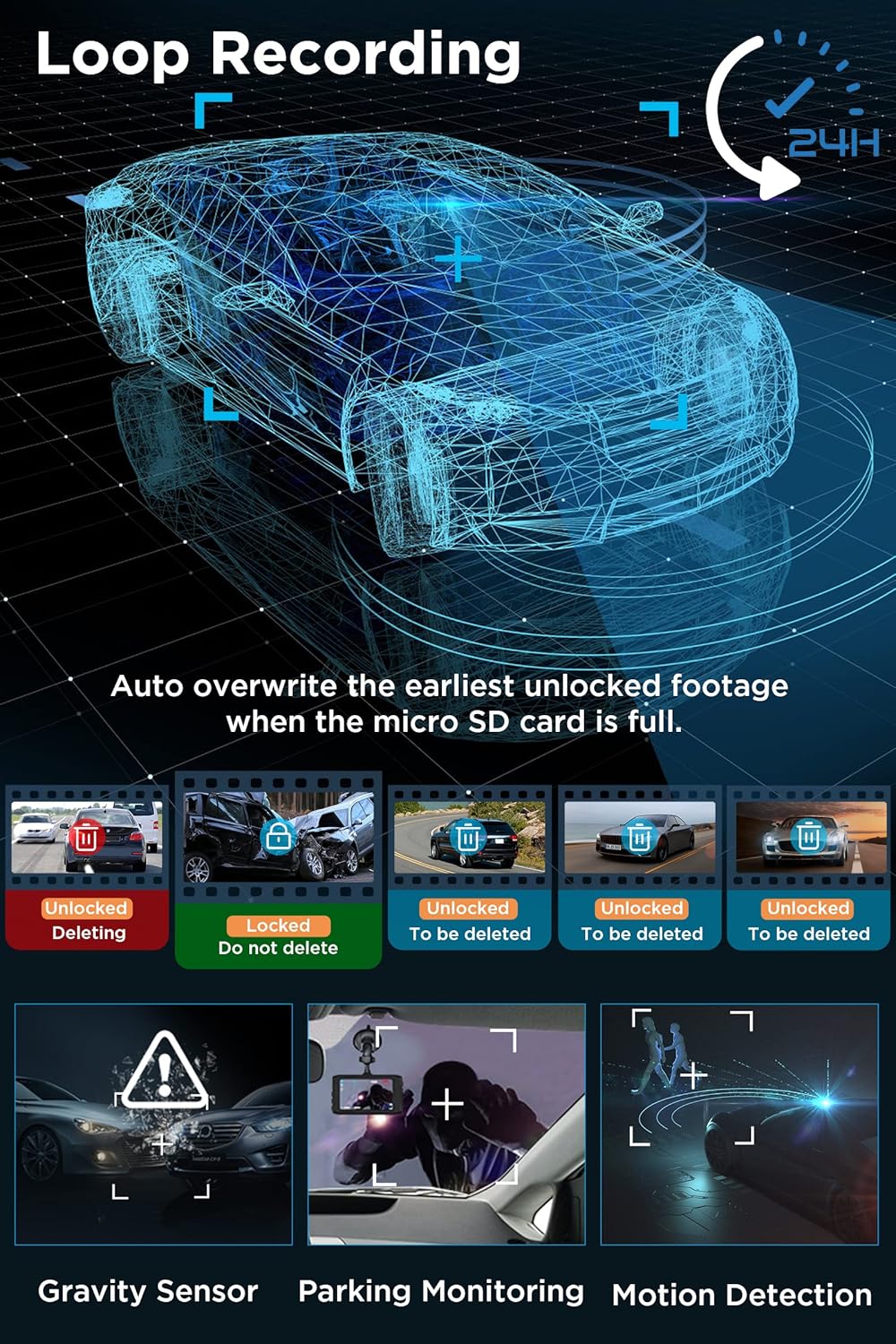
Image: Loop Recording and other key features.
5.3. G-Sensor (Emergency Recording)
The built-in G-Sensor detects sudden impacts or collisions. When an impact reaches the set G-Sensor level, the dashcam will automatically record a 31-second video, lock it, and save it to prevent overwriting.
5.4. Pemantauan Tempat Letak Kereta
When enabled, the parking monitor feature will automatically turn on the dashcam and record a 31-second video if an impact is detected while your car is parked. For 24/7 parking monitoring, a separate hardwire kit is required.
5.5. Pengesanan Pergerakan
When motion detection is enabled, the dashcam will start recording automatically if it detects movement in front of the camera. It is recommended to set Motion Detection to OFF during normal driving to avoid unnecessary recordings.
5.6. Penglihatan Malam
The dashcam utilizes an F1.8 large aperture, 4 IR LEDs, and WDR (Wide Dynamic Range) + HDR (High Dynamic Range) technology to enhance low-light sensitivity, ensuring clear and vivid recordings during nighttime driving.

Image: Enhanced Night Vision features.
5.7. Main balik
awak boleh view recorded videos directly on the dashcam's 3-inch IPS screen or by connecting the memory card to a computer.
6. Menu Tetapan
Press the 'M' button (short press) to enter the setup function. Navigate through the menu using the up/down buttons and confirm selections with the 'OK' button.
Tetapan Disyorkan:
- Gravity Sensor Level: rendah
- Rakaman Gelung: 3 minit
- Pengesanan Pergerakan: OFF (for normal driving)
- Monitor Tempat Letak Kereta: ON
- Auto Matikan: DIMATIKAN
7. Penyelenggaraan
To ensure reliable performance, regularly format your Micro SD card (at least once a month). Use the provided cleaning cloth to keep the camera lenses and screen clear.
8. Penyelesaian masalah
- Peranti Membeku atau Tidak Berfungsi: Use a needle to insert into the small reset hole labeled 'R' on the device to restart it.
- Kamera Belakang Tidak Dipaparkan: Check all cable connections for the rear camera. Ensure the cable is not damaged.
- Rakaman Berhenti Secara Tidak Dijangka: Ensure the Micro SD card is Class 10 or higher and has been formatted. The card may be full if loop recording is off or too many locked files wujud.
- Penglihatan Malam yang lemah: Ensure the camera lens is clean. Check that WDR/HDR settings are enabled.
9. Spesifikasi
| Dimensi Produk | 3.74 x 0.59 x 1.97 inci |
| Berat Barang | 2.54 auns |
| Nombor Model Item | A88A Dash Cam |
| Teknologi Ketersambungan | USB |
| Ciri Khas | Built-In Microphone, 1080P FHD, G-Sensor, Parking Monitor, Loop Recording, 170° Wide Angle, WDR, DVR Dashboard Camera, Motion Detection, 3 Inches IPS Screen |
| Resolusi Tangkapan Video | 1080p |
| Jenis Pemasangan | Gunung Cermin Mata |
| Bidang Dari View | 170 Darjah |
| warna | Hitam |
10. Waranti dan Sokongan
Yansoo offers lifetime after-sales support and a 1-year warranty for the Dual Dashcam A88A. For technical assistance or any questions regarding your dashcam, please contact our customer service team via Amazon or the after-sales email provided in the manual.

Image: Yansoo customer support.


