1. Produk Lebihview
The bmanl T16 Wireless Earbuds are designed for an immersive audio experience with the convenience of wireless connectivity. Featuring a dual LED display charging case, these earbuds offer extended playtime and a secure fit, making them suitable for various activities, including sports and workouts. The intuitive one-button control allows for easy management of music and calls.
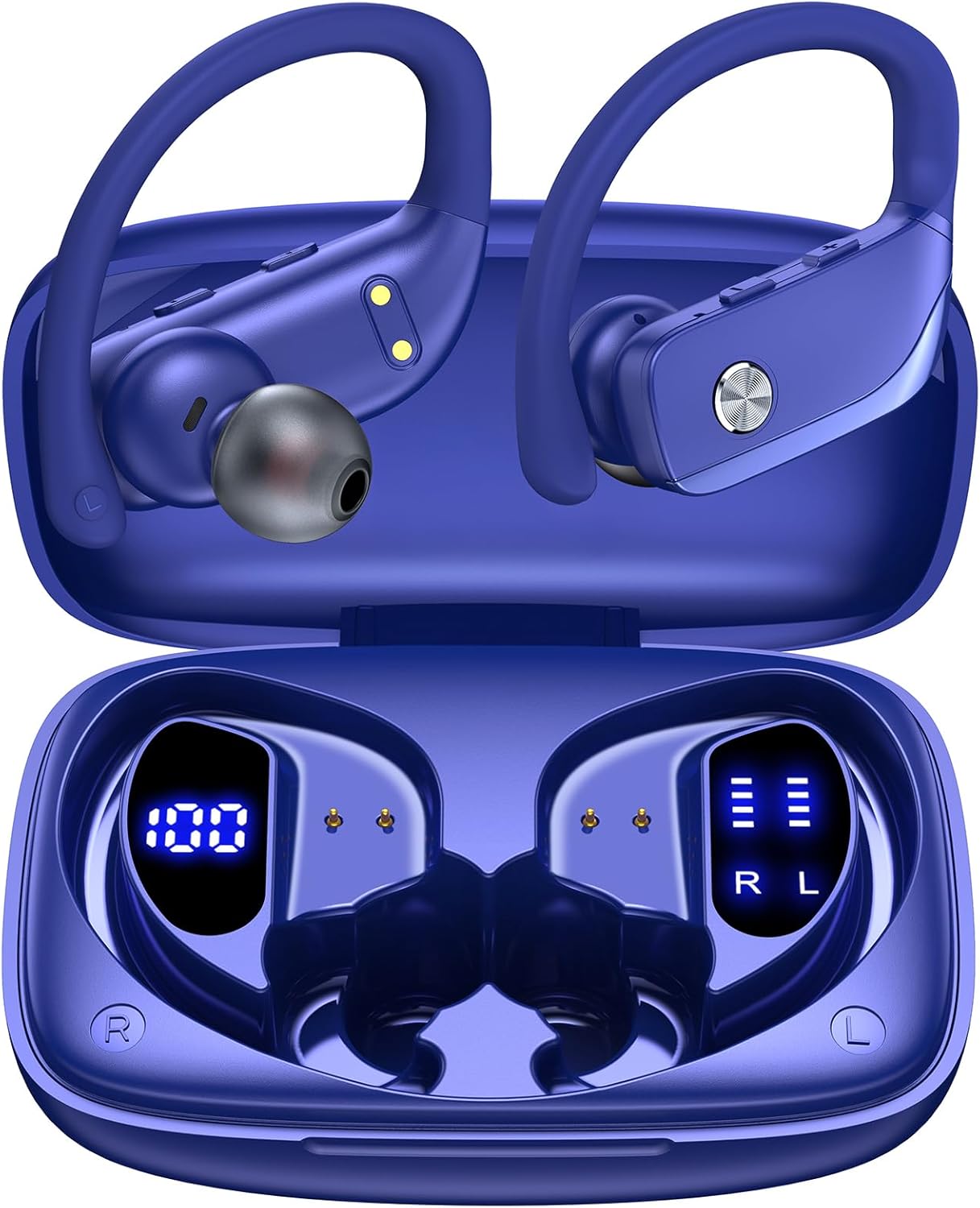
Image: bmanl T16 Wireless Earbuds in their open charging case, showcasing the blue color and earhook design.
2. Kandungan Pakej
Sila semak pakej untuk item berikut:
- bmanl T16 Wireless Earbuds (Left and Right)
- Sarung Pengecasan dengan Paparan LED
- Kabel Pengecas USB
- Pelbagai Saiz Telinga (S, M, L)
- Manual Pengguna

Image: Contents of the bmanl T16 earbud package, including the earbuds, charging case, USB cable, and ear tips.
3. Ciri-ciri Produk
- Dual LED Displays Charging Case: The charging case features two LED displays, one showing the remaining battery percentage of the case and the other indicating the charging status of each earbud. Each grid represents 25% of the earbud's power.
- Masa Main Dilanjutkan: Enjoy up to 8 hours of playtime on a single charge for the earbuds, with the charging case providing an additional 40 hours, totaling 48 hours of playback. A quick 15-minute charge can provide up to 1 hour of playtime.
- Bluetooth Connectivity and Stereo Sound: Equipped with advanced Bluetooth technology, these earbuds ensure a stable and clear connection for both music listening and calls, providing crystal clear stereo sound.
- One-Button Control and Auto Pairing: Simplified button controls allow for easy management of various functions without needing to remember complex gestures. The earbuds automatically connect to the last paired device when removed from the case and power off/recharge when returned.
- Direka untuk Sukan: The secure over-ear hook design and multiple ear tip sizes ensure a comfortable and stable fit, preventing the earbuds from falling out during intense workouts, running, or other physical activities.

Image: Close-up of the charging case displaying the battery levels for the case and individual earbuds via LED screens.

Image: Infographic illustrating the 48-hour total playtime with the charging case and individual earbud battery life.

Image: Diagram showing the various functions controlled by the single button on the earbuds, including power, play/pause, volume, and call management.
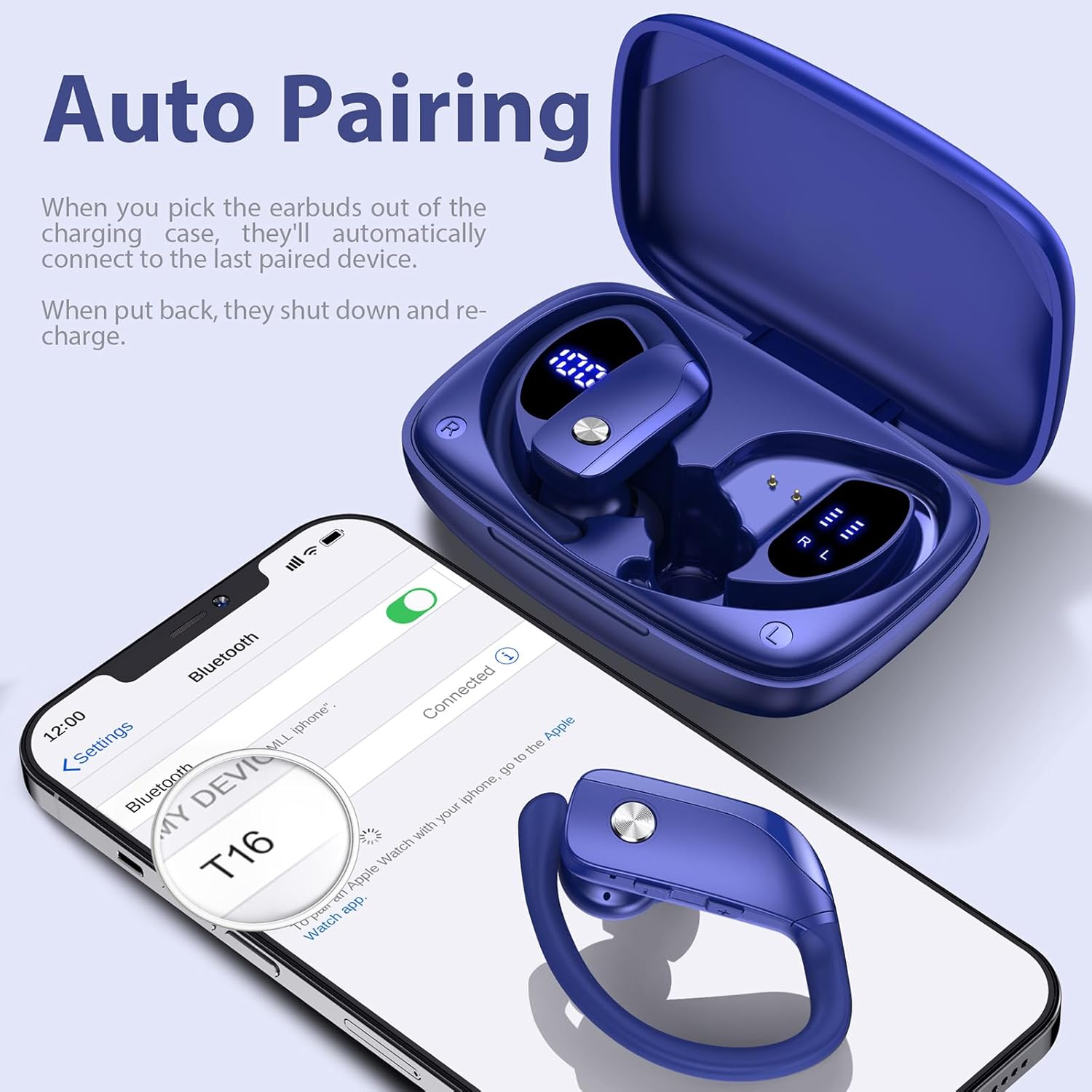
Image: A person wearing the earbuds during a workout, highlighting the secure fit and suitability for sports.
4. Panduan Persediaan
4.1 Pengecasan Awal
Before first use, fully charge the charging case and earbuds. Place the earbuds into the charging case, ensuring they are properly seated. Connect the USB charging cable to the charging case and a compatible USB power source. The LED display on the case will indicate the charging progress.
4.2 Memasang Pucuk Telinga
For optimal sound quality and comfort, select the ear tips that best fit your ears. The package includes small (S), medium (M), and large (L) ear tips. Once the correct ear tips are attached, follow these steps:
- Insert the earbud downwards into your ear.
- Twist the earbud backwards to lock the earhook securely in place around your ear.
- Adjust for comfort and a snug fit.

Image: Step-by-step guide on how to properly insert and secure the earbuds with the flexible earhooks.
5. Arahan Operasi
5.1 Hidupkan/Mati Kuasa
- Hidupkan kuasa: The earbuds will automatically power on when removed from the charging case. Alternatively, press and hold the multi-function button on each earbud for approximately 3 seconds.
- Matikan: Place the earbuds back into the charging case to automatically power them off and begin recharging. Alternatively, press and hold the multi-function button on each earbud for approximately 5 seconds.
5.2 Berpasangan Bluetooth
Untuk gandingan kali pertama:
- Pastikan fon telinga dicas sepenuhnya.
- Remove both earbuds from the charging case. They will automatically enter pairing mode, indicated by a flashing LED light.
- Pada peranti anda (telefon pintar, tablet, dll.), dayakan Bluetooth dan cari peranti yang tersedia.
- Select "T16" from the list of found devices to connect. Once connected, a voice prompt will confirm, and the LED light on the earbuds will stop flashing.
The earbuds will automatically reconnect to the last paired device when removed from the case, provided Bluetooth is enabled on your device and it is within range (up to 33ft/10m).

Image: A smartphone screen showing the earbuds (T16) connected via Bluetooth, with the earbuds in their charging case.
5.3 Kawalan
The earbuds feature a multi-function button for easy control:
| Tindakan | Fungsi |
|---|---|
| Klik Sekali | Mainkan / Jeda muzik, Jawapan / Tamatkan panggilan |
| Quick Double-click (R earbud) | Lagu Seterusnya |
| Quick Double-click (L earbud) | Lagu Sebelumnya |
| Quick Triple-click | Aktifkan Pembantu Suara |
| Press "+" Button | Kelantangan Naik |
| Press "-" Button | Kelantangan Kurang |
| Hold (during call) | Tolak panggilan |
6. Penyelenggaraan dan Penjagaan
Untuk memastikan jangka hayat dan prestasi optimum fon telinga anda, ikut garis panduan penyelenggaraan ini:
- Pembersihan: Regularly clean the ear tips and the charging contacts on both the earbuds and the charging case with a soft, dry cloth. Avoid using harsh chemicals or abrasive materials.
- Storan: Sentiasa simpan fon telinga dalam bekas pengecasnya apabila tidak digunakan untuk melindunginya daripada habuk, kerosakan dan memastikan ia dicas.
- Tahan Air: The earbuds are IPX7 waterproof, meaning they are protected against the effects of temporary immersion in water (up to 1 meter for 30 minutes). This makes them resistant to sweat and raindrops. However, they are not suitable for swimming or showering. Ensure the earbuds are dry before placing them back into the charging case to prevent damage.

Image: Visual representation of the earbuds' IPX7 waterproof rating, showing them in a water environment.
7. Penyelesaian masalah
If you encounter issues with your bmanl T16 Wireless Earbuds, please refer to the following common solutions:
- Fon telinga tidak berpasangan dengan peranti:
- Pastikan Bluetooth diaktifkan pada peranti anda dan fon telinga berada dalam julat.
- Pastikan fon telinga dicas.
- Forget/delete "T16" from your device's Bluetooth list and attempt to pair again.
- Mulakan semula peranti anda dan fon telinga.
- Hanya satu fon telinga berfungsi:
- Letakkan kedua-dua fon telinga kembali ke dalam bekas pengecasan, tutup penutupnya, tunggu beberapa saat, kemudian tanggalkannya secara serentak.
- Pastikan kedua-dua fon telinga dicas.
- Perform a factory reset (refer to the full user manual for specific reset instructions if needed).
- Fon telinga tidak dicas:
- Pastikan kabel pengecasan disambungkan dengan selamat pada kedua-dua bekas dan sumber kuasa.
- Periksa sama ada sesentuh pengecasan pada fon telinga dan bahagian dalam sarung bersih dan bebas daripada serpihan.
- Cuba kabel USB atau penyesuai kuasa yang lain.
- Kualiti bunyi yang buruk atau terputus sambungan:
- Pastikan tiada halangan antara fon telinga dan peranti anda.
- Bergerak lebih dekat dengan peranti anda untuk mengurangkan gangguan.
- Check for any firmware updates for your device.
8. Spesifikasi
| Ciri | Perincian |
|---|---|
| Nama Model | T16 |
| Teknologi Ketersambungan | Bluetooth 5.0 |
| Julat Bluetooth | Sehingga 10.06 meter (33 kaki) |
| Hayat Bateri Earbud | Sehingga 8 jam (caj tunggal) |
| Jumlah Masa Main (dengan kes) | Sehingga 48 jam |
| Hayat Bateri Kes Mengecas | 48 Hours (average life) |
| Tahap Ketahanan Air | IPX7 (Tahan Air) |
| Kaedah Kawalan | Kawalan Butang |
| Penempatan Telinga | Atas Telinga |
| Saiz Pemacu Audio | 10 Milimeter |
| Julat Kekerapan | 20Hz - 20,000Hz |
| Berat Barang | 1.41 Ounces (earbuds) |
| Dimensi Produk | 0.79 x 3.54 x 2.36 inci |
| Peranti Serasi | All Bluetooth-enabled mobile phones, tablets, laptops, computers, audiobooks, TV, and all devices with Bluetooth 5.0 |
9. Waranti dan Sokongan
For warranty information and customer support, please refer to the documentation included with your product or contact the seller directly through the platform where you purchased the earbuds. You can also find a digital version of the user manual at: https://manuals.plus/m/7713cca8bca7900bc267999b43d24ceed5469a646dd833d598205325dee1000e
Sila simpan bukti pembelian anda untuk sebarang tuntutan waranti.


