1. Pengenalan
This manual provides essential information for setting up, operating, maintaining, and troubleshooting your Google Pixel 6 Pro smartphone. The Pixel 6 Pro is a powerful 5G Android device featuring the custom Google Tensor processor, an advanced camera system, and enhanced security features, designed to deliver a smart and fast mobile experience.
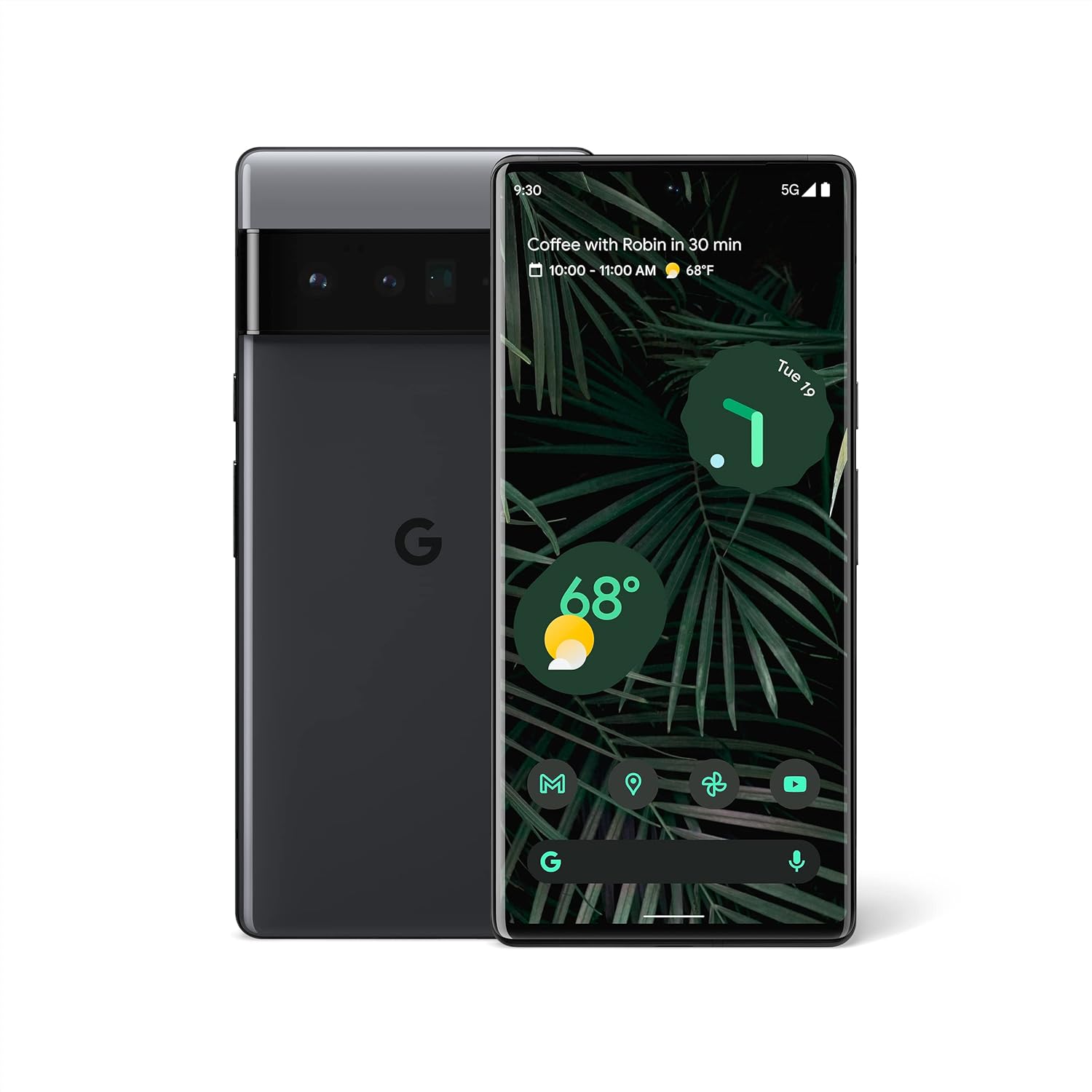
Rajah 1.1: Depan dan belakang view of the Google Pixel 6 Pro in Stormy Black. The front displays the home screen with time, weather, and app icons, while the back shows the distinctive camera bar and Google logo.
2. Panduan Persediaan
2.1 Membuka Kotak dan Pemeriksaan Awal
Selepas membuka bungkusan, pastikan semua komponen ada:
- Google Pixel 6 Pro Cell Phone
- Kabel USB-C ke USB-C
Inspect the device for any physical damage before proceeding.
2.2 Memasukkan Kad SIM
- Locate the SIM card tray on the side of your Pixel 6 Pro.
- Masukkan alat ejektor SIM (atau klip kertas kecil) ke dalam lubang kecil pada dulang dan tolak perlahan-lahan sehingga dulang terkeluar.
- Letakkan kad Nano-SIM anda ke dalam dulang dengan sesentuh emas menghadap ke bawah dan sudut berlekuk dijajarkan.
- Tolak dulang kembali ke dalam slot dengan berhati-hati sehingga ia berbunyi klik pada tempatnya.
2.3 Menghidupkan dan Konfigurasi Awal
- Press and hold the Power button (located on the right side) until the Google logo appears on the screen.
- Follow the on-screen prompts to select your language, connect to a Wi-Fi network, and sign in with your Google Account.
- You will be guided through setting up security features like fingerprint unlock and screen lock.
2.4 Transferring Data from Your Old Phone
The Pixel 6 Pro offers a seamless way to transfer your messages, contacts, photos, and other data from your previous device during the initial setup process. Use the provided USB-C cable and follow the on-screen instructions.

Figure 2.1: A Google Pixel 6 Pro connected via USB-C cable to another smartphone, illustrating the data transfer process. The Pixel's screen shows options to copy messages, contacts, photos, and other data.
3. Operating Your Pixel 6 Pro
3.1 Ciri Paparan
The Pixel 6 Pro features a 6.7-inch LTPO QHD+ Smooth Display with a resolution of 1080 x 2340 pixels and a 120Hz refresh rate for fluid scrolling and responsiveness. The display is protected by Corning Gorilla Glass Victus for enhanced durability.
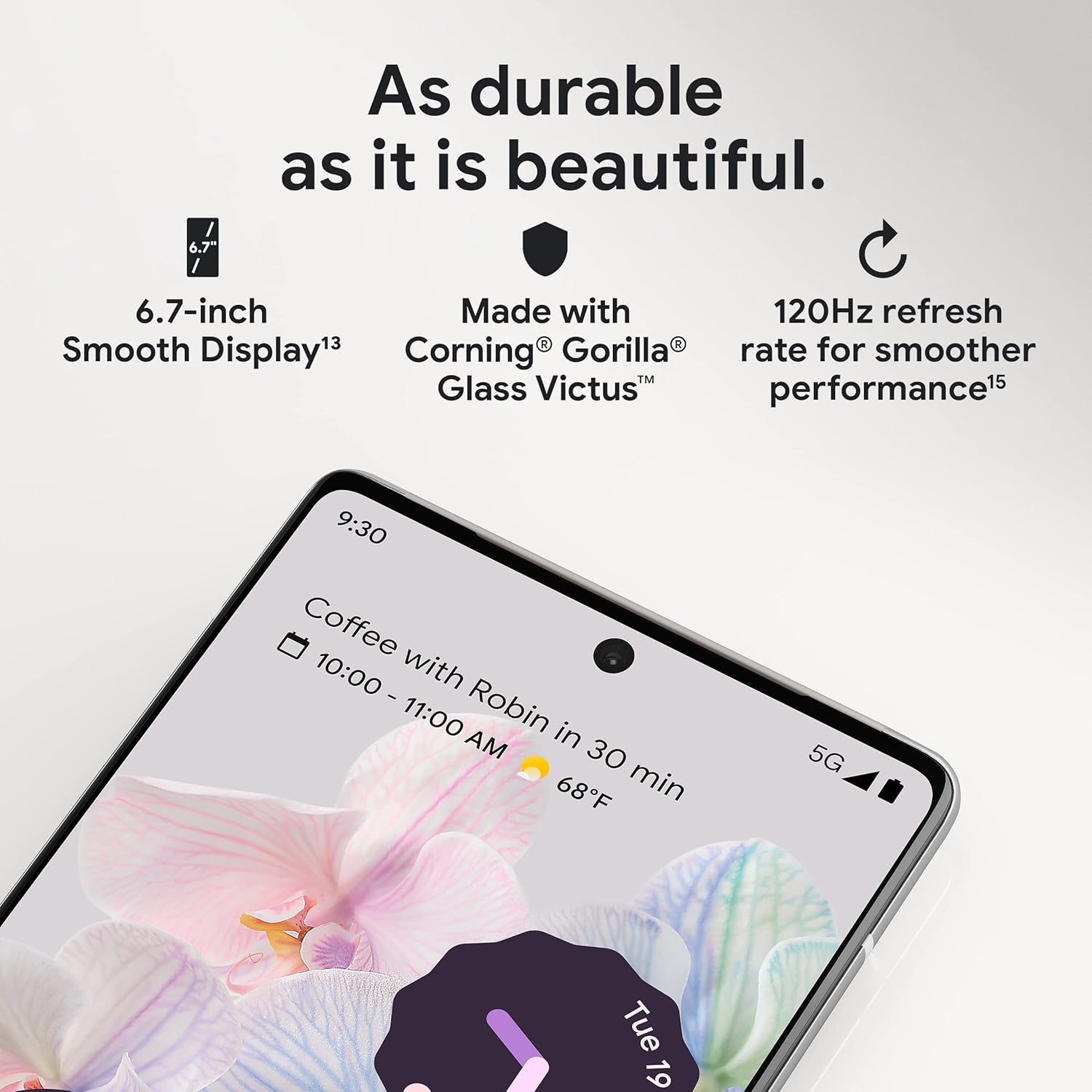
Rajah 3.1: Gambar jarak dekat view of the Pixel 6 Pro's display, highlighting its durability with Corning Gorilla Glass Victus and the smooth performance enabled by its 120Hz refresh rate.
3.2 Sistem Kamera
The Pixel 6 Pro is equipped with an advanced camera system:
- 50 MP Wide Camera: Captures 150% more light for detailed photos.
- 48 MP Telephoto Camera: Offers 4x optical zoom for distant subjects.
- 12 MP Ultrawide Camera: For expansive landscape and group shots.
- Kamera Depan: Untuk swafoto dan panggilan video berkualiti tinggi.
Key camera features include:
- Magic Eraser: Removes unwanted objects or people from your photos.
- Mod Pergerakan: Creates dynamic long-exposure shots.
- Mod Potret: Artfully blurs backgrounds for professional-looking portraits.

Rajah 3.2: Satu dalaman view of the Pixel 6 Pro's camera array, detailing the 50 MP wide camera, 48 MP telephoto camera with 4x optical zoom, and 12 MP ultrawide camera.

Figure 3.3: Visual demonstrations of the Pixel 6 Pro's advanced camera tools: Magic Eraser removing background elements, Motion Mode capturing light trails, and Portrait Mode creating a blurred background effect.
3.3 Prestasi
The Pixel 6 Pro is powered by the custom-built Google Tensor processor, which provides a significant boost in performance compared to previous Pixel models. This chip enables advanced on-device AI capabilities and contributes to maximum battery efficiency.
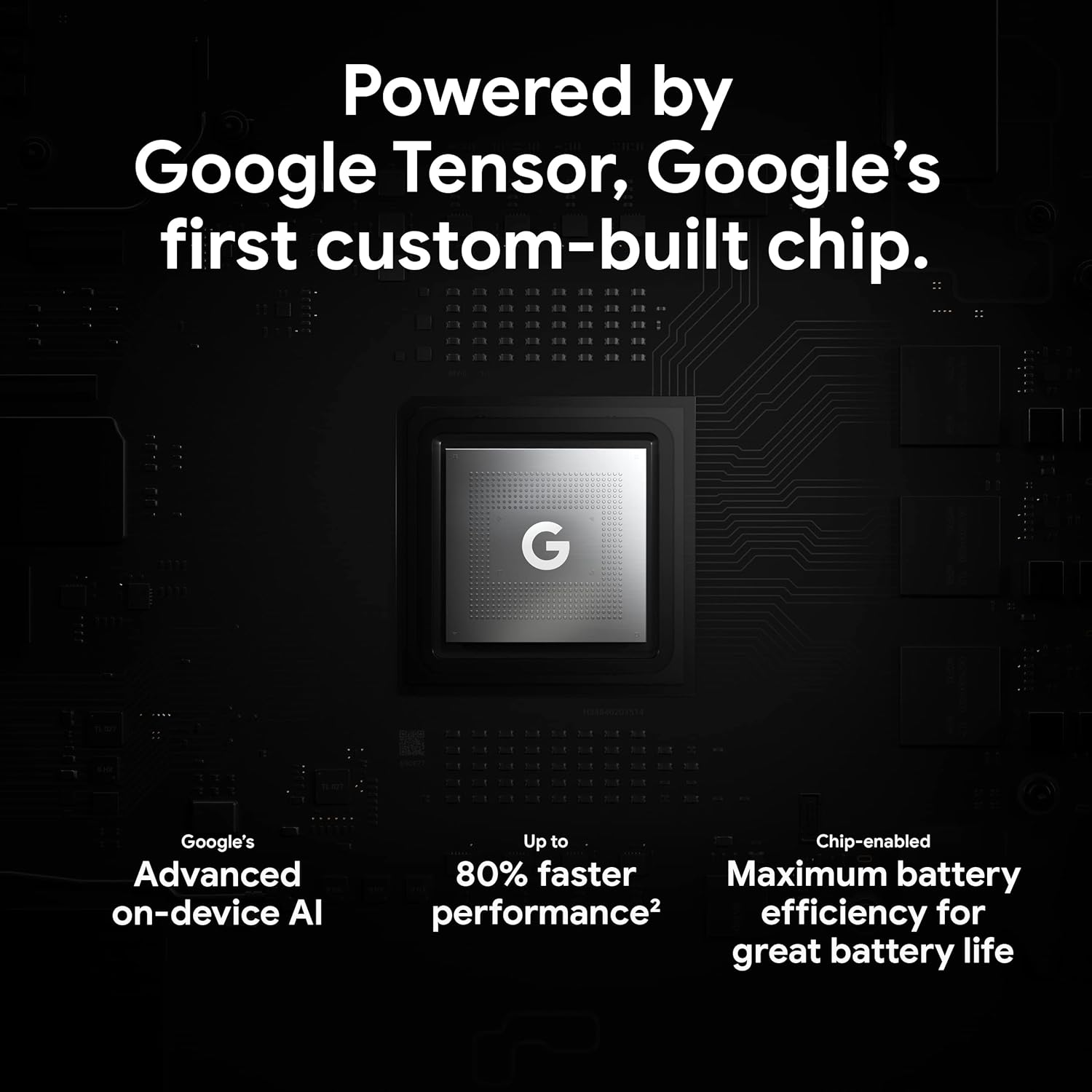
Figure 3.4: An illustration of the Google Tensor chip, highlighting its role in providing advanced on-device AI and up to 80% faster performance for improved battery efficiency.
3.4 Ciri Keselamatan
Your Pixel 6 Pro is built with robust security:
- Titan M2™ chip: Provides next-generation hardware security.
- Kemas Kini Keselamatan: Guaranteed 5 years of security updates to protect against threats.
- IP68 Water and Dust Protection: Offers resistance against water and dust ingress.
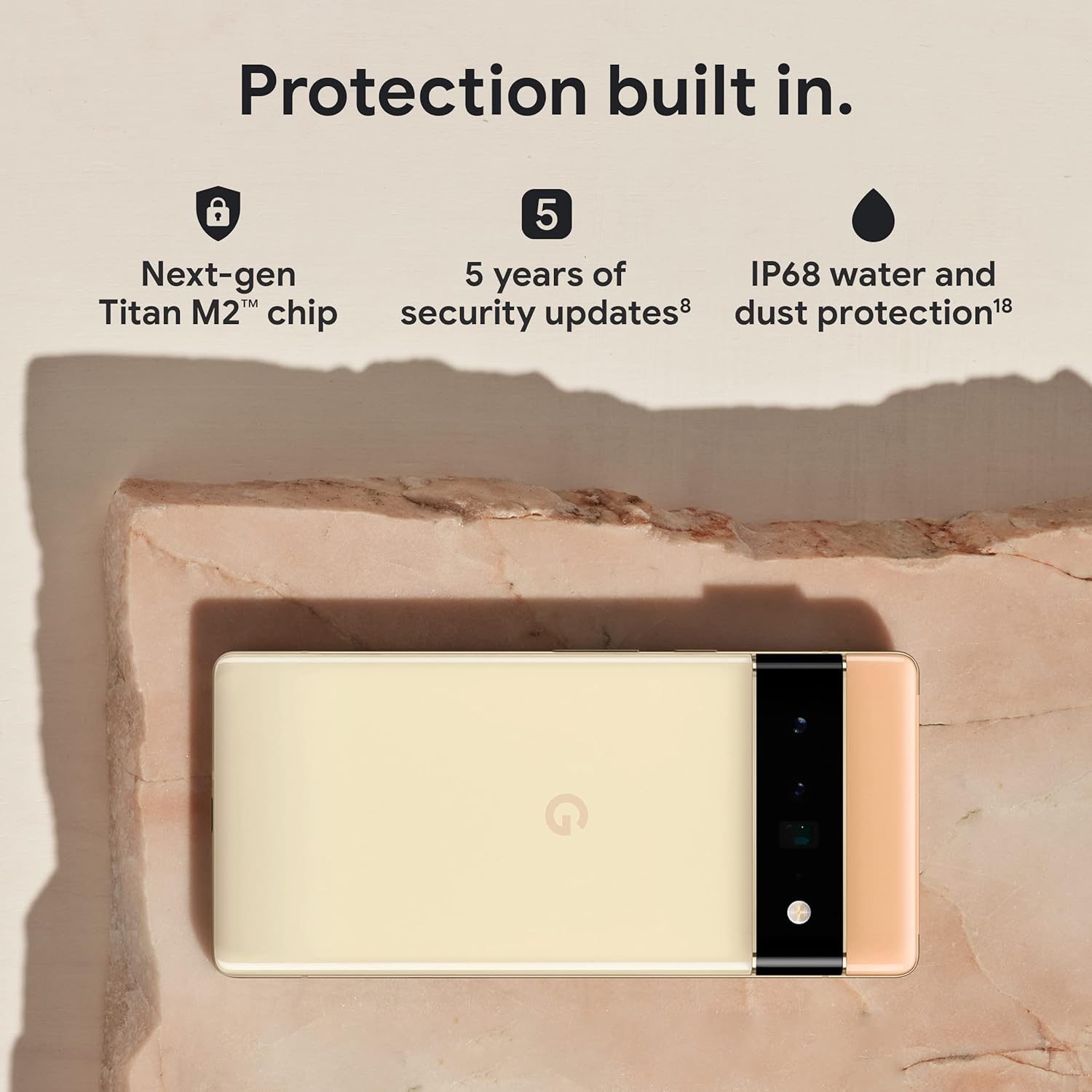
Figure 3.5: The Pixel 6 Pro shown alongside icons representing its built-in security features: the Titan M2 chip, 5 years of security updates, and IP68 water and dust protection.
3.5 Bateri dan Pengecasan
The device is equipped with a large 5003 mAh battery. It supports fast wired charging (with a compatible 30W USB-C charger, sold separately) and adapts to your usage patterns to save power for frequently used applications, extending battery life beyond 24 hours.

Rajah 3.6: Satu overhed view of a person using the Pixel 6 Pro, with icons illustrating the phone's battery capabilities: super-fast charging, power saving for frequently used apps, and extended battery life.
3.6 Software and User Interface
The Pixel 6 Pro runs on the Android 12 operating system, offering a modern and intuitive user interface. It includes features like Material You for personalized themes and enhanced privacy controls.
3.7 Translation Capabilities
The device comes with Google Translate pre-installed, allowing you to translate private chats, messages, and live video captions in up to 55 languages directly on your phone.
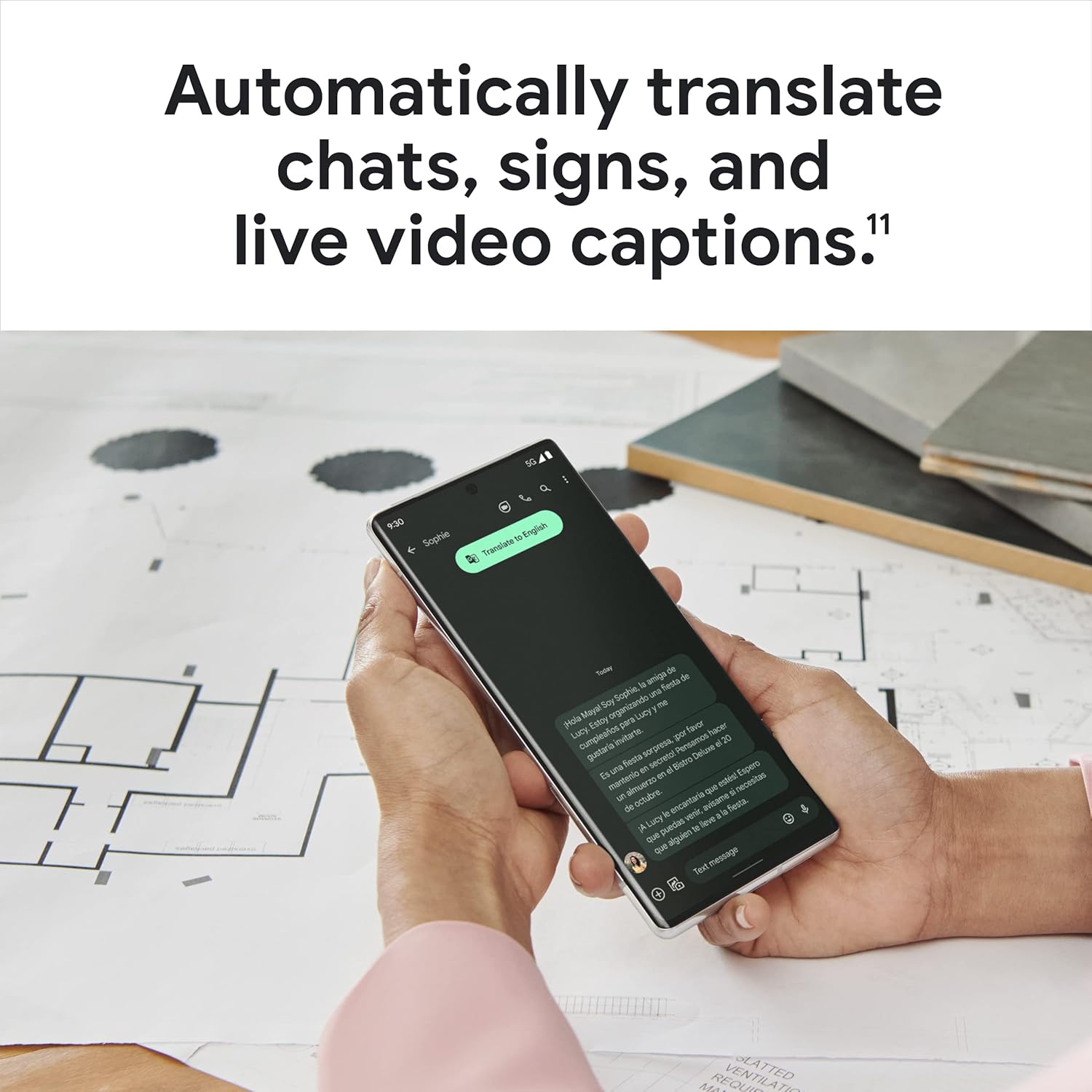
Figure 3.7: A user holding the Pixel 6 Pro, which displays a live translation of text on its screen, demonstrating the device's automatic translation capabilities for chats, signs, and live video captions.
3.8 Ketersambungan
The Pixel 6 Pro supports various connectivity options for seamless integration with other devices and services:
- USB: Untuk pengecasan dan pemindahan data.
- Wi-Fi: Untuk akses internet tanpa wayar.
- Bluetooth: Untuk menyambung aksesori wayarles.
- NFC: Untuk pembayaran tanpa sentuh dan gandingan pantas.
4. Penyelenggaraan
4.1 Penjagaan Am
- Keep your device away from extreme temperatures, direct sunlight, and excessive moisture.
- Avoid dropping the phone or exposing it to strong impacts.
- Use a screen protector and a protective case to minimize damage from drops and scratches.
4.2 Membersihkan Peranti Anda
To clean your Pixel 6 Pro:
- Matikan peranti sebelum membersihkan.
- Use a soft, lint-free cloth (e.g., microfiber cloth) to gently wipe the screen and body.
- Untuk calitan degil, sedikit dampen kain dengan air atau pembersih skrin yang direka khusus untuk elektronik. Elakkan bahan kimia yang keras atau bahan yang melelas.
4.3 Kemas Kini Perisian
Regularly check for and install software updates. These updates often include performance improvements, new features, and critical security patches that keep your device running optimally and securely.
5. Penyelesaian masalah
5.1 Peranti Tidak Dihidupkan
- Periksa Bateri: Ensure the battery is charged. Connect the phone to a charger for at least 15-30 minutes.
- Paksa Mulakan Semula: Tekan dan tahan butang Kuasa selama kira-kira 30 saat.
- Check Charger/Cable: Try a different charger and USB-C cable to rule out faulty accessories.
5.2 Isu Ketersambungan Rangkaian
- Mulakan semula Telefon: Mulakan semula yang mudah selalunya boleh menyelesaikan gangguan rangkaian sementara.
- Togol Mod Pesawat: Hidupkan Mod Pesawat selama beberapa saat, kemudian matikan.
- Semak Kad SIM: Pastikan kad SIM dimasukkan dengan betul.
- Tetapkan semula Tetapan Rangkaian: Go to Settings > System > Reset options > Reset Wi-Fi, mobile & Bluetooth. Note: This will erase saved Wi-Fi passwords.
5.3 Aplikasi Ranap atau Terhenti
- Force Close App: Swipe up from the bottom of the screen, find the problematic app, and swipe it away to close.
- Clear Cache/Data: Go to Settings > Apps > See all apps, select the app, then Storage & cache > Clear cache. If the issue persists, try Clear storage (this will delete app data).
- Kemas kini Apl: Pastikan apl dikemas kini kepada versi terkini daripada Gedung Google Play.
- Mulakan semula Telefon: A full device restart can often resolve app-related issues.
5.4 Bateri Cepat Habis
- Identify Usage: Go to Settings > Battery > Battery usage to see which apps are consuming the most power.
- Laraskan Kecerahan Skrin: Lower screen brightness or enable adaptive brightness.
- Lumpuhkan Ciri yang Tidak Digunakan: Turn off Wi-Fi, Bluetooth, GPS, or NFC when not in use.
- Muat Semula Apl Latar Belakang: Limit apps running in the background.
6. Spesifikasi
| Ciri | Spesifikasi |
|---|---|
| Dimensi Produk | 6.45 x 2.98 x 0.35 inci |
| Berat Barang | 7.4 auns |
| Nombor Model Item | GA03149 |
| Sistem Operasi | Android 12.0 |
| RAM | 12 GB |
| Kapasiti Penyimpanan Memori | 128 GB |
| Saiz Skrin | 6.7 Inci |
| Resolusi | 1080 x 2340 |
| Kadar Segar Semula | 120 Hz |
| Kapasiti Bateri | 5003 mAh |
| Masa Bual Telefon | 25.5 Jam |
| Masa Mengecas | 119 minutes (with compatible 30W charger) |
| Teknologi Komunikasi Tanpa Wayar | Bluetooth, NFC, Wi-Fi |
| Teknologi Ketersambungan | Bluetooth, NFC, USB, Wi-Fi |
| Ciri Khas | High-Refresh-Rate Screen, Wireless Charging, Fast Charging, Powerful Camera System with Magic Eraser and Deblurring, Custom Google Tensor Processor |
| warna | Hitam Ribut |
| Apa yang ada dalam kotak | Cell Phone, USB Cable |
7. Waranti dan Sokongan
For detailed warranty information and customer support, please refer to the official Google support website or the warranty card included with your purchase. Google provides comprehensive support resources, including FAQs, troubleshooting guides, and contact options for technical assistance.
Visit the official Google Support page: support.google.com/pixelphone


