1. Produk Lebihview
The Candy Moderna CMGA20TNDB is a 20-liter microwave oven with an integrated grill function, designed for modern kitchens. It features a digital control panel, multiple power levels, and various cooking programs, including a dedicated Autoclean function for easy maintenance. This appliance is also compatible with the hOn App, providing access to additional recipes and cooking tips.
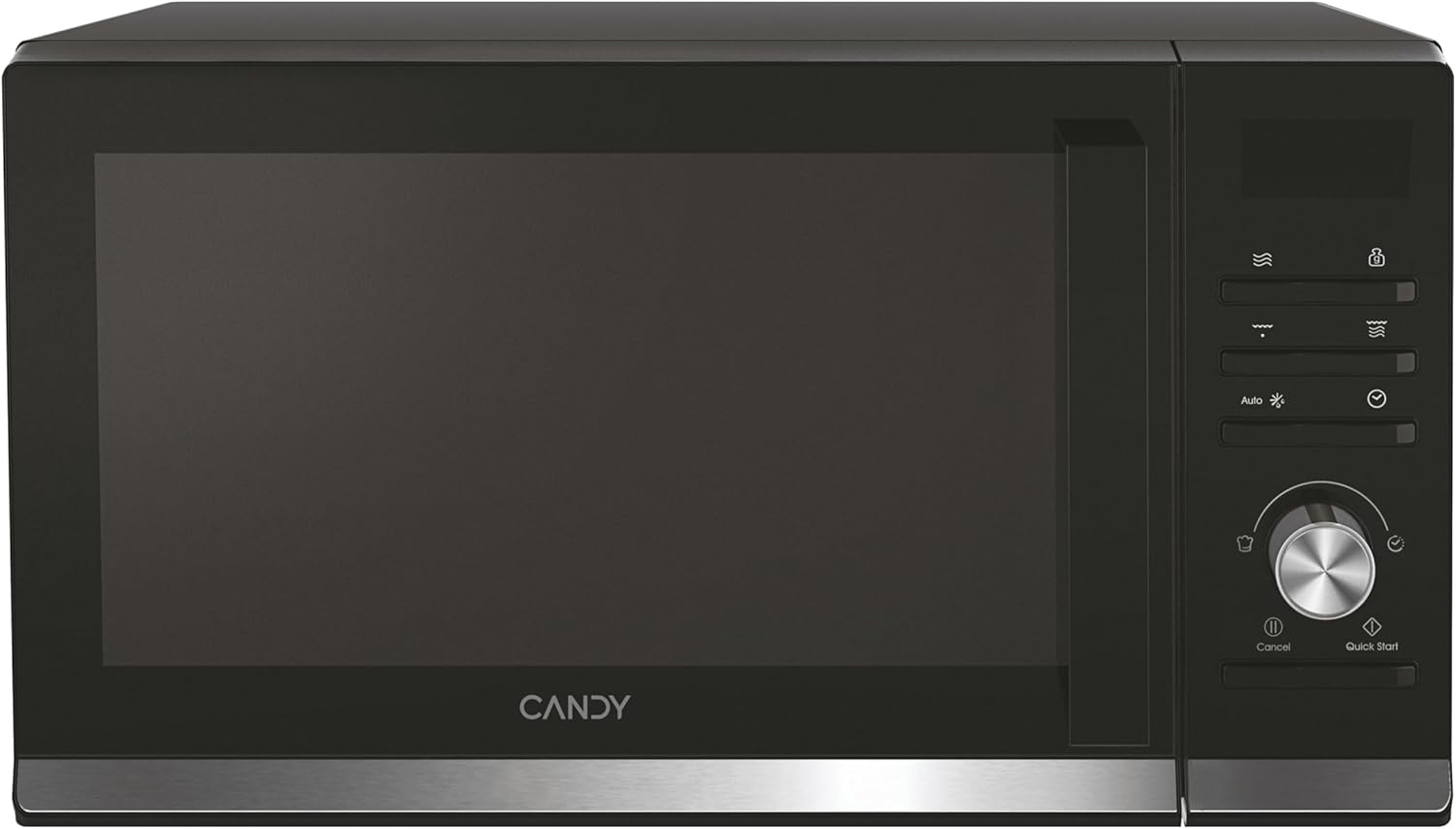
Rajah 1.1: Depan view of the Candy Moderna CMGA20TNDB Microwave with Grill, showcasing reka bentuk hitam anggun dan panel kawalan digitalnya.
2. Persediaan dan Pemasangan
Before operating your new microwave, ensure proper setup and installation to guarantee safe and efficient performance.
2.1 Membongkar
Carefully remove the microwave from its packaging. Retain all packaging materials for future transport or storage. Inspect the appliance for any signs of damage. If damage is found, do not use the microwave and contact customer support.
2.2 Komponen Termasuk
- Microwave with Grill unit
- Kabel sambungan kuasa
- Manual Arahan (dokumen ini)
- 25.5 cm Glass Turntable
- Rak Bakar
2.3 Penempatan
The Candy Moderna CMGA20TNDB is a freestanding microwave. Place the microwave on a stable, flat surface that can support its weight (approximately 11.3 kg). Ensure there is adequate ventilation around the unit. Maintain a minimum clearance of 10 cm at the back, 15 cm on the sides, and 30 cm above the microwave for proper airflow and heat dissipation.

Figure 2.1: The microwave positioned on a kitchen counter, illustrating the recommended placement for optimal ventilation.
2.4 Sambungan Kuasa
Connect the power cable to a grounded 230 Volt AC outlet. Ensure the outlet is easily accessible. Do not use extension cords or adapters unless absolutely necessary, and ensure they are rated for the microwave's power requirements (700 watts microwave, 1250 watts grill).
3. Arahan Operasi
This section details the functions and operation of your Candy Moderna microwave.
3.1 Panel Kawalan Selesaiview
The microwave features an intuitive digital control panel with a display, function buttons, and a rotary knob for setting time and power levels.

Rajah 3.1: Terperinci view of the digital control panel, showing the display, function icons, and rotary knob.
3.2 Operasi Asas Gelombang Mikro
- Letakkan makanan dalam bekas selamat gelombang mikro di atas meja putar kaca.
- Tutup pintu gelombang mikro dengan selamat.
- Select the desired power level (6 available levels) using the appropriate button or rotary knob.
- Tetapkan masa memasak menggunakan tombol putar.
- Tekan butang Mula untuk mula memasak.
3.3 Fungsi Grill
To use the grill function, place food on the provided grill rack. Select the grill function and set the desired cooking time. The grill function is ideal for browning and crisping food.
3.4 Fungsi Penyahbekuan
The microwave includes a defrost function. Select the defrost mode and input the weight of the food or the desired defrost time. The microwave will automatically adjust power levels for optimal defrosting.
3.5 Program Automatik
The microwave offers 8 pre-set automatic cooking programs for various food types. Refer to the display or the hOn App for a list of available programs and their usage.
3.6 jam Kesambungan Pada Aplikasi
Enhance your cooking experience by connecting your microwave to the hOn App. The app provides access to over 130 recipes, cooking tips, and additional functionalities. Download the hOn App from your device's app store and follow the in-app instructions for pairing.
3.7 Kunci Keselamatan
The safety lock feature prevents unintended operation, especially useful in households with children. Consult the control panel instructions for activating and deactivating the safety lock.
4. Penyelenggaraan dan Pembersihan
Pembersihan dan penyelenggaraan yang kerap akan memastikan ketahanan dan prestasi optimum ketuhar gelombang mikro anda.
4.1 Autoclean Program
The Autoclean program simplifies the cleaning process. Add a small amount of water to a microwave-safe bowl and place it inside. Activate the Autoclean function. The steam generated will loosen food residues and odors, making it easier to wipe the interior clean with a damp kain.
4.2 Pembersihan Am
- Sentiasa cabut plag ketuhar gelombang mikro sebelum membersihkan.
- Lap permukaan dalaman dan luaran dengan lembut, damp kain dan detergen lembut. Elakkan pembersih yang kasar atau pad penggosok.
- Clean the glass turntable and grill rack with warm, soapy water. They are typically dishwasher safe.
- Ensure the microwave is completely dry before plugging it back in and using it.
5. Penyelesaian masalah
If you encounter issues with your microwave, refer to the following common troubleshooting steps. For problems not listed here, contact customer support.
5.1 Microwave Not Starting
- Pastikan kord kuasa dipasang dengan selamat ke soket yang berfungsi.
- Check if the door is fully closed and latched. The microwave will not operate if the door is open.
- Verify that the safety lock is not activated.
- Periksa pemutus litar isi rumah anda atau kotak fius.
5.2 Food Not Heating Evenly
- Ensure the glass turntable is correctly placed and rotating freely.
- Stir or rotate food halfway through cooking for more even heating.
- Use microwave-safe dishes that allow for proper heat distribution.
5.3 Bunyi Luar Biasa Semasa Operasi
- Ensure the turntable and turntable support are clean and correctly positioned.
- Periksa sebarang objek asing di dalam rongga ketuhar gelombang mikro.
6. Spesifikasi
| Ciri | Perincian |
|---|---|
| Jenama | gula-gula |
| Nombor Model | CMGA20TNDB (8059019042022) |
| warna | Hitam |
| Kapasiti | 20 Liter |
| Kuasa Gelombang Mikro | 700 Watt |
| Kuasa Grill | 1250 Watt |
| Voltage | 230 Volt |
| Dimensi (H x W x D) | 26.2 x 45.2 x 35.7 cm |
| Berat badan | 11.3 kg |
| bahan | Keluli Tahan Karat, Kaca |
| Tahap Kebisingan | 44 dB |
| Ciri Khas | 8 Cooking Functions, hOn App, Autoclean, Defrost, Programmable, Safety Lock |
| Jenis Pemasangan | Freestanding |
7. Waranti dan Sokongan
7.1 Polisi Pemulangan
This product is subject to a 30-day return policy for refund or replacement, as per the seller's terms (Amazon).
7.2 Sokongan Pelanggan
For technical assistance, warranty claims, or further inquiries, please contact Candy customer support. You can also visit the official Candy brand store for more information and resources:
Visit the Candy Brand Store on Amazon
Please have your model number (CMGA20TNDB) and purchase details ready when contacting support.