1. Pengenalan
Thank you for choosing the VITCOCO 5 Megapixel 1920P HD Otoscope Ear Cleaner. This device is designed to provide a clear visual inspection of the ear canal and assist in ear cleaning. This manual provides essential information for the safe and effective use of your otoscope. Please read it thoroughly before operation and retain it for future reference.

Image 1.1: VITCOCO Otoscope connected to a smartphone, showing a clear view daripada saluran telinga.
2. Maklumat Keselamatan
- This device is intended for visual inspection and gentle ear cleaning. It is not a medical device for diagnosis or treatment of ear conditions. Consult a medical professional for any ear health concerns.
- Exercise extreme caution when inserting the otoscope into the ear canal. Avoid excessive force or deep insertion to prevent injury to the eardrum or ear canal.
- Always use the provided silicone ear tips to protect the ear canal. A protective ring is integrated to safeguard sensitive areas, especially when used on children.
- The otoscope features an intelligent temperature control system to maintain a safe temperature during use (ear spoon 20-25°C, handle 30-34°C). If the device feels uncomfortably warm, discontinue use immediately.
- The lens of the otoscope is IP67 waterproof and can be rinsed with water or alcohol. The main body of the otoscope is not waterproof; do not immerse it in liquids.
- Keep out of reach of children. Adult supervision is required if used on children.

Image 2.1: The otoscope in use, demonstrating its application for visual ear inspection. Note the emphasis on gentle use, especially for sensitive users.
3. Kandungan Pakej
Sahkan bahawa semua item terdapat dalam pakej:
- VITCOCO Otoscope
- Kabel Pengecas USB-C
- Box with 5 Silicone Ear Tips
- Manual Arahan
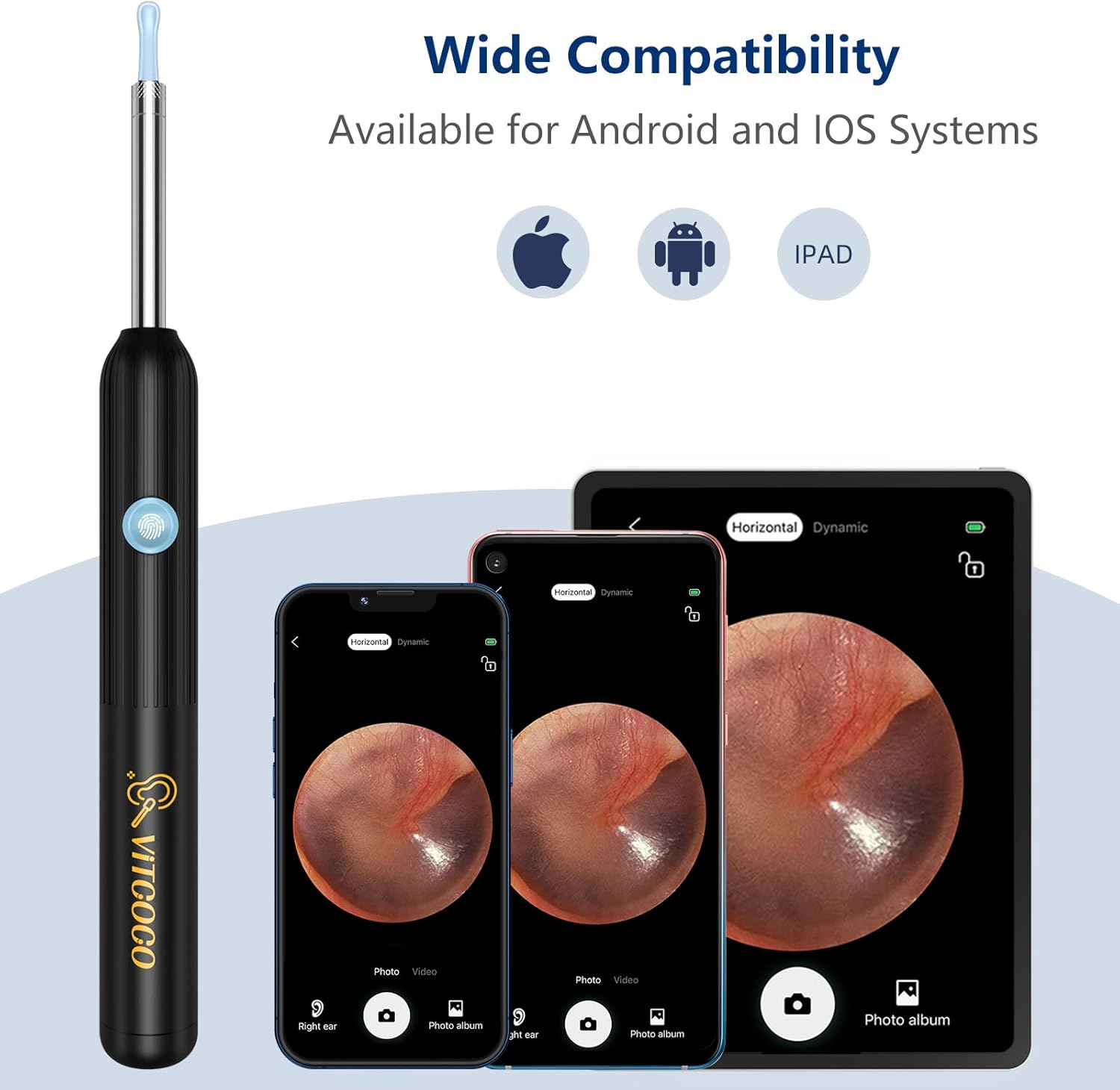
Image 3.1: All components included in the VITCOCO Otoscope package.
4. Produk Lebihview
The VITCOCO Otoscope features advanced technology for clear and safe ear inspection:
- Kamera Resolusi Tinggi: 5 Megapixel, 1920P HD camera for detailed images and videos.
- Pencahayaan: Equipped with 6 powerful LED lights to illuminate the ear canal.
- Reka bentuk padat: Ultra-small 3.9mm lens diameter for comfortable insertion.
- Stabil Viewing: 6-axis gyroscope and 360° wide-angle lens ensure a stable image regardless of rotation.
- Kawalan Suhu Pintar: Maintains optimal temperatures for user comfort and safety.
- Kesambungan Tanpa Wayar: Fast 2.4GHz WiFi chip for seamless image transmission to your smartphone or tablet.
- Hayat Bateri yang Panjang: 350mAh battery provides approximately 90 minutes of continuous use.
- Kanta Kalis Air: IP67 rated lens for easy cleaning.

Imej 4.1: Terperinci view of the otoscope's camera system, including the 5 Megapixel HD camera and 6 LED lights.

Image 4.2: The 6-axis gyroscope ensures a stable, non-deviating image angle during use.

Image 4.3: Key components and intelligent temperature control design of the otoscope.
5. Persediaan
Follow these steps to set up your VITCOCO Otoscope:
- Muat turun Apl: Imbas kod QR di bawah atau layari http://qr19.cn/CRUIhc to download the "Suear" application from the App Store (iOS) or Google Play Store (Android). The app is compatible with Android 4.4+ and iOS 9.0+ devices.
- Hidupkan kuasa: Press and hold the power button on the otoscope for approximately 5 seconds until the indicator light turns on.
- Sambung ke Wi-Fi: On your smartphone or tablet, go to your Wi-Fi settings and connect to the network named "Suear-X7-XXXX" (the last four characters will vary).
- Buka Apl: Return to the "Suear" app and click the home icon to enter the device interface. You should now see a live view from the otoscope camera.

Image 5.1: Visual guide for the four-step setup process.

Image 5.2: The integrated Smart WiFi Chip ensures fast and smooth image transmission.
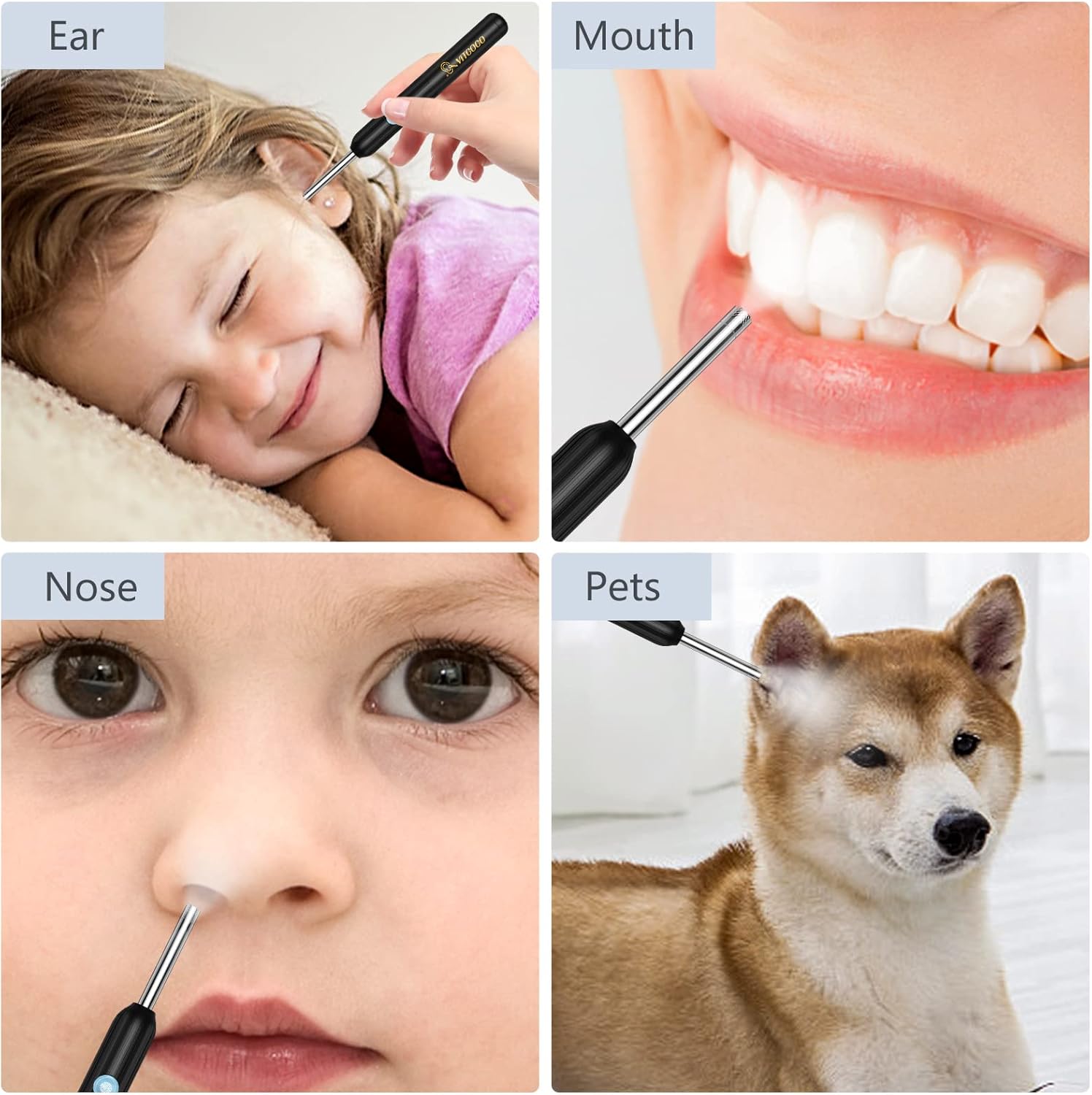
Image 5.3: The otoscope offers wide compatibility with various mobile operating systems.
6. Arahan Operasi
Before use, ensure the otoscope is fully charged and connected to your device via the "Suear" app.
- Attach Ear Tip: Select a suitable silicone ear tip and gently screw it onto the otoscope's camera head. Ensure it is securely fastened.
- Kedudukan: Carefully insert the otoscope into the ear canal while observing the live feed on your connected device. Adjust the angle slowly to get a clear view.
- Fungsi Apl: The "Suear" app provides various functions:
- Foto/Video: Capture images or record videos of the ear canal.
- Lens Mode: Bertukar antara yang berbeza viewdalam mod.
- Paparan Bateri: Monitor the remaining battery life.
- Kunci/Buka Kunci: Stabilize the image.
- Landscape/Portrait: Adjust screen orientation.
- Left/Right Ear: Optimize the camera's orientation for the respective ear.
- Pembersihan: Use the ear tip to gently remove visible earwax. Do not push earwax deeper into the canal. If resistance is met, stop immediately.
- Penggunaan pelbagai guna: The otoscope can also be used for visual inspection of other areas such as the mouth, nose, or even for pets, always with appropriate caution.

Image 6.1: Proper attachment of the silicone ear tip and the compact size of the otoscope.

Imej 6.2: Cthamples of the otoscope's application for various visual inspections.
7. Penyelenggaraan
- Membersihkan Lensa: After each use, gently remove the silicone ear tip. The camera lens (IP67 waterproof) can be cleaned by rinsing with water or wiping with an alcohol swab. Ensure the lens is dry before storing. Do not immerse the main body of the otoscope.
- Petua Membersih Telinga: The silicone ear tips can be washed with soap and water or disinfected with alcohol. Ensure they are completely dry before reuse or storage.
- mengecas: Connect the provided USB-C cable to the charging port on the otoscope and to a standard USB power adapter (not included). A full charge provides approximately 90 minutes of continuous operation or 120 days of standby time.
- Storan: Store the otoscope and its accessories in a clean, dry place away from direct sunlight and extreme temperatures.

Image 7.1: Information on the IP67 waterproof lens for cleaning and the dual thermostat system.
8. Penyelesaian masalah
- Tiada Imej pada Aplikasi:
- Ensure the otoscope is powered on (long press the button).
- Verify your phone/tablet is connected to the otoscope's Wi-Fi network ("Suear-X7-XXXX").
- Close and reopen the "Suear" app.
- Restart both the otoscope and your device.
- Kualiti Imej Lemah:
- Bersihkan kanta kamera seperti yang diterangkan dalam bahagian Penyelenggaraan.
- Ensure there is sufficient light from the otoscope's LEDs.
- Check for any obstructions on the lens or ear tip.
- Peranti Tidak Mengecas:
- Ensure the USB-C cable is securely connected to both the otoscope and the power source.
- Cuba kabel USB-C atau penyesuai kuasa yang lain.
- Periksa sama ada port pengecas bersih dan bebas daripada serpihan.
- Peranti Terlalu Panas:
- The otoscope has intelligent temperature control. If it feels excessively hot, discontinue use immediately and allow it to cool down.
- Pastikan pengudaraan yang betul semasa digunakan.
9. Spesifikasi
| Jenama | VITCOCO |
| Nombor Model | 001 |
| Resolusi Kamera | 5 Megapixel, 1920P HD |
| Lampu LED | 6 |
| Diameter Kanta | 3.9mm |
| Kapasiti Bateri | 350mAh |
| Masa Bekerja | lebih kurang 90 minit |
| Masa Tunggu Sedia | Lebih kurang 120 hari |
| Port Pengecasan | USB-C |
| Kesambungan Wayarles | Wi-Fi 2.4 GHz |
| Keserasian | Android 4.4+, iOS 9.0+ |
| Penilaian Kalis Air | IP67 (Lens only) |
| Dimensi Produk | 17.5 x 6.5 x 1.9 cm |
| Berat Produk | 50 gram |
10. Waranti dan Sokongan
For warranty information and customer support, please refer to the documentation included with your product packaging or contact VITCOCO customer service through their official website. Please have your model number (001) and purchase details available when seeking support.


