pengenalan
This manual provides instructions for the proper installation, operation, and maintenance of your Rebel KOM1030 Wi-Fi Signal Amplifier. This device is designed to extend the coverage of your existing Wi-Fi network, providing a stronger and more reliable wireless signal in areas with weak or no coverage.

Image: The Rebel KOM1030 Wi-Fi Signal Amplifier shown with an Ethernet cable and a separate power adapter, illustrating the product and its basic components.
Kandungan Pakej
Pastikan semua item ada dalam pakej:
- Isyarat Wi-Fi Rebel KOM1030 Amplebih hidup
- Manual Pengguna (dokumen ini)
Ciri-ciri Utama
- Supports up to 10 simultaneous users.
- Operates on 2.4 GHz frequency band.
- Data transfer rate up to 300 Mbit/s.
- Wireless range up to 100 meters (328 feet).
- Equipped with 2 integrated antennas.
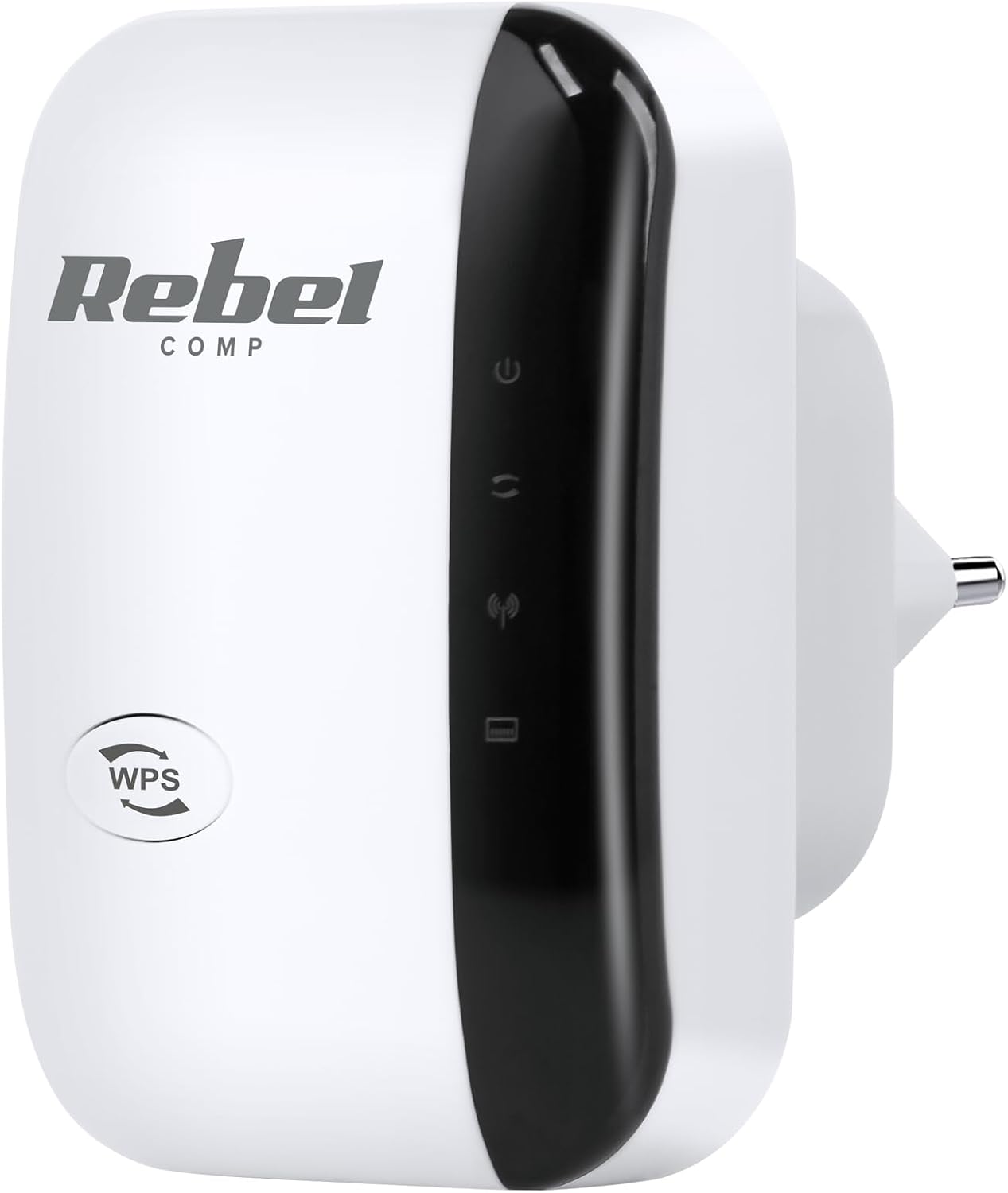
Imej: Depan view of the Rebel KOM1030 Wi-Fi Signal Amplifier, showing the WPS button and indicator lights.
Arahan Persediaan
1. Sambungan Fizikal
- Buka bungkusan Peranti: Carefully remove the Rebel KOM1030 from its packaging.
- Pasangkan: Insert the device directly into a standard electrical outlet. Ensure it is securely plugged in.

Image: The Rebel KOM1030 Wi-Fi Signal Amplifier plugged into a wall power outlet, demonstrating proper physical connection.
2. Kaedah Konfigurasi
The Rebel KOM1030 can be configured using two primary methods: WPS (Wi-Fi Protected Setup) or via a web pelayar.
Method A: WPS Setup (Recommended for compatible routers)
- Hidupkan kuasa: Plug the Rebel KOM1030 into a power outlet near your main router.
- Aktifkan WPS pada Penghala: Press the WPS button on your main Wi-Fi router. Refer to your router's manual for the exact location and procedure.
- Activate WPS on Repeater: Within two minutes, press the WPS button on the Rebel KOM1030. The WPS indicator light on the repeater should start blinking.
- Tunggu Sambungan: The devices will attempt to establish a connection. Once connected, the Wi-Fi indicator light on the repeater will become solid.
- Berpindah (Pilihan): After successful setup, you can unplug the repeater and move it to a more central location between your router and the area needing extended coverage.

Imej: Sisi view of the Rebel KOM1030, highlighting the WPS button and the LAN port, which are crucial for setup and wired connections.
Kaedah B: Web Persediaan Penyemak Imbas
- Hidupkan kuasa: Plug the Rebel KOM1030 into a power outlet.
- Sambungkan ke Wi-Fi Pengulang: On your computer or mobile device, connect to the Wi-Fi network broadcast by the repeater (e.g., "Rebel_Repeater" or similar, check the device label if available). This network will not have internet access initially.
- Akses Web Antara muka: Buka a web pelayar dan masukkan alamat IP lalai (cth, http://192.168.10.1) atau nama domain (cth., http://rebelrepeater.net). Refer to the device label or packaging for the exact address.
- Log Masuk: Enter the default username and password (commonly "admin" for both, or as specified on the device label).
- Pilih Mod: Pilih "Mod Pengulang" atau "Mod Pemanjang" daripada wizard persediaan.
- Imbas untuk Rangkaian: The repeater will scan for available Wi-Fi networks. Select your main Wi-Fi network from the list.
- Masukkan Kata Laluan: Input the password for your main Wi-Fi network.
- Configure Repeater SSID (Optional): You can choose to keep the same network name (SSID) as your main router or create a new one (e.g., "YourNetwork_EXT").
- Gunakan Tetapan: Save the settings and wait for the repeater to restart.
- Sahkan Sambungan: Once restarted, the Wi-Fi indicator light should be solid, indicating a successful connection.
3. Penempatan Optimum
For best performance, place the Rebel KOM1030 in a location that is:
- Approximately halfway between your main router and the area where you need improved Wi-Fi coverage.
- Within the range of your existing Wi-Fi network, where the signal is still strong and stable.
- Away from large metal objects, concrete walls, microwaves, and other devices that may cause interference.

Image: The Rebel KOM1030 Wi-Fi Signal Amplifier mounted on a wall, demonstrating a typical placement for extending Wi-Fi coverage.

Image: An overhead floor plan illustrating how a Wi-Fi repeater extends network coverage from a central router to previously uncovered areas.
Mengendalikan Peranti
Once configured, the Rebel KOM1030 operates automatically to extend your Wi-Fi signal. Observe the indicator lights for status information.
Lampu Penunjuk
- Penunjuk Kuasa: Solid light indicates the device is powered on.
- Penunjuk Wi-Fi:
- Solid: Successfully connected to the main Wi-Fi network and extending signal.
- Blinking: Attempting to connect or WPS pairing in progress.
- Off: No Wi-Fi connection or device is not configured.
- Penunjuk LAN: Solid or blinking light indicates an active connection through the Ethernet port.
Penggunaan Port Ethernet
The integrated LAN port allows you to connect a wired device (e.g., a desktop computer, gaming console, or smart TV) to the repeater, providing network access to devices that do not have Wi-Fi capabilities or for a more stable connection.
Penyelenggaraan
- Pembersihan: Gunakan kain lembut dan kering untuk membersihkan peranti. Jangan gunakan pembersih cecair atau aerosol.
- Kemas kini Firmware: Periksa pengeluar secara berkala website for firmware updates. Updates can improve performance, add features, or fix bugs. Refer to the manufacturer's instructions for updating firmware.
- Menetapkan semula Peranti: If the device is not functioning correctly, you may perform a factory reset. Locate the "Reset" button (often a small pinhole) on the device. With the device powered on, use a paperclip or similar pointed object to press and hold the Reset button for approximately 5-10 seconds until the lights flash. The device will revert to factory default settings, requiring re-configuration.
Menyelesaikan masalah
Tiada Akses Internet Selepas Persediaan
- Ensure the repeater is within range of your main router and receiving a strong signal.
- Sahkan bahawa penghala utama anda mempunyai sambungan internet yang aktif.
- Re-run the setup process, ensuring the correct Wi-Fi network and password are selected.
- Try relocating the repeater to a different power outlet or a more optimal position.
Kelajuan Sambungan Perlahan
- The repeater might be too far from the main router. Move it closer to improve signal strength.
- Semak gangguan daripada peranti elektronik lain (cth, gelombang mikro, telefon tanpa wayar).
- Ensure your main router is providing adequate speed.
- Consider connecting wired devices directly to the repeater's LAN port for potentially better performance.
WPS Setup Fails
- Ensure you press the WPS button on both the router and the repeater within the specified time frame (usually 2 minutes).
- Some routers may require WPS to be enabled in their settings.
- Jika WPS terus gagal, gunakan web kaedah persediaan pelayar.
Tidak Boleh Akses Web Halaman Pengurusan
- Ensure your device is connected to the repeater's Wi-Fi network (not your main router's).
- Verify the IP address or domain name entered in the browser is correct.
- Cuba kosongkan cache penyemak imbas anda atau gunakan penyemak imbas lain.
- Perform a factory reset on the repeater and try again.
Spesifikasi
| Ciri | Perincian |
|---|---|
| Jenama | Pemberontak |
| Nombor Model | KOM1030 |
| Standard Komunikasi Tanpa Wayar | 802.11bgn |
| Jalur Kekerapan | 2.4 GHz |
| Kadar Pemindahan Data | Sehingga 300 Mbps |
| Julat Tanpa Wayar | Sehingga 100 meter (328 kaki) |
| Antena | 2 antena bersepadu |
| Pengguna yang Disokong | Sehingga 10 pengguna serentak |
| Komponen yang Disertakan | Repeater, User Manual |
| Berat Barang | 65 Gram |

Image: The Rebel KOM1030 Wi-Fi Signal Amplifier displayed alongside its key technical specifications, including IEEE 802.11 b/g/n, 2.4 GHz frequency, and 300 Mb/s data rate.
Waranti dan Sokongan
For warranty information and technical support, please refer to the documentation provided with your purchase or visit the official Rebel brand webtapak. Syarat jaminan tertentu mungkin berbeza mengikut wilayah dan peruncit.
Hubungi Sokongan: If you encounter issues not covered in this manual, please contact Rebel customer support through their official channels.


