pengenalan
Welcome to the user manual for your Instiwitt K81 True Wireless Bluetooth Earphones. These earphones are designed to provide a high-quality audio experience with features such as noise reduction, waterproofing, and extended battery life. This manual will guide you through the setup, operation, maintenance, and troubleshooting of your new earphones.
Apa yang ada dalam Kotak
Sila pastikan semua item berikut disertakan dalam pakej anda:
- 1 x Earbud Wayarles (Kiri dan Kanan)
- 1 x Kes Pengecasan
- 1 x Kabel Pengecasan USB-C
- 1 x Manual Arahan
- 1 x Kotak Pakej
- 3 pairs of rubber ear tips of different sizes (included with earbuds)

Persediaan
1. Mengecas Fon Telinga dan Sarung
Sebelum penggunaan pertama, cas sepenuhnya fon telinga dan bekas pengecas.
- Place the earbuds into the charging case. Ensure they are properly seated; the red light on the earbuds will indicate they are charging.
- Connect the USB-C charging cable to the charging case and a power source. The charging case has a 350mAh battery capacity and can provide up to 5 full charges for the earbuds.
- A full charge for the case and earbuds takes approximately 1.5 hours. Each earbud provides up to 4 hours of continuous usage on a single charge, with a total of 40 hours of music time when utilizing the charging case.
2. Berpasangan dengan Peranti Anda
The Instiwitt K81 earphones feature one-click pairing for convenience.
- Open the charging case and take out both wireless Bluetooth earphones. They will automatically power on and attempt to pair with each other.
- On your mobile phone or Bluetooth-enabled device, go to the Bluetooth settings and enable the Bluetooth function.
- Cari untuk available devices and select "K62" (or "K81" depending on the specific model identifier) from the list.
- Once connected, you will hear a confirmation prompt, and the earphones are ready for use.

Arahan Operasi
Kawalan Sentuh
The Instiwitt K81 earphones feature intuitive touch controls for easy management of music and calls.
| Tindakan | Fungsi |
|---|---|
| Quick tap 2x (Left or Right Earbud) | Main/Jeda Muzik |
| Quick tap 2x (Left or Right Earbud) | Jawab Panggilan |
| Long press for 2 seconds (Left or Right Earbud) | Tolak Panggilan |
| Quick tap 3x (Left Earbud) | Aktifkan Pembantu Suara |
| Quick tap 3x (Right Earbud) | Switch between Music/Game Modes |
| Long press once (Left Earbud) | Lagu Sebelumnya |
| Long press once (Right Earbud) | Lagu Seterusnya |
| Single tap (Left Earbud) | Kurangkan Kelantangan |
| Single tap (Right Earbud) | Tingkatkan Kelantangan |

Pembantu Suara
Triple-tapping the left earbud activates your device's voice assistant (e.g., Siri, Google Assistant), allowing for hands-free control and quick access to information.

Wearing Modes
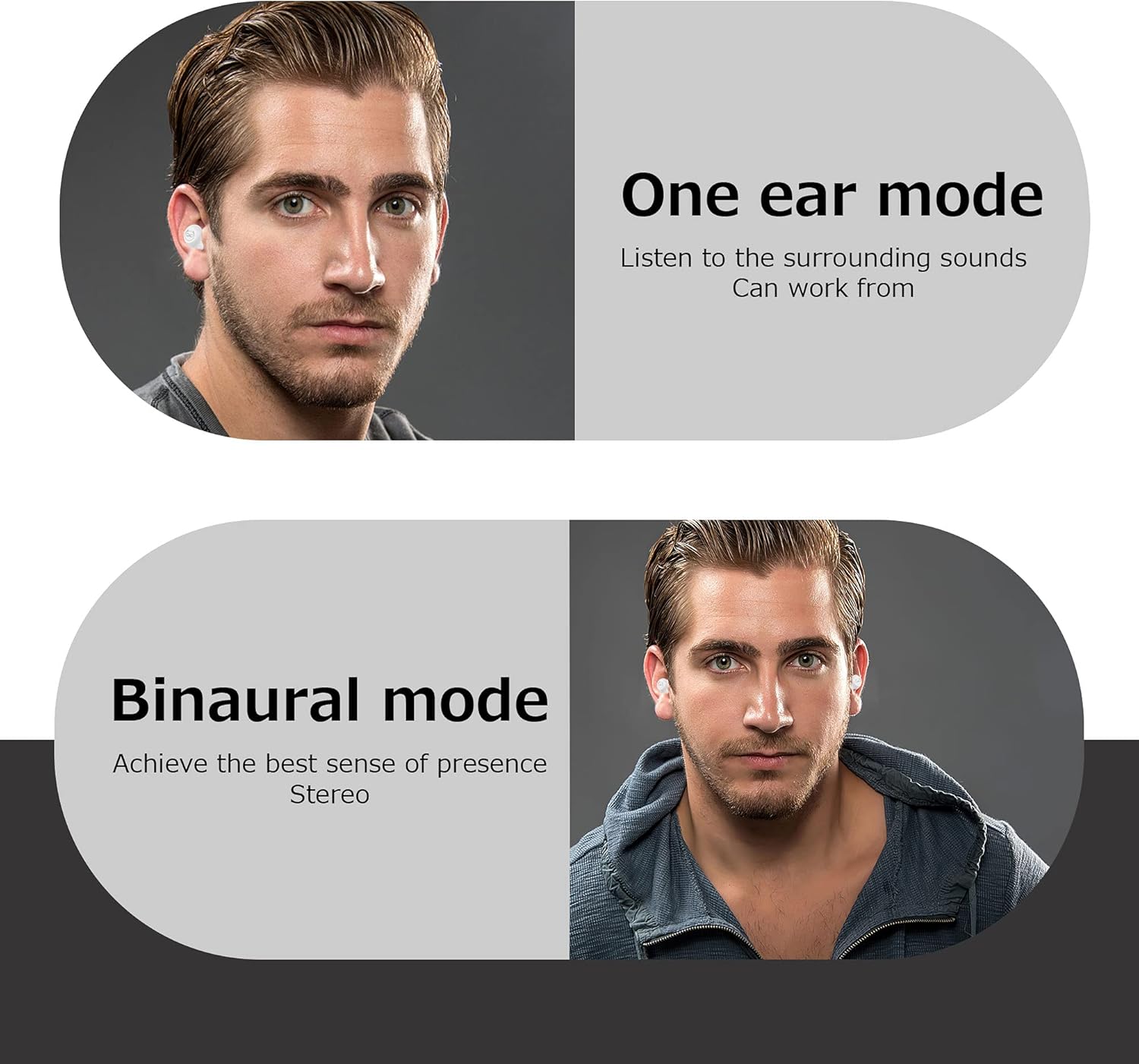
The Instiwitt K81 earphones support both single-ear and dual-ear modes for flexible usage.
- One Ear Mode: Use a single earbud to listen to audio while remaining aware of your surroundings. This is ideal for situations where you need to hear ambient sounds.
- Mod Binaural: Use both earbuds for a full stereo sound experience, providing immersive audio for music, movies, and calls.
Penyelenggaraan
Kalis air (IPX5)
The Instiwitt K81 earphones have an IPX5 waterproof rating. This means they are resistant to splashes and sweat, making them suitable for sports and exercise.
- The nano-coating on the surface of the earbuds prevents water and sweat from penetrating.
- While they are waterproof for daily use and light rain, avoid submerging them in water or exposing them to high-pressure water jets.
- Always dry the earbuds thoroughly before placing them back into the charging case to prevent damage.

Pembersihan
Pembersihan tetap membantu mengekalkan kualiti bunyi dan kebersihan.
- Gunakan kain lembut, kering dan tidak berbulu untuk mengelap fon telinga dan bekas pengecas.
- For ear tips, remove them from the earbuds and clean with mild soap and water if necessary. Ensure they are completely dry before reattaching.
- Gently clean the charging contacts on both the earbuds and the case with a dry cotton swab to remove any dust or debris.
Menyelesaikan masalah
| Masalah | Penyelesaian |
|---|---|
| Fon telinga tidak berpasangan antara satu sama lain atau peranti. |
|
| Hanya satu fon telinga berfungsi. |
|
| Earbuds not charging in the case. |
|
| Kualiti bunyi yang lemah atau sambungan terputus-putus. |
|
Spesifikasi
| Ciri | Perincian |
|---|---|
| Nama Model | YG-K81 |
| Teknologi Ketersambungan | Tanpa Wayar, Bluetooth |
| Teknologi Komunikasi Tanpa Wayar | Bluetooth |
| Julat Bluetooth | 10 Meter |
| Kawalan Bunyi | Pembatalan Bunyi Aktif |
| Tahap Ketahanan Air | IPX5 Kalis Air |
| Hayat Bateri (Earbud) | 4 Jam (cas sekali) |
| Jumlah Masa Main (dengan Sarung Pengecasan) | Sehingga 40 Jam |
| Charging Time (Earbuds & Case) | 1.5 Jam |
| Kapasiti Bateri Kes Pengecasan | 350mAh |
| Kaedah Kawalan | Sentuh, Suara |
| Berat Barang (setiap fon telinga) | 4 Gram |
| Dimensi (Produk) | 2.36 x 2.36 x 1.57 inci |
| bahan | plastik |
| Pengeluar | Instiwitt |
Video Produk Rasmi
Watch the official product video for a visual guide on the Instiwitt K81 True Wireless Bluetooth Earphones.
Waranti dan Sokongan
Your Instiwitt K81 True Wireless Bluetooth Earphones come with a standard manufacturer's warranty. For detailed warranty information, product support, or to purchase protection plans, please refer to the product's official listing page or contact Instiwitt customer service.
Untuk bantuan lanjut, lawati Instiwitt Store on Amazon.


