1. Pengenalan
This manual provides essential instructions for the safe and efficient operation of your beFree Sound 12 Inch Bluetooth Rechargeable Portable PA Party Speaker. Please read this manual thoroughly before using the product and retain it for future reference.
The beFree Sound portable PA speaker is designed for versatile audio playback and public address applications, featuring Bluetooth connectivity, various input options, and reactive LED lighting.
2. Maklumat Keselamatan
- Do not expose the speaker to water or excessive moisture. The product is not waterproof.
- Avoid placing the speaker near heat sources or in direct sunlight for extended periods.
- Pastikan pengudaraan yang betul; jangan sekat sebarang bukaan pengudaraan.
- Use only the power adapter supplied by the manufacturer.
- Jangan cuba membuka atau membaiki unit sendiri. Rujuk semua servis kepada kakitangan yang berkelayakan.
- Jauhkan daripada kanak-kanak.
- Putuskan sambungan kord kuasa semasa ribut petir atau apabila tidak digunakan untuk tempoh yang lama.
3. Kandungan Pakej
Sahkan bahawa semua item terdapat dalam pakej:
- One beFree Sound 12 Inch Portable PA Speaker
- Satu Mikrofon
- Satu Alat Kawalan Jauh
- Satu Manual Pengguna (dokumen ini)

4. Produk Lebihview
4.1 Panel Depan

- Gril Pembesar Suara: Protects the speaker components.
- Reactive LED Lights: Illuminates in various colors, reacting to audio playback.
4.2 Rear Panel Controls and Ports

- Output AUX: 3.5mm jack for connecting to external audio devices.
- Slot USB: Untuk pemacu kilat USB.
- Slot Kad TF: For TF (MicroSD) cards.
- Penunjuk Tahap Caj: Memaparkan status bateri.
- Lights Switch: Toggles the reactive LED lights on/off.
- Input Mikrofon: Bicu 6.35mm untuk menyambungkan mikrofon yang disertakan.
- Antena: Untuk penerimaan radio FM.
- Kawalan Kelantangan: Adjusts overall speaker volume.
- Kawalan Kelantangan Mikrofon: Melaraskan kelantangan mikrofon.
- Kawalan Gema: Adjusts echo effect for the microphone.
- Kawalan Treble: Adjusts high-frequency audio.
- Kawalan Bes: Adjusts low-frequency audio.
- Suis kuasa: Menghidupkan/mematikan pembesar suara.
- DC 12V DALAM: Input kuasa untuk pengecasan dan operasi.
4.3 Ciri-ciri Lain
- Pemegang boleh dipanjangkan: Untuk mudah dibawa.
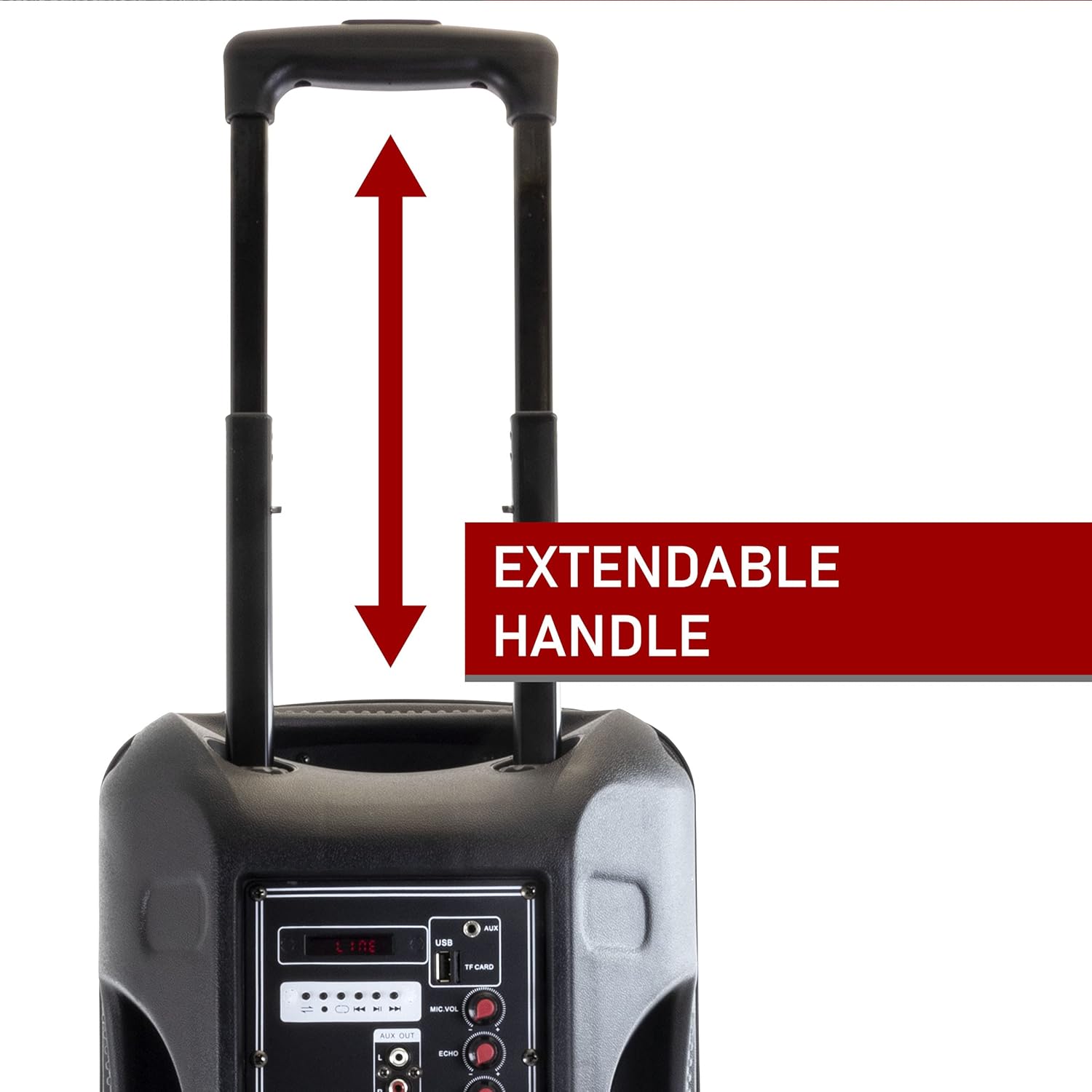
Figure 4.3: Extendable Handle. This image shows the speaker's extendable handle in its extended position, indicating its function for easy transport. - Sturdy Caster Wheels: For convenient movement.

Figure 4.4: Caster Wheels. A close-up view of one of the durable caster wheels located at the bottom of the speaker, designed for smooth mobility. - Molded Side Handle: For additional carrying options.

Figure 4.5: Molded Side Handle. This image provides a detailed look at the ergonomic molded handle on the side of the speaker, offering an alternative grip for lifting or carrying. - Kawalan Jauh: Untuk memudahkan operasi dari jauh.

Figure 4.6: Remote Control. An image of the compact black remote control, featuring buttons for power, mute, mode selection, volume adjustment, track navigation, and equalizer settings. - mikrofon: For public address or karaoke.

Figure 4.7: Included Microphone. A close-up of the black wired microphone, showing its on/off switch and standard design for vocal input.
5. Persediaan
- Membongkar: Keluarkan semua komponen dari pembungkusan dengan berhati-hati.
- mengecas: Before first use, fully charge the speaker. Connect the power adapter to the "DC 12V IN" port on the rear panel and plug it into a power outlet. The charge level indicator will show charging status. A full charge can last up to 3 hours of operation.
- penempatan: Place the speaker on a stable, flat surface. Utilize the extendable handle and caster wheels for easy positioning.
- Hidupkan kuasa: Flip the Power Switch on the rear panel to the "ON" position.
6. Arahan Operasi
6.1 Mod Bluetooth
- Turn on the speaker. The default mode is usually Bluetooth. If not, press the "Mode" button on the speaker or remote until "Bluetooth" is announced or displayed.
- Dayakan Bluetooth pada peranti mudah alih anda (telefon pintar, tablet, komputer riba).
- Cari untuk available devices and select "beFree Sound Speaker" (or similar name) from the list.
- Once paired, you will hear a confirmation sound. You can now play audio wirelessly from your device.
- Control playback (play/pause, next/previous track) and volume using your device or the speaker/remote controls.
Mod Kad USB/TF 6.2
- Insert a USB flash drive or TF (MicroSD) card into the respective slot on the rear panel.
- The speaker should automatically switch to USB/TF mode and begin playing audio. If not, press the "Mode" button.
- Use the playback controls (play/pause, next/previous track) on the speaker or remote to manage your music.
6.3 Mod Input AUX
- Connect an external audio device (e.g., MP3 player, CD player) to the "AUX" input port on the rear panel using a 3.5mm audio cable.
- Press the "Mode" button until "AUX" is selected.
- Control playback from your connected device. Adjust volume using both the speaker's volume control and your device's volume.
Mod Radio 6.4 FM
- Extend the antenna on the rear panel for better reception.
- Press the "Mode" button until "FM" is selected.
- Press the "Scan" button (often the Play/Pause button) to automatically scan and save available FM stations.
- Use the "Previous/Next Track" buttons to navigate through the saved stations.
6.5 Menggunakan Mikrofon
- Connect the microphone to the "MIC INPUT" port on the rear panel.
- Ensure the microphone's power switch is in the "ON" position.
- Adjust the "MIC VOL" knob to control the microphone's volume.
- Use the "ECHO" knob to add an echo effect to your voice.
6.6 Lampu LED

The speaker features reactive LED lights that illuminate during audio playback. To turn the lights on or off, use the "LIGHTS SWITCH" on the rear panel.
6.7 Pelarasan Penyamaan
Use the "TREBLE" and "BASS" knobs on the rear panel to fine-tune the audio output to your preference.
7. Penyelenggaraan
- Pembersihan: Lap pembesar suara dengan kain lembut dan kering. Jangan gunakan pembersih atau pelarut yang kasar.
- Storan: Apabila tidak digunakan, simpan pembesar suara di tempat yang sejuk dan kering, jauh daripada cahaya matahari langsung dan suhu yang melampau.
- Penjagaan Bateri: Untuk memanjangkan hayat bateri, elakkan daripada kerap mencas sepenuhnya bateri. Cas semula pembesar suara dengan kerap, walaupun tidak digunakan untuk tempoh yang lama.
8. Penyelesaian masalah
| Masalah | Kemungkinan Punca | Penyelesaian |
|---|---|---|
| Tiada kuasa | Battery is discharged; Power cable not connected. | Cas pembesar suara; Pastikan kabel kuasa disambungkan dengan kukuh. |
| Tiada bunyi | Kelantangan terlalu rendah; Mod input salah; Peranti tidak disambungkan dengan betul. | Increase volume; Select correct input mode (Bluetooth, AUX, USB/TF, FM); Reconnect device. |
| Kegagalan berpasangan Bluetooth | Pembesar suara tidak dalam mod berpasangan; Peranti terlalu jauh; Gangguan. | Ensure speaker is in Bluetooth mode; Move device closer (within 10 meters); Restart both devices. |
| Mikrofon tidak berfungsi | Microphone switch off; MIC VOL too low; Microphone not connected. | Turn on microphone switch; Increase MIC VOL; Ensure microphone is securely plugged in. |
| Penerimaan FM yang lemah | Antena tidak dilanjutkan; Isyarat lemah. | Fully extend the antenna; Try repositioning the speaker. |
9. Spesifikasi
| Ciri | Perincian |
|---|---|
| Nombor Model | 6910759 |
| Jenama | beFree Bunyi |
| Jenis Pembesar Suara | Woofer |
| Diameter Woofer | 12 Inci |
| Teknologi Ketersambungan | Bluetooth, Auxiliary, RCA, USB |
| Komunikasi Tanpa Wayar | Bluetooth |
| Julat Bluetooth | Sehingga 10 Meter |
| Sumber Kuasa | Elektrik Bertali (Bateri Boleh Dicas Semula) |
| Jenis Bateri | 1 Litium Ion (termasuk) |
| Hayat Bateri (lebih kurang) | Sehingga 3 jam dengan cas penuh |
| Ciri Khas | Portable, Reactive LED Lights, Equalizer (Treble, Bass) |
| Komponen yang Disertakan | Speaker, Microphone, Remote Control, User Manual |
| Dimensi (L x W x H) | 20.5 x 13 x 13 inci |
| Berat Barang | 16.3 paun |
| bahan | Metal (Grille), Plastic (Casing) |
| warna | Hitam |
| UPC | 840191203640 |
10. Waranti dan Sokongan
This beFree Sound product comes with a Waranti Terhad. For specific details regarding warranty coverage, duration, and how to obtain service, please refer to the warranty card included with your purchase or contact beFree Sound customer support.
For technical assistance or customer service inquiries, please visit the official beFree Sound website or contact their support channels. Keep your purchase receipt as proof of purchase for warranty claims.