pengenalan
This manual provides detailed instructions for the setup, operation, and maintenance of your beFree Sound 2.1 Channel Bluetooth Surround Sound Speaker System. Designed for a sophisticated look and smooth sound, this system offers versatile listening options including Bluetooth, USB, SD, and FM radio capabilities. Please read this manual thoroughly before using the product to ensure proper function and longevity.

Image: The beFree Sound 2.1 Channel Bluetooth Surround Sound Speaker System, featuring a central subwoofer with blue LED lighting, two satellite speakers, and a remote control. Icons for Bluetooth, SD, USB, and FM radio are displayed below.
Apa yang ada dalam Kotak
- One 5.25" Amplifier (Subwoofer)
- Two 3" Satellite Speakers
- Alat Kawalan Jauh
- 1 Audio Cable (RCA to 3.5mm)
- Antena 1 FM
Persediaan
1. Sambungan Fizikal
- Place the Subwoofer: Position the subwoofer on a stable, flat surface, ideally near your audio source.
- Sambungkan Pembesar Suara Satelit: Connect the two satellite speakers to the corresponding output ports on the back of the subwoofer. Ensure a secure connection for optimal sound.
- Sambungan Kuasa: Plug the power cord from the subwoofer into a standard electrical outlet.
2. Sambungan Input Audio
The system supports multiple audio input methods:
- Input RCA: Use the included audio cable (RCA to 3.5mm) to connect devices with RCA output (e.g., DVD player, TV) or 3.5mm output (e.g., smartphone, PC). Connect the red and white RCA plugs to the 'INPUT' ports on the subwoofer.
- Pemacu USB: Insert a USB flash drive into the USB port on the front panel of the subwoofer. The system will automatically detect and play compatible audio files.
- Kad SD: Insert an SD card into the SD card slot on the front panel of the subwoofer. The system will automatically detect and play compatible audio files.
- Antena FM: Connect the FM antenna to the designated port on the back of the subwoofer for improved radio reception. Extend the antenna for best results.
3. Berpasangan Bluetooth
- Aktifkan Mod Bluetooth: Press the 'SOURCE' button on the front panel or remote control until 'BT' appears on the display. The system will enter pairing mode, indicated by a flashing Bluetooth icon or indicator light.
- Dayakan Bluetooth pada Peranti Anda: Pada telefon pintar, tablet atau peranti lain yang didayakan Bluetooth anda, pergi ke tetapan Bluetooth dan hidupkan Bluetooth.
- Select Speaker System: Cari untuk available devices and select "beFree Sound" or a similar name from the list.
- Sahkan Gandingan: Once connected, the system will indicate successful pairing (e.g., a solid Bluetooth icon or a confirmation sound). You can now play audio from your device through the speaker system.
Arahan Operasi
1. Hidupkan/Mati Kuasa
Press the 'ST-BY/M' (Standby/Mode) button on the front panel or the power button on the remote control to turn the system on or off.
2. Memilih Mod Input
Press the 'SOURCE' button on the front panel or remote control repeatedly to cycle through available input modes: Bluetooth (BT), USB, SD, FM Radio, and AUX (Audio Input).
3. Kawalan Kelantangan
Adjust the master volume using the large rotary knob on the front panel of the subwoofer or the 'VOL+' and 'VOL-' buttons on the remote control.
4. Operasi Radio FM
- Imbasan Auto: In FM mode, press and hold the 'PLAY/PAUSE' button on the remote or front panel to automatically scan and save available radio stations.
- Penalaan Manual: Use the 'PREV' and 'NEXT' buttons to manually tune to specific frequencies or navigate through saved stations.
5. Main semula USB/Kad SD
When a USB drive or SD card is inserted, the system will automatically switch to the respective mode and begin playback. Use the 'PLAY/PAUSE', 'PREV', and 'NEXT' buttons on the front panel or remote control to manage playback.
6. Fungsi Alat Kawalan Jauh
The full-function remote control allows for convenient operation of all system features, including power, mode selection, volume, track control, FM tuning, and bass boost.
Ciri-ciri
- 2.1 Channel Surround Sound Configuration
- Bluetooth Wireless Connectivity (Range: 10 Meters)
- USB and SD Card Inputs for direct media playback
- Radio FM Bersepadu
- Audio Input and Output options
- Enhanced Bass Boost Ported Design
- Illuminated Display with Front Panel Controls
- Alat Kawalan Jauh Berfungsi Penuh
- Respons Kekerapan: 40Hz-20KHz
- Signal-to-Noise Ratio (S/N Ratio): >75dB
- Pemisahan: >50dB
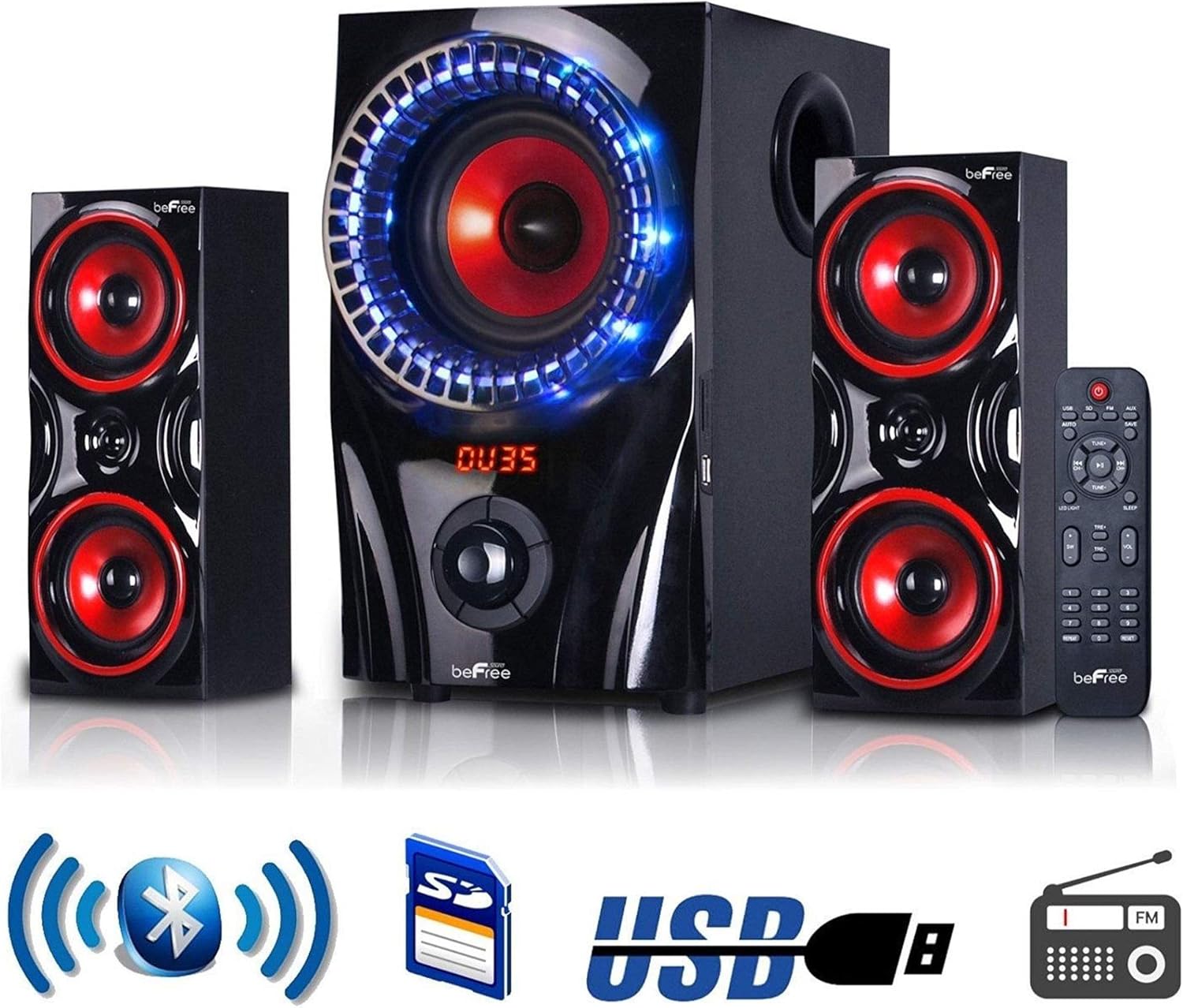
Image: The beFree Sound 2.1 Channel Bluetooth Surround Sound Speaker System, highlighting its connectivity options including Bluetooth, SD card, USB, and FM radio.
Spesifikasi
| Nama Model | Sistem Pembesar Suara Bunyi Sekeliling BFS-2.1 |
| Jenama | beFree Bunyi |
| Jenis Pembesar Suara | Bunyi Sekeliling |
| Konfigurasi Saluran Bunyi Sekeliling | 2.1 |
| Teknologi Ketersambungan | Bluetooth, USB |
| Teknologi Komunikasi Tanpa Wayar | Bluetooth |
| Julat Bluetooth | 10 Meter |
| Diameter Subwoofer | 5.25 Inci |
| Speaker Size (Satellite) | 3 Inci |
| Kuasa Output Maksimum Pembesar Suara | 60 Watt |
| Respons Kekerapan | 40Hz-20KHz |
| Nisbah Isyarat-ke-Bunyi | >75dB |
| Perpisahan | >50dB |
| Sumber Kuasa | Elektrik Bertali |
| Kaedah Kawalan | Jauh |
| Dimensi Produk | 13.22"D x 13.22"W x 13"H |
| Berat Barang | 18.46 paun (8.39 Kilogram) |
| UPC | 840191201196 |
Penyelenggaraan
- Pembersihan: Use a soft, dry cloth to clean the exterior surfaces of the speakers and subwoofer. Do not use liquid cleaners or abrasive materials.
- Pengudaraan: Ensure that the subwoofer and speakers have adequate ventilation. Do not block any ventilation openings.
- penempatan: Elakkan meletakkan sistem di bawah cahaya matahari langsung, berhampiran sumber haba atau di kawasan yang mempunyai kelembapan atau habuk yang tinggi.
- Matikan: Always turn off and unplug the system before cleaning or if it will be unused for an extended period.
Menyelesaikan masalah
- Tiada Kuasa: Check if the power cord is securely plugged into both the subwoofer and the electrical outlet. Ensure the outlet is functional.
- Tiada Bunyi:
- Verify the system is powered on and the volume is turned up.
- Ensure the correct input mode (Bluetooth, USB, SD, FM, AUX) is selected.
- Periksa semua kabel audio untuk sambungan selamat.
- If using Bluetooth, ensure your device is paired and connected.
- Bluetooth Tidak Bersambung:
- Make sure the speaker system is in Bluetooth pairing mode.
- Pastikan Bluetooth peranti anda didayakan dan dalam julat (10 meter).
- Cuba nyahgandingkan dan pasangkan semula peranti.
- Mulakan semula kedua-dua sistem pembesar suara dan peranti Bluetooth anda.
- Penerimaan FM yang lemah: Extend and adjust the position of the FM antenna. Try moving the system to a different location.
- USB/SD Card Not Playing: Ensure the USB drive or SD card is inserted correctly and contains compatible audio files (e.g., MP3). Try a different USB drive or SD card.
Waranti dan Sokongan
This beFree Sound speaker system comes with a Limited Warranty. Please refer to the warranty card included with your product for specific terms and conditions. For technical support or warranty claims, please contact beFree Sound customer service through their official webtapak atau peruncit tempat produk itu dibeli.


