pengenalan
Terima kasih kerana membeliasing the AMIR Digital LED Alarm Clock. This clock features a large LED display, adjustable brightness, temperature display, voice control, and multiple alarm modes. This manual provides detailed instructions on how to set up, operate, and maintain your new alarm clock.

Rajah 1: Depan view of the AMIR Digital LED Alarm Clock. The clock features a large, clear red LED display.
Kandungan Pakej
- 1 x AMIR Digital LED Alarm Clock
- 1 x Kabel Kuasa USB (1 meter)
- 1 x Manual Pengguna
Note: AAA batteries and AC adapter are not included.

Figure 2: The AMIR Digital LED Alarm Clock, its USB power cable, and the user manual as found in the package.
Persediaan
1. Mengkuasakan Peranti
Jam boleh dikuasakan dalam dua cara:
- USB Cable Power: Connect the provided USB cable to the clock's power input and plug the other end into a USB power adapter (not included) or a USB port on a computer. The display will remain continuously on when powered by USB.
- Kuasa Bateri: Insert 3 x AAA batteries (not included) into the battery compartment on the back of the clock. When powered by batteries, the display will automatically turn off after 16 seconds to conserve energy. You can activate the display by making a sound (voice control) or touching the clock.
Note: Using both USB power and batteries provides a memory function, retaining time settings during power outages.
2. Fungsi Butang
Familiarize yourself with the buttons located on the back of the clock:
- TURUN: Decreases values, adjusts brightness.
- KE ATAS: Increases values, adjusts brightness.
- CAHAYA/SEDAP: Adjusts brightness, activates snooze function.
- ARAHAN: Switches between clock, date, and temperature modes.
- PENGGERA: Memasuki mod tetapan penggera.
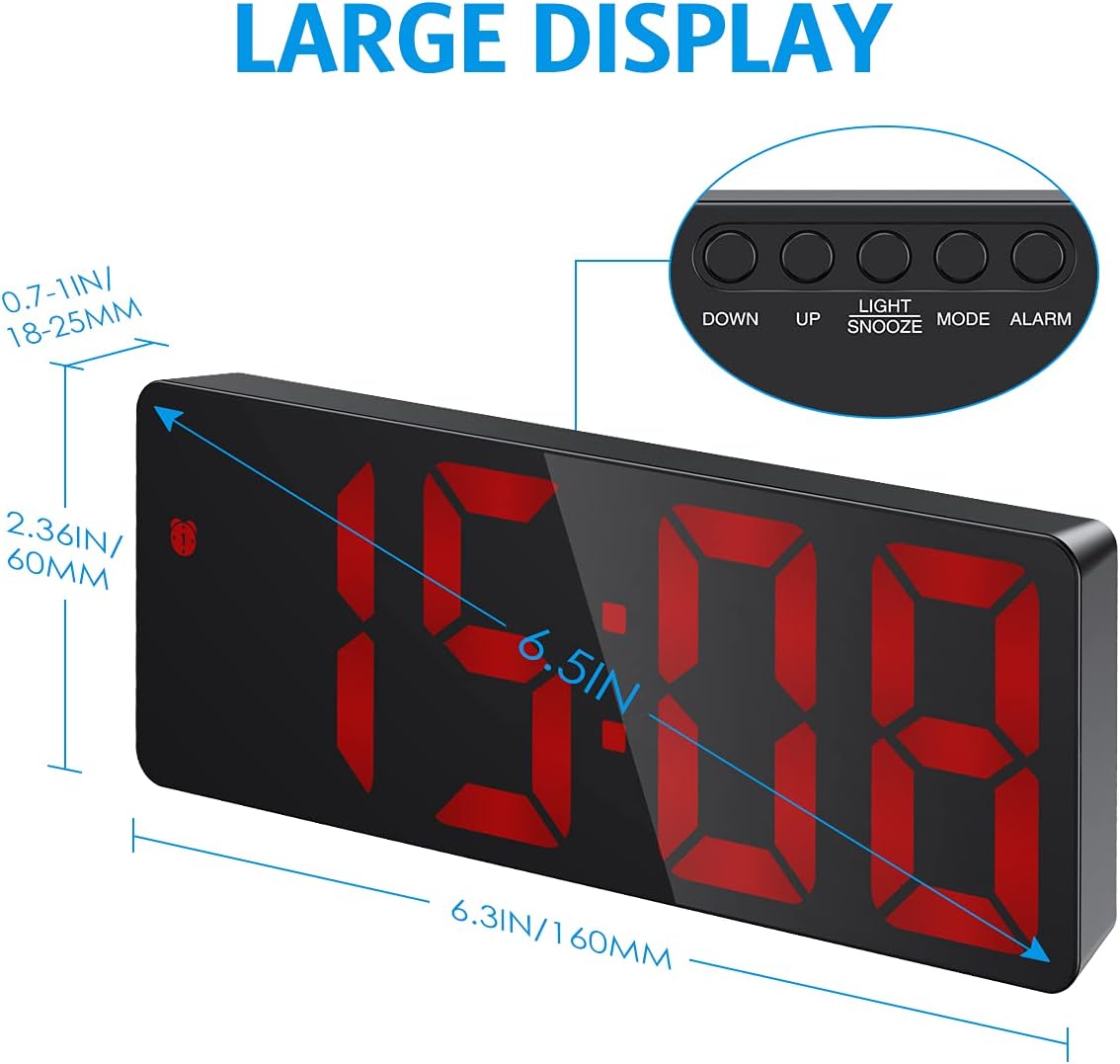
Gambar 3: Lebihview of the clock's dimensions and button layout.
3. Penetapan Masa Awal
- Tekan dan tahan butang MODE butang selama 3 saat untuk memasuki mod tetapan masa. Digit jam akan berkelip.
- Gunakan UP or TURUN butang untuk melaraskan jam.
- Tekan MODE sekali lagi untuk bertukar kepada tetapan minit. Digit minit akan berkelip.
- Gunakan UP or TURUN butang untuk melaraskan minit.
- Tekan MODE untuk mengesahkan dan keluar dari tetapan masa.
4. 12/24H Format Selection
While in time setting mode (after step 1 above), press the UP butang untuk bertukar antara format 12 jam dan 24 jam.
5. Paparan Suhu
The clock automatically displays the temperature. To switch between Celsius (°C) and Fahrenheit (°F), press the TURUN button while in temperature display mode (press MODE until temperature is shown).
Arahan Operasi
1. Melaraskan Kecerahan
The clock offers three levels of brightness (Bright, Medium, Low) and a Night Mode.
- Pelarasan Manual: Tekan ke UP or TURUN buttons (not in setting mode) to cycle through Bright, Medium, and Low brightness levels.
- Mod Malam: In Night Mode, the display automatically dims between 18:00 (6 PM) and 6:00 (6 AM). To activate/deactivate Night Mode, press and hold the MODE button until "OFF" or "ON" appears. You can also customize the night mode time period by pressing MODE again after activating Night Mode.
- Paparan Dimatikan: To completely turn off the display while sleeping, press and hold the CAHAYA / SNOOZE button for more than 3 seconds. Press any button to turn it back on.
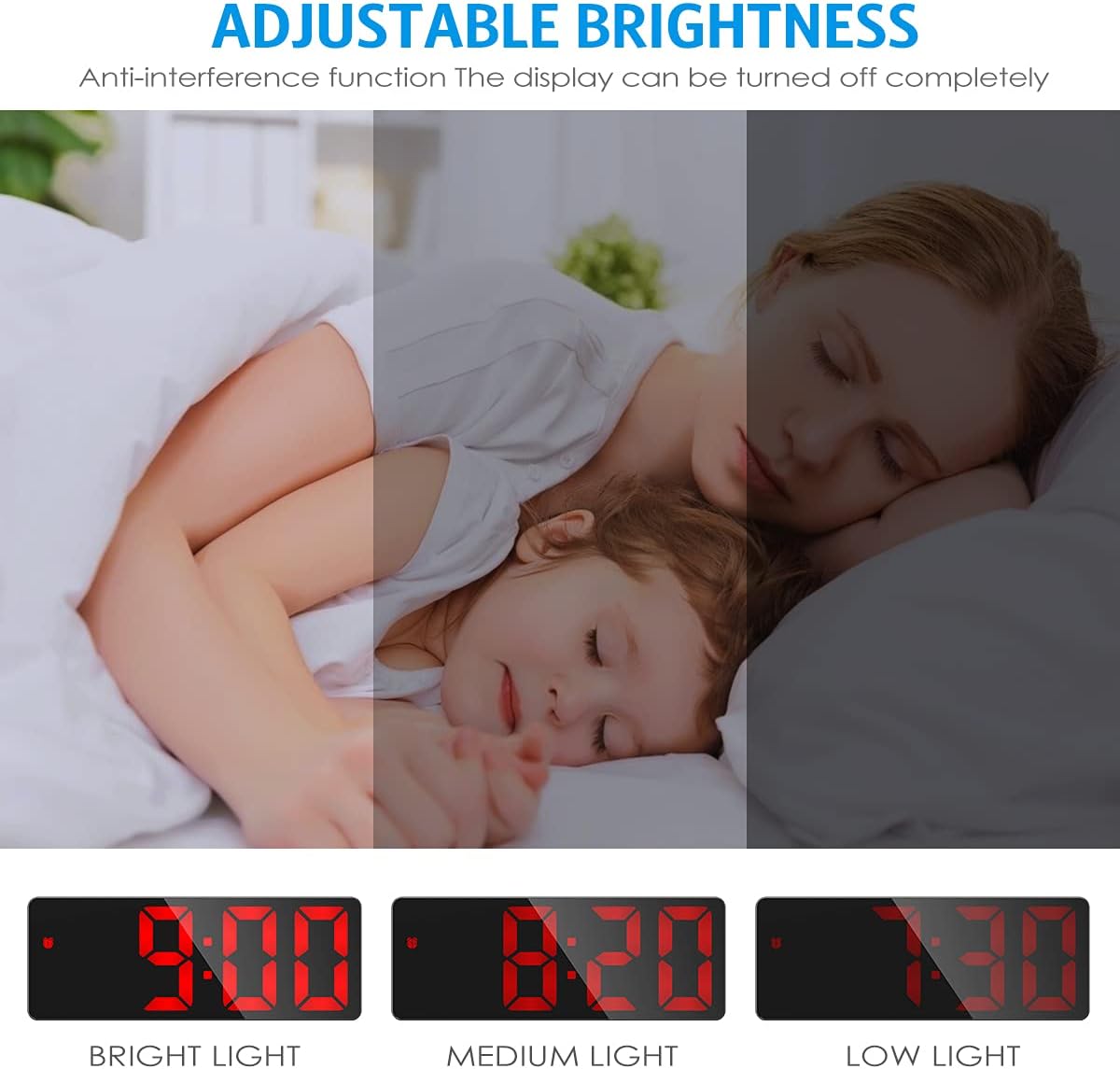
Figure 4: Visual representation of the three adjustable brightness levels.
2. Menetapkan Penggera
The clock supports three alarm modes: Monday-Friday, Monday-Saturday, and Everyday.
- Tekan dan tahan butang PENGGERA button for 3 seconds to enter alarm setting mode. The hour digits will flash.
- Gunakan UP or TURUN butang untuk melaraskan jam penggera.
- Tekan PENGGERA sekali lagi untuk bertukar kepada tetapan minit. Digit minit akan berkelip.
- Gunakan UP or TURUN butang untuk melaraskan minit penggera.
- Tekan PENGGERA again to select the snooze duration (1-60 minutes). Use UP or TURUN untuk menyesuaikan diri.
- Tekan PENGGERA again to select the alarm mode:
- 1-5: Isnin hingga Jumaat
- 1-6: Isnin hingga Sabtu
- 1-7: Setiap hari
- Tekan PENGGERA untuk mengesahkan dan keluar dari tetapan penggera.

Figure 5: The three available alarm modes for customized wake-up schedules.
3. Fungsi Tunda
Apabila penggera berbunyi, tekan CAHAYA / SNOOZE button to activate the snooze function. The alarm will sound again after the set snooze duration (1-60 minutes). To cancel the alarm completely, press any other button.

Figure 6: The snooze function allows for additional sleep time after the alarm sounds.
4. Voice Control & Power Saving Mode (Battery Powered Only)
When the clock is powered solely by AAA batteries, it enters a power-saving mode where the display turns off after 16 seconds of inactivity. You can activate the display by:
- Making a sound (e.g., clapping hands, knocking on the table).
- Touching the clock.
The clock's internal time and temperature tracking continue even when the display is off in power-saving mode.

Figure 7: The clock's display can be activated by sound or touch when running on battery power.
Penyelenggaraan
- Pembersihan: Wipe the clock surface with a soft, dry cloth. Do not use abrasive cleaners or solvents.
- Penggantian Bateri: If using batteries, replace them when the display becomes dim or the clock functions become erratic. Ensure correct polarity when inserting new batteries.
- Storan: Jika menyimpan jam untuk tempoh yang lama, tanggalkan bateri untuk mengelakkan kebocoran.
Menyelesaikan masalah
| Masalah | Kemungkinan Punca | Penyelesaian |
|---|---|---|
| Paparan dimatikan atau malap. |
|
|
| Penggera tidak berbunyi. |
|
|
| Kawalan suara tidak berfungsi. |
|
|
Spesifikasi
| Jenama | AMIR |
| Model | B09F5SL8K6 |
| Jenis Paparan | LED digital |
| warna | Red (LED display) |
| Sumber Kuasa | Wired Electric (USB) and Battery Powered (3x AAA, not included) |
| Ciri Khas | Alarm, Adjustable Brightness, Temperature Display, Night Mode, Snooze, Voice Control |
| Dimensi Produk | 16L x 6H cm (approx. 6.3 x 2.36 inches) |
| Berat badan | 160 g (lebih kurang 0.35 lbs) |
Waranti dan Sokongan
This product comes with a standard manufacturer's warranty. For warranty claims or technical support, please contact the retailer or manufacturer directly. Keep your purchase receipt as proof of purchase.
For further assistance, please visit the AMIR official webtapak atau hubungi perkhidmatan pelanggan mereka.


