Crosscall CORE-M5 User Manual
Model: 1001011101114
pengenalan
This manual provides comprehensive instructions for the setup, operation, maintenance, and troubleshooting of your Crosscall CORE-M5 rugged smartphone. Designed for durability and performance in challenging environments, the CORE-M5 is built to withstand various conditions while providing essential communication and smart device functionalities.
Sila baca manual ini dengan teliti sebelum menggunakan peranti anda untuk memastikan operasi yang betul dan memaksimumkan jangka hayatnya.
Kandungan Pakej
Selepas membuka pakej, sahkan bahawa semua item ada:
- Crosscall CORE-M5 Device
- Kabel Pengecas USB
- Panduan Mula Pantas
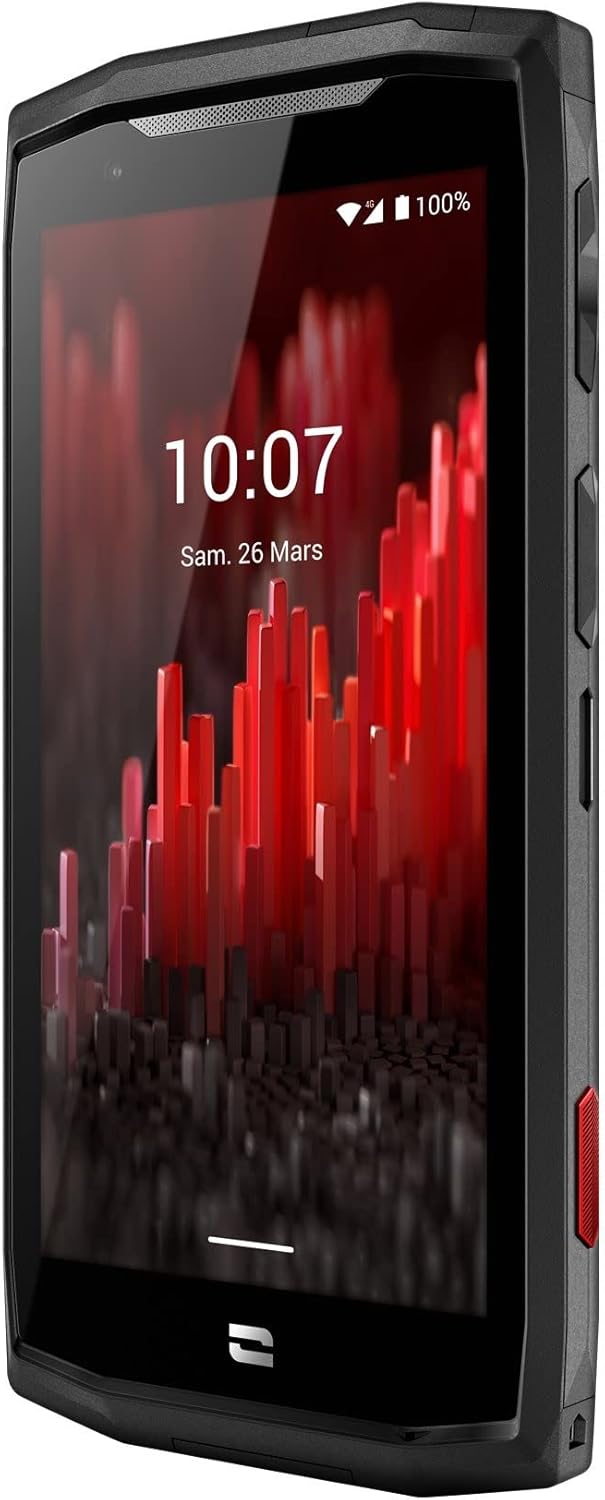
Imej: Bersudut hadapan view of the Crosscall CORE-M5 device, highlighting its robust design and display.
Persediaan
1. Inserting the SIM Card and Memory Card
The CORE-M5 supports SIM cards for cellular connectivity and an optional memory card for expanded storage. Locate the SIM/memory card tray on the side of the device.
- Matikan peranti sepenuhnya.
- Use the provided SIM ejector tool (or a small paperclip) to open the SIM/memory card tray.
- Carefully place your SIM card(s) and/or memory card into the designated slots on the tray, ensuring correct orientation as indicated on the tray.
- Tolak dulang perlahan-lahan ke dalam peranti sehingga ia berbunyi pada tempatnya.

Image: A user demonstrating the insertion of a SIM card into the device's slot.
2. Pengecasan Awal
Before first use, it is recommended to fully charge your CORE-M5.
- Sambungkan kabel pengecas USB ke port pengecasan peranti.
- Sambungkan hujung kabel yang satu lagi ke penyesuai kuasa USB yang serasi atau port USB komputer.
- The charging indicator on the screen will show the charging status. Allow the device to charge until the battery icon indicates a full charge.
3. Menghidupkan dan Konfigurasi Awal
- Press and hold the Power button (usually located on the side) until the Crosscall logo appears.
- Ikut gesaan pada skrin untuk melengkapkan persediaan awal, termasuk pemilihan bahasa, sambungan Wi-Fi, persediaan akaun Google dan tetapan keselamatan.
Operating the CORE-M5
Navigasi Asas
- Skrin sentuh: Navigate the device using taps, swipes, and pinch gestures on the 4.95-inch touchscreen display.
- Butang Kuasa: Press to turn the screen on/off, or press and hold to power off/restart the device.
- Butang Kelantangan: Laraskan kelantangan media, kelantangan panggilan atau kelantangan nada dering.
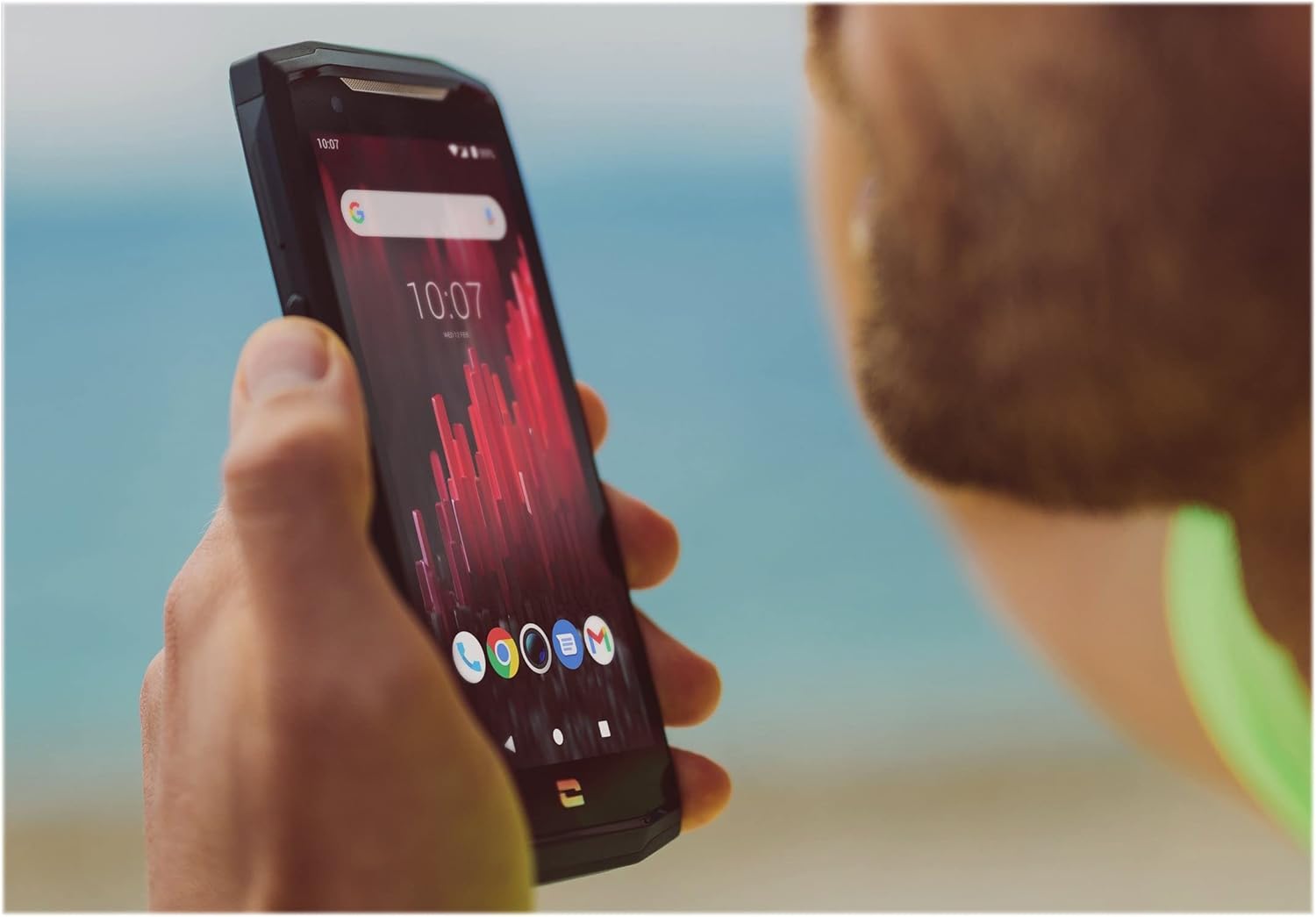
Image: The CORE-M5 in use, demonstrating its compact size and clear display for outdoor visibility.
Ketersambungan
- Wi-Fi: Access Wi-Fi settings from the Quick Settings panel or Settings app to connect to wireless networks.
- Bluetooth: Pair with Bluetooth devices such as headphones, speakers, or other smartphones via the Bluetooth settings.
- USB: Connect the device to a computer using the USB cable for data transfer or charging.
- Data Selular: Enable or disable mobile data from the Quick Settings or Network & Internet settings. Supports 2G and 3G cellular technologies.
Fungsi Kamera
The CORE-M5 features both front and rear cameras for capturing photos and videos.
- Buka aplikasi Kamera daripada skrin utama atau laci aplikasi.
- Tap the shutter button to take a photo or switch to video mode to record.
- Gunakan kawalan pada skrin untuk bertukar antara kamera hadapan dan belakang, melaraskan zum atau menggunakan penapis.
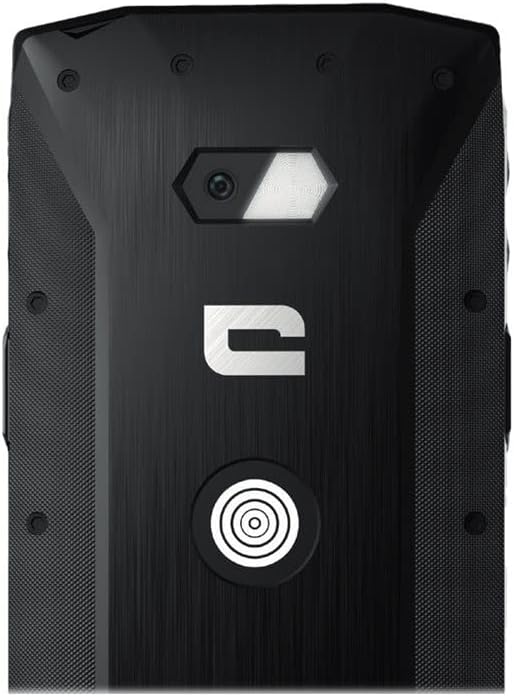
Imej: Terperinci view of the CORE-M5's rear, highlighting the camera module and the X-Link magnetic connection system.
X-Link System
The CORE-M5 is equipped with Crosscall's X-Link magnetic connection system on the back, allowing for easy attachment of compatible accessories such as chargers, mounts, and external batteries.
- Align the X-Link accessory with the magnetic connector on the back of your CORE-M5.
- The magnets will guide the accessory into place, ensuring a secure connection.

Image: The CORE-M5 securely mounted in a vehicle, demonstrating the utility of the X-Link system for hands-free use.
Penyelenggaraan
- Pembersihan: Gunakan yang lembut, damp cloth to clean the device. Avoid harsh chemicals or abrasive materials. Ensure all ports are closed before cleaning if exposed to water.
- Tahan Air dan Debu: The CORE-M5 is designed to be rugged. However, ensure all port covers are securely closed to maintain water and dust resistance. Avoid prolonged submersion beyond specified limits.
- Penjagaan Bateri: To prolong battery life, avoid extreme temperatures. Do not allow the battery to fully discharge frequently.
- Kemas Kini Perisian: Semak dan pasang kemas kini sistem secara kerap untuk memastikan prestasi dan keselamatan yang optimum.
Menyelesaikan masalah
| Masalah | Kemungkinan Punca | Penyelesaian |
|---|---|---|
| Peranti tidak akan dihidupkan | Bateri lemah; perisian rosak | Cas peranti selama sekurang-kurangnya 30 minit. Lakukan mula semula secara paksa dengan menekan butang Kuasa selama 10-15 saat. |
| Skrin tidak bertindak balas | Gangguan perisian sementara | Restart the device. If unresponsive, perform a forced restart. |
| Poor call quality / No network | Weak signal; incorrect SIM insertion; network issue | Beralih ke kawasan yang mempunyai isyarat yang lebih baik. Masukkan semula kad SIM. Hubungi pembekal rangkaian anda. |
| Apl ranap atau beku | Insufficient memory; app conflict; outdated software | Close background apps. Clear app cache/data. Update apps and system software. Free up storage space. |
Spesifikasi
| Ciri | Perincian |
|---|---|
| Nama Model | 1001011101114 |
| Jenama | Panggilan silang |
| Sistem Operasi | Android |
| Model CPU | Korteks |
| Saiz Skrin | 4.95 Inci |
| Resolusi | 1026 x 513 |
| RAM | 3 GB |
| Kapasiti Penyimpanan Memori | 32 GB |
| Kapasiti Bateri | 4000 mAh |
| Masa Bual Telefon | 24 Jam |
| Ketersambungan | Bluetooth, Wi-Fi, USB |
| Teknologi Selular | 2G, 3G |
| Pembawa Tanpa Wayar | Dibuka kunci |
| Kamera | Belakang, Depan |
| warna | Hitam |
| Dimensi Produk | 4.25 x 0.79 x 4.25 inci |
| Berat Barang | 8 auns (226.6 Gram) |
| Pertama Tersedia | 21 September 2021 |
Waranti dan Sokongan
Crosscall products are known for their durability and come with a manufacturer's warranty. For specific warranty terms and conditions, please refer to the warranty card included with your product or visit the official Crosscall webtapak.
For technical support, troubleshooting assistance, or service requests, please contact Crosscall Customer Service through their official channels. Have your product model number (1001011101114) and purchase information ready when contacting support.
Official Crosscall Webtapak: www.crosscall.com


