pengenalan
This manual provides detailed instructions for the Jabra Elite 2 True Wireless In-Ear Bluetooth Earbuds. It covers product setup, operation, maintenance, and troubleshooting to ensure optimal performance and user experience. Please read this manual carefully before using your earbuds.
Apa yang ada dalam Kotak
The Jabra Elite 2 package includes the following components:
- Fon Telinga Wayarles Benar Jabra Elite 2
- Kes Pengecasan
- Kabel Pengecas USB-C
- EarGels (three sizes: Small, Medium, Large)
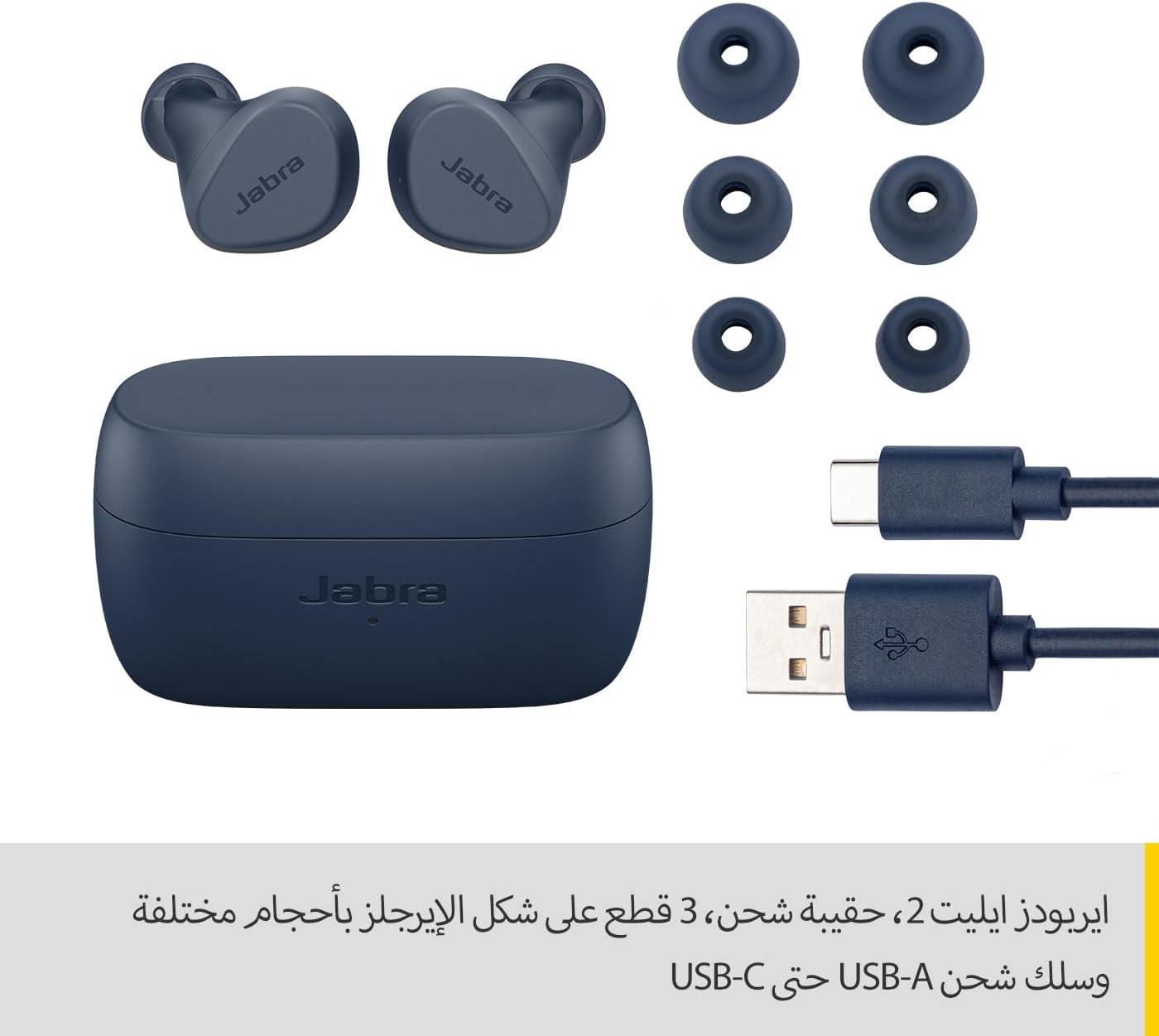
Image: Jabra Elite 2 earbuds, charging case, three sizes of EarGels, and USB-A to USB-C charging cable.
Persediaan
1. Mengecas Fon Telinga dan Sarung
Before first use, fully charge the earbuds and the charging case. Place the earbuds into the charging case and connect the USB-C cable to the charging port on the case and a power source.
- The earbuds provide up to 7 hours of listening time on a single charge.
- The charging case extends the total battery life to up to 21 hours.

Image: Jabra Elite 2 earbuds inside their charging case, ready for charging.
2. Berpasangan dengan Peranti Bluetooth
- Pastikan fon telinga dicas dan berada dalam bekas pengecasan.
- Buka bekas pengecas. Fon telinga akan memasuki mod berpasangan secara automatik.
- Pada telefon pintar anda atau peranti berdaya Bluetooth lain, pergi ke tetapan Bluetooth.
- Select 'Jabra Elite 2' from the list of available devices.
- Setelah disambungkan, gesaan suara akan mengesahkan gandingan yang berjaya.
3. Memasang Putik Telinga
For optimal sound quality and comfort, choose the correct size of EarGels. Insert the earbuds into your ears and rotate them slightly to ensure a secure and comfortable fit.
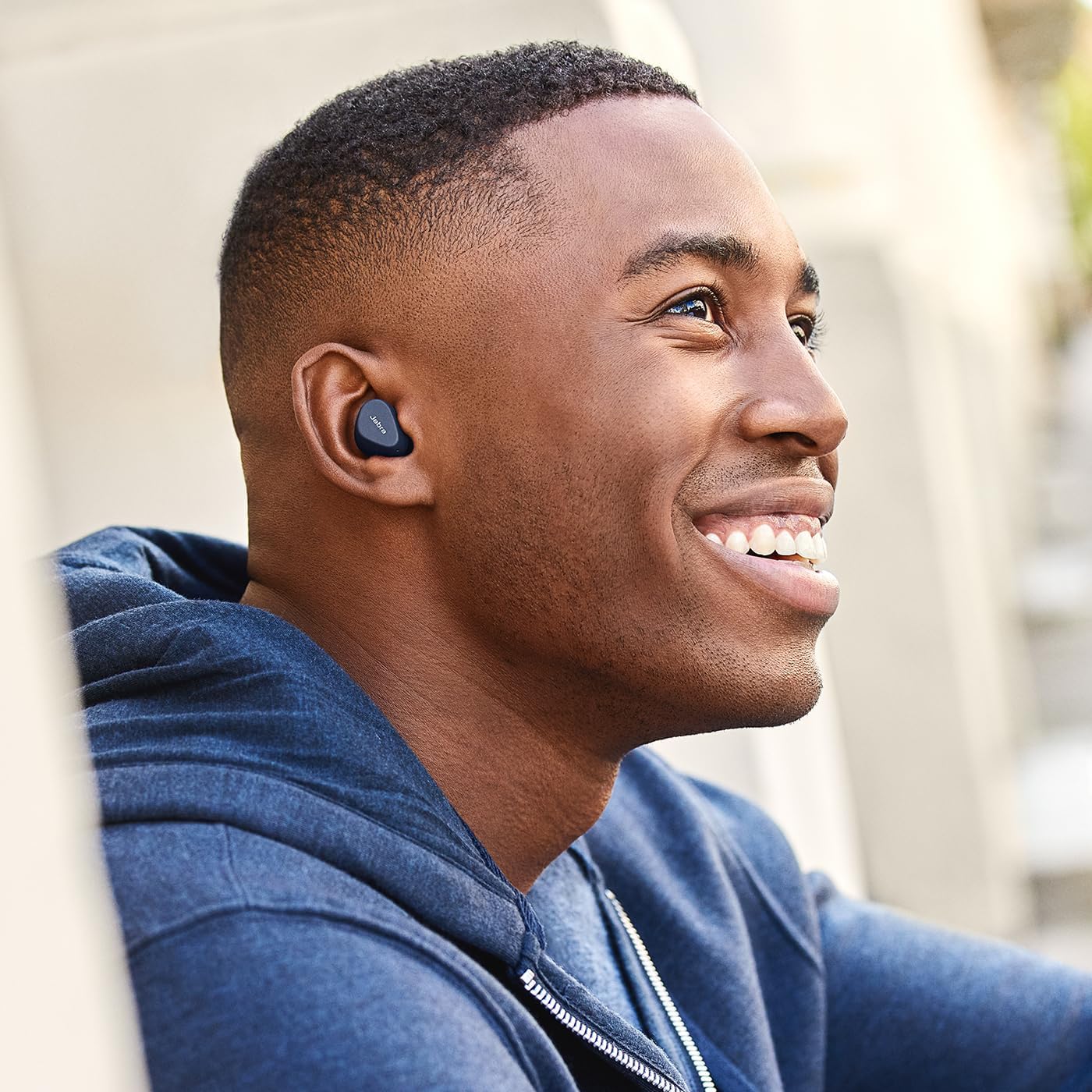
Image: A man wearing Jabra Elite 2 earbuds, demonstrating a proper fit.

Image: A woman wearing Jabra Elite 2 earbuds, demonstrating a proper fit.
Arahan Operasi
The Jabra Elite 2 earbuds feature intuitive controls for managing audio and calls.
Muzik dan Kawalan Panggilan
| Tindakan | Earbud Kiri | Earbud Kanan |
|---|---|---|
| Main/Jeda Muzik | Akhbar tunggal | Akhbar tunggal |
| Jawab/Tamatkan Panggilan | Akhbar tunggal | Akhbar tunggal |
| Tolak Panggilan | Tekan dua kali | Tekan dua kali |
| Trek Seterusnya | Tekan dua kali | T/A |
| Trek Sebelumnya | Akhbar tiga kali ganda | T/A |
| Activate Voice Assistant (Alexa for Android) | T/A | Akhbar tiga kali ganda |

Image: Close-up of Jabra Elite 2 earbuds, highlighting the control surface.
Penyelenggaraan
Proper maintenance ensures the longevity and performance of your Jabra Elite 2 earbuds.
Pembersihan
- Bersihkan fon telinga dan bekas pengecas dengan kerap menggunakan kain yang lembut, kering dan tidak berbulu.
- Tanggalkan Gel Telinga dan bersihkannya dengan sabun lembut dan air, kemudian keringkan dengan teliti sebelum dipasang semula.
- Elakkan menggunakan bahan kimia yang keras atau bahan yang melelas.
Tahan Air
The Jabra Elite 2 earbuds are rated IP55 for resistance against dust and water splashes. This means they are protected against low-pressure water jets from any direction, making them suitable for use during light rain or workouts. They are not designed for submersion in water.

Image: A man wearing Jabra Elite 2 earbuds under an umbrella, illustrating their water resistance.
Penyimpanan
Apabila tidak digunakan, simpan fon telinga dalam bekas pengecasnya untuk melindunginya dan memastikan ia dicas.
Menyelesaikan masalah
If you encounter issues with your Jabra Elite 2 earbuds, refer to the following common solutions:
- Tiada Bunyi/Kelantangan Rendah: Ensure earbuds are properly seated in your ears, volume is turned up on both earbuds and connected device, and EarGels are the correct size.
- Isu Berpasangan: Make sure Bluetooth is enabled on your device and the earbuds are in pairing mode. Try unpairing and re-pairing the earbuds.
- Sambungan Terputus-putus: Keep your device close to the earbuds. Avoid environments with strong Wi-Fi or other wireless interference.
- Fon telinga Tidak Mengecas: Ensure the charging cable is securely connected and the charging case has power. Clean the charging contacts on both the earbuds and the case.
- Isu Mikrofon: Ensure the microphones are not obstructed. Check the audio input settings on your connected device. The Elite 2 features 2 microphones for clear calls.
For further assistance, visit the official Jabra support webtapak.
Spesifikasi
| Ciri | Perincian |
|---|---|
| Nama Model | Jabra Elite 2 |
| Nombor Model | 100-91400003-60 |
| Teknologi Ketersambungan | Wayarles (Bluetooth) |
| Hayat Bateri Earbud | Sehingga 7 jam |
| Jumlah Hayat Bateri (dengan sarung) | Sehingga 21 jam |
| Mikrofon | 2 mikrofon terbina dalam |
| Kawalan Bunyi | Pengasingan Bunyi |
| Penilaian Ketahanan Air | IP55 (Rain, Dust, Water Resistant) |
| Penggunaan yang Disyorkan | Listening to audio (music, podcasts), phone calls, sports, fitness, travel |
| Peranti Serasi | Peranti berdaya Bluetooth |
| Jenis Kawalan | Media/Volume Control, Remote Control |
| Komponen yang Disertakan | Protective case, USB-C cable, EarGels |
| warna | Tentera Laut |
Waranti dan Sokongan
Maklumat Waranti
The Jabra Elite 2 earbuds come with a Waranti 2 tahun. Product registration is required to activate the full warranty period. Please refer to the warranty card included in your package or visit the official Jabra webtapak untuk terma dan syarat terperinci.
Sokongan Pelanggan
For technical support, frequently asked questions, or to register your product, please visit the official Jabra support page:
You may also find additional resources and software updates on the Jabra webtapak.


