Tuitager Manual Pengguna Fon Kepala Bluetooth
Model: 9S
1. Pengenalan
Thank you for choosing Tuitager Bluetooth Headphones. These over-ear headphones are designed to provide a high-fidelity audio experience with deep bass and clear treble, featuring long battery life, multiple EQ modes, and versatile connectivity options. Please read this manual carefully before use to ensure proper operation and maintenance.

Image 1.1: Tuitager Bluetooth Headphones (Black)
2. Maklumat Keselamatan
- Jangan dedahkan fon kepala kepada suhu yang melampau, kelembapan atau bahan menghakis.
- Elakkan daripada menjatuhkan atau meletakkan fon kepala kepada kesan yang kuat.
- Jangan buka atau ubah suai fon kepala. Ini akan membatalkan jaminan.
- Bersihkan fon kepala dengan kain lembut dan kering. Jangan gunakan pembersih cecair.
- Mendengar berpanjangan pada tahap kelantangan tinggi boleh menyebabkan kerosakan pendengaran. Laraskan kelantangan ke tahap yang selamat.
3. Persediaan
3.1 Mengecas Fon Kepala
Before first use, fully charge the headphones. Connect the provided USB-C charging cable to the Type-C charging port on the headphones and the other end to a compatible USB power source (e.g., computer USB port, wall adapter). The LED indicator will show charging status.
- Masa Pengecasan: Kira-kira 2 jam untuk pengecasan penuh.
- Battery Life: Up to 60 hours of playtime on a single charge.
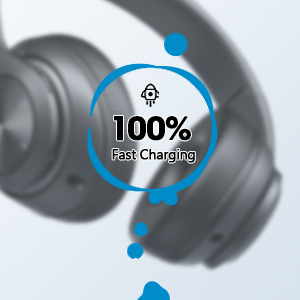
Image 3.1: Fast Charging Capability
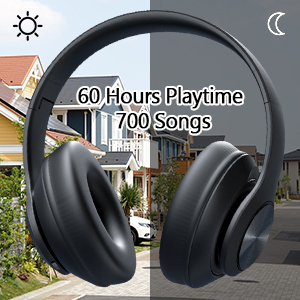
Image 3.2: Extended Playtime and Wired Option
3.2 Berpasangan Bluetooth
- Pastikan fon kepala dicas sepenuhnya.
- Tekan dan tahan butang Hidup/Mati Kuasa sehingga penunjuk LED berkelip, menunjukkan mod berpasangan.
- Pada peranti anda (telefon pintar, tablet, komputer riba), dayakan Bluetooth dan cari peranti yang tersedia.
- Select "Tuitager 9S" (or similar name) from the list of devices.
- Setelah disambungkan, penunjuk LED akan berhenti berkelip dan kekal biru pejal.
Fon kepala akan cuba menyambung semula secara automatik ke peranti pasangan terakhir apabila dihidupkan.
3.3 Wired Connection (3.5mm Aux)
For a wired connection, use the included 3.5mm audio cable. Plug one end into the 3.5mm Aux plug-in port on the headphones and the other end into your audio device's 3.5mm jack. The headphones will automatically switch to wired mode when the cable is connected.
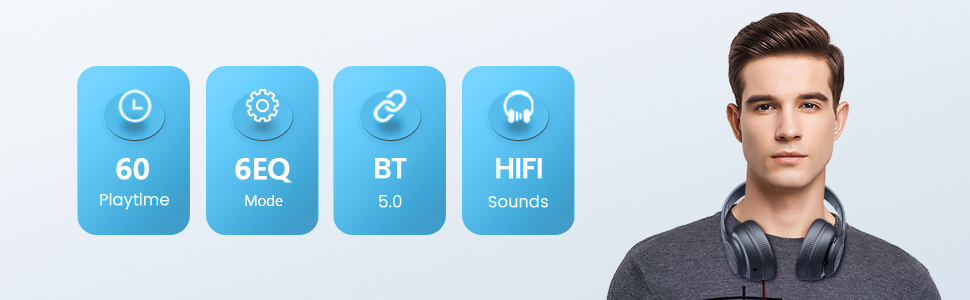
Image 3.3: Wide Compatibility and Usage (Wired & TF Card)
3.4 TF Card Usage
The headphones support TF (Micro SD) cards up to 32GB for direct music playback. Insert the TF card into the TF Card slot on the headphones. The headphones will automatically switch to TF card mode and begin playing audio files.
Note: TF card is not included.
4. Arahan Operasi
4.1 Fungsi Butang

Image 4.1: Easy Operation Button Layout
| Butang/Port | Fungsi |
|---|---|
| Hidupkan/Mati Kuasa | Press and hold to power on/off. Short press to play/pause (in Bluetooth mode). |
| Main / Jeda / Jawapan / Tutup | Short press to play/pause music or answer/end calls. Long press to reject calls. |
| Trek / Kelantangan Turun Sebelumnya | Tekan sebentar untuk trek sebelumnya. Tekan lama untuk mengurangkan kelantangan. |
| Trek / Kelantangan Seterusnya | Tekan sebentar untuk trek seterusnya. Tekan lama untuk meningkatkan kelantangan. |
| Butang EQ | Short press to cycle through 6 EQ modes (Bass/Jazz/Voice/Rock/Pop/Classic). |
| Butang Mod (M) | Short press to switch between Bluetooth Mode and FM Mode. |
| 3.5mm Aux Plug-in Port | Untuk sambungan audio berwayar. |
| Port Pengecasan Jenis-C | Untuk mengecas fon kepala. |
| Slot Kad TF | For direct music playback from a TF (Micro SD) card. |
4.2 Mod EQ
The headphones feature 6 distinct EQ modes to optimize your listening experience:
- Bes: Enhanced low frequencies for powerful beats.
- Jazz: Bunyi seimbang profile suitable for jazz music.
- Suara: Clearer vocals, ideal for podcasts or audiobooks.
- Rock: Dynamic sound for rock music.
- Pop: Vibrant and energetic sound for pop music.
- Klasik: Rich and detailed sound for classical music.
Press the EQ button to cycle through these modes.
4.3 Membuat Panggilan
With the built-in microphone, you can make and receive calls when connected via Bluetooth:
- Jawab/Tamatkan Panggilan: Tekan sebentar butang Main/Jeda.
- Tolak Panggilan: Tekan lama butang Main/Jeda.
5. Penyelenggaraan
- Pastikan fon kepala bersih dengan mengelapnya dengan kain lembut dan kering.
- Simpan fon kepala di tempat yang sejuk dan kering jauh dari cahaya matahari langsung dan suhu yang melampau.
- When not in use, fold the headphones for compact storage and to protect them from damage.

Image 5.1: Ergonomic and Foldable Design for Comfort and Portability
6. Penyelesaian masalah
| Masalah | Penyelesaian |
|---|---|
| Fon kepala tidak dapat dihidupkan. | Ensure the headphones are fully charged. Press and hold the Power button for a few seconds. |
| Tidak boleh berpasangan dengan peranti. | Ensure headphones are in pairing mode (flashing LED). Turn off and on Bluetooth on your device. Move headphones closer to the device. Clear previous Bluetooth connections on your device. |
| Tiada bunyi. | Check volume levels on both headphones and connected device. Ensure headphones are properly paired or the 3.5mm cable is fully inserted. Try a different audio source. |
| Kualiti bunyi yang buruk. | Ensure there are no obstructions between headphones and device (in Bluetooth mode). Try a different EQ mode. Check audio source quality. |
| Sambungan terputus-putus. | Move closer to the connected device. Avoid environments with strong Wi-Fi or other wireless interference. Ensure headphones are fully charged. |
7. Spesifikasi
- Nama Model: 9S
- Teknologi Ketersambungan: Berwayar, Wayarles (Bluetooth)
- Teknologi Komunikasi Tanpa Wayar: Bluetooth 5.3
- Julat Bluetooth: Sehingga 32 Kaki (10 meter)
- Saiz Pemacu Audio: 40 Milimeter
- Hayat Bateri: Sehingga 60 Jam
- Masa Pengecasan: Lebih kurang 2 Jam
- Jack fon kepala: Jack 3.5 mm
- Bahan: plastik
- Berat Barang: 10.2 auns (lebih kurang 289 gram)
- Jenis Kawalan: Volume Control, Button
- Komponen yang Disertakan: Headphones, USB Charging Cable, 3.5mm Audio Cable, User Manual
8. Waranti dan Sokongan
Tuitager products come with a standard manufacturer's warranty. For detailed warranty information, please refer to the warranty card included in your product packaging or visit the official Tuitager webtapak.
If you encounter any issues or have questions regarding your Tuitager Bluetooth Headphones, please contact our customer support team:
- Sokongan dalam talian: Visit the Tuitager Store on Amazon: TuitagKedai er
- Panduan Pengguna (PDF): Versi digital panduan pengguna tersedia di sini: Muat turun PDF


