1. Pengenalan
This manual provides detailed instructions for the setup, operation, maintenance, and troubleshooting of your BINNUNE BH02 USB Headset. Please read this manual thoroughly before using the product to ensure proper functionality and longevity.

Image 1.1: The BINNUNE BH02 USB Headset, featuring both USB and 3.5mm connectivity options and an in-line control unit.
2. Kandungan Pakej
Sila sahkan bahawa semua item terdapat dalam pakej anda:
- BINNUNE BH02 USB Headset (Mono)
- Manual Pengguna (dokumen ini)
3. Ciri-ciri Produk
- Kesambungan Dwi: Connects via USB for computers (PC/Mac/Windows) or 3.5mm jack for mobile devices.
- Mikrofon Pembatal Bunyi: Designed to reduce background noise for clear voice transmission.
- Kawalan Dalam Talian: Easy access to volume adjustment and microphone mute functions.
- Reka bentuk ringan: Direka untuk keselesaan pemakaian yang berpanjangan.
- Adjustable Boom Mic: Microphone can be positioned for optimal voice capture and rotated for use on either the left or right ear.
- Pembinaan Tahan Lama: Features a stainless-steel headband for enhanced reliability.

Image 3.1: The BINNUNE BH02 headset demonstrating its corded USB and 3.5mm connectivity options, suitable for various devices.

Image 3.2: A user wearing the BINNUNE BH02 headset, highlighting its design for all-day comfort with memory foam ear cushions and an angled ear cup.

Imej 3.3: Gambar jarak dekat view of the BINNUNE BH02 headset's headband, emphasizing its stainless-steel construction for maximum durability.
4. Arahan Persediaan
4.1 Connecting via USB
- Cari port USB yang tersedia pada komputer anda (PC atau Mac).
- Plug the USB connector of the headset into the USB port.
- Sistem pengendalian anda harus secara automatik mengesan dan memasang pemacu yang diperlukan. Ini mungkin mengambil masa beberapa saat.
- Once installed, navigate to your computer's sound settings (e.g., Sound Control Panel on Windows, System Preferences > Sound on Mac) to ensure the BINNUNE BH02 Headset is selected as the default input and output device.
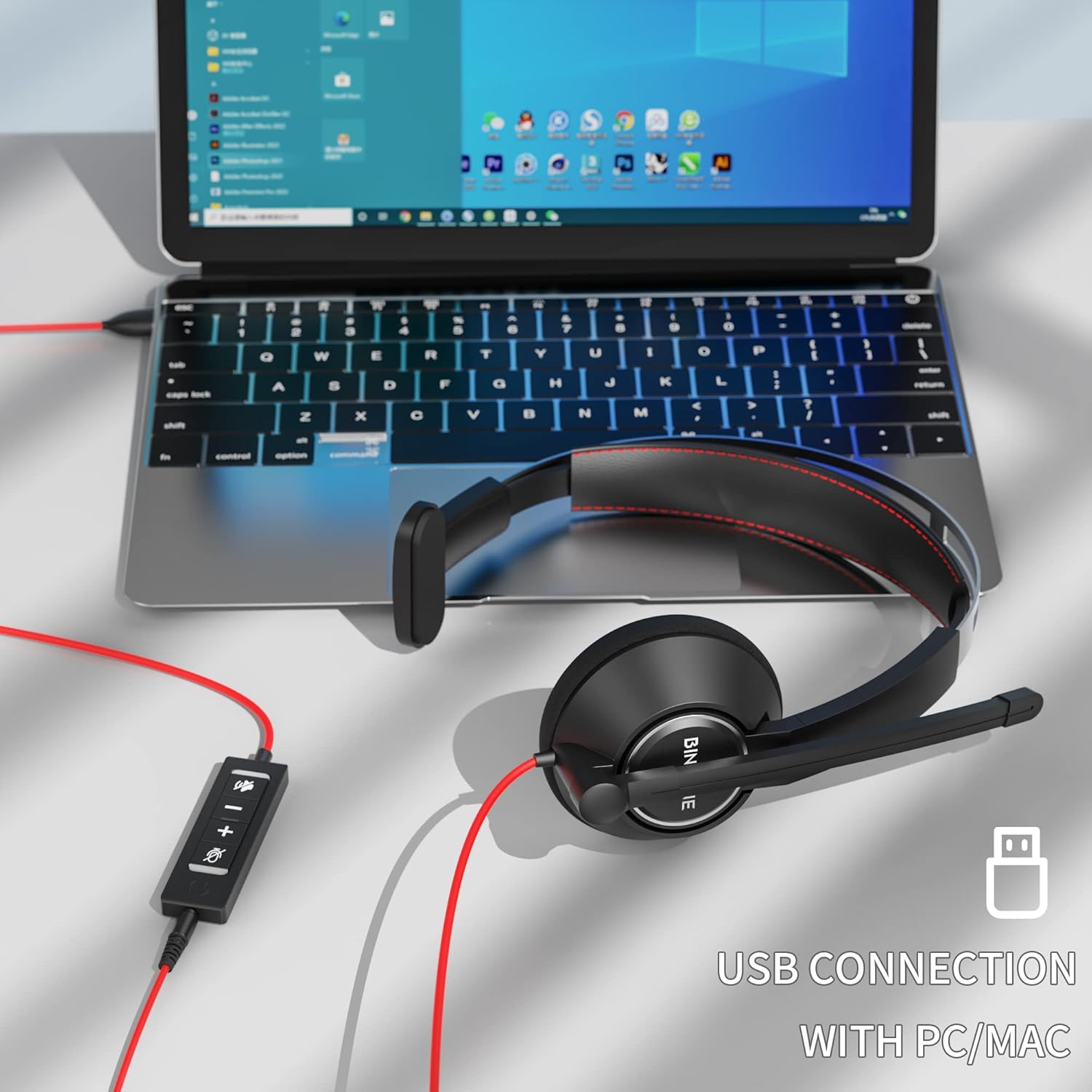
Image 4.1: The BINNUNE BH02 headset connected to a laptop via its USB cable, ready for use with PC or Mac systems.
4.2 Connecting via 3.5mm Jack
- Locate the 3.5mm audio jack on your mobile device, tablet, or computer.
- Plug the 3.5mm connector of the headset into the audio jack.
- The device should recognize the headset. Adjust volume directly on your device.

Image 4.2: A user engaging with a tablet while wearing the BINNUNE BH02 headset, demonstrating its 3.5mm connection capability for mobile devices.
5. Arahan Operasi
5.1 Memakai Alat dengar
- Place the ear cup over one ear and adjust the headband for a comfortable fit.
- The microphone boom can be rotated to position the microphone on either your left or right side.

Image 5.1: Two individuals wearing the BINNUNE BH02 headset, illustrating the microphone's flexibility to be worn on either the right or left side.
5.2 Adjusting the Microphone
- Gently bend the flexible microphone boom to position the microphone approximately 1-2 inches (2.5-5 cm) from your mouth.
- Ensure the microphone is aligned with your mouth for optimal voice pickup and noise cancellation.
5.3 Using In-line Controls (USB Connection Only)
The in-line control unit provides convenient access to audio functions:
- Kelantangan Naik (+): Tekan untuk meningkatkan kelantangan mendengar.
- Perlahankan suara (-): Tekan untuk mengurangkan kelantangan mendengar.
- Butang Redam Mikrofon: Press to mute or unmute the microphone. An indicator light on the control unit may show the mute status.

Image 5.2: A user wearing the BINNUNE BH02 headset while working on a laptop, illustrating its suitability for online communication platforms like Microsoft Teams, Zoom, Skype, and FaceTime.

Image 5.3: A woman smiling while wearing the BINNUNE BH02 headset, symbolizing clear and effective communication during calls.
6. Penyelenggaraan
6.1 Pembersihan
- Lap permukaan alat dengar dengan kain lembut dan kering.
- Untuk kotoran degil, gunakan sedikit damp kain dengan sabun lembut, kemudian lap sehingga kering dengan segera.
- Jangan gunakan bahan kimia, pelarut atau pembersih yang kasar.
- Avoid getting moisture into the ear cups or microphone.
6.2 Penyimpanan
- Simpan alat dengar di tempat yang sejuk dan kering jauh dari cahaya matahari langsung dan suhu yang melampau.
- Elakkan kabel kusut dengan melilitnya dengan kemas.
7. Penyelesaian masalah
| Masalah | Kemungkinan Punca | Penyelesaian |
|---|---|---|
| Tiada bunyi dari set kepala |
|
|
| Mikrofon tidak berfungsi |
|
|
| Kualiti audio statik atau lemah |
|
|
| Headset not recognized by computer |
|
|
8. Spesifikasi
| Ciri | Perincian |
|---|---|
| Model | BH02 |
| Teknologi Ketersambungan | Wired (USB, 3.5mm) |
| Jack Fon Kepala | USB, 3.5mm |
| Peranti Serasi | Computers (Mac, PC, Windows), Mobile Devices |
| Format Mikrofon | Boom (Noise Cancelling) |
| Jenis Kawalan | Volume Control, Microphone Mute |
| Gaya | Mono (On Ear) |
| Impedans | 32 ohm |
| bahan | plastik |
| Berat Barang | 0.2 Kilogram |
9. Waranti dan Sokongan
For warranty information and technical support, please refer to the documentation provided with your purchase or visit the official BINNUNE website. Contact details for customer service are typically available on the product packaging or the manufacturer's support page.


