1. Pengenalan
Thank you for choosing the FLYLINKTECH Home Treadmill. This 2-in-1 foldable treadmill is designed to provide a safe, comfortable, and efficient workout experience in your home. It features a powerful motor, a multi-layer running belt, and smart control options, including a touch screen and app connectivity. Please read this manual thoroughly before operation to ensure proper use and maintenance.
2. Maklumat Keselamatan
Keselamatan anda adalah yang paling utama. Sila patuhi langkah berjaga-jaga berikut:
- Always ensure the red safety key is properly in place before starting the treadmill.
- Jauhkan kanak-kanak dan haiwan peliharaan dari treadmill semasa operasi.
- Letakkan treadmill di atas permukaan yang rata dan stabil dengan ruang yang mencukupi di sekelilingnya.
- Pakai kasut dan pakaian sukan yang sesuai.
- Jangan kendalikan treadmill jika ia rosak atau tidak berfungsi.
- Rujuk doktor sebelum memulakan sebarang program senaman baharu.
3. Produk Lebihview dan Komponen
The FLYLINKTECH Home Treadmill is engineered for versatility and comfort. Key components include:
- LED Digital Monitor: Displays speed, time, distance, and calories.
- Direct Speed Buttons: For quick speed adjustments.
- Pemegang Peranti: Conveniently holds your tablet or phone.
- Kunci Keselamatan: Essential safety mechanism.
- Tali Pinggang Lari Berbilang Lapisan: Designed for shock absorption and joint protection.
- 2.25HP Motor: Provides quiet and consistent power.
- Roda Pengangkutan: For easy relocation and storage.
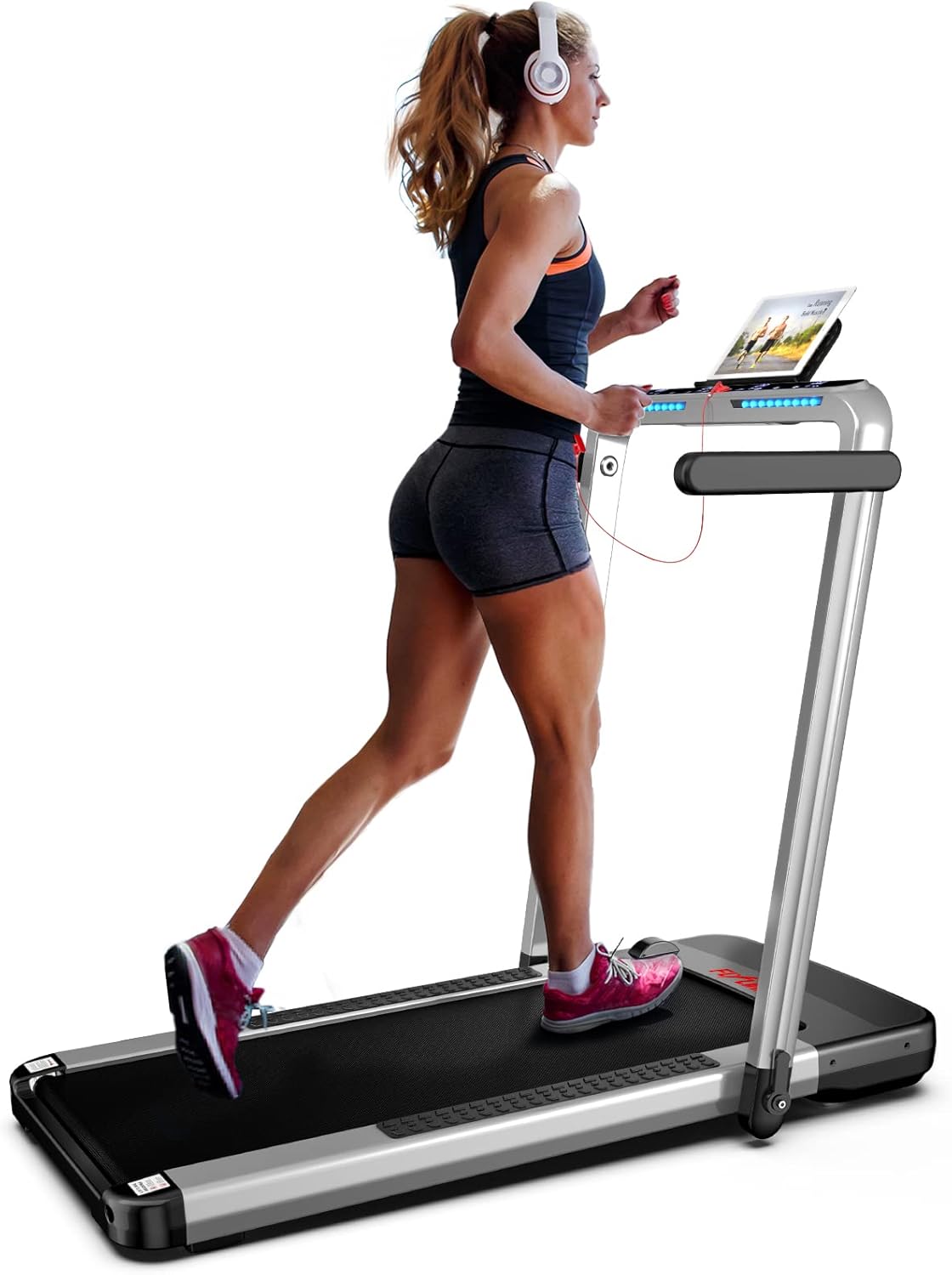
Image: The FLYLINKTECH Home Treadmill in operation, showcasing its sleek design and user-friendly console.

Image: Close-up of the treadmill's control panel, highlighting direct speed buttons, LED digital monitor, device holder, and safety lock.
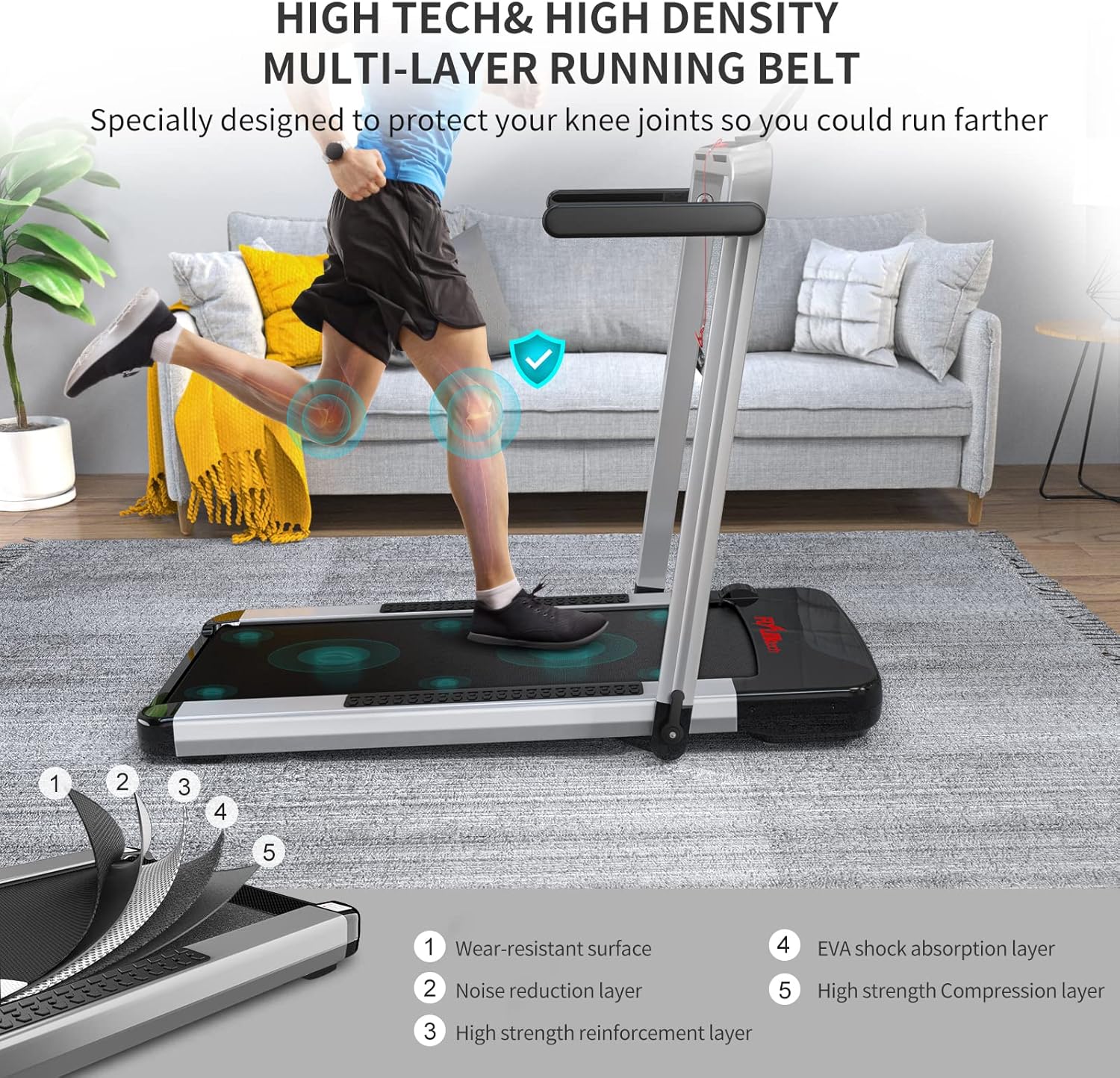
Image: Detailed diagram illustrating the five layers of the high-density running belt, designed for wear resistance, noise reduction, and shock absorption.

Image: Illustration of the powerful 2.25HP home motor, emphasizing its quiet operation and capacity to support up to 180 kg.
4. Persediaan dan Pemasangan
The FLYLINKTECH Home Treadmill is designed for quick and easy setup, typically within 3 minutes. It comes largely pre-assembled.
4.1 Membongkar dan Meletakkan
- Keluarkan treadmill dari bungkusannya dengan berhati-hati.
- Place the treadmill on a firm, level surface. Ensure there is at least 2 meters of clear space behind the treadmill and 0.5 meters on each side.
4.2 Melipat dan Membuka
The treadmill features a convenient folding mechanism for storage and a 2-in-1 functionality.
- Membuka untuk Mod Berjalan: Lift the console arm until it locks into the upright position. This allows for speeds up to 14 km/h.
- Folding for Walking Mode (Under-Desk Use): Lower the console arm completely. In this mode, the treadmill functions as a walking pad with speeds up to 4 km/h, suitable for use under a desk.
- Lipatan untuk Storan: The treadmill can be fully folded for compact storage. Utilize the transport wheels at the bottom to easily move it under a sofa or bed.

Image: Comparison of the treadmill in Running Mode (4-14 km/h) and Walking Mode (1-4 km/h), illustrating its 2-in-1 functionality.
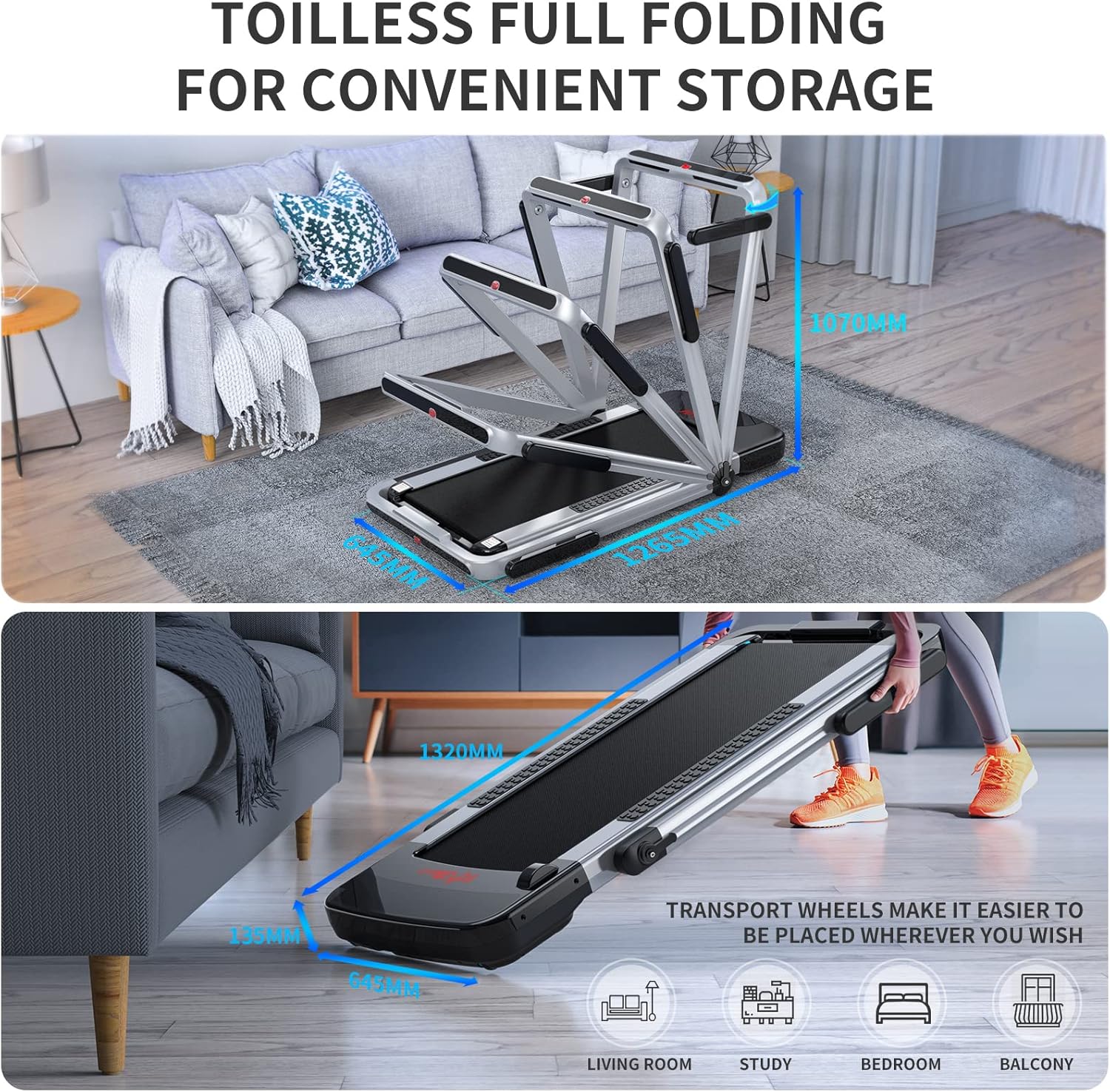
Image: Visual guide demonstrating the full folding capability of the treadmill for convenient storage, highlighting its compact dimensions and transport wheels.

Image: The treadmill positioned under a desk, illustrating its use as an under-desk walking machine for exercising while working.
5. Arahan Operasi
5.1 Hidupkan/Mati Kuasa
Connect the power cable to a grounded outlet. Press the power button on the console to turn the treadmill on or off.
5.2 Menggunakan Panel Kawalan
The LED display tracks speed, time, distance, and calories in real-time. Use the direct speed buttons or the remote control to adjust settings.
5.3 Mod Senaman
The treadmill offers 12 preset exercise modes. Select a mode based on your fitness goals and preferences. The special light strip design adds an enjoyable element to your workout.
5.4 Smart App Control (FSC App)
For enhanced control and tracking, download the "FSC" exercise app. Scan the QR code provided in the manual to install the app. Connect your treadmill via Bluetooth to control it from your smartphone or tablet. The app allows for real-time data recording and access to various workout programs.
6. Penyelenggaraan
Penyelenggaraan tetap memastikan umur panjang dan prestasi optimum treadmill anda.
- Pembersihan: Lap permukaan treadmill dengan iklanamp kain selepas setiap penggunaan. Elakkan menggunakan pembersih yang kasar.
- Pelinciran tali pinggang: Refer to the specific instructions in the included user manual for belt lubrication frequency and procedure. Proper lubrication is crucial for smooth operation and belt lifespan.
- Ketegangan dan Penjajaran Tali Sawat: Periodically check the running belt for proper tension and alignment. Adjust as needed according to the detailed instructions in the full user manual.
- Storan: When not in use, fold the treadmill and store it in a dry, cool place away from direct sunlight and moisture.
7. Penyelesaian masalah
Jika anda menghadapi sebarang masalah, rujuk langkah penyelesaian masalah biasa berikut:
- Treadmill not powering on: Check if the power cord is securely plugged into both the treadmill and the wall outlet. Ensure the safety key is correctly inserted.
- Tali pinggang tergelincir atau teragak-agak: The running belt may require lubrication or tension adjustment. Refer to the maintenance section or the full user manual.
- Bunyi luar biasa: Stop the treadmill immediately. Check for any loose parts or foreign objects under the belt. If the noise persists, contact customer support.
- Isu sambungan apl: Ensure Bluetooth is enabled on your device and the treadmill. Restart both the app and the treadmill.
For more complex issues, please contact FLYLINKTECH customer support.
8. Spesifikasi
| Ciri | Spesifikasi |
|---|---|
| Jenama | FLYLINKTECH |
| Nombor Model | JF-H-40DC |
| warna | Perak/Putih |
| bahan | Metal (Alloy Steel Frame) |
| Dimensi Produk (L x W x H) | 132 x 64.5 x 13.5 cm |
| Berat Barang | 34 Kilogram |
| Kelajuan Maksimum | 14 Kilometer sejam |
| Kuasa Motor | 2.25 Kuasa kuda |
| Jenis Paparan | LCD |
| Metrik Paparan | Time, Distance, Speed, Calorie |
| Bilangan Program | 12 |
| Ciri Khas | Foldable, Touch Screen |
| Sumber Kuasa | Elektrik Bertali |
| Perhimpunan Diperlukan | Ya (Minimum) |
9. Waranti dan Sokongan
The FLYLINKTECH Home Treadmill comes with a Waranti 2 tahun, providing peace of mind regarding your investment. For any questions, technical assistance, or warranty claims, please contact FLYLINKTECH customer support through the retailer where you purchased the product or visit the official FLYLINKTECH webtapak untuk maklumat hubungan.


