1. Produk Lebihview

Depan-atas view of the SUNMI 80mm Kitchen Cloud Receipt Printer, showcasing its compact black design with orange accents and control panel.
The SUNMI 80mm Kitchen Cloud Receipt Printer (Model C04000069) is a compact and efficient thermal printer designed for various environments, particularly suited for kitchen and point-of-sale applications. It offers reliable, high-speed printing for receipts and orders.
Ciri-ciri Utama:
- Compact 130mm square design for space-saving installation.
- High-performance Seiko thermal print head.
- Fast printing speed of 165mm/s for 80mm receipts.
- Easy internet connectivity via LAN cable.
- Supports 80mm paper format.
2. Kandungan Pakej
Sila tandai kotak untuk item berikut:
- SUNMI 80mm Kitchen Cloud Receipt Printer (Model C04000069)
- Penyesuai Kuasa
- Thermal Paper Roll (for initial setup)
- Manual Pengguna (dokumen ini)
3. Panduan Persediaan
3.1 Sambungan Kuasa
- Pastikan pencetak diletakkan di atas permukaan yang stabil dan rata.
- Sambungkan penyesuai kuasa ke port input kuasa pencetak.
- Palamkan penyesuai kuasa ke salur keluar elektrik yang sesuai.
- Press the power button to turn on the printer. The power indicator light will illuminate.
3.2 Pemasangan Gulungan Kertas

Terbuka view of the SUNMI printer's interior, revealing the paper roll compartment and the high-performance Seiko thermal print head, capable of 165mm/s printing speed.
- Open the printer's top cover by pressing the release latch.
- Insert the 80mm thermal paper roll into the compartment, ensuring the paper feeds from the bottom and the leading edge is straight.
- Tarik sedikit kertas keluar melepasi pemotong.
- Tutup penutup atas dengan kuat sehingga ia terkunci pada tempatnya.

Two sequential images: one showing a hand inserting a receipt into the printer's output slot, and another showing a hand replacing the thermal paper roll inside the printer's open compartment.
3.3 Sambungan Rangkaian
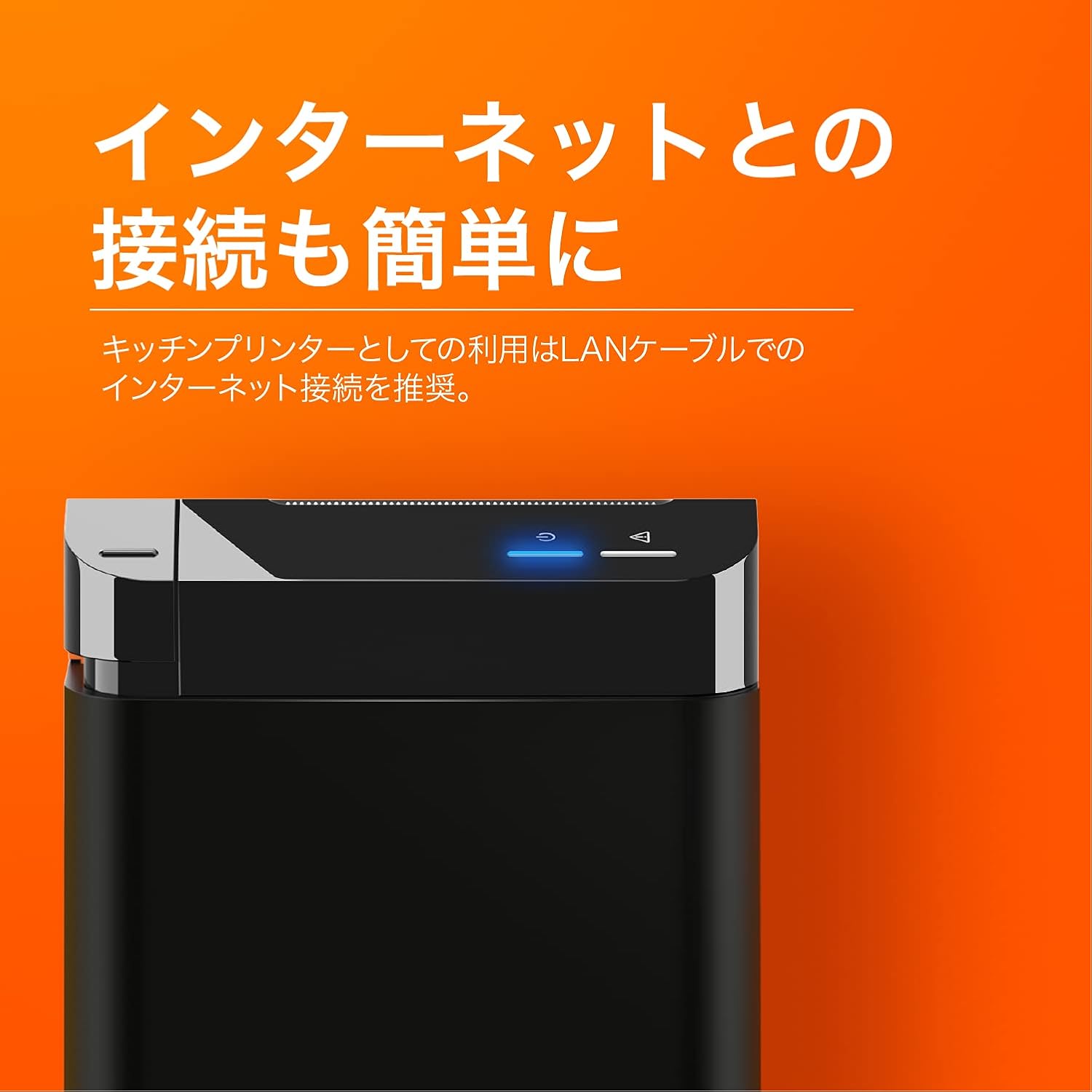
The SUNMI printer with a blue illuminated status light, highlighting its easy internet connectivity via LAN cable, recommended for kitchen printer use.
For optimal performance, especially in kitchen environments, a wired LAN connection is recommended.
- Connect one end of an Ethernet (LAN) cable to the printer's LAN port.
- Sambungkan hujung kabel Ethernet yang satu lagi ke penghala rangkaian anda atau suis.
- The network indicator light on the printer will show connection status (e.g., solid blue for connected).
4. Arahan Operasi
4.1 Percetakan Asas
Once the printer is powered on and connected to your network, it is ready to receive print commands from compatible software or systems (e.g., POS software, kitchen display systems).
- Ensure your printing application is configured to use the SUNMI 80mm Kitchen Cloud Printer.
- Initiate a print job from your application.
- The printer will automatically feed and cut the receipt after printing.

A view of two SUNMI 80mm Kitchen Cloud Printers side-by-side, with one actively printing a receipt, demonstrating its operational use.
4.2 Petunjuk Status
The printer features indicator lights on its control panel to provide status information:
- Penunjuk Kuasa: Solid light indicates the printer is on.
- Penunjuk Ralat: Flashing or solid light indicates an error (e.g., paper out, cover open). Refer to the Troubleshooting section.
- Penunjuk Rangkaian: Indicates network connectivity status.
5. Penyelenggaraan
5.1 Membersihkan Pencetak
Pembersihan berkala membantu mengekalkan kualiti cetakan dan memanjangkan jangka hayat pencetak.
- Matikan dan cabut plag pencetak sebelum membersihkannya.
- Gunakan kain lembut dan tidak berbulu sedikit dampened with water or isopropyl alcohol to wipe the exterior.
- Gently clean the thermal print head with a cotton swab dipped in isopropyl alcohol. Allow it to dry completely before use.
- Buang sebarang habuk atau serpihan kertas dari laluan kertas.
5.2 Replacing Paper Roll
When the paper roll is nearing its end, the printer may indicate a paper-low error or print faint lines. Follow the steps in Section 3.2 to replace the paper roll.
6. Penyelesaian masalah
If you encounter issues with your SUNMI printer, refer to the table below for common problems and solutions.
| Masalah | Kemungkinan Punca | Penyelesaian |
|---|---|---|
| Pencetak tidak dapat dihidupkan | No power, faulty adapter | Check power cable connection; ensure outlet is working; try a different adapter if available. |
| No printing / Error light on | Paper out, cover open, paper jammed | Replace paper roll; ensure cover is closed properly; clear any paper jams. |
| Faint or blank prints | Incorrect paper type, dirty print head, paper loaded incorrectly | Ensure thermal paper is used; clean the print head (Section 5.1); check paper orientation. |
| Tidak dapat menyambung ke rangkaian | Loose LAN cable, network configuration issue | Check LAN cable connection; verify network settings on your router/system. |
7. Spesifikasi Teknikal

The SUNMI 80mm Kitchen Cloud Printer, demonstrating its compact 130mm square footprint, ideal for space-saving installations.
| Ciri | Spesifikasi |
|---|---|
| Nombor Model | C04000069 |
| Jenama | SUNMI |
| Jenis Pencetak | Pencetak Resit Terma |
| Kelajuan Cetak | 165 mm/s |
| Lebar Kertas | 80 mm |
| Teknologi Ketersambungan | USB, LAN (Ethernet) |
| warna | Multicolor (primarily black with orange accents) |
| Dimensi Produk | 13 x 13 x 13 cm (lebih kurang 5.1 x 5.1 x 5.1 inci) |
| Berat Barang | 1.32 Kilogram (lebih kurang 2.91 paun) |
| Maximum Sheet Input Capacity | 100 sheets (referring to paper roll length equivalent) |
| Percetakan Dupleks | No (single-sided receipt printing) |
| Media yang Disokong | Thermal Labels/Receipt Paper |
8. Waranti dan Sokongan
This product is covered by the standard manufacturer's warranty. For specific warranty terms and conditions, please refer to the documentation provided at the time of purchase or contact your retailer.
For technical support, troubleshooting assistance beyond this manual, or service inquiries, please contact SUNMI customer support or your authorized dealer. Keep your purchase receipt and product model number (C04000069) ready when contacting support.


