1. Pengenalan
The Inateck Redcomets U27 is a high-performance PCIe expansion card designed to add a single USB 3.2 Gen 2x2 Type-C port to your computer. This card provides an exclusive 20 Gbps bandwidth, significantly enhancing data transfer speeds for compatible devices. It is engineered for reliability and ease of use, drawing power directly from the PCIe slot without requiring an external power supply.
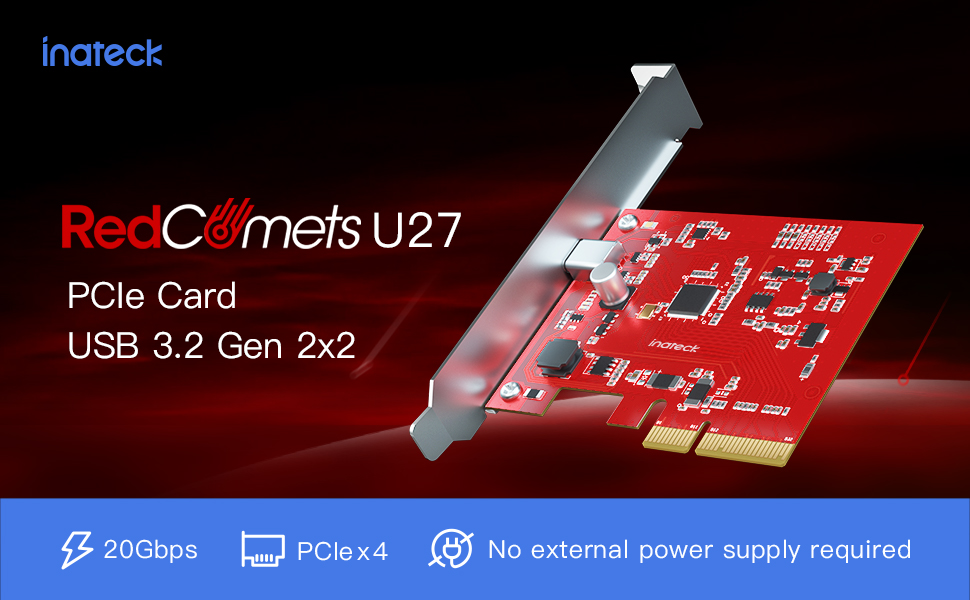
Image 1.1: The Inateck Redcomets U27 PCIe USB 3.2 Gen 2x2 Card, highlighting its 20Gbps bandwidth and self-powered design.
Ciri-ciri Utama:
- High-speed Transmission: Dedicated USB Type-C port with 20 Gbps bandwidth.
- Keserasian Luas: Supports Windows 8/10/11 (32/64 bit) and Linux operating systems.
- Dual Brackets: Termasuk kedua-dua standard dan pro-rendahfile brackets for versatile installation in various PC cases.
- Keselamatan Dipertingkat: Features ESD protection to prevent short circuits and over-current protection for connected devices.
- No External Power: Draws all necessary power directly from the PCIe slot.
2. Persediaan dan Pemasangan
Follow these steps to properly install your Inateck Redcomets U27 PCIe USB 3.2 Gen 2x2 Card into your computer system.
2.1 Kandungan Pakej
Sebelum pemasangan, pastikan semua komponen ada di dalam pakej:

Image 2.1: The package includes the Inateck Redcomets U27 PCIe card, a standard bracket, a low-profile bracket, mounting screws, a screwdriver, and an installation guide.
2.2 Keperluan Sistem
- Available PCIe 2.0, 3.0, or 4.0 slot (x4, x8, or x16 recommended for optimal performance).
- Operating System: Windows 8, Windows 10, Windows 11 (32/64 bit), or Linux.
- Nota: This card is not compatible with Windows 7 or macOS.
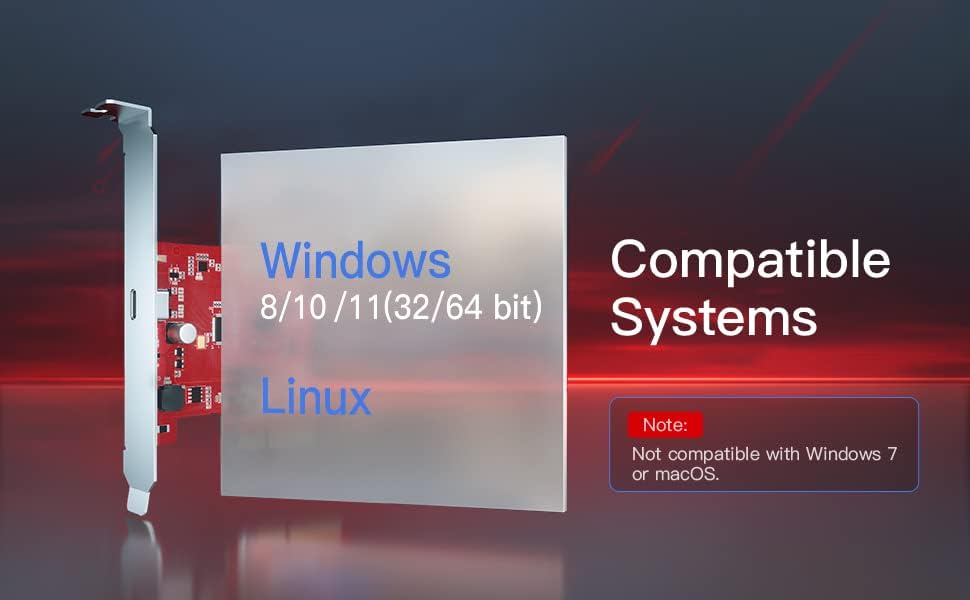
Image 2.2: Visual representation of compatible operating systems, including Windows 8, 10, 11, and Linux, with a note on incompatibility with Windows 7 and macOS.
2.3 Langkah Pemasangan Perkakasan
- Matikan dan Putuskan Sambungan: Completely shut down your computer and unplug the power cord from the wall outlet.
- Kes Terbuka: Keluarkan panel sisi sarung komputer anda untuk mengakses papan induk.
- Cari Slot PCIe: Identify an available PCIe x4, x8, or x16 slot on your motherboard. For maximum performance, a PCIe 3.0 or 4.0 x16 slot is recommended.
- Tanggalkan Penutup Slot: Tanggalkan penutup slot logam dari bahagian belakang casing komputer anda yang sepadan dengan slot PCIe yang dipilih.
- Install Card: Carefully align the Inateck Redcomets U27 card with the PCIe slot and press it firmly until it is securely seated. Ensure the card's bracket aligns with the opening in the case.
- Kad Selamat: Use the provided screw to secure the card's bracket to the computer case.
- Tutup Kes: Replace the computer's side panel and reconnect the power cord.
- Hidupkan kuasa: Turn on your computer. The operating system should automatically detect and install the necessary drivers.

Imej 2.3: Perincian view of a PCIe slot, indicating support for PCIe 2.0, 3.0, and 4.0, and compatibility with x4, x8, and x16 slots.

Image 2.4: The Inateck Redcomets U27 PCIe card correctly installed in a computer's PCIe slot, demonstrating that no additional power cables are required.
2.4 Bracket Replacement (Optional)
If your computer case requires a low-profile bracket, you can replace the pre-installed standard bracket:
- Carefully unscrew the two small screws holding the standard bracket to the PCIe card.
- Remove the standard bracket.
- Selaraskan pro rendahfile bracket with the screw holes on the card and secure it with the screws.
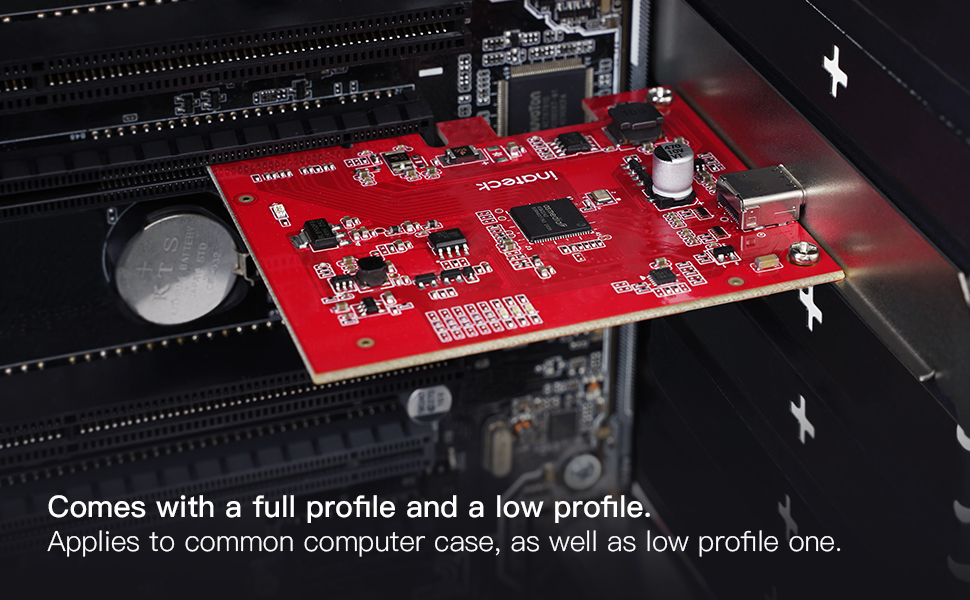
Image 2.5: The Inateck Redcomets U27 PCIe card is supplied with both a full-profile and a low-profile bracket to accommodate different computer case sizes.
3. Arahan Operasi
Once the Inateck Redcomets U27 card is installed and your computer has booted, the USB 3.2 Gen 2x2 Type-C port is ready for use.
3.1 Menyambung Peranti
Connect your USB 3.2 Gen 2x2 compatible devices (e.g., external SSDs, high-speed storage devices) to the Type-C port on the card. Ensure you use a high-quality USB-C to USB-C cable that supports 20 Gbps data transfer rates to achieve optimal performance.

Image 3.1: A visual comparison illustrating the significant speed advantage of 20Gbps USB 3.2 Gen 2x2 over 5Gbps USB 3.2 Gen 1.
3.2 Pemasangan Pemandu
For Windows 8/10/11 and Linux, the card is typically plug-and-play, meaning the operating system will automatically install the necessary drivers upon first boot after installation. No manual driver installation is usually required.
4. Penyelenggaraan
Proper maintenance ensures the longevity and optimal performance of your Inateck Redcomets U27 card.
- Jaga kebersihan: Periodically open your computer case and use compressed air to gently remove dust accumulation from the card and surrounding components. Dust can impede airflow and lead to overheating.
- Sambungan Selamat: Ensure the card remains firmly seated in its PCIe slot. Loose connections can cause intermittent issues or performance degradation.
- Perlindungan ESD: The card features built-in ESD (Electrostatic Discharge) protection. However, always handle the card by its edges and avoid touching the gold contacts or components directly to prevent static damage during installation or handling.

Imej 4.1: Satu dalaman view of the card's circuitry, illustrating the over-current and ESD protection mechanisms that safeguard connected devices from potential damage.
5. Penyelesaian masalah
If you encounter issues with your Inateck Redcomets U27 card, refer to the following troubleshooting tips:
5.1 Card Not Detected or Not Functioning
- Check Seating: Ensure the card is fully and securely seated in the PCIe slot. Power off your PC, open the case, and gently press down on the card until it clicks into place.
- Try Another Slot: If available, try installing the card in a different PCIe slot to rule out a faulty motherboard slot.
- Sahkan Keserasian: Confirm your operating system is Windows 8/10/11 or Linux. The card is not compatible with Windows 7 or macOS.
- Semak Pengurus Peranti (Windows): Open Device Manager and look for any unknown devices or devices with error symbols under "Universal Serial Bus controllers" or "Other devices." If found, try updating the driver (though typically automatic).
5.2 Kelajuan Pemindahan Data Perlahan
- Lebar Jalur Slot PCIe: While the card works in x4, x8, or x16 slots, ensure it is installed in a PCIe 3.0 or 4.0 x16 slot for optimal 20 Gbps performance. Installing in a lower bandwidth slot (e.g., PCIe 2.0 x1) will limit the speed.
- Kualiti Kabel USB: Use a high-quality USB-C to USB-C cable specifically rated for 20 Gbps (USB 3.2 Gen 2x2) or higher. Lower quality or older cables may limit speeds to 5 Gbps or 10 Gbps.
- Connected Device Capability: Ensure the external device (e.g., SSD enclosure, external drive) connected to the card also supports USB 3.2 Gen 2x2 (20 Gbps) speeds. The overall transfer speed will be limited by the slowest component in the chain.
- Motherboard Configuration: Some motherboards may share PCIe lanes. Refer to your motherboard manual to ensure the chosen PCIe slot has dedicated bandwidth and is not sharing lanes with other components that could reduce performance.
6. Spesifikasi
| Ciri | Perincian |
|---|---|
| Jenama | Inateck |
| Nombor Model | KU1222 |
| Antara Muka Perkakasan | USB Type C (PCIe) |
| Kadar Pemindahan Data | 20 Gbps (USB 3.2 Gen 2x2) |
| Keserasian Sistem Pengendalian | Windows 8/10/11, Linux |
| PCIe Slot Compatibility | PCIe 2.0, 3.0, 4.0 (x4, x8, x16 slots) |
| Bekalan Kuasa | PCIe Bus Powered (No external power required) |
| Dimensi (LxWxH) | 3.62 x 3.15 x 0.94 inci (9.2 x 8.0 x 2.4 cm) |
| Berat Barang | 3.2 auns (90.7 gram) |
| Termasuk Kurung | Standard Profile, Low Profile |
7. Waranti dan Sokongan
7.1 Maklumat Waranti
For detailed warranty information regarding your Inateck Redcomets U27 PCIe USB 3.2 Gen 2x2 Card, please refer to the official Inateck website or the warranty card included with your product packaging. Warranty terms and conditions may vary by region and purchase date.
7.2 Sokongan Teknikal
If you require technical assistance, have questions about installation, or need further troubleshooting, please visit the official Inateck support website. You can typically find FAQs, driver downloads (if applicable), and contact information for customer service there.
Inateck Official Webtapak: www.inateck.com


