pengenalan
This manual provides detailed instructions for setting up and using your MOFii Wireless Keyboard and Mouse Combo. Designed for comfort and efficiency, this combo offers a reliable 2.4GHz wireless connection, making it ideal for various computing tasks.
The MOFii Wireless Keyboard and Mouse Combo features a stylish multi-color design and is compatible with Windows XP/Vista/7/8/10 or later operating systems. It is also compatible with laptops, desktops, PCs, and notebooks. Please note that it is not fully compatible with Mac systems.
Arahan Persediaan
- Pasang Bateri: Open the battery compartment on the underside of both the keyboard and the mouse. Insert the required batteries (typically AA for keyboard, AAA for mouse, not included) ensuring correct polarity.
- Cari Penerima USB: The single USB receiver for both the keyboard and mouse is typically stored in the battery compartment of the mouse for convenience. Carefully remove it.
- Sambungkan Penerima USB: Plug the USB receiver into an available USB port on your computer (PC, laptop, desktop, or notebook).
- Hidupkan kuasa: Hidupkan papan kekunci dan tetikus menggunakan suis kuasa masing-masing (biasanya terletak di bahagian bawah).
- Sambungan Automatik: The keyboard and mouse should automatically connect to your computer within a few seconds. No additional software installation is required.
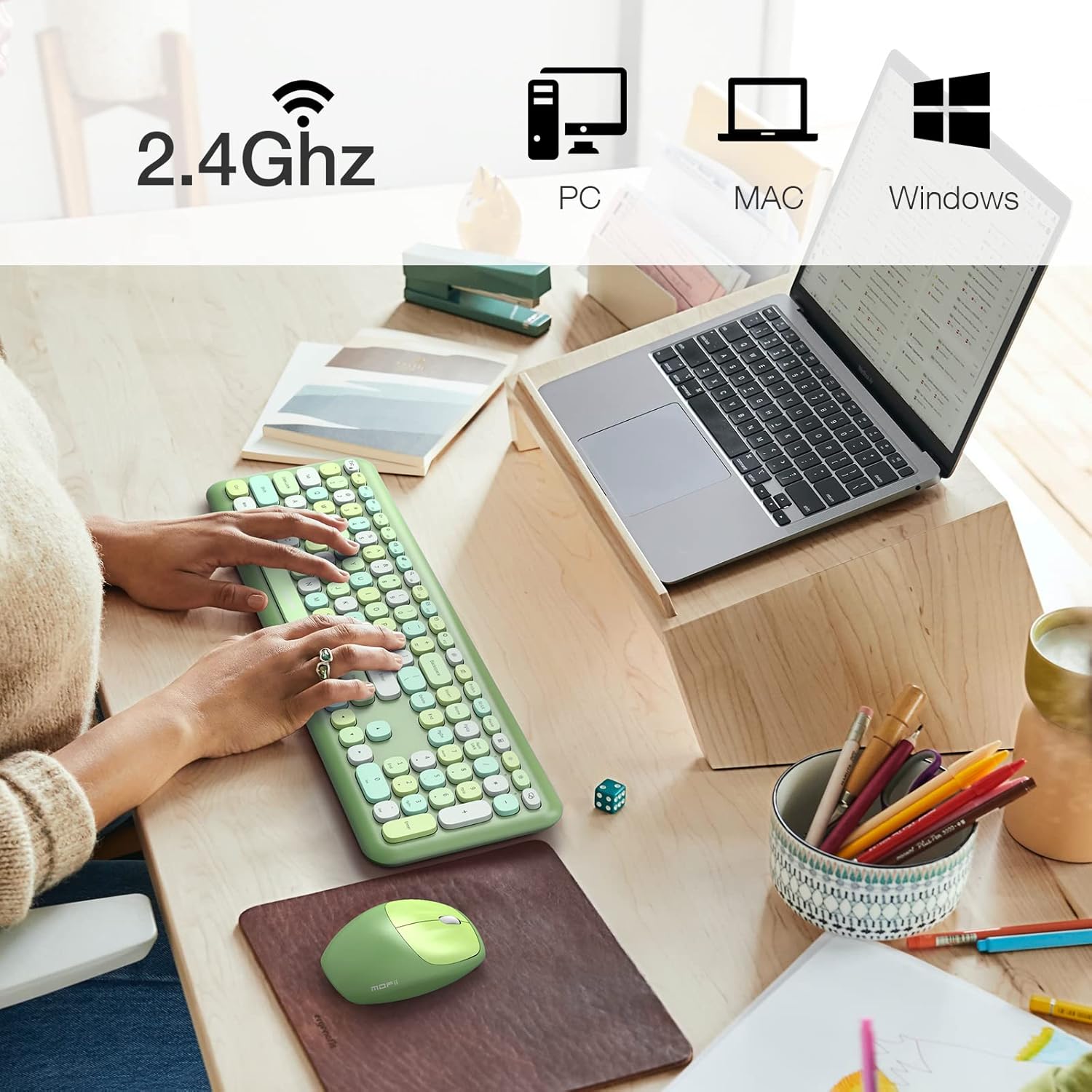
Image: The MOFii wireless mouse showing its battery compartment, where the USB receiver is stored, and indicating a 10-meter wireless range.
Arahan Operasi
Penggunaan papan kekunci:
- Menaip: The full-size keyboard provides a comfortable typing experience with responsive keys.
- Kekunci Fungsi (Gabungan Fn): Utilize the 'Fn' key in combination with other keys for various shortcuts. For example:
| Gabungan Kunci | Fungsi |
|---|---|
| Fn + Esc | Kunci Komputer |
| Fn + F1 | Trek Sebelumnya |
| Fn + F2 | Main/Jeda Media |
| Fn + F3 | Trek Seterusnya |
| Fn + F4 | Redamkan Audio |
| Fn + F5 | Kelantangan Kurang |
| Fn + F6 | Kelantangan Naik |
| Fn + F7 | Buka Web pelayar |
| Fn + F8 | Cari |
| Fn + F9 | Buka Klien E-mel |
| Fn + F10 | Buka Kegemaran |
| Fn + F12 | Buka Tetapan |

Image: A visual representation of the MOFii keyboard highlighting the 'Fn' key and its various shortcut combinations for enhanced productivity.
Penggunaan tetikus:
- Clicking and Scrolling: The mouse provides precise tracking and quiet clicks for comfortable navigation.
- Penjimatan Kuasa Automatik: To conserve battery life, the mouse will automatically enter sleep mode after 15 minutes of inactivity. Press any button to wake it up instantly.

Image: The MOFii wireless mouse, emphasizing its quiet click feature, suitable for environments where minimal noise is desired.

Image: A diagram showing the automatic power-saving features of the MOFii wireless mouse, transitioning from active use to auto-sleep and reactivation.
Penyelenggaraan
- Pembersihan: Gunakan kain lembut dan kering untuk membersihkan permukaan papan kekunci dan tetikus. Untuk pembersihan yang lebih mendalam, sedikitamp kain dengan sabun lembut boleh digunakan, memastikan tiada cecair memasuki peranti.
- Penggantian Bateri: When the devices become unresponsive or performance degrades, replace the batteries. Refer to the 'Setup Instructions' for battery compartment location.
- Storan: When not in use for extended periods, turn off the devices and store them in a cool, dry place. Consider removing batteries if storing for several months.
Menyelesaikan masalah
- Tiada Sambungan:
- Pastikan penerima USB dipasang dengan selamat ke dalam port USB yang berfungsi.
- Check if the batteries in both the keyboard and mouse are correctly installed and have sufficient charge.
- Pastikan kedua-dua peranti dihidupkan.
- Cuba palamkan penerima USB ke port USB lain.
- Sambungan Lag atau Intermittent:
- Gerakkan papan kekunci dan tetikus lebih dekat dengan penerima USB.
- Elakkan meletakkan penerima berhampiran peranti wayarles lain (cth., penghala Wi-Fi, telefon tanpa wayar) yang mungkin menyebabkan gangguan.
- Pastikan tiada objek logam besar antara peranti dan penerima.
- Kursor Tetikus Melompat atau Tidak Tepat:
- Bersihkan sensor optik di bahagian bawah tetikus.
- Gunakan tetikus pada permukaan yang bersih dan tidak mencerminkan atau pad tetikus.
- Kunci Tidak Menjawab:
- Periksa tahap bateri dan ganti jika perlu.
- Pastikan papan kekunci dihidupkan dan disambungkan.
- Mulakan semula komputer anda.
Spesifikasi
- Jenama: MOFII
- model: B09BFBCQWF
- warna: Green Mixed
- Teknologi Ketersambungan: 2.4GHz USB Wireless
- Ciri Khas: Cute Design, Automatic Power Saving
- Peranti Serasi: Laptop, Personal Computer, Tablet (Windows XP/Vista/7/8/10 or later; not fully compatible with Mac System)
- Dimensi Pakej: 17.52 x 5.63 x 2.83 inci
- Berat Barang: 1.89 paun
- DPI tetikus: 1200
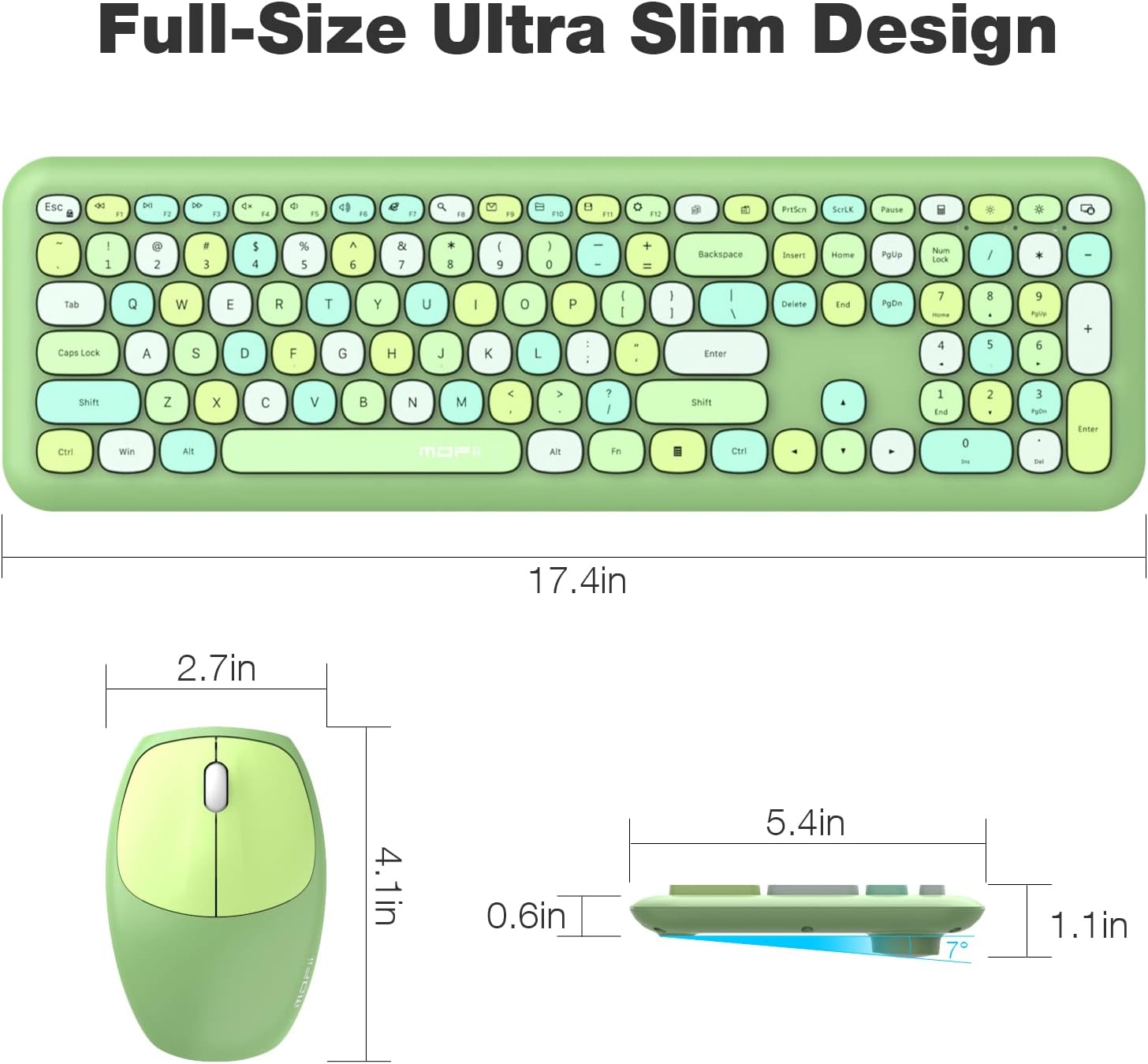
Image: Detailed dimensions of the MOFii wireless keyboard and mouse, illustrating their compact and ergonomic design.
Waranti dan Sokongan
For warranty information and customer support, please refer to the documentation included with your product packaging or visit the official MOFII webtapak. Simpan resit pembelian anda sebagai bukti pembelian untuk sebarang tuntutan waranti.
If you encounter any issues not covered in this manual, please contact MOFii customer service for assistance.