pengenalan
This manual provides detailed instructions for the installation, operation, and maintenance of your NC SWM 9702 Car Radio 1 Din MP5 Player. Please read this manual thoroughly before using the product to ensure proper functionality and safety. Keep this manual for future reference.
Ciri-ciri Produk
- 7-Inch HD Retractable Screen: Provides a clear and intuitive display for navigation, video playback, and system controls.
- Sistem Pengendalian Android: Offers a familiar interface and access to various applications.
- Kesambungan Bluetooth 4.0: Supports hands-free calling and audio streaming for safe driving.
- Fungsi Pautan Cermin: Seamlessly projects your smartphone screen (iOS/Android) onto the player's display via USB or WiFi.
- Navigasi GPS: Built-in GPS with support for offline maps (Europe) and real-time traffic updates.
- belakang View Input Kamera: Enhances parking safety with automatic display when reversing (camera optional/included with this model).
- Radio FM: High-quality radio tuner with a frequency range of 87.5~108MHz.
- USB & AUX Input: Multiple connectivity options for media playback from USB drives and external audio devices.
- Sokongan Kawalan Roda Stereng: Allows integration with your vehicle's steering wheel controls for convenient operation.
- Lossless Audio Support: Compatible with APE/FLAC and other popular audio formats.
- 4-Core CPU: Ensures smooth performance and faster operation.
Apa yang ada dalam Kotak
Sahkan bahawa semua komponen yang disenaraikan di bawah terdapat dalam pakej anda:
- 1 x Android Head Unit (SWM 9702)
- 1 x Antena GPS
- 2 x Disassembly Keys
- 2 x Power Cords (Wiring Harnesses)
- 1 x Belakang View Camera (4LED)
- 1 x Kabel USB

Figure 1: All components included in the NC SWM 9702 package.
Persediaan dan Pemasangan
Pemasangan profesional disyorkan untuk produk ini. Pastikan kuasa kenderaan diputuskan sebelum memulakan pemasangan.
Senarai Semak Prapemasangan
- Ensure your vehicle's dashboard has a 1-DIN slot.
- Kumpulkan alatan yang diperlukan (pemutar skru, penarik wayar, pita elektrik, multimeter).
- Identify your vehicle's wiring harness for power, speakers, and accessories.
Sambungan Pendawaian
Refer to the provided wiring diagram (usually on the unit or in a separate sheet) for precise connections. Below are general guidelines:
- Wayar Kuning (B+): Sambungkan kepada kuasa 12V yang berterusan.
- Kawat Merah (ACC): Connect to switched 12V power (ignition).
- Wayar Hitam (GND): Sambung ke tanah casis kenderaan.
- Wayar Biru (ANT): Sambungkan ke antena kuasa atau amppenghidupan jauh lifier.
- Wayar Pembesar suara: Sambungkan ke wayar pembesar suara kenderaan yang sepadan (cth, Putih/Putih-Hitam untuk Kiri Depan, Kelabu/Kelabu-Hitam untuk Depan Kanan, Hijau/Hijau-Hitam untuk Kiri Belakang, Ungu/Ungu-Hitam untuk Belakang Kanan).
- Reverse Input Wire: Connect to the vehicle's reverse light signal for automatic camera display.
- Antena GPS: Connect the GPS antenna to the dedicated port on the back of the unit and mount it in a location with a clear view langit (cth, papan pemuka, tiang A).
- belakang View kamera: Connect the camera's video output to the "CAM IN" or "REVERSE VIDEO" input on the unit. Power the camera from the reverse light circuit.
Memasang Unit
- Carefully slide the head unit into the 1-DIN mounting sleeve until it clicks into place.
- Secure the unit using the provided mounting brackets or screws.
- Pasang semula panel trim papan pemuka.
Arahan Operasi
Operasi Asas
- Hidupkan/Mati Kuasa: Press the power button (usually VOL knob) to turn the unit on or off.
- Kawalan Kelantangan: Rotate the VOL knob or use the on-screen controls.
- Penarikan Balik Skrin: The screen automatically retracts when the unit is turned off or can be manually retracted/extended via a dedicated button.
- Skrin Utama: Tap the Home icon to return to the main menu.
Bluetooth Hands-free and Audio
- Pergi ke menu Bluetooth pada unit kepala.
- Dayakan Bluetooth pada telefon mudah alih anda dan cari peranti yang tersedia.
- Select "SWM 9702" (or similar name) from the list and pair.
- Once connected, you can make/receive calls and stream audio directly through the car speakers.
Fungsi Pautan Cermin
This feature allows you to display your smartphone's screen on the head unit.
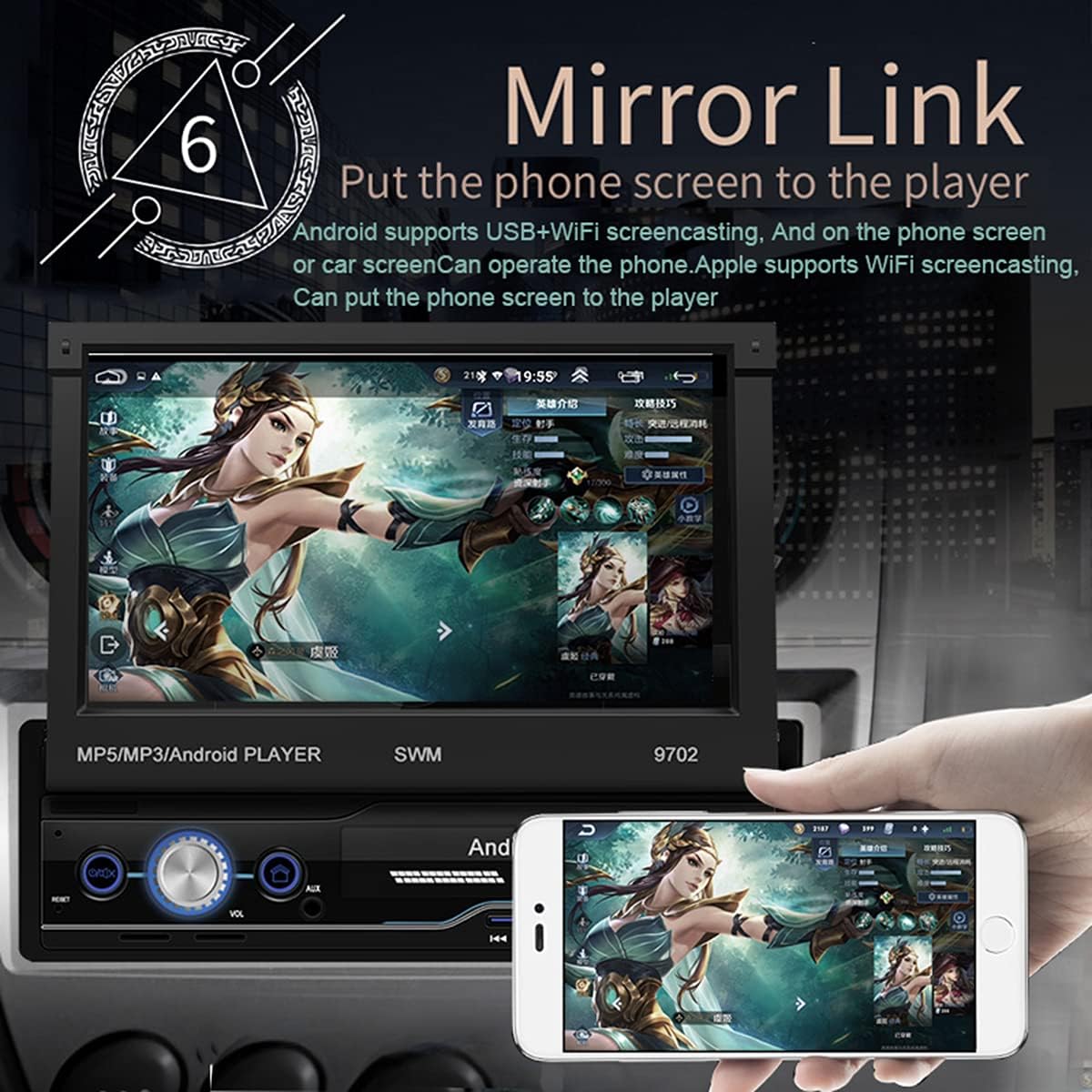
Figure 2: Mirror Link in action, showing a smartphone screen duplicated on the car radio display.
- Untuk Android: Connect your phone via USB or WiFi. Follow the on-screen prompts to enable USB debugging or WiFi mirroring. You can control the phone from the car screen.
- For iOS (Apple): Connect via WiFi. The phone screen will be mirrored to the player. Control is typically from the phone itself.
Navigasi GPS
The unit comes with pre-installed offline maps for Europe and supports online navigation.

Figure 3: GPS Navigation interface showing map data and route details.
- Tap the "Navigation" or "GPS" icon on the home screen.
- Select your preferred navigation application (e.g., Google Maps, Waze, or the pre-installed offline map).
- Enter your destination and follow the voice and visual prompts.
belakang View Fungsi Kamera
When properly installed, the unit automatically displays the rear view apabila kenderaan dimasukkan ke dalam gear undur.
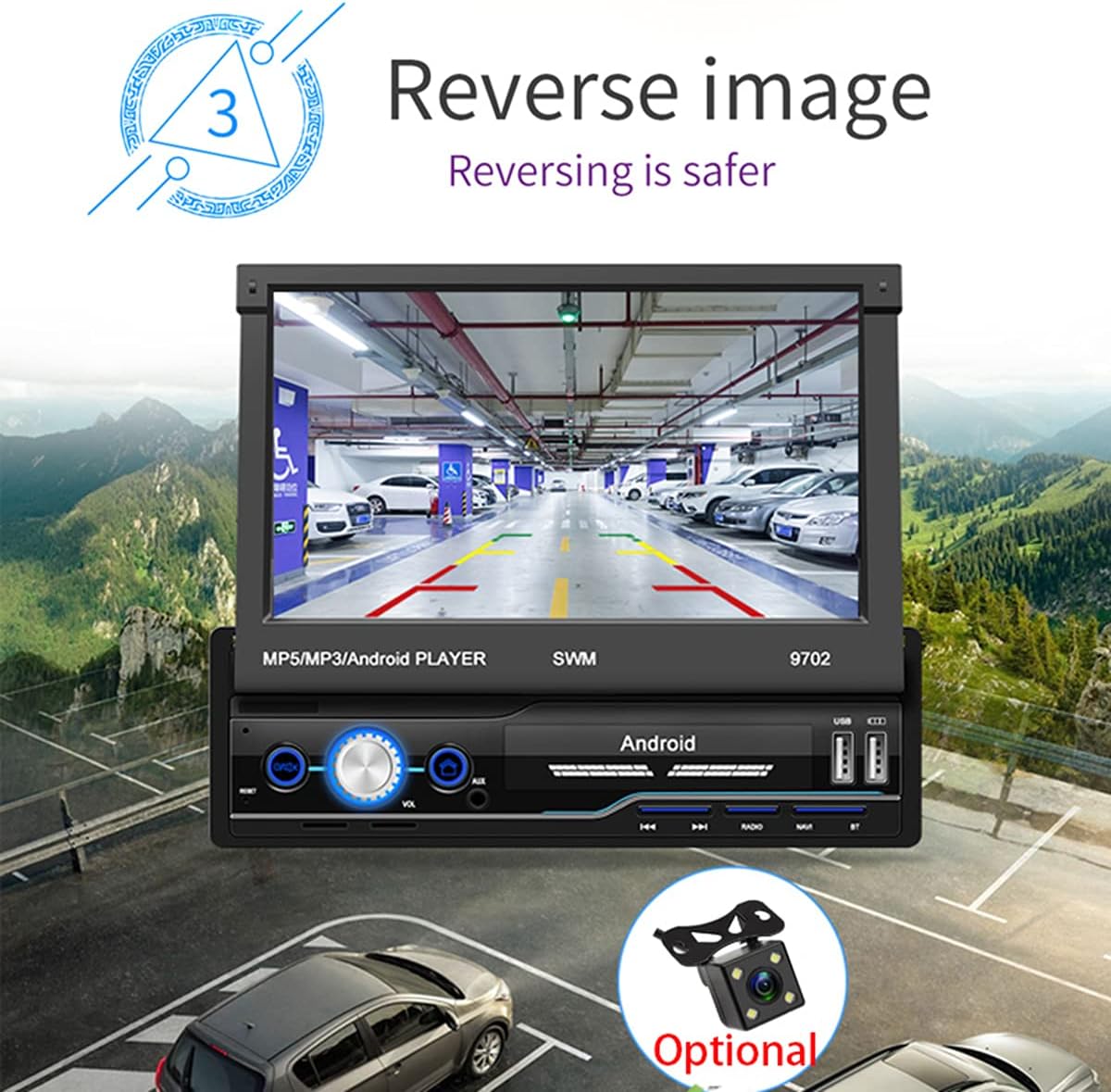
Rajah 4: Belakang view camera display for safer reversing.
- Pastikan bahagian belakang view camera is correctly wired to the unit and the vehicle's reverse light circuit.
- When shifting into reverse, the screen will automatically switch to the camera view.
Radio FM
- Tap the "Radio" icon on the home screen.
- Use the scan function to automatically search and save available stations.
- Manually tune by frequency or select from saved presets.
USB and AUX Playback
- USB: Insert a USB flash drive into the USB port. The unit will automatically detect and allow you to browse and play audio/video/picture files.
- AUX: Connect an external audio device (e.g., MP3 player) to the AUX input using a 3.5mm audio cable. Select "AUX" as the source.
Pembelajaran Kawalan Roda Stereng
If your vehicle has steering wheel controls, you can configure them to operate the head unit.
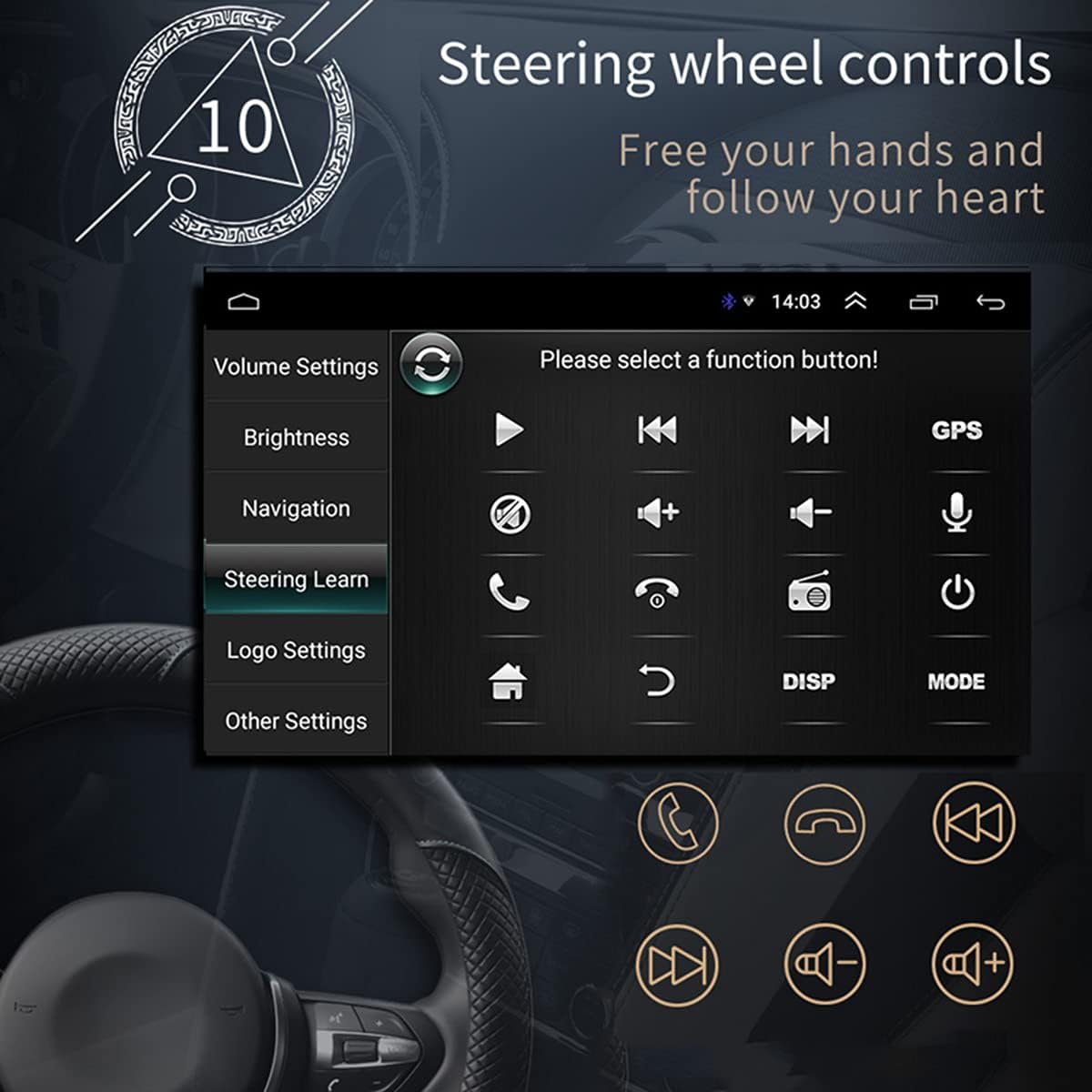
Rajah 5: Antara muka pembelajaran Kawalan Stereng.
- Pergi ke "Tetapan" > "Pembelajaran Roda Stereng" atau "SWC".
- Follow the on-screen instructions to assign functions to your steering wheel buttons. This typically involves pressing a button on the screen, then pressing the corresponding button on your steering wheel.
Sambungan WiFi
Connect the unit to a WiFi hotspot for online features and app downloads.

Figure 6: WiFi connection enables access to online applications.
- Pergi ke "Tetapan" > "Rangkaian & Internet" > "Wi-Fi".
- Hidupkan Wi-Fi dan pilih rangkaian yang anda inginkan daripada senarai.
- Masukkan kata laluan jika digesa dan sambungkan.
APE/FLAC Lossless Audio Playback
The unit supports high-quality audio formats for superior sound experience.

Figure 7: Music player interface demonstrating APE/FLAC support.
- Pastikan audio anda files are in supported formats (MP3, WMA, WAV, APE, FLAC).
- Play them from a USB drive or other connected media.
Penyelenggaraan
- Membersihkan Skrin: Gunakan kain lembut dan tidak berbulu untuk mengelap skrin dengan lembut. Jangan gunakan pembersih atau pelarut yang kasar.
- Pembersihan Am: Keep the unit free from dust and debris. Use a soft brush or compressed air for vents and buttons.
- Kemas Kini Perisian: Periksa pengeluar secara berkala website or the unit's settings for available software updates to ensure optimal performance and new features.
Menyelesaikan masalah
Jika anda menghadapi masalah, rujuk masalah dan penyelesaian biasa berikut sebelum menghubungi sokongan.
| Masalah | Kemungkinan Punca | Penyelesaian |
|---|---|---|
| Unit tidak dihidupkan. | Incorrect wiring (B+ or ACC), blown fuse, vehicle battery issue. | Check power connections (Yellow and Red wires), inspect fuses, ensure vehicle battery is charged. |
| Tiada bunyi dari pembesar suara. | Speaker wires incorrectly connected, volume too low, mute enabled, incorrect audio source. | Verify speaker wiring, increase volume, check mute setting, select correct audio source (FM, USB, AUX, BT). |
| Isyarat GPS lemah atau tidak ditemui. | GPS antenna improperly installed or obstructed, unit not receiving satellite signals. | Ensure GPS antenna is mounted in a clear location (e.g., dashboard), check antenna connection. |
| Pautan Cermin tidak berfungsi. | Incorrect USB cable, USB debugging not enabled (Android), incompatible phone. | Use original or high-quality USB cable, enable USB debugging in phone developer options, check compatibility list. |
| belakang view kamera tidak dipaparkan. | Camera not powered, video input wire disconnected, reverse trigger wire not connected. | Check camera power supply, verify video cable connection, ensure reverse trigger wire is connected to reverse light. |
Spesifikasi
| Ciri | Perincian |
|---|---|
| Model | SWM 9702 |
| Voltage | 12V |
| Sistem | Android |
| Konfigurasi | RAM 1G + Storan 16G |
| Saiz Skrin | 7 Inches (HD Retractable) |
| Resolusi Skrin | 1024*600 |
| Saiz Panel | 188*58mm |
| Pencahayaan Panel | Biru |
| Output Kuasa | 60W |
| Suhu Bekerja | -10~60 darjah Celsius |
| Versi Bluetooth | 4.0 |
| kuasa Ampcip penguat | TDA7388 |
| Frekuensi radio | FM 87.5 ~ 108MHz |
| Navigasi GPS | Support (Built-in offline map: Europe) |
| Wireless WIFI | Sokongan |
| Internet mudah alih | Support (Apple/Android) |
| Antaramuka USB | 2 rear tail cable plus front |
| RCA Terminal Introduction | 2 audio outputs, 2 audio inputs, 2 video inputs, 1 reversing input, 1 video output |
| Front AUX Audio Input | ya |
| Fungsi DVR | Sokongan |
| Car Logo Replacement | Sokongan |
| Supported Picture Format | JPG |
| Kata Laluan Tetapan Kilang | 1111 |
Waranti dan Sokongan
For warranty information, technical support, or service inquiries, please refer to the purchase documentation or contact the retailer/manufacturer directly. Keep your proof of purchase for warranty claims.
Manufacturer: N\\C
Date First Available: July 29, 2021