1. Pengenalan
This user manual provides detailed instructions for the Yimaut Universal Remote Control, designed for seamless compatibility with various Hisense Roku TV models. This remote offers a straightforward, plug-and-play experience, eliminating the need for complex setup or programming. It includes a protective glow-in-the-dark cover and a wrist strap for enhanced usability and loss prevention.
2. Kandungan Pakej
Selepas membuka pakej, sila sahkan bahawa semua item berikut disertakan:
- 1 x Yimaut Remote Control for Hisense Roku TV
- 1 x Remote Control Case (Glow Pink)
- 1 x Tali pergelangan tangan
Nota: Bateri AAA tidak disertakan dan mesti dibeli secara berasingan.
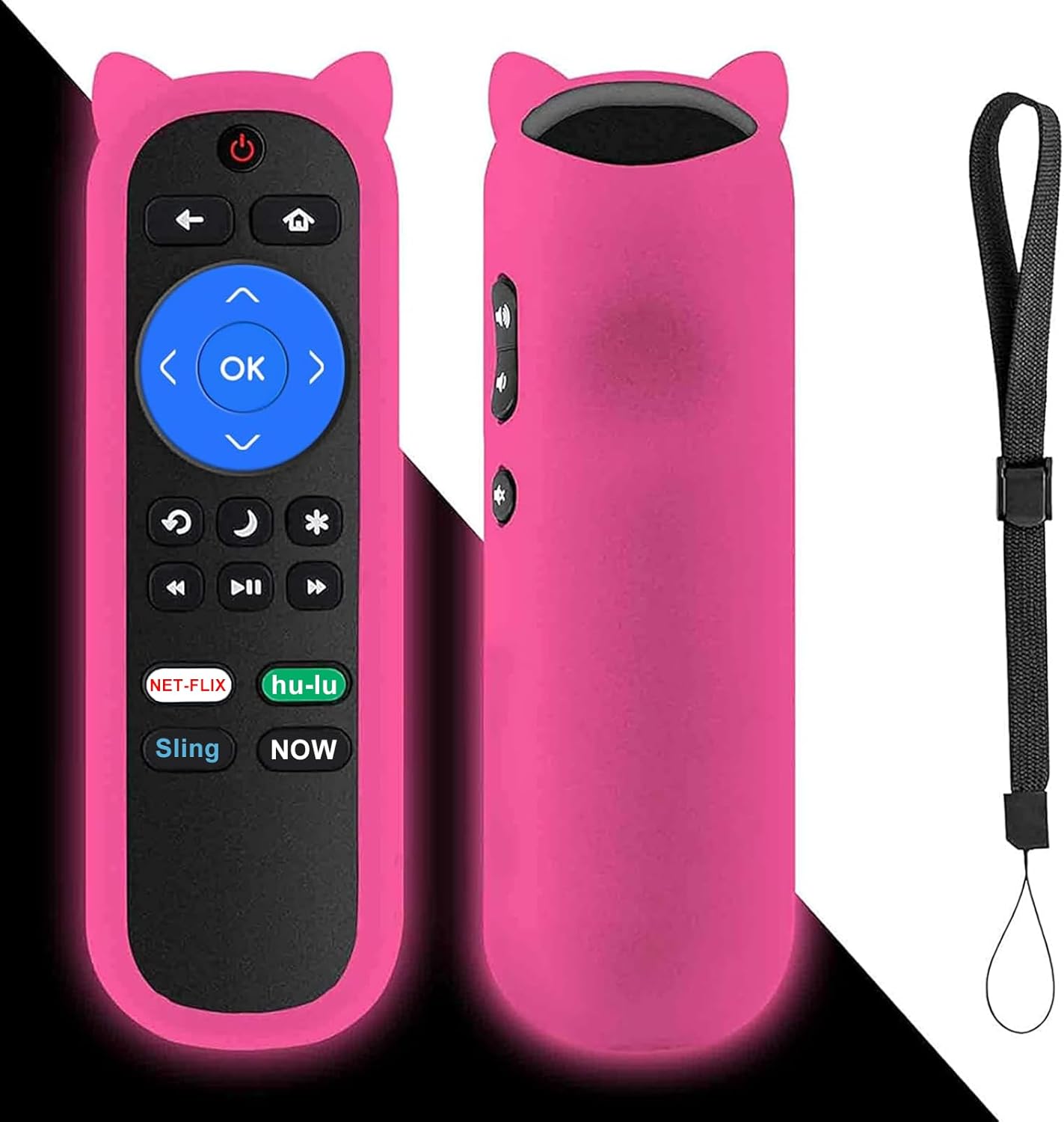
Image: The Yimaut remote control, shown with its glow pink silicone protective cover and an attached wrist strap. The remote features standard Roku TV buttons including navigation, playback, and dedicated streaming service shortcuts.
3. Panduan Persediaan
The Yimaut Remote Control is designed for immediate use without any programming. Follow these simple steps to begin using your new remote:
- Masukkan Bateri: Locate the battery compartment on the back of the remote control. Open the cover and insert two AAA batteries (not included), ensuring correct polarity (+/-).
- Tutup Petak Bateri: Tutup penutup petak bateri dengan selamat.
- Pasangkan Penutup Silikon: Carefully slide the glow pink silicone cover onto the remote control. Ensure all buttons are properly aligned and accessible.
- Pasang Tali Pergelangan Tangan: Thread the wrist strap through the designated loop on the silicone cover. This helps prevent accidental drops and makes the remote easier to carry.
- Sedia untuk Digunakan: Your remote control is now ready to operate your Hisense Roku TV. Point the remote towards your TV and begin using it.
No additional setup or pairing is required for this standard IR remote.
4. Arahan Operasi
The Yimaut Remote Control provides intuitive access to your Hisense Roku TV's functions. Below is a guide to its key features and buttons:
Fungsi Butang:
- Butang Kuasa: Menghidupkan atau mematikan TV.
- Pad Navigasi (Atas, Bawah, Kiri, Kanan, OK): Used to navigate menus, select items, and confirm choices.
- Butang Belakang: Kembali ke skrin atau menu sebelumnya.
- Butang rumah: Kembali ke skrin utama Roku TV.
- Kelantangan Naik/Turun: Adjusts the TV's volume.
- Butang Bisukan: Membisukan atau menyahredamkan audio TV.
- Kawalan Main Semula (Undur, Main/Jeda, Maju Pantas): Mengawal main balik media.
- Star (*) Button: Accesses options or settings within certain apps or menus.
- Sleep/Moon Button: May activate sleep timer or other power-saving features depending on TV model.
Dedicated Shortcut Buttons:
The remote features four dedicated shortcut buttons for quick access to popular streaming channels:
- Netflix
- Hulu
- anduh
- Sekarang
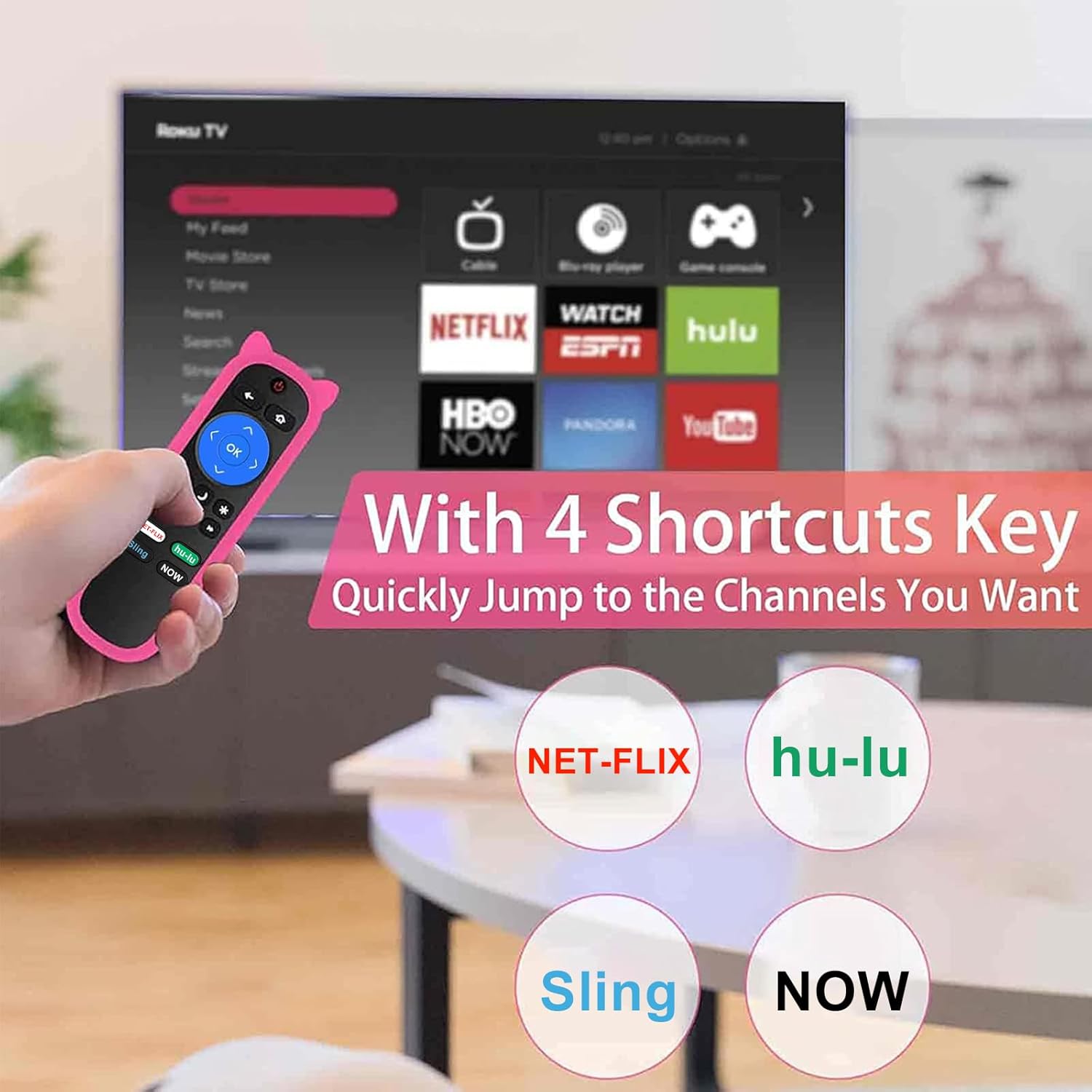
Image: A hand holding the Yimaut remote control, pointing towards a TV screen displaying the Roku interface. The image highlights the four dedicated shortcut buttons for Netflix, Hulu, Sling, and Now, indicating quick access to these streaming services.
The remote offers a quick transmission response time of 0.2 seconds and an effective operating distance of over 40 feet.
5. Keserasian
This Yimaut remote control is universally compatible with all Hisense Roku TV models, including various screen sizes and series. It is a direct replacement for the HU-RCRUS-20 remote.
Compatible Hisense Roku TV Sizes:
- 32 inci
- 40 inci
- 43 inci
- 50 inci
- 55 inci
- 58 inci
- 65 inci
- 70 inci
- 75 inci
- 85 inci
Examples of Compatible Series and Models:
- H4 Series: 32H4D, 40H4D, 43H4D, 50H4D, 55H4D, 40H4E, 43H4E, 32H4E1, 32H4F, 40H4F, 43H4F
- Siri R6: 65R6D, 43R6E, 50R6E, 55R6E, 65R6E, 65R6E1, 75R6E1, 60R5800E, 50R6090G, 55R6000E
- Siri R6070: 65R6070E, 55R6070E3, 65R7050E1
- Siri R7: 43R7E, 50R7E, 55R7E, 65R7E
- R7E Series: 75R7070E2
- Siri R8: 55R8F, 55H8G, 65H8F, 65H8G, 32H4E, 60R6E, 50R7F, 55R7F, 65R8F, 43R6E1, 50R6E1
- H4030 Series: 32H4030F, 40H4030F, 43H4030F, 43H4080F
- R6090G Series: 43R6090G, 50R6090G, 55R6090G, 65R6090G
- Other Series: 43R61G, 50R61G, 55R61G, 58R61G, 65R61G, 70R6209, 75R61G, 32H4030F, 40H4030F, 70R6209, 32H4020E, 32H4020E1, 32H4040E, 32H4050E, 32H4050E1, 32H4060E, 32H4060E
Nota Penting:
- Alat kawalan jauh ini adalah Tidak serasi with Roku Stick or Roku Streaming Player devices.
- Ia berlaku NOT support voice control kefungsian.
- Ia berlaku NOT include a headphone jack.

Image: The Yimaut remote control positioned next to two Hisense Roku TVs, illustrating its broad compatibility. A text overlay lists various TV types and resolutions it supports.
6. Penjagaan dan Penyelenggaraan
To ensure the longevity and optimal performance of your Yimaut Remote Control, please follow these maintenance guidelines:
- Pembersihan: Wipe the remote and its silicone cover with a soft, dry cloth. For stubborn dirt, a slightly damp Kain boleh digunakan, tetapi pastikan tiada kelembapan memasuki alat kawalan jauh.
- Penggantian Bateri: Replace batteries when the remote's response becomes sluggish or it stops functioning. Always use new AAA batteries and dispose of old ones responsibly.
- Ciri Glow-in-the-Dark: The glow pink cover's luminescence is activated by light exposure. To maximize its glow at night, ensure it is charged under daylight or natural UV light.
- Perlindungan: The included silicone cover provides protection against drops, scratches, and minor spills. The wrist strap helps prevent accidental drops and makes it easy to hang the remote when not in use.
- Storan: Simpan alat kawalan jauh di tempat yang sejuk dan kering jauh dari cahaya matahari langsung dan suhu yang melampau.
- Keselamatan Haiwan Kesayangan: Keep the remote control away from pets to prevent chewing or damage.
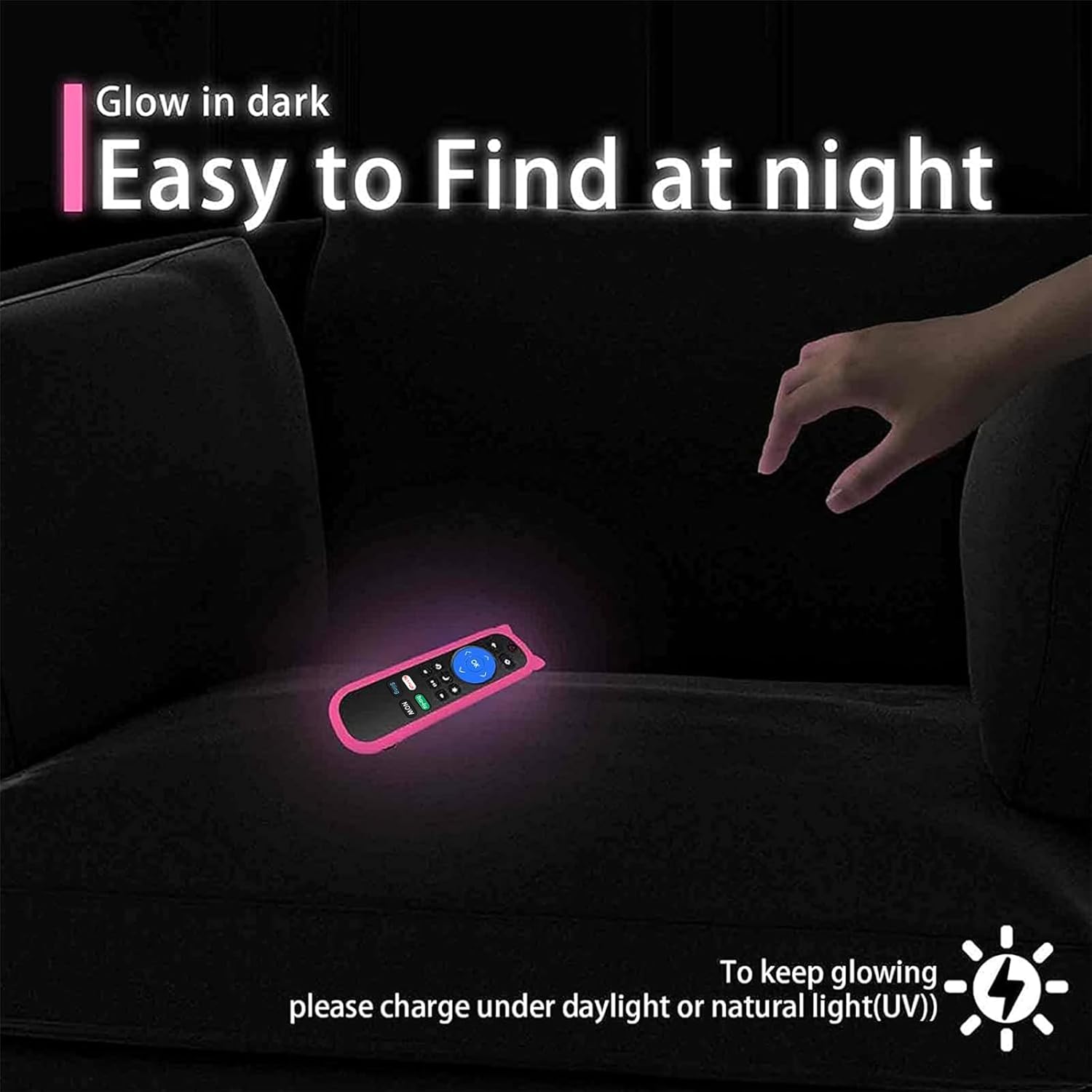
Image: The Yimaut remote control glowing in the dark on a couch, demonstrating its easy-to-find feature at night. A note advises charging it under daylight or natural UV light for optimal glow.

Image: A composite image showing the remote control hanging on a hook by its wrist strap and a "no pets" symbol over a dog, emphasizing the remote's portability and the importance of keeping it safe from pets.
7. Penyelesaian masalah
If you encounter issues with your Yimaut Remote Control, please refer to the following common solutions:
| Masalah | Kemungkinan Punca | Penyelesaian |
|---|---|---|
| Jauh tidak bertindak balas. |
|
|
| Specific buttons are not working. |
|
|
| Alat jauh berfungsi secara berselang-seli. |
|
|
If the problem persists after trying these solutions, please contact Yimaut customer support for further assistance.
8. Spesifikasi Produk
| Ciri | Perincian |
|---|---|
| Jenama | Yimaut |
| Model | HU-RCRUS-20 (Replacement) |
| Dimensi Produk | 5 x 4 x 0.1 inci |
| Berat Barang | 0.353 auns |
| Teknologi Komunikasi Tanpa Wayar | Inframerah (IR) |
| Ciri Khas | Universal compatibility, 4 shortcut buttons, Glow-in-the-dark cover, Wrist strap |
| Faktor Bentuk | Penutup |
| warna | Pink (Glow Pink Cover) |
| Peranti Serasi | Hisense Roku TV (various models and sizes) |
| Jenis Shell | Silikon Lembut |
| Negara Asal | China |
| Tarikh Tersedia Pertama | 28 Julai 2021 |
9. Waranti dan Sokongan Pelanggan
Yimaut is committed to providing high-quality products. For any questions, concerns, or technical assistance regarding your Yimaut Remote Control, please contact our customer support team.
While specific warranty details are not provided in this manual, please refer to the product packaging or the retailer's website for information on warranty coverage and return policies.
For direct support, please visit the official Yimaut store or contact the seller through your purchase platform.
We aim to ensure your satisfaction with our products.


