1. Pengenalan
This manual provides detailed instructions for the setup, operation, and maintenance of your Bytech BYMCWC101BLK PC Web Camera. Please read this manual thoroughly before using the product to ensure proper functionality and longevity.
2. Kandungan Pakej
Sahkan bahawa semua item yang disenaraikan di bawah disertakan dalam pakej produk anda:
- PC Bytech BYMCWC101BLK Web Kamera
- Manual Pengguna (dokumen ini)
- Kabel USB Bersepadu
3. Persediaan
Follow these steps to set up your Bytech BYMCWC101BLK PC Web kamera:
- penempatan: Kedudukan yang webcam on top of your computer monitor, laptop screen, or a flat surface. The adjustable clip allows for secure attachment.
- Sambung ke Komputer: Pasangkan kabel USB bersepadu daripada webcam ke dalam port USB yang tersedia pada komputer anda.
- Pemasangan Pemandu: The webcam is typically plug-and-play. Your operating system (Windows, macOS, Linux) should automatically detect and install the necessary drivers. Wait for the installation to complete.
- Pengesahan: Open a video conferencing application (e.g., Zoom, Skype, Microsoft Teams) or your computer's camera application to confirm the webkamera dikenali dan memaparkan video.
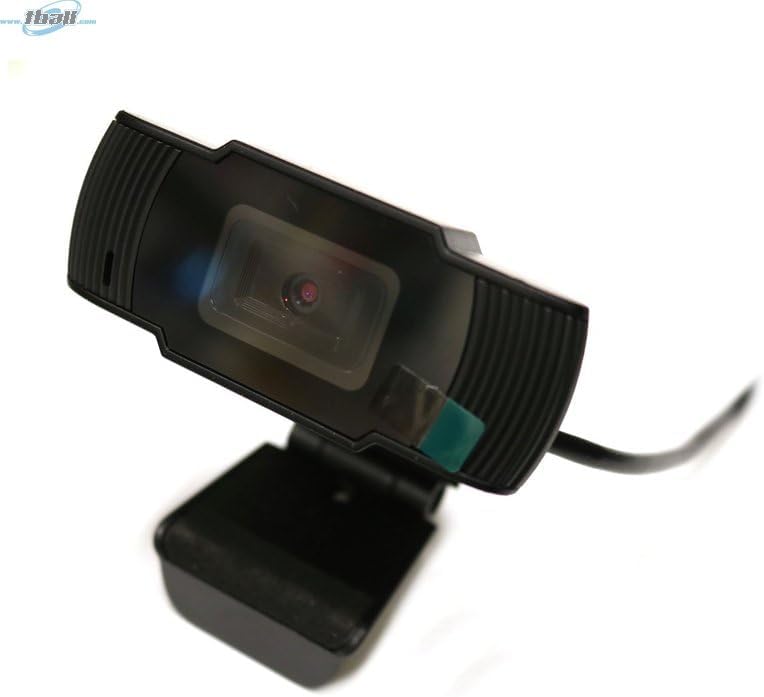
Image: The Bytech BYMCWC101BLK PC Web Camera securely mounted on top of a computer monitor, demonstrating its adjustable clip design.
4. Arahan Operasi
Once installed, the Bytech BYMCWC101BLK PC Web Camera can be used with various applications:
- Persidangan Video: Select the Bytech webcam as your video input device within your preferred video conferencing software (e.g., Zoom, Skype, Google Meet).
- Penstriman: For live streaming platforms, configure the webcam as your primary video source in your streaming software (e.g., OBS Studio).
- Rakaman: Use your computer's built-in camera application or third-party software to record video.
- Prestasi Cahaya Rendah: The webcam features BSI CMOS photo sensor technology and is designed to perform effectively in low-light conditions, providing clear video even with limited ambient lighting.
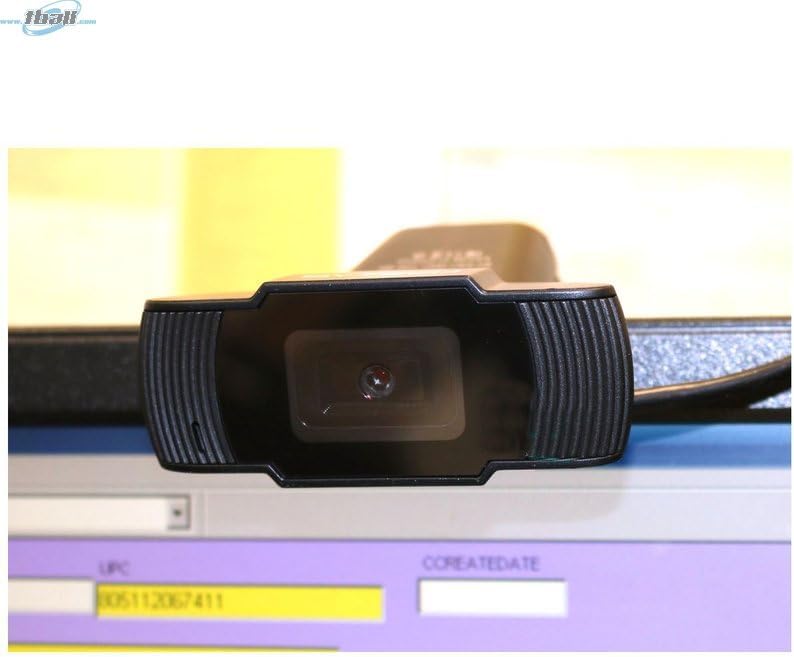
Imej: Dari dekat view of the Bytech BYMCWC101BLK PC Web Camera's lens, highlighting its design and integrated privacy cover (if applicable, otherwise just lens).
5. Penyelenggaraan
To ensure optimal performance and extend the lifespan of your webcam:
- Pembersihan: Lap kanta lekap dengan lembut menggunakan kain lembut dan tidak berbulu. Elakkan penggunaan bahan kimia yang keras atau bahan yang melelas.
- Storan: Apabila tidak digunakan, simpan webcam in a clean, dry environment away from direct sunlight and extreme temperatures.
- Penjagaan Kabel: Do not bend or crimp the USB cable excessively.
6. Penyelesaian masalah
Jika anda menghadapi masalah dengan anda webcam, rujuk masalah dan penyelesaian biasa berikut:
- Tiada Imej/Video:
- Pastikan kabel USB disambungkan dengan selamat ke kedua-dua webcam dan komputer anda.
- Cuba pasangkan webmasuk ke port USB yang berbeza.
- Mulakan semula komputer anda.
- Check your application settings to ensure the Bytech webcam is selected as the video input device.
- Kualiti Video Lemah:
- Pastikan pencahayaan yang mencukupi di persekitaran anda.
- Bersihkan webkanta cam dengan kain lembut.
- Semak tetapan video aplikasi anda untuk resolusi dan kadar bingkai.
- Microphone Not Working (if applicable):
- Sahkan bahawa webcam's microphone is selected as the audio input device in your computer's sound settings and within your application.
- Pastikan mikrofon tidak disenyapkan dalam sistem atau aplikasi anda.
7. Spesifikasi
| Ciri | Perincian |
|---|---|
| Nama Model | BYMCWC101BLK |
| Jenama | Bytech |
| Teknologi Ketersambungan | USB |
| Teknologi Penderia Foto | BSI CMOS |
| Format Tangkapan Video | MP4 |
| Ciri Khas | Cahaya Rendah |
| warna | Hitam |
| Berat Barang | 4.9 auns |
| Dimensi Pakej | 7.76 x 4.65 x 2.44 inci |
8. Waranti dan Sokongan
For warranty information or technical support, please refer to the documentation included with your purchase or contact your retailer. Keep your proof of purchase for warranty claims.


