1. Pengenalan dan Lebihview
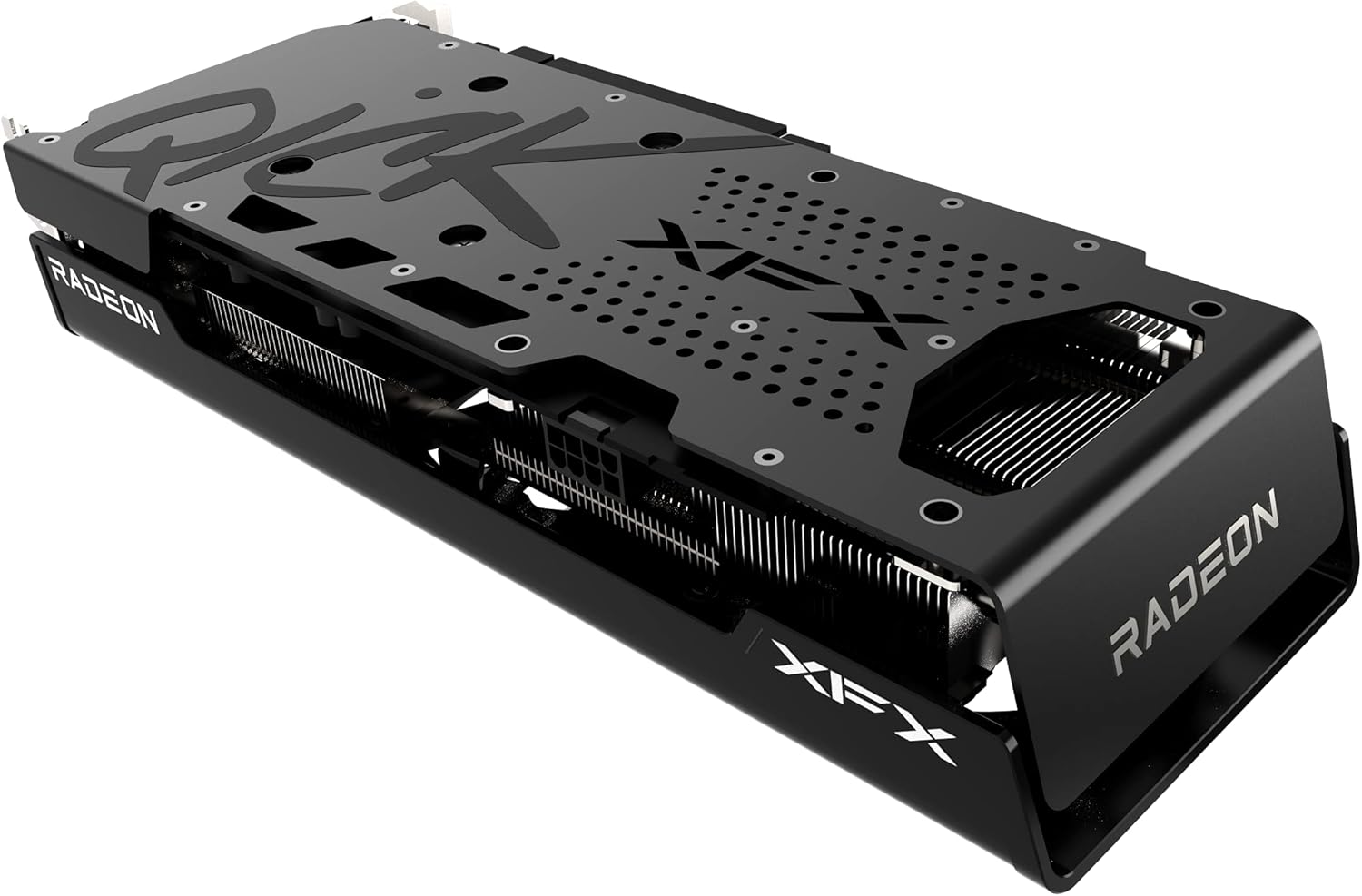
The XFX Speedster QICK308 Radeon RX 6600 XT is a high-performance gaming graphics card designed to deliver an exceptional visual experience. Featuring AMD's RDNA 2 architecture, 8GB of GDDR6 memory, and a robust triple-fan cooling system, this card is engineered for smooth gameplay and efficient operation. Its aerodynamic design prioritizes airflow to maintain optimal temperatures and performance during intensive use.

Rajah 1: Bersudut view of the XFX Speedster QICK308 Radeon RX 6600 XT Graphics Card.
2. Persediaan dan Pemasangan
2.1 Kandungan Pakej
- XFX Speedster QICK308 Radeon RX 6600 XT Graphics Card
- Driver CD (Note: Latest drivers are recommended from the AMD webtapak)
2.2 Senarai Semak Pra-Pemasangan
- Bekalan Kuasa: Pastikan unit bekalan kuasa (PSU) anda memenuhi had kuasa minimumtage requirement for the RX 6600 XT (typically 500W or higher, consult your PSU manual).
- Papan induk: Sahkan bahawa papan induk anda mempunyai slot PCI Express x16 yang tersedia.
- Pelepasan Kes: Check your PC case for adequate space to accommodate the card's dimensions (approximately 10.79 x 4.49 x 1.97 inches).
- Existing Drivers: Uninstall any previous graphics card drivers before installing the new hardware.
2.3 Langkah Pemasangan Fizikal
- Matikan: Shut down your computer and unplug it from the power outlet.
- Kes Terbuka: Tanggalkan panel sisi casing komputer anda.
- Cari Slot PCIe: Identify an available PCI Express x16 slot on your motherboard. Remove any expansion slot covers from the back of the case that correspond to the card's position.
- Masukkan Kad Grafik: Carefully align the graphics card with the PCIe slot and press down firmly until it is securely seated. You should hear a click from the slot's retention clip.
- Kad Selamat: Use screws or the case's locking mechanism to secure the graphics card to the case's expansion slot bracket.
- Sambungkan Kuasa: Connect the required PCIe power connectors from your PSU to the graphics card. The RX 6600 XT typically requires one 8-pin PCIe power connector.
- Tutup Kes: Gantikan panel sisi casing komputer anda.
Rajah 2: Sisi view illustrating the power connector and display output ports.
2.4 Pemasangan Pemandu
- Sambung Monitor: Connect your monitor to one of the graphics card's display outputs (HDMI or DisplayPort).
- Hidupkan kuasa: Pasangkan komputer anda dan hidupkannya.
- Pasang Pemacu: Insert the provided Driver CD or, for the latest version, download the AMD Radeon Software from the official AMD webtapak. Ikut arahan pada skrin untuk menyelesaikan pemasangan pemacu.
- Mulakan semula: Mulakan semula komputer anda selepas pemasangan pemacu selesai.
3. Mengendalikan Kad Grafik
3.1 Operasi Asas
Once drivers are installed, your operating system should automatically detect and utilize the XFX Speedster QICK308 Radeon RX 6600 XT. You can access the AMD Radeon Software through your desktop to manage display settings, gaming profiles, dan ciri-ciri lain.
3.2 Ciri-ciri Utama
- AMD RDNA 2 Architecture: Provides enhanced performance and power efficiency for gaming and content creation.
- Memori GDDR6 8GB: High-speed memory for demanding games and applications.
- Jam Galak: Up to 2607MHz for increased performance during peak loads.
- XFX Speedster QICK308 Triple Fan Cooling: Optimized cooling solution with three fans to maintain low temperatures and quiet operation.
- Output Paparan: Includes HDMI and DisplayPort connections for versatile monitor compatibility.
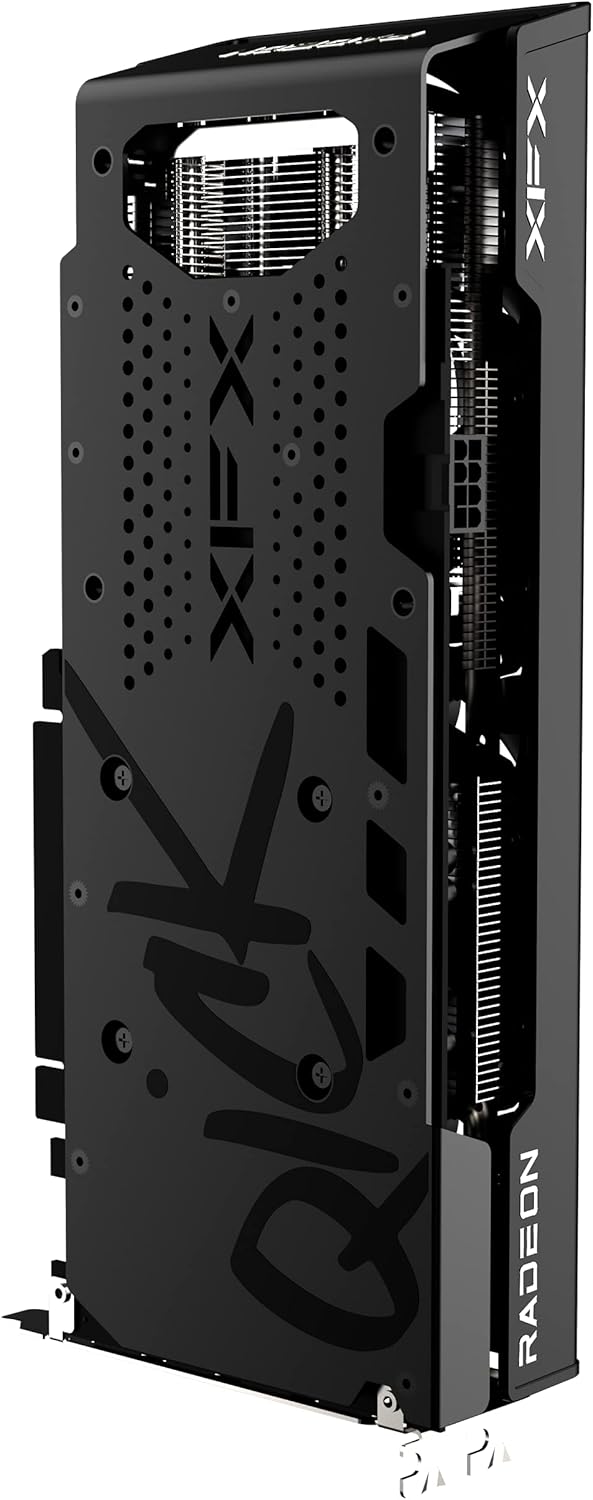
Rajah 3: Belakang view of the graphics card, highlighting the protective backplate.
4. Penyelenggaraan
4.1 Pembersihan
Regular cleaning helps maintain optimal performance and extends the lifespan of your graphics card. Use compressed air to gently remove dust from the fans and heatsink fins. Ensure the computer is powered off and unplugged before cleaning. Avoid touching the circuit board directly.
4.2 Kemas Kini Pemandu
Periodically check the official AMD website for the latest graphics drivers. Keeping your drivers updated ensures compatibility with new games and applications, and often includes performance improvements and bug fixes.
4.3 Pemantauan Suhu
Utilize the AMD Radeon Software or third-party monitoring tools to keep an eye on your GPU temperatures, especially during gaming or heavy workloads. Excessive temperatures can indicate insufficient airflow in your case or a need for cleaning.
5. Penyelesaian masalah
5.1 Tiada Output Paparan
- Semak Sambungan: Pastikan kabel monitor disambungkan dengan selamat pada kad grafik dan monitor.
- Kabel Kuasa: Verify that all PCIe power connectors are properly seated in the graphics card.
- Input Monitor: Confirm your monitor is set to the correct input source (HDMI/DisplayPort).
- Reseat Card: Power off and unplug the PC, then reseat the graphics card in its PCIe slot.
5.2 Poor Performance in Games
- Kemas Kini Pemandu: Pastikan anda memasang pemacu grafik terkini.
- Tetapan Permainan: Adjust in-game graphics settings. While the RX 6600 XT is powerful, some demanding titles may require optimization.
- Suhu: Monitor GPU temperatures. Overheating can lead to performance throttling.
- Aplikasi Latar Belakang: Close unnecessary background applications that may consume system resources.
5.3 Fan Noise or Overheating
- Clean Fans/Heatsink: Dust buildup can impede cooling. Refer to the cleaning section.
- Aliran Udara Kes: Pastikan casing PC anda mempunyai aliran udara yang mencukupi dengan kipas masukan dan ekzos yang dikonfigurasikan dengan betul.
- Lengkung Kipas: Adjust the fan curve in AMD Radeon Software to a more aggressive setting if temperatures remain high.
6. Spesifikasi
| Ciri | Perincian |
|---|---|
| Chipset | AMD RX 6600 XT |
| Pengilang Pemproses Grafik | AMD |
| Seni bina | AMD RDNA 2 |
| Ingatan | 8GB GDDR6 |
| Kelajuan Memori | 16000 MHz |
| Tingkatkan Jam | Up To 2607MHz |
| Menyejukkan | XFX Speedster QICK308 Triple Fan |
| Resolusi Skrin Maks | 7680x4320 |
| Antara Muka Keluaran Video | HDMI, 3x DisplayPort |
| Nombor Model Item | RX-66XT8LBDQ |
| Berat Barang | 2.81 paun |
| Dimensi Produk (LxWxH) | 10.79 x 4.49 x 1.97 inci |
7. Waranti dan Sokongan
For detailed warranty information and technical support, please refer to the official XFX website. Warranty terms and conditions may vary by region and retailer. It is recommended to register your product upon purchase to facilitate any future support needs.
XFX Official Webtapak: https://www.xfxforce.com/


