1. Pengenalan
Thank you for choosing the ILM 902BT PRO Bluetooth Motorcycle Helmet. This helmet is designed to provide safety, comfort, and advanced communication features for motorcyclists. It combines a modular flip-up full-face design with integrated Bluetooth 3.0 technology, dual visors, and an intercom system. Please read this manual thoroughly before using the helmet to ensure proper operation and maintenance.

Figure 1.1: ILM 902BT PRO Bluetooth Motorcycle Helmet (Gloss Black)
2. Maklumat Keselamatan
This helmet meets or exceeds FMVSS 218 DOT safety standards, ensuring a high level of protection. Always wear a properly fitted helmet when riding. Ensure the chin strap is securely fastened. Do not modify the helmet structure or its components, as this may compromise its safety features. The integrated Bluetooth system should be used responsibly to avoid distractions while riding.

Rajah 2.1: Belakang view of the helmet displaying DOT certification.
3. Kandungan Pakej
Sahkan bahawa semua item terdapat dalam pakej:
- ILM 902BT PRO Bluetooth Motorcycle Helmet
- 1 x Lithium Ion Battery (pre-installed or separate)
- 1 x Kabel Pengecas USB
- 1 x Universal Charger
- 1 x Manual Pengguna (dokumen ini)
- 1 x Black Helmet Bag

Figure 3.1: Included accessories: Bluetooth module, USB cable, charger, and user manual.
4. Produk Lebihview
4.1. Helmet Components
- Kulit luar: High-quality ABS material for impact protection.
- Clear Outer Visor: Provides primary eye protection.
- Inner Sun Visor: Retractable tinted visor for sun glare reduction.
- Modular Flip-up Mechanism: Allows the chin bar and visor to be raised.
- Sistem Pengudaraan: Adjustable vents for airflow.
- Removable/Washable Liners: For hygiene and comfort.
- Tali dagu: Quick-release ratcheting mechanism for secure fit.
4.2. Bluetooth System Features
- Bluetooth 3.0: Untuk sambungan wayarles.
- Sistem Interkom: Supports 6-8 riders group communication up to 1000 meters (3280 feet). Compatible with ILM 953 Pro Bluetooth helmets.
- Fungsi Audio: Phone calls (answer, reject), music playback, FM radio, GPS navigation audio.
- Built-in Speakers & Microphones: Noise-canceling for clear audio.
- Hayat Bateri: 12 hours phone talk time, 9 hours intercom talk time, 120 hours standby.

Gambar 4.1: Lebihview of Bluetooth 3.0 functionalities.

Figure 4.2: Bluetooth system battery performance.
5. Persediaan
5.1. Charging the Bluetooth System
Before first use, fully charge the integrated Bluetooth system battery. Connect the USB charging cable to the charging port on the Bluetooth module and plug it into the universal charger. A red indicator light typically signifies charging, and it will turn off or change color when fully charged. If the battery has been in deep sleep mode (due to long-term disuse), charge it for approximately 30 minutes to reactivate it.

Figure 5.1: Bluetooth module with charging port.
5.2. Penggandingan Bluetooth (Telefon)
- Ensure the Bluetooth system is powered off.
- Press and hold the main function button on the Bluetooth module until the indicator light flashes red and blue, indicating pairing mode.
- Pada telefon bimbit anda, pergi ke tetapan Bluetooth dan cari peranti yang tersedia.
- Select "BM2-S" (or similar identifier) from the list.
- Once connected, the indicator light will typically show a steady blue light or flash blue slowly.
Video 5.1: Demonstration of Bluetooth pairing and helmet features. This video illustrates the process of connecting the helmet's Bluetooth system to a mobile device and showcases various functionalities like intercom and music playback.
5.3. Intercom Pairing (Group)
The ILM 902BT PRO supports group intercom for 6-8 riders. Refer to the specific instructions provided with your Bluetooth module for detailed pairing steps for multiple helmets. Ensure all helmets are compatible (e.g., ILM 953 Pro).

Figure 5.2: Intercom range and group communication capability.

Figure 5.3: Intercom compatibility details for ILM 902BT PRO.
6. Arahan Operasi
6.1. Hidupkan/Mati Kuasa
- Hidupkan kuasa: Press and hold the main function button until the indicator light flashes blue.
- Matikan: Press and hold the main function button until the indicator light flashes red and then turns off.
6.2. Kawalan Kelantangan
Use the volume up (+) and volume down (-) buttons on the Bluetooth module to adjust audio levels. Note that some systems cycle volume from max to min after reaching the highest setting.

Figure 6.1: Bluetooth module with volume controls.
6.3. Panggilan Telefon
- Jawab Panggilan: Tekan butang fungsi utama sekali.
- Tolak Panggilan: Press and hold the main function button for approximately 2 seconds.
- Tamatkan Panggilan: Press the main function button once during a call.
- Perintah Suara: Some systems support voice commands; refer to your Bluetooth module's specific instructions.
Incoming phone calls take priority over other audio functions (music, intercom).
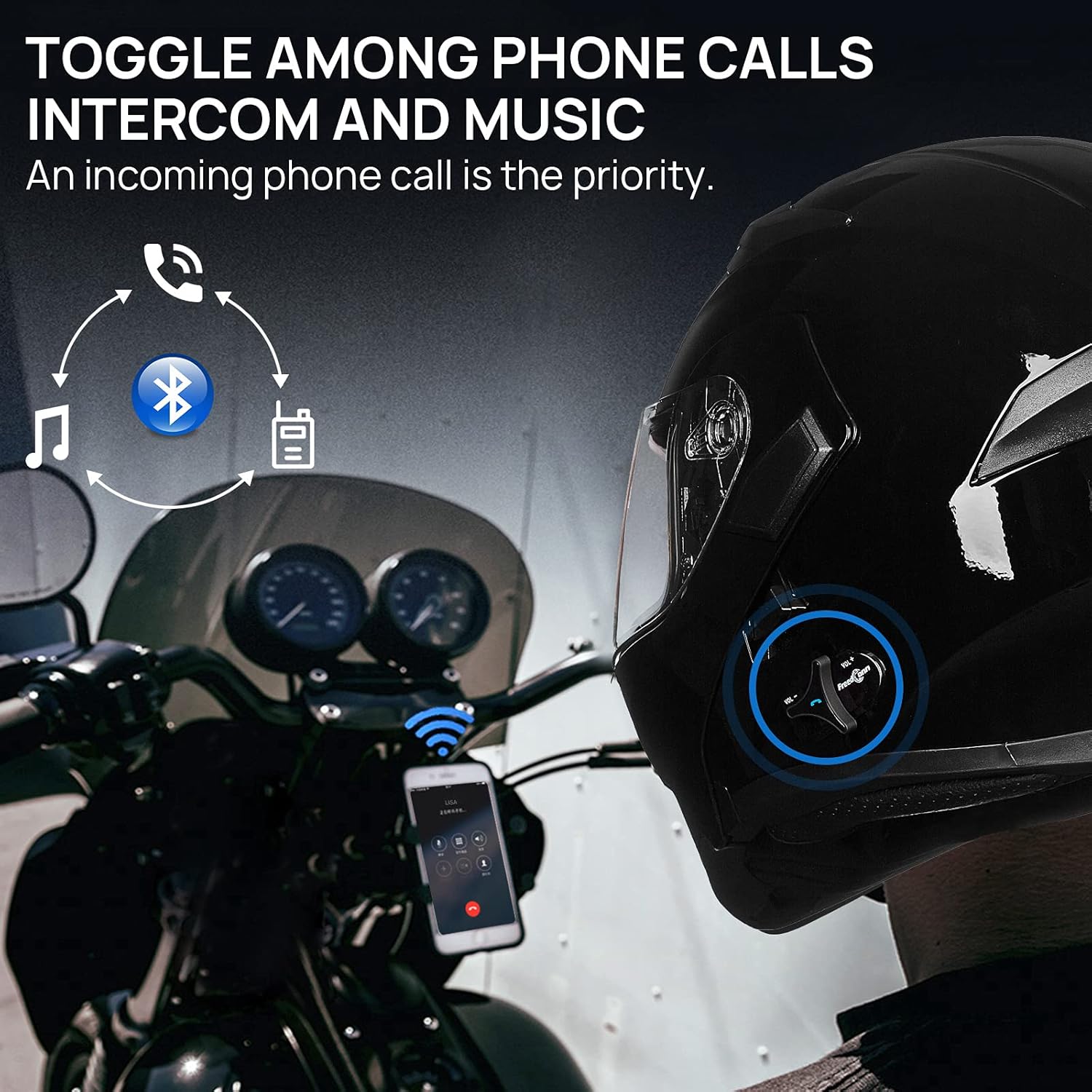
Figure 6.2: Audio priority and toggling functions.
6.4. Music Playback & FM Radio
- Main/Jeda Muzik: Press the main function button once (when not on a call).
- Lagu Seterusnya: Short press the volume up (+) button.
- Trek Sebelumnya: Short press the volume down (-) button.
- Aktifkan Radio FM: Refer to your Bluetooth module's specific instructions for FM radio activation and station tuning.
6.5. Fungsi Interkom
Once paired, initiate intercom communication by following the specific instructions for your Bluetooth module. This typically involves a dedicated intercom button or a specific sequence of presses on the main function button. Ensure all riders are within the maximum operating range.
6.6. Operasi Visor
- Clear Outer Visor: Can be raised or lowered manually.
- Inner Sun Visor: Operated by a toggle switch, usually located on the side of the helmet, to deploy or retract the tinted visor.

Figure 6.3: Location of the flip-up button and inner visor toggle.
6.7. Modular Flip-up Mechanism
To raise the chin bar, locate the release button (often at the front center of the chin bar) and press it while lifting the chin bar upwards. To close, push the chin bar down until it securely latches into place.
7. Penyelenggaraan
7.1. Membersihkan Topi Keledar
- Kulit luar: Use mild soap and water with a soft cloth. Avoid harsh chemicals or abrasive cleaners.
- Visors: Bersihkan dengan lembut, damp cloth and mild soap. Do not use ammonia-based cleaners, as they can damage the visor coating.
- Pelapik boleh tanggal: The internal liners are removable and washable. Hand wash with mild soap and air dry completely before re-installing.

Figure 7.1: Removable and washable helmet interior liners.
7.2. Penjagaan Bateri
To prolong battery life, avoid fully discharging the battery frequently. If storing the helmet for an extended period, ensure the battery is partially charged (around 50%) and recharge it every few months to prevent deep discharge.
8. Penyelesaian masalah
| Masalah | Kemungkinan Punca | Penyelesaian |
|---|---|---|
| Bluetooth tidak berpasangan. | Bluetooth module not in pairing mode; phone's Bluetooth off; device too far. | Ensure module is in pairing mode (flashing red/blue). Turn on phone's Bluetooth. Bring devices closer. |
| Tiada audio daripada pembesar suara. | Volume too low; device not connected; speakers disconnected. | Increase volume. Re-pair Bluetooth. Check speaker connections inside the helmet. |
| Interkom tidak bersambung. | Helmets not paired; out of range; incompatible models. | Ensure all helmets are correctly paired for intercom. Stay within 1000m range. Verify helmet model compatibility. |
| Hayat bateri pendek. | Battery not fully charged; old battery; deep sleep mode. | Fully charge the battery. If battery is old, consider replacement. Charge for 30 mins to wake from deep sleep. |
| Visor fogging. | Lack of ventilation; temperature difference. | Open helmet vents. Consider anti-fog treatment or an anti-fog insert for the visor. |
9. Spesifikasi
| Nama Model | ILM 902BT PRO Bluetooth Motorcycle Helmet |
| Jenama | ILM |
| Pensijilan Keselamatan | DOT FMVSS 218 Certified |
| Bahan Cangkang | Akrilonitril Butadiena Stirena (ABS) |
| Helmet Type | Modular Flip-up Full Face |
| Jenis Visor | Dual Visor (Clear Outer, Retractable Inner Sun Visor) |
| Versi Bluetooth | 3.0 |
| Julat Interkom | Sehingga 1000 meter (3280 kaki) |
| Saiz Kumpulan Interkom | 6-8 penunggang |
| Masa Bual Telefon | Sehingga 12 jam |
| Masa Bual Interkom | Sehingga 9 jam |
| Masa Tunggu Sedia | Sehingga 120 jam |
| Jenis Bateri | Litium Ion (1 termasuk) |
| Berat Barang | 4.4 paun (2 kg) |
| Dimensi Produk | 11 x 11 x 15 inci |
| Ciri Khas | Touch Control, Noise-Canceling Microphones |
10. Waranti dan Sokongan
For warranty information, technical support, or service inquiries, please refer to the warranty card included with your product or visit the official ILM webtapak. Simpan resit pembelian anda sebagai bukti pembelian.
ILM Official Store: Visit the ILM Store on Amazon


