1. Pengenalan
Terima kasih kerana membeliasing the EARISE D61 Plus Bluetooth Speaker. This manual provides important information regarding the safe operation, setup, and maintenance of your device. Please read it thoroughly before use and retain it for future reference.

Image 1.1: The EARISE D61 Plus Bluetooth Speaker, showcasing its portable design and integrated RGB lighting.
2. Maklumat Keselamatan Penting
- Jangan dedahkan pembesar suara kepada air atau kelembapan berlebihan, kerana ia tidak kalis air.
- Elakkan suhu ekstrem, cahaya matahari langsung atau sumber haba.
- Jangan buka, baiki atau ubah suai peranti. Rujuk semua servis kepada kakitangan yang berkelayakan.
- Gunakan hanya kabel pengecasan dan penyesuai kuasa yang ditentukan.
- Jauhkan pembesar suara daripada kanak-kanak dan haiwan peliharaan.
- Jangan kendalikan pembesar suara pada kelantangan yang terlalu tinggi untuk tempoh yang lama bagi mengelakkan kerosakan pendengaran.
3. Kandungan Pakej
Sila semak pakej untuk item berikut:
- EARISE D61 Plus Bluetooth Speaker
- Kabel Pengecas USB
- Manual Pengguna (dokumen ini)
Jika ada item yang hilang atau rosak, sila hubungi sokongan pelanggan.
4. Produk Lebihview
Biasakan diri anda dengan komponen dan kawalan pembesar suara.
Imej 4.1: Depan view of the EARISE D61 Plus speaker, highlighting the control panel and speaker grille.
4.1 Panel Kawalan dan Port

Image 4.2: Diagram illustrating the various input options and features of the speaker, including USB, TF card, AUX, Microphone, Bluetooth, and FM radio.
- MODE/LIGHT Button: Short press to switch between input modes (Bluetooth, AUX, USB, TF, FM). Long press to change light effects.
- M-/V- Button: Short press for previous track (in music modes) or previous station (in FM mode). Long press to decrease volume.
- MSCAN/TWS Button: Short press to Play/Pause (in music modes) or auto-scan FM stations (in FM mode). Long press to activate TWS pairing.
- M+/V+ Button: Short press for next track (in music modes) or next station (in FM mode). Long press to increase volume.
- Port USB: Untuk main balik pemacu kilat USB.
- Slot Kad TF: Untuk main balik kad TF (MicroSD).
- Input AUX: Untuk menyambungkan peranti audio luaran melalui kabel audio 3.5mm.
- Input MIC: Untuk menyambungkan mikrofon.
- Port Pengecasan: Untuk mengecas bateri dalaman pembesar suara.
5. Persediaan
5.1 Mengecas Speaker
Before first use, fully charge the speaker. Connect the provided USB charging cable to the speaker's charging port and the other end to a USB power adapter (not included) or a computer's USB port. The charging indicator will illuminate during charging and turn off when fully charged.

Image 5.1: Visual representation of the speaker being charged, indicating battery status.
5.2 Menghidupkan/Mematikan
Press and hold the Power button (often integrated with the MODE button or a separate switch, refer to physical device for exact location) to turn the speaker ON or OFF. A sound prompt will indicate the power status.
5.3 Berpasangan Bluetooth
- Ensure the speaker is powered on and in Bluetooth mode (indicated by a voice prompt or flashing LED). If not, short press the MODE/LIGHT button to switch to Bluetooth mode.
- Dayakan Bluetooth pada peranti mudah alih anda (telefon pintar, tablet, dll.).
- Cari untuk available Bluetooth devices. You should see "EARISE D61 Plus" in the list.
- Select "EARISE D61 Plus" to connect. Once paired, a confirmation sound will be heard.
- The speaker will automatically reconnect to the last paired device when in Bluetooth mode, if the device is within range and Bluetooth is enabled.
5.4 TWS (Stereo Wayarles Sejati) Berpasangan
To achieve stereo sound, you can pair two EARISE D61 Plus speakers together.

Image 5.2: Illustration of two EARISE D61 Plus speakers connected via TWS for a stereo audio experience, controlled by a single smartphone.
- Ensure both EARISE D61 Plus speakers are powered on and in Bluetooth mode, but not yet connected to any device.
- On one of the speakers (this will be the primary speaker), long press the MSCAN/TWS button. You will hear a prompt indicating TWS pairing mode.
- The two speakers will automatically search for and connect to each other. A confirmation sound will indicate successful TWS pairing.
- Once paired, the primary speaker will be ready for Bluetooth connection to your mobile device. Follow the steps in "5.3 Bluetooth Pairing" to connect your device to the primary speaker.
- Audio kini akan dimainkan dalam stereo melalui kedua-dua pembesar suara.
- To disconnect TWS, long press the MSCAN/TWS button on either speaker.
6. Arahan Operasi
6.1 Pemilihan Mod
Tekan pendek MODE / CAHAYA button to cycle through available input modes: Bluetooth, AUX, USB, TF Card, FM Radio.
6.2 Audio Playback (Bluetooth, USB, TF Card, AUX)
- Main/Jeda: Tekan pendek MSCAN/TWS butang.
- Lagu Seterusnya: Tekan pendek M+/V+ butang.
- Trek Sebelumnya: Tekan pendek M-/V- butang.
- Kelantangan: Tekan lama M+/V+ butang.
- Perlahankan suara: Tekan lama M-/V- butang.
6.3 Operasi Radio FM
- Tukar kepada mod FM menggunakan MODE / CAHAYA butang.
- Tekan pendek MSCAN/TWS button to automatically scan and save available FM stations. The speaker will play the first saved station.
- Tekan pendek M+/V+ or M-/V- to navigate between saved stations.
6.4 RGB Light Effects
The speaker features dynamic RGB lighting. Long press the MODE / CAHAYA butang untuk beralih antara mod lampu yang berbeza atau mematikan lampu.
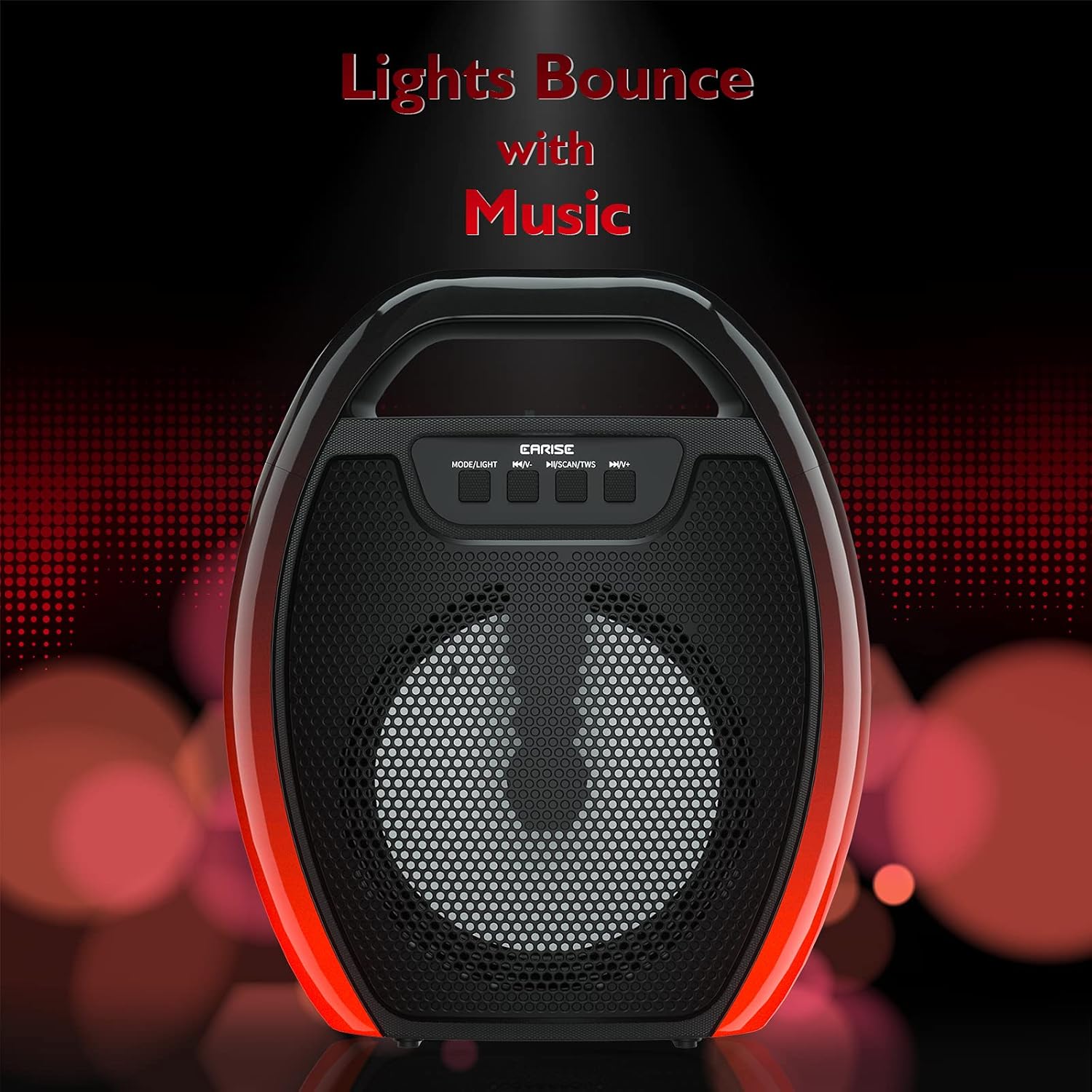
Image 6.1: The speaker displaying its light effects, which can synchronize with music playback.
6.5 Input Mikrofon
Connect a wired microphone (not included) to the MIC input port for karaoke or public address functions. Adjust the microphone volume using the connected microphone's controls or the speaker's main volume controls.
7. Penyelenggaraan
- Pembersihan: Use a soft, dry cloth to clean the speaker. Do not use liquid cleaners or aerosols.
- Storan: Simpan pembesar suara di tempat yang sejuk dan kering jauh dari cahaya matahari langsung dan suhu yang melampau.
- Penjagaan Bateri: To prolong battery life, fully charge the speaker before long periods of inactivity and recharge it at least once every three months. Avoid completely draining the battery frequently.
8. Penyelesaian masalah
| Masalah | Kemungkinan Punca | Penyelesaian |
|---|---|---|
| Speaker tidak dihidupkan. | Bateri lemah; Butang kuasa tidak ditekan dengan betul. | Charge the speaker; Press and hold the Power button for a few seconds. |
| Tidak boleh berpasangan melalui Bluetooth. | Speaker not in pairing mode; Device Bluetooth off; Speaker too far from device; Already connected to another device. | Ensure speaker is in Bluetooth pairing mode; Turn on Bluetooth on your device; Move device closer to speaker; Disconnect from other devices. |
| Tiada bunyi. | Kelantangan terlalu rendah; Mod input salah; Peranti tidak memainkan audio. | Increase speaker and device volume; Switch to correct input mode (Bluetooth, AUX, etc.); Ensure audio is playing on your device. |
| Gandingan TWS gagal. | Speakers too far apart; One speaker already paired to a device; Not in TWS pairing mode. | Ensure speakers are close; Disconnect both speakers from any devices; Long press MSCAN/TWS on one speaker to initiate TWS pairing. |
| Lampu RGB tidak berfungsi. | Lampu dipadamkan; Kerosakan. | Long press MODE/LIGHT button to cycle through light modes; If issue persists, contact support. |
9. Spesifikasi
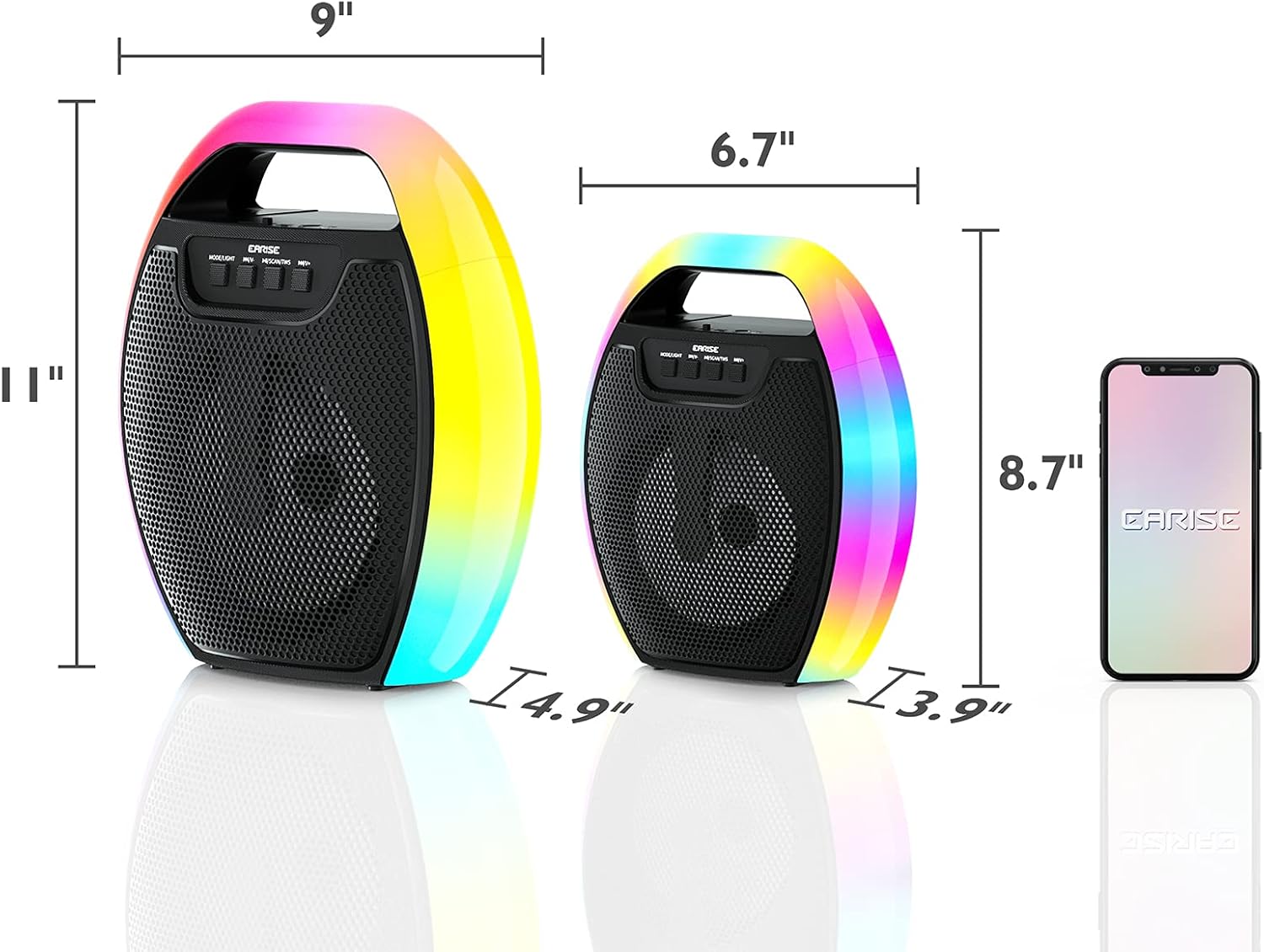
Image 9.1: Product dimensions of the EARISE D61 Plus speaker.
| Ciri | Perincian |
|---|---|
| Nama Model | D61 Plus |
| Jenama | AWAL |
| Teknologi Ketersambungan | Bluetooth, Auxiliary (3.5mm), USB, TF Card, FM Radio |
| Mod Keluaran Audio | Stereo (dengan TWS) |
| Jenis Pembesar Suara | Pembesar Suara Luar Mudah Alih |
| Saiz Pembesar Suara | 4 Inci |
| Sumber Kuasa | Dikuasakan Bateri |
| Hayat Bateri | Up to 12 Hours (actual playtime varies with volume and light usage) |
| Kalis air | Tidak |
| Dimensi Produk | 9 x 5 x 11 inci (L x P x H) |
| Berat Barang | 2.28 paun |
| Ciri Khas | RGB Lights, TWS Pairing, Portable |
10. Waranti dan Sokongan
EARISE products are designed and manufactured to the highest quality standards. For information regarding warranty coverage, technical support, or service inquiries, please refer to the warranty card included with your purchase or visit the official EARISE webtapak.
Sila simpan bukti pembelian anda untuk tuntutan waranti.


