pengenalan
This manual provides essential instructions for setting up, operating, maintaining, and troubleshooting your BLU J6 2021 smartphone. Please read this guide thoroughly to ensure proper use and to maximize your device's performance.
Apa yang ada dalam Kotak
Upon opening your BLU J6 package, verify that all the following items are included:
- Telefon Pintar BLU J6
- Penyesuai Pengecas
- Kabel USB
- Kes lasak
- Panduan Permulaan Pantas / Dokumentasi
- Pelekat
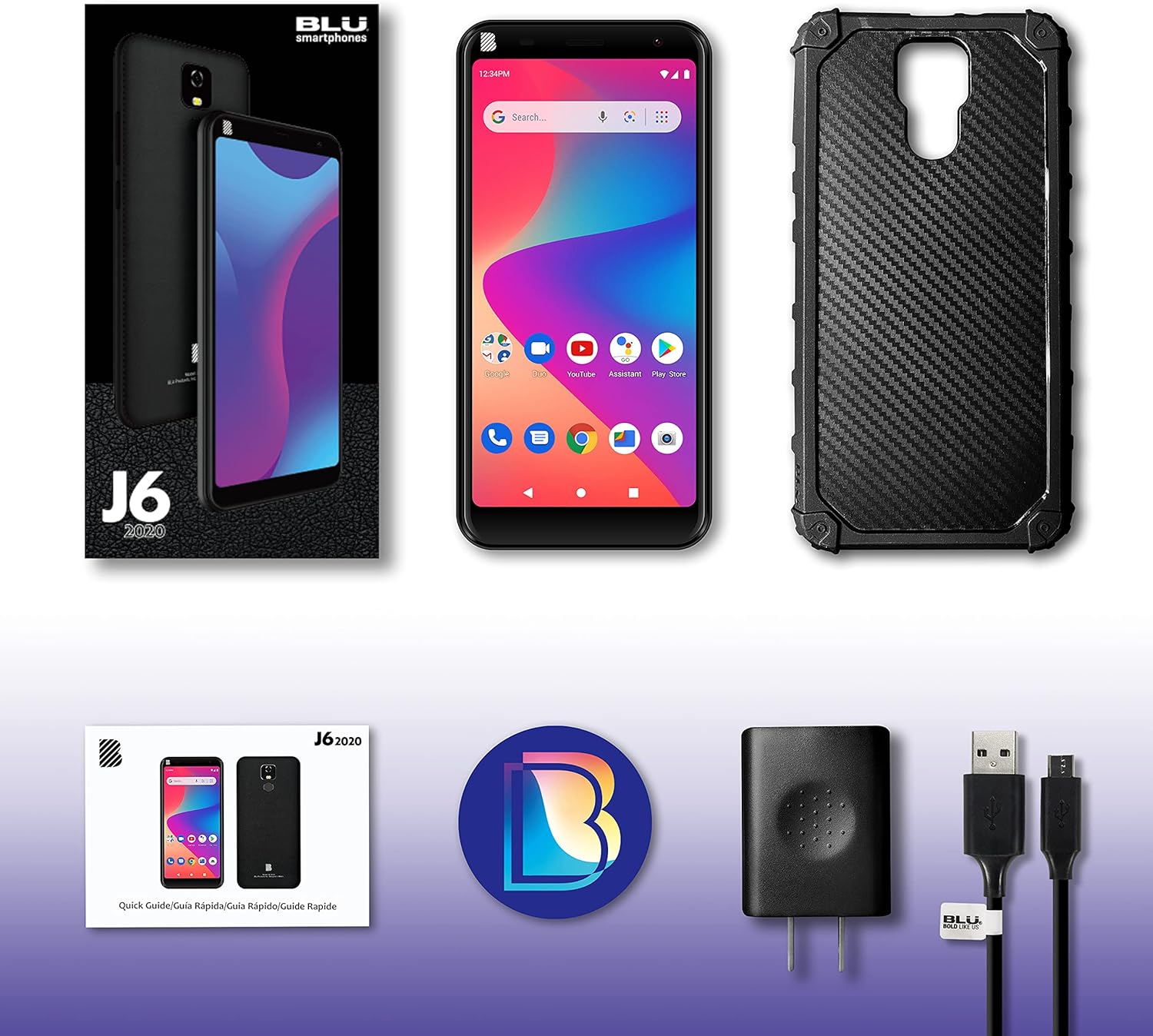
Image: Contents of the BLU J6 2021 retail package.
Persediaan
Masukkan Kad SIM
Locate the SIM card tray on the side of your BLU J6. Use the provided SIM ejector tool (if included, otherwise a small paperclip) to open the tray. Insert your Nano-SIM card(s) into the designated slots. Ensure the SIM card is correctly oriented. This device is compatible with GSM carriers such as AT&T, T-Mobile, and Metro PCS. Nota: SIM card is not included. Not compatible with NEW AT&T or Cricket activations or with CDMA Networks like Verizon, Sprint, and Boost Mobile.
Cas Bateri
Connect the USB cable to the charger adapter and then to your BLU J6's charging port. Plug the charger into a power outlet. Allow the phone to charge fully before initial use. The device includes a 4000mAh battery.
Hidupkan Kuasa dan Konfigurasi Awal
Press and hold the Power button until the BLU logo appears. Follow the on-screen prompts to select your language, connect to a Wi-Fi network, and set up your Google account. This will guide you through the initial setup process for the Android 10 operating system.

Imej: Depan dan belakang view of the BLU J6 2021 smartphone.
Arahan Operasi
Navigasi Asas (Android 10)
- Skrin Utama: Leret ke kiri atau kanan untuk mengakses skrin utama yang berbeza.
- Laci Apl: Leret ke atas dari bawah skrin ke view semua aplikasi yang dipasang.
- Pemberitahuan & Tetapan Pantas: Leret ke bawah dari bahagian atas skrin untuk mengakses pemberitahuan dan togol tetapan pantas.
- Butang Navigasi: Use the virtual buttons at the bottom of the screen for Back, Home, and Recent Apps functions.
Membuat Panggilan dan Menghantar Mesej
- Panggilan: Ketik ikon Telefon, masukkan nombor dan ketik butang panggilan.
- Mesej: Ketik ikon Mesej, mulakan perbualan baharu, masukkan penerima dan mesej anda.
Penggunaan Kamera
The BLU J6 features an 8MP main camera and an 8MP front camera. Tap the Camera icon to open the camera application. You can switch between front and rear cameras, select modes, and adjust settings within the app.
Ciri Paparan
The device is equipped with a 6.0-inch HD+ 18:9 Curved Glass display. Adjust brightness, screen timeout, and other display settings in the Settings menu under "Display."

Image: Illustration of the BLU J6's 6-inch HD+ Curved Glass Display.

Image: Illustration of the BLU J6's rear fingerprint sensor for secure unlocking.
Penyelenggaraan
- Pembersihan: Gunakan kain lembut dan tidak berbulu untuk membersihkan skrin dan badan telefon. Elakkan menggunakan bahan kimia yang keras atau bahan yang melelas.
- Kemas Kini Perisian: Semak dan pasang kemas kini sistem secara berkala untuk memastikan prestasi dan keselamatan yang optimum. Pergi ke Tetapan > Sistem > Kemas kini sistem.
- Penjagaan Bateri: To prolong battery life, avoid extreme temperatures. Do not leave the phone charging for extended periods after it reaches 100%.
- Pengurusan Storan: Kosongkan secara berkala yang tidak perlu files and apps to maintain 32GB internal storage efficiency.
Menyelesaikan masalah
If you encounter issues with your BLU J6, refer to the following common solutions:
- Phone Not Powering On:
Ensure the battery is sufficiently charged. Connect the phone to its charger and allow it to charge for at least 30 minutes before attempting to power it on again. If the issue persists, perform a forced restart by holding the Power button for 10-15 seconds.
- Poor Network Connectivity:
Check if your SIM card is properly inserted. Verify that you are within your carrier's network coverage area. Try restarting the phone or toggling Airplane Mode on and off.
- Apl Ranap atau Membeku:
Close and reopen the problematic app. Clear the app's cache and data via Tetapan > Aplikasi & pemberitahuan > [Nama Aplikasi] > Storan & cache. If the issue continues, uninstall and reinstall the app.
- Prestasi Perlahan:
Close unused background applications. Clear cache and temporary files. Consider uninstalling apps you no longer use to free up storage space. A factory reset can resolve persistent performance issues, but remember to back up your data first.
Spesifikasi
| Ciri | Perincian |
|---|---|
| Nama Model | J6 |
| Sistem Operasi | Android 10.0 |
| Paparan | 6.0 Inches HD+ 18:9 Curved Glass (1440 x 720 Resolution) |
| Pemproses | 1.3GHz Quad-Core |
| Storan Dalaman | 32 GB |
| RAM | 1 GB |
| Kamera Belakang | 8 MP |
| Kamera Depan | 8 MP |
| Kapasiti Bateri | 4000 mAh Litium Ion |
| Masa Bual Telefon | Sehingga 16 Jam |
| Ketersambungan | 2G Cellular, USB |
| Keserasian Pembawa Tanpa Wayar | Unlocked for GSM Carriers (AT&T, T-Mobile, Metro PCS, etc.) |
| Berat Barang | 14 auns |
| Dimensi | 7.2 x 3.82 x 1.93 inci (Pakej) |
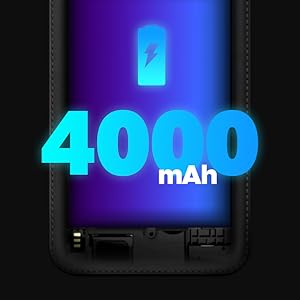
Image: Illustration of BLU J6's internal specifications.
Waranti dan Sokongan
The BLU J6 2021 smartphone comes with a US Warranty. For specific warranty terms, conditions, and duration, please refer to the warranty card included in your product packaging or visit the official BLU Products webtapak.
For technical support, troubleshooting assistance beyond this manual, or service inquiries, please contact BLU customer support through their official channels. Contact information can typically be found on the BLU Products webtapak atau dalam dokumentasi yang disediakan bersama peranti anda.


