1. Pengenalan
Thank you for choosing the MAXXMEE Cordless Screwdriver Model 2112. This manual provides essential information for the safe and efficient operation, maintenance, and troubleshooting of your new tool. Please read these instructions carefully before first use and keep them for future reference.
2. Arahan Keselamatan
Sentiasa patuhi langkah berjaga-jaga keselamatan asas apabila menggunakan alatan elektrik untuk mengurangkan risiko kebakaran, renjatan elektrik dan kecederaan diri.
- Keselamatan Kawasan Kerja: Pastikan kawasan kerja anda bersih dan terang. Kawasan bersepah atau gelap mengundang kemalangan. Jangan kendalikan alatan kuasa dalam atmosfera yang mudah meletup, seperti di hadapan cecair mudah terbakar, gas atau habuk.
- Keselamatan Elektrik: Elakkan sentuhan badan dengan permukaan yang dibumikan atau dibumikan seperti paip, radiator, dapur dan peti sejuk. Jangan dedahkan alat kuasa kepada hujan atau keadaan basah.
- Keselamatan Diri: Sentiasa pakai pelindung mata. Gunakan peralatan keselamatan yang sesuai seperti topeng habuk, kasut keselamatan tidak tergelincir, topi keras, atau perlindungan pendengaran apabila perlu. Berpakaian dengan betul; elakkan pakaian atau barang kemas yang longgar.
- Penggunaan dan Penjagaan Alat: Jangan paksa alat kuasa. Gunakan alat kuasa yang betul untuk aplikasi anda. Putuskan sambungan palam daripada sumber kuasa dan/atau pek bateri daripada alat kuasa sebelum membuat sebarang pelarasan, menukar aksesori atau menyimpan alatan kuasa.
- Keselamatan Bateri: This tool contains an integrated rechargeable battery. Do not incinerate the battery even if it is severely damaged or completely worn out. Batteries can explode in a fire. Do not short-circuit the battery.
3. Kandungan Pakej
Sila pastikan semua item ada dan dalam keadaan baik:
- 1 x MAXXMEE Cordless Screwdriver Model 2112
- 1 x 30-piece Bit Set (various screwdriver bits and drill bits)
- 1 x Kabel Pengecasan (USB)
- 1 x Manual Pengguna

Rajah 3.1: The included 30-piece bit set, featuring various screwdriver and drill bits for diverse applications.
4. Produk Lebihview
Familiarize yourself with the components of your MAXXMEE Cordless Screwdriver.
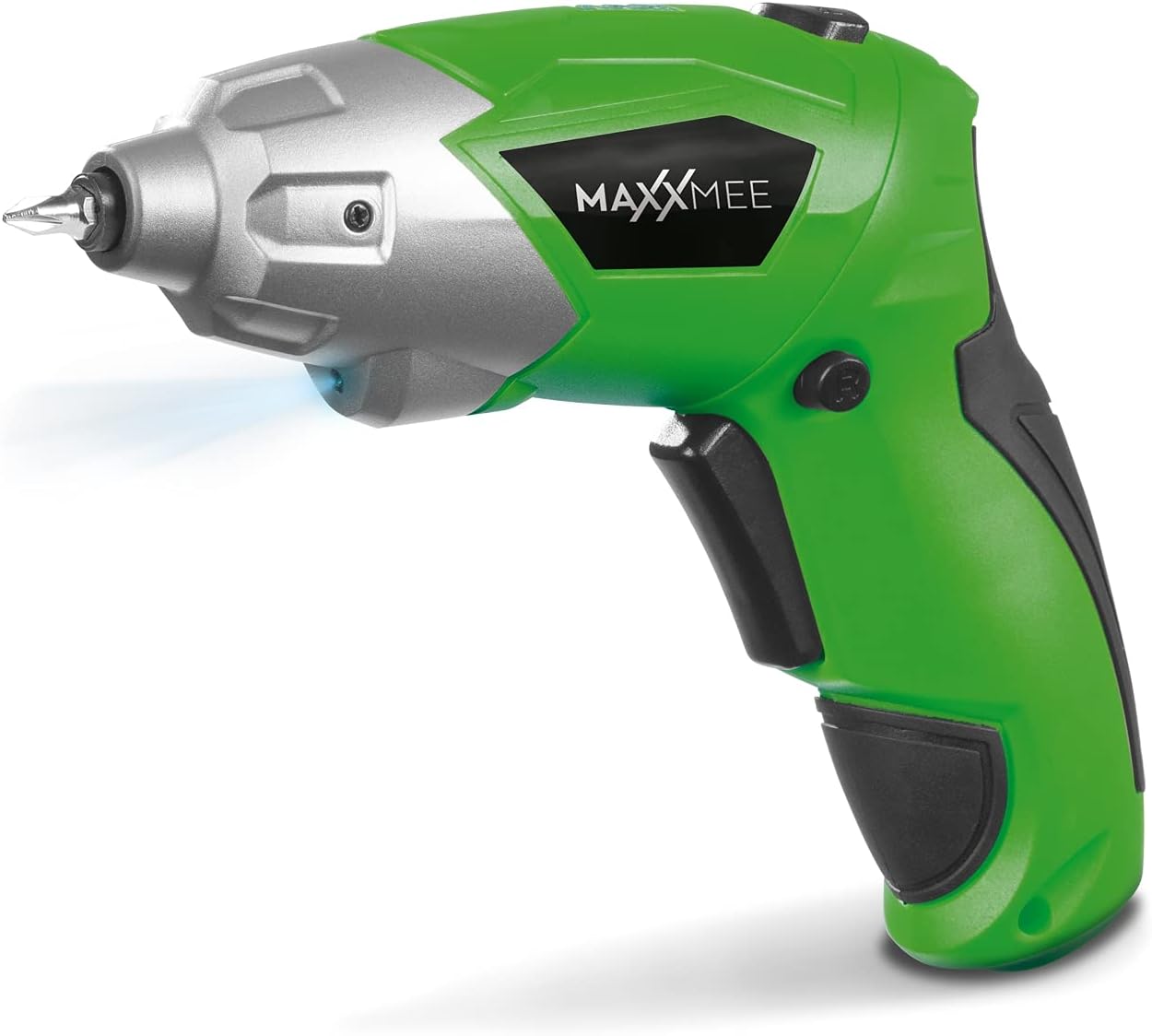
Rajah 4.1: Depan view of the MAXXMEE Cordless Screwdriver, highlighting its compact design.

Rajah 4.2: The cordless screwdriver demonstrating its flexible handle position, integrated LED light, and forward/reverse rotation switch.
- Bit Holder (Magnetic)
- Lampu Kerja LED
- Suis Putaran Hadapan/Undur
- Flexible Handle Release Button
- Suis Trigger
- Port Pengecasan
- Penunjuk Aras Bateri
5. Persediaan
5.1. Charging the Screwdriver
Before first use, fully charge the screwdriver's integrated battery. The battery is not fully charged at the time of purchase.
- Connect the provided charging cable to the charging port on the screwdriver.
- Connect the other end of the USB charging cable to a suitable USB power adapter (not included) or a powered USB port.
- The battery indicator lights will show the charging status. Allow several hours for a full charge.
- Setelah dicas sepenuhnya, cabut kabel pengecasan.
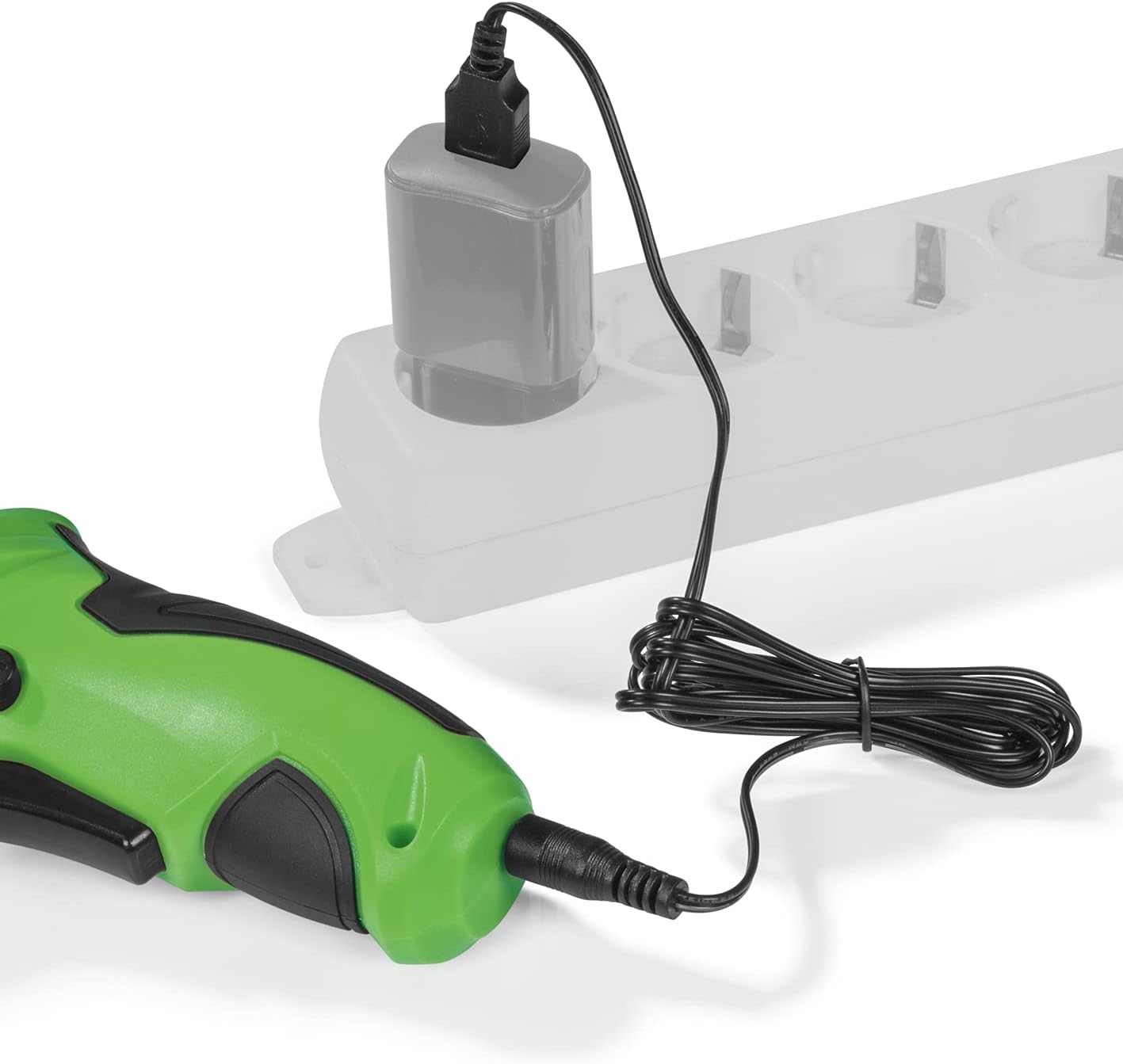
Rajah 5.1: Connecting the charging cable to the screwdriver and a power source.
5.2. Inserting Screwdriver Bits
The screwdriver features a magnetic bit holder for quick and easy bit changes.
- Pastikan pemutar skru dimatikan dan suis hadapan/undur berada dalam kedudukan neutral (berkunci).
- Select the appropriate bit from the 30-piece set.
- Insert the bit firmly into the magnetic bit holder until it is securely seated.
- Untuk menanggalkannya, cuma tarik keluar bahagian tersebut.
6. Arahan Operasi
6.1. Powering On/Off and Rotation Direction
The trigger switch activates the screwdriver, and the forward/reverse switch controls the rotation direction.
- To drive screws (forward rotation), push the forward/reverse switch to the left.
- To remove screws (reverse rotation), push the forward/reverse switch to the right.
- To lock the trigger and prevent accidental activation, place the switch in the center position.
- Press the trigger switch to operate the screwdriver. Release to stop.
6.2. Adjusting the Flexible Handle
The screwdriver features a variable curved handle for optimal comfort and access in different working conditions.
- Pastikan pemutar skru dimatikan.
- Press the flexible handle release button (refer to Figure 4.2 for location).
- Adjust the handle to the desired position (straight or pistol grip).
- Release the button to lock the handle in place. Ensure it is securely locked before use.
6.3. Menggunakan Lampu Kerja LED
The integrated LED work light illuminates the work area for improved visibility, especially in dark or confined spaces.
- The LED light automatically activates when the trigger switch is pressed.
- It turns off when the trigger is released.
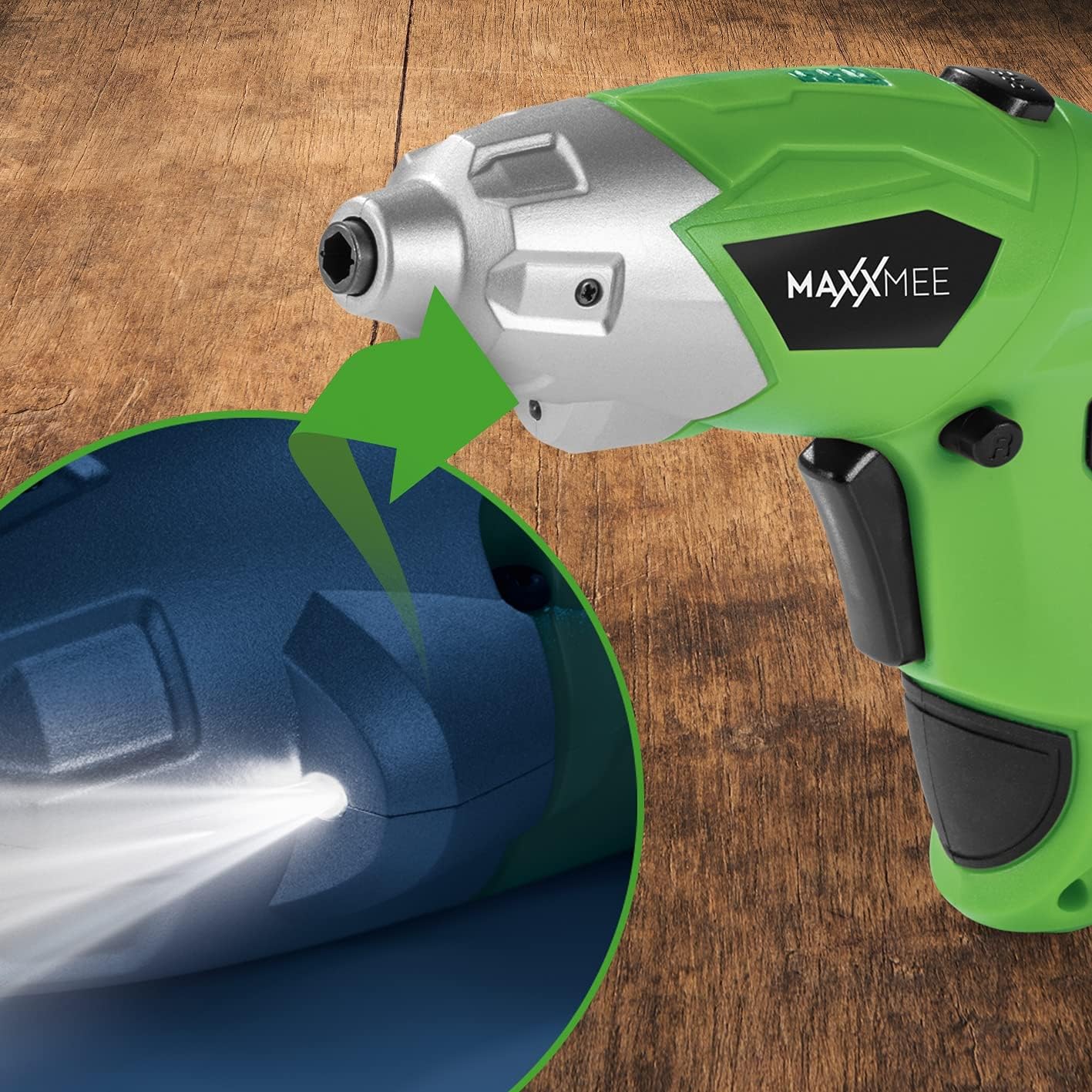
Rajah 6.1: jarak dekat view of the LED work light illuminating the work surface.
6.4. Penunjuk Aras Bateri
The battery level indicator provides a visual representation of the remaining battery charge.
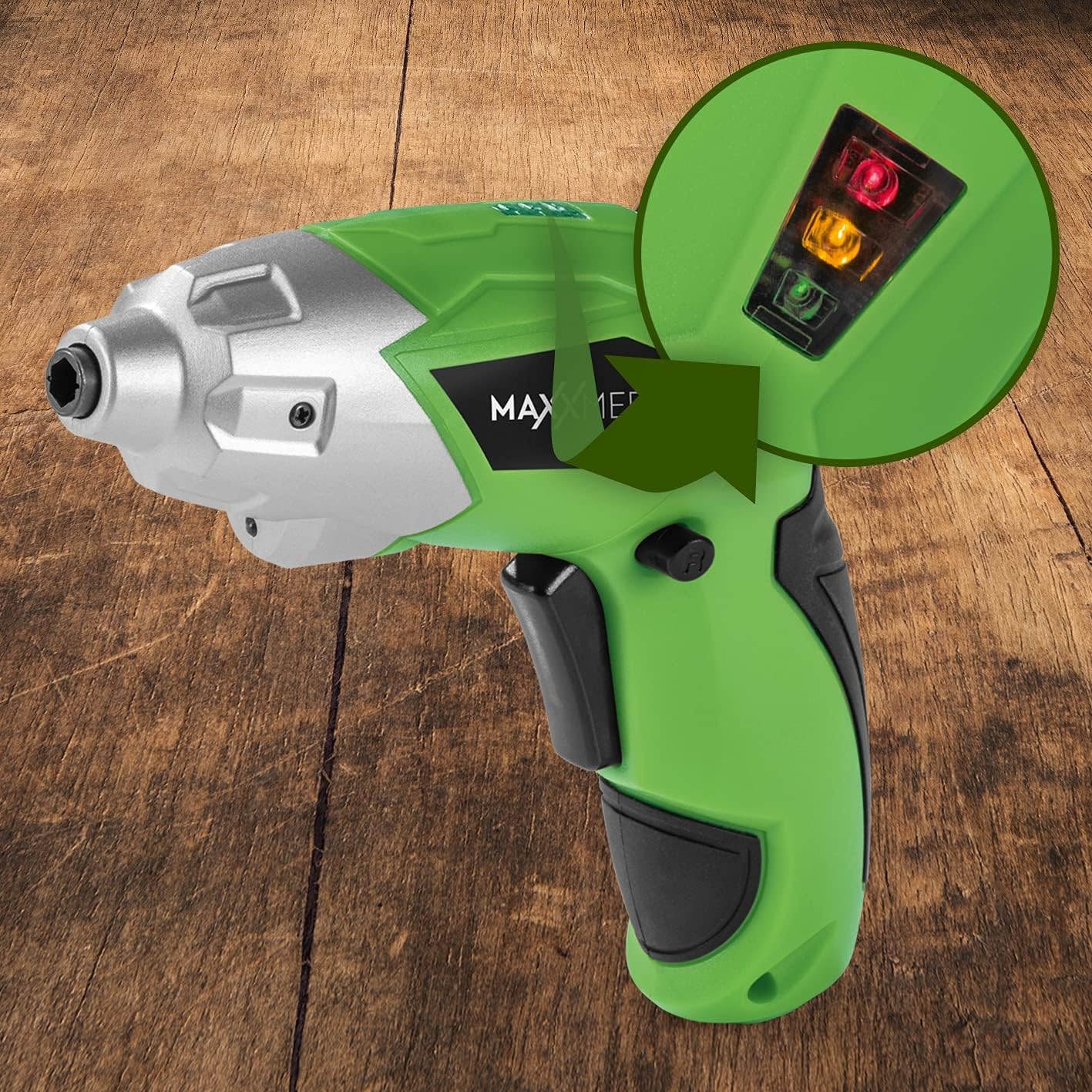
Rajah 6.2: The battery level indicator showing the charge status with colored lights.
- Green light: High charge.
- Yellow light: Medium charge.
- Red light: Low charge, recharge soon.
For optimal performance, recharge the screwdriver when the indicator shows a low charge.
7. Penyelenggaraan
Proper maintenance ensures the longevity and optimal performance of your screwdriver.
- Pembersihan: Always disconnect the screwdriver from any power source before cleaning. Use a soft, damp cloth to wipe down the exterior. Do not use harsh chemicals or abrasive cleaners. Keep ventilation openings free from dust and debris.
- Storan: Store the screwdriver and its accessories in a dry, cool place, away from direct sunlight and moisture. Keep it out of reach of children.
- Penjagaan Bateri: Untuk penyimpanan jangka panjang, disyorkan untuk mengecas bateri sehingga kira-kira 50% setiap beberapa bulan bagi mengekalkan kesihatan bateri.
8. Penyelesaian masalah
Jika anda menghadapi masalah dengan pemutar skru anda, rujuk masalah dan penyelesaian biasa berikut:
| Masalah | Kemungkinan Punca | Penyelesaian |
|---|---|---|
| Pemutar skru tidak boleh dihidupkan. | Bateri dinyahcas. | Cas bateri sepenuhnya. |
| Pemutar skru kekurangan kuasa. | Cas bateri rendah. | Cas semula bateri. |
| Mata gergaji longgar atau terjatuh. | Bit not fully inserted or incorrect bit size. | Ensure the bit is fully inserted into the magnetic holder. Use appropriate bit size. |
| Handle does not lock in place. | Release button not fully engaged or debris preventing lock. | Ensure the release button is fully pressed and released. Check for obstructions. |
Jika masalah berterusan selepas mencuba penyelesaian ini, sila hubungi sokongan pelanggan.
9. Spesifikasi
| Ciri | Spesifikasi |
|---|---|
| Nombor Model | 2112 |
| Jenama | MAXXMEE |
| Voltage | 3.6 Volt |
| Max Torque | 4 Nm |
| Sumber Kuasa | Dikuasakan bateri (Boleh dicas semula) |
| bahan | logam |
| Ciri Khas | Cordless, Flexible Handle, LED Work Light |
| Komponen yang Disertakan | 1 Cordless Screwdriver, 30-piece Bit Set, Charging Cable |
| Dimensi Pakej | 15 x 15 x 7.2 cm |
| Berat badan | 800 gram |
10. Waranti dan Sokongan
MAXXMEE products are manufactured to high-quality standards. In the unlikely event of a defect or malfunction, please refer to your purchase documentation for warranty details. For technical support, spare parts, or service inquiries, please contact your retailer or the MAXXMEE customer service department. Please have your model number (2112) and purchase date available when contacting support.


