1. Pengenalan
This manual provides essential information for the proper setup, operation, and maintenance of your Monster S320 Bluetooth Speaker. Please read this manual thoroughly before using the product to ensure optimal performance and longevity.
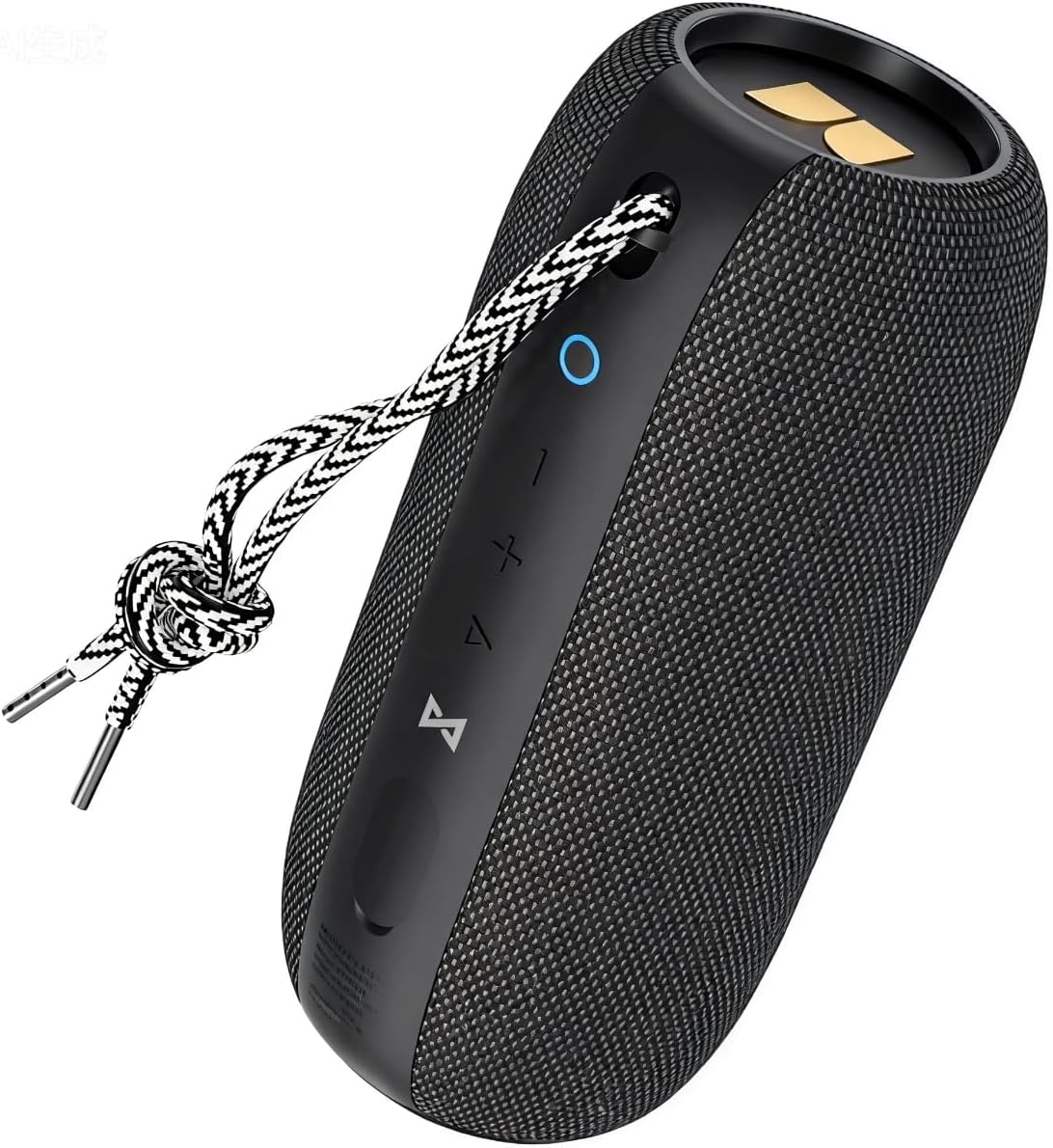
Image 1.1: The Monster S320 Bluetooth Speaker, featuring its compact design and control panel.
2. Maklumat Keselamatan
- Jangan dedahkan pembesar suara kepada suhu yang melampau atau cahaya matahari langsung untuk tempoh yang lama.
- Elakkan daripada menjatuhkan atau menundukkan pembesar suara kepada impak yang kuat.
- Jauhkan pembesar suara daripada peranti perubatan, kerana ia mengandungi magnet.
- Jangan cuba membuka, membaiki atau mengubah suai pembesar suara. Ini akan membatalkan jaminan.
- Ensure the charging port cover is securely closed when near water to maintain IPX7 waterproof rating.
3. Kandungan Pakej
- 1 x Monster S320 Bluetooth Speaker
- 1 x Kabel Pengecasan USB-C
- 1 x Kabel AUX
- 1 x Manual Pengguna (dokumen ini)
4. Produk Lebihview
4.1 Kawalan dan Pelabuhan

Image 4.1: Control buttons on the Monster S320 speaker.
- Power Button (Circle Icon): Press and hold to power on/off. Short press to check battery status.
- Butang Turun Kelantangan (-): Tekan pendek untuk mengurangkan kelantangan.
- Butang Naik Kelantangan (+): Tekan pendek untuk meningkatkan kelantangan.
- Play/Pause/Multi-function Button (Triangle Icon): Short press to play/pause music. Press and hold to activate voice assistant. Short press to answer/end calls. Long press to reject calls.
- Bluetooth Pairing Button (Infinity Symbol): Press and hold to enter Bluetooth pairing mode. Short press to disconnect current Bluetooth device.
- TWS Pairing Button (Hourglass Symbol): Press to initiate True Wireless Stereo pairing with another S320 speaker.

Image 4.2: AUX and DC-5V (USB-C) ports located under a protective flap.
- Input AUX: Untuk menyambungkan peranti melalui kabel audio 3.5mm.
- DC-5V (USB-C) Charging Port: For charging the speaker using the provided USB-C cable.
5. Persediaan
5.1 Mengecas Speaker
- Open the protective rubber flap on the side of the speaker to expose the charging port.
- Connect the USB-C charging cable to the speaker's DC-5V port.
- Sambungkan hujung kabel USB-C yang satu lagi kepada penyesuai kuasa USB yang serasi (tidak disertakan).
- The LED indicator will show charging status. A full charge provides approximately 32 hours of playtime at medium volume.
- Once fully charged, disconnect the cable and securely close the rubber flap to maintain waterproofing.
5.2 Menghidupkan/Mematikan
- Untuk Menghidupkan: Press and hold the Power Button (Circle Icon) for 2-3 seconds until you hear an audible prompt and the LED indicator lights up.
- Untuk Mematikan: Press and hold the Power Button (Circle Icon) for 2-3 seconds until you hear an audible prompt and the LED indicator turns off.
5.3 Penggandingan Bluetooth (Pembesar Suara Tunggal)
- Ensure the speaker is powered on and the LED indicator is blinking blue, indicating it is in pairing mode.
- Pada peranti mudah alih anda, dayakan Bluetooth dan cari peranti yang tersedia.
- Select "Monster S320" from the list of devices.
- Once connected, the LED indicator will turn solid blue, and you will hear a confirmation sound.
5.4 True Wireless Stereo (TWS) Pairing (Two Speakers)
For an enhanced stereo experience, you can pair two Monster S320 speakers together.
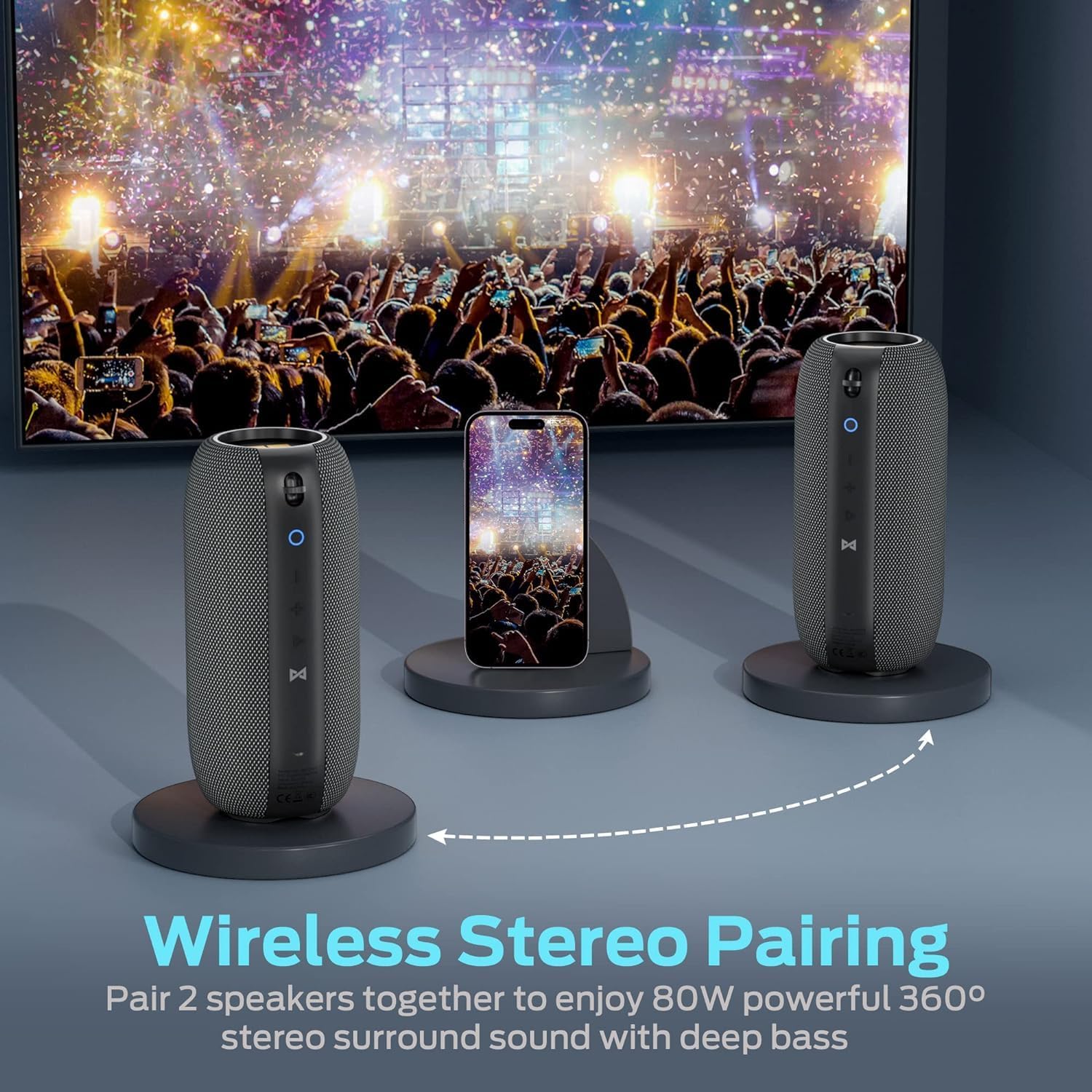
Image 5.1: Two Monster S320 speakers paired for True Wireless Stereo sound.
- Pastikan kedua-dua pembesar suara S320 dihidupkan dan tidak disambungkan kepada mana-mana peranti Bluetooth lain.
- On one of the speakers (this will be the primary speaker), short press the TWS Pairing Button (Hourglass Symbol). The speaker will enter TWS pairing mode.
- The primary speaker will automatically search for and connect to the second S320 speaker.
- Once successfully paired, both speakers will emit a confirmation sound, and their LED indicators will show a synchronized status.
- Sekarang, sambungkan peranti mudah alih anda ke pembesar suara utama melalui Bluetooth seperti yang diterangkan dalam bahagian 5.3. Audio akan dimainkan melalui kedua-dua pembesar suara dalam stereo.
6. Arahan Operasi
6.1 Main balik Muzik
- Main/Jeda: Short press the Play/Pause/Multi-function Button (Triangle Icon).
- Pelarasan Kelantangan: Tekan sebentar butang Kelantangan Naik (+) atau Kelantangan Turun (-).
- Lagu Seterusnya: Tekan lama butang Naikkan Kelantangan (+).
- Trek Sebelumnya: Tekan lama butang Kelantangan Turun (-).
6.2 Panggilan Bebas Tangan
The Monster S320 features a built-in microphone for hands-free calls when connected via Bluetooth.

Image 6.1: Hands-free calling with the Monster S320 speaker.
- Jawab Panggilan: Short press the Play/Pause/Multi-function Button (Triangle Icon) when a call comes in.
- Tamatkan Panggilan: Short press the Play/Pause/Multi-function Button (Triangle Icon) during a call.
- Tolak Panggilan: Long press the Play/Pause/Multi-function Button (Triangle Icon) when a call comes in.
6.3 Pembantu Suara
- Aktifkan Pembantu Suara: Press and hold the Play/Pause/Multi-function Button (Triangle Icon) for 2 seconds.
6.4 Mod Input AUX
- Connect a 3.5mm audio cable from your audio source to the AUX input port on the speaker.
- Pembesar suara secara automatik akan bertukar kepada mod AUX.
- Volume control can be adjusted via the speaker's buttons or your audio source. Track control must be done from your audio source in AUX mode.
7. Ciri dan Sorotan
- 40W Audio Performance: Menghasilkan bunyi yang kuat dan jelas.
- 360° Stereo Sound Effect: Provides immersive audio from all directions.
- Stereo Tanpa Wayar Sejati (TWS): Pair two S320 speakers for 80W enhanced stereo surround sound.
- Kalis Air IPX7: Fully waterproof, shockproof, and splash-proof, suitable for outdoor activities and even immersion in water.
- 32-Hour Playing Time: Extended battery life for continuous music playback.
- Bluetooth 5.0: Memastikan sambungan wayarles yang stabil dan cekap.
- Mikrofon terbina dalam: For convenient hands-free calling.

Image 7.1: The Monster S320 speaker demonstrating its IPX7 waterproof capability.

Image 7.2: Enjoying music outdoors with the Monster S320 speaker's long battery life.
8. Penyelenggaraan
- Pembersihan: Gunakan yang lembut, damp kain untuk membersihkan bahagian luar pembesar suara. Jangan gunakan bahan kimia yang keras atau pembersih yang kasar.
- Storan: Simpan pembesar suara di tempat yang sejuk dan kering jauh dari cahaya matahari langsung dan suhu yang melampau.
- Penjagaan Bateri: To prolong battery life, fully charge the speaker before long periods of inactivity and recharge it at least once every three months.
9. Penyelesaian masalah
| Masalah | Penyelesaian |
|---|---|
| Speaker tidak dihidupkan. | Pastikan pembesar suara dicas. Sambungkannya ke sumber kuasa menggunakan kabel USB-C. |
| Tidak boleh berpasangan melalui Bluetooth. | Ensure the speaker is in pairing mode (blinking blue LED). Turn off and on Bluetooth on your device. Forget previous pairings and try again. Ensure no other devices are connected to the speaker. |
| Tiada bunyi atau kelantangan rendah. | Check the volume levels on both the speaker and your connected device. Ensure the speaker is properly connected. If using AUX, ensure the cable is fully inserted. |
| Gandingan TWS gagal. | Ensure both S320 speakers are powered on and not connected to any other Bluetooth device. Place them close to each other and try TWS pairing again. |
| Kualiti bunyi yang buruk. | Ensure the speaker is within Bluetooth range of your device. Avoid obstacles between the speaker and device. Check the audio source quality. |
10. Spesifikasi
| Ciri | Perincian |
|---|---|
| Nama Model | S320 |
| Jenama | raksasa |
| Kuasa Output Maksimum Pembesar Suara | 40 Watt |
| Teknologi Ketersambungan | Bluetooth 5.0 |
| Tahap Ketahanan Air | IPX7 Kalis Air |
| Masa Bermain | Sehingga 32 jam (pada volum sederhana) |
| Mod Keluaran Audio | Keliling |
| Jenis Pembesar Suara | Luaran, Mudah Alih |
| Kaedah Kawalan | Sentuh |
| Berat Barang | 0.73 Kilogram (1.61 paun) |
| Dimensi Produk | 1 x 1 x 1 inches (Approximate, based on provided data) |
| bahan | Fabric or Plastic |
| UPC | 810079709236 |
11. Waranti dan Sokongan
The Monster S320 Bluetooth Speaker comes with a limited warranty. For detailed warranty information, please refer to the warranty card included in your product packaging or visit the official Monster website. If you encounter any issues or require technical assistance, please contact Monster customer support.


