1. Pengenalan
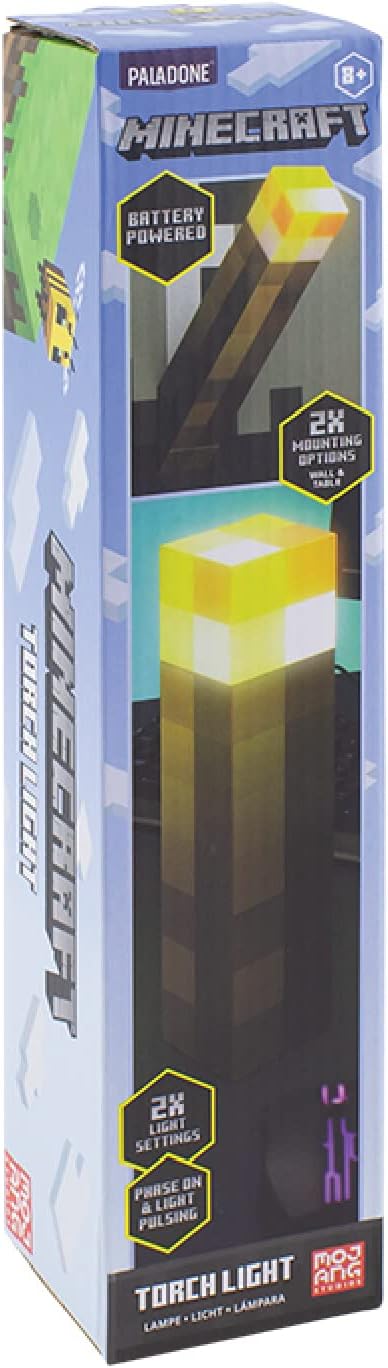
Terima kasih kerana membeliasing the Paladone Minecraft Torch Light. This officially licensed product brings the iconic Minecraft torch to life, offering two distinct light modes and versatile placement options. This manual provides essential information for the safe and effective use of your new torch light.
2. Ciri-ciri
- Dua Mod Cahaya: Choose between a steady light or a pulsating effect, mimicking a real torch.
- Peletakan Serbaguna: Designed for both tabletop display and wall mounting.
- Dikuasakan Bateri: Operates on 3x AAA batteries (not included) for portability.
- Matikan Auto: Features a 20-minute auto shut-off function, ideal for use as a bedside light.
- Dilesenkan secara rasmi: Authentic Minecraft merchandise.
3. Kandungan Pakej
Pastikan semua item ada sebelum meneruskan persediaan:
- 1 x Paladone Minecraft Torch Light
- Manual Arahan
4. Persediaan
4.1. Pemasangan Bateri
- Locate the battery compartment cover on the bottom of the torch light.
- Using a small Phillips head screwdriver, unscrew the retaining screw on the battery compartment cover.
- Tanggalkan penutup.
- Insert 3x AAA batteries (not included), ensuring correct polarity (+/-) as indicated inside the compartment.
- Gantikan penutup petak bateri dan kencangkannya dengan skru.

4.2. Pilihan Pemasangan
The Minecraft Torch Light offers two ways to display it:
- Penggunaan Atas Meja: Simply place the torch light on any flat, stable surface.
- Pemasangan Dinding: The torch light features keyhole slots on its base for wall mounting. Flip the bottom section to reveal the wall mount option. Use appropriate screws (not included) for your wall type to securely hang the torch light.


5. Operasi
5.1. Turning On/Off and Changing Light Modes
The torch light has a button on its side to control power and light modes.
- Untuk Menghidupkan: Press the button once. The light will illuminate in its steady mode.
- Untuk Menukar Mod: Press the button a second time to switch to the pulsating light mode.
- Untuk Mematikan: Tekan butang kali ketiga untuk mematikan lampu.

5.2. Auto Shut-Off Function
The torch light is equipped with a 20-minute auto shut-off feature. This conserves battery life and makes it suitable for use as a night light. After 20 minutes of continuous operation, the light will automatically turn off.
5.3. Video Produk
Video 1: 360 darjah view of the Minecraft Torch Light, showcasing its design and appearance from all angles.
Video 2: Demonstrates the two light modes (steady and pulsating) and the wall mounting feature of the Minecraft Torch Light.
6. Penyelenggaraan
- Pembersihan: Wipe the torch light with a soft, dry cloth. Do not use abrasive cleaners or solvents.
- Penggantian Bateri: Replace batteries when the light dims or stops functioning. Always replace all three batteries at the same time with new ones.
- Storan: Jika menyimpan untuk tempoh yang lama, keluarkan bateri untuk mengelakkan kebocoran.
7. Penyelesaian masalah
| Masalah | Kemungkinan Punca | Penyelesaian |
|---|---|---|
| Cahaya tidak menyala. | Bateri mati atau tidak dipasang dengan betul. | Periksa kekutuban bateri dan gantikan dengan bateri AAA baru. |
| Cahaya malap atau berkelip. | Kuasa bateri rendah. | Replace all three AAA batteries with new ones. |
| Auto shut-off activates too soon or not at all. | Internal sensor issue or defect. | Ensure the light is not obstructed. If the issue persists, contact customer support. |
8. Spesifikasi
| Atribut | Perincian |
|---|---|
| Nama Model | RS561006 |
| Nombor Bahagian | PP9202MCF |
| Jenama | Paladone |
| Dimensi Produk | 1.01"D x 2.17"W x 11.02"H (2.57cm D x 5.51cm W x 28cm H) |
| Berat Barang | 9.5 auns (270 Gram) |
| Sumber Kuasa | Battery Powered (3x AAA batteries required, not included) |
| Hayat Bateri | Lebih kurang 8 Jam |
| Jenis Sumber Cahaya | LED |
| Kecerahan | 125 Lumen |
| Kaedah Kawalan | Sentuh butang |
| bahan | plastik |
| Penggunaan Dalaman/Luar | Dalaman |
| Tahap Ketahanan Air | Bukan Tahan Air |
9. Maklumat Keselamatan
- Produk ini bukan mainan. Jauhkan daripada kanak-kanak kecil.
- Jangan campurkan bateri lama dan baharu, atau jenis bateri yang berlainan.
- Buang bateri terpakai secara bertanggungjawab mengikut peraturan tempatan.
- Jangan dedahkan produk kepada air atau suhu yang melampau.
- Jangan cuba membuka atau mengubah suai produk.
10. Waranti & Sokongan
For warranty information or technical support, please refer to the contact details provided on the product packaging or visit the official Paladone webtapak. Simpan bukti pembelian anda untuk sebarang tuntutan waranti.


