pengenalan
Thank you for choosing the Soul S-GEAR Wireless Bluetooth Earbuds. These earbuds are designed to provide a high-quality audio experience with the convenience of wireless connectivity, active noise cancellation, and a comfortable in-ear fit. Featuring Bluetooth 5.0, IPX4 water resistance, and a long-lasting battery with fast charging, the S-GEAR earbuds are perfect for daily use.
Sila baca manual ini dengan teliti sebelum menggunakan fon telinga anda untuk memastikan operasi yang betul dan memaksimumkan jangka hayatnya.
Kandungan Pakej
- Soul S-GEAR Wireless Earbuds (Left and Right)
- Kes Pengecasan
- Kabel Pengecas USB-C
- Pelbagai Saiz Petua Telinga
- Manual Pengguna
Produk Selesaiview
Familiarize yourself with the components of your Soul S-GEAR earbuds and charging case.
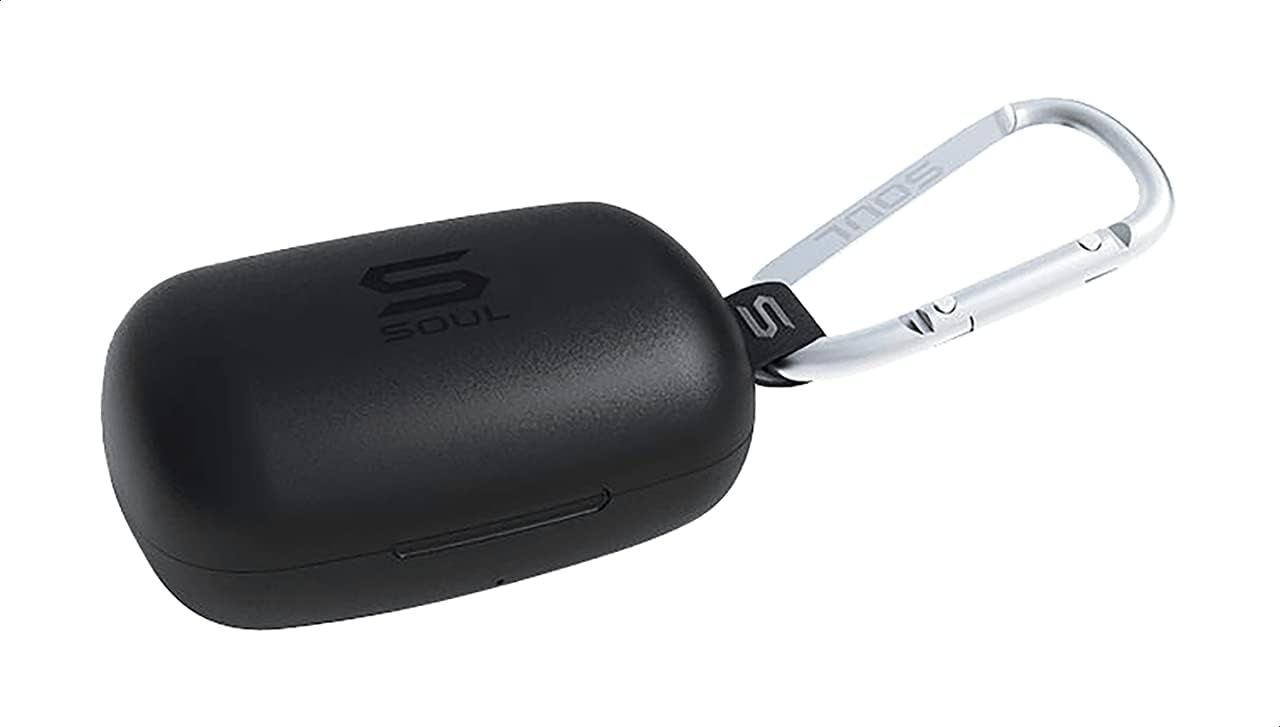
Rajah 1: The Soul S-GEAR charging case in black, with the Soul logo visible. A carabiner clip is attached for portability.
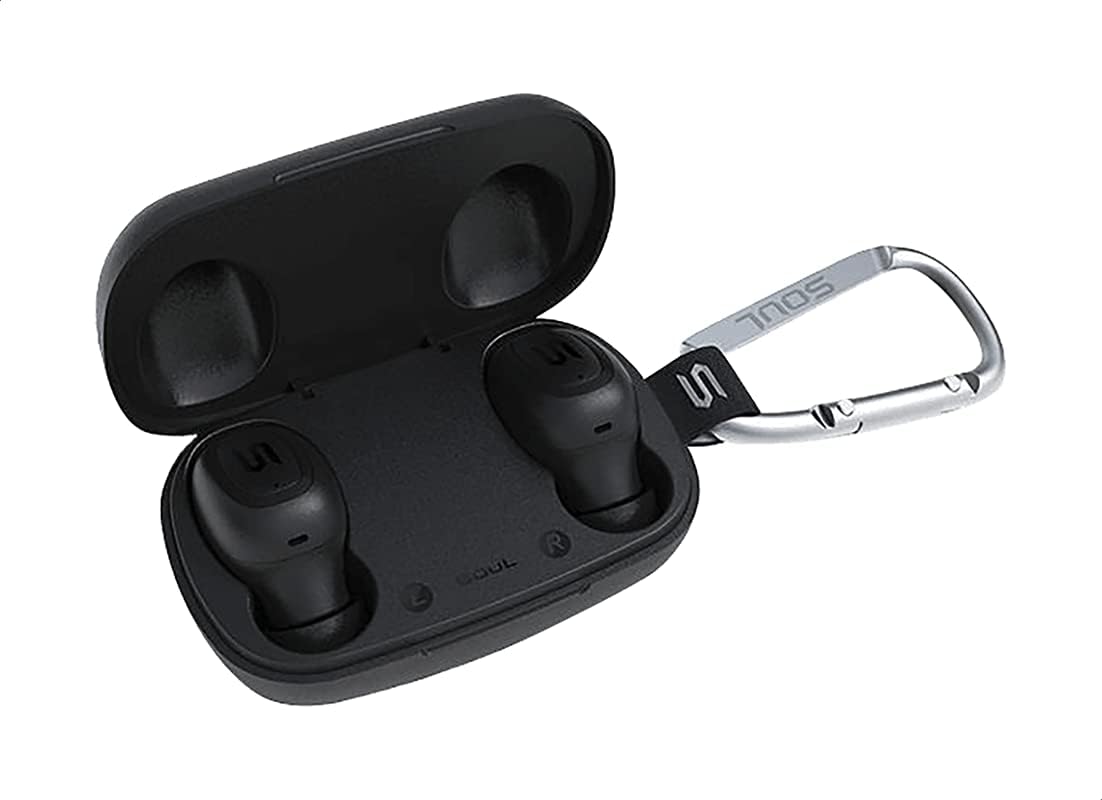
Rajah 2: The Soul S-GEAR charging case opened, revealing the two black earbuds securely placed inside their charging slots. The carabiner clip is also visible.
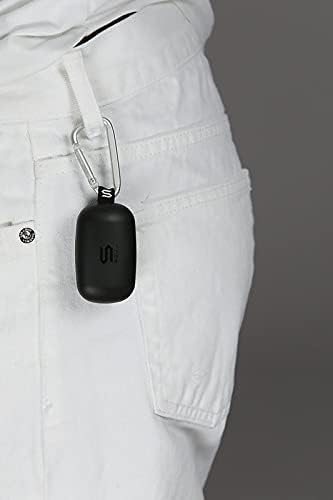
Rajah 3: The Soul S-GEAR charging case, with its carabiner clip, attached to the belt loop of white pants, demonstrating its portability.
Persediaan
1. Mengecas Fon Telinga dan Sarung
- Place the earbuds into the charging case. Ensure they are correctly seated in their respective L/R slots.
- Connect the USB-C charging cable to the charging port on the case and plug the other end into a USB power source (e.g., wall adapter, computer USB port).
- The indicator lights on the case will show the charging status. Allow approximately 1-2 hours for a full charge.
- Setelah dicas sepenuhnya, cabut kabel pengecasan.
2. Gandingan Awal dengan Peranti
- Open the charging case. The earbuds will automatically power on and enter pairing mode. The indicator lights on the earbuds will flash, indicating they are ready to pair.
- Pada peranti anda (telefon pintar, tablet, dll.), dayakan Bluetooth dan cari peranti yang tersedia.
- Select "Soul S-GEAR" from the list of found devices.
- Once connected, you will hear an audible confirmation, and the earbud indicator lights will stop flashing.
- The earbuds feature automatic pairing. After the initial setup, they will automatically connect to the last paired device when removed from the case.
Arahan Operasi
The Soul S-GEAR earbuds feature touch controls for easy management of audio and calls.
Hidupkan/Mati Kuasa
- Hidupkan kuasa: Open the charging case, or press and hold the touch sensor on both earbuds for 3 seconds.
- Matikan: Place the earbuds back into the charging case and close the lid, or press and hold the touch sensor on both earbuds for 5 seconds.
Main balik Muzik
- Main/Jeda: Ketik sensor sentuh pada mana-mana fon telinga sekali.
- Lagu Seterusnya: Ketik dua kali sensor sentuh pada fon telinga kanan.
- Trek Sebelumnya: Ketik dua kali sensor sentuh pada fon telinga kiri.
Pengurusan Panggilan
- Jawab/Tamatkan Panggilan: Ketik sensor sentuh pada mana-mana fon telinga sekali.
- Tolak Panggilan: Press and hold the touch sensor on either earbud for 2 seconds.
Pembatalan Bising Aktif (ANC)
- Aktifkan/Nyahaktifkan ANC: Triple-tap the touch sensor on the left earbud to cycle through ANC On, Ambient Mode, and ANC Off.
Pembantu Suara
- Aktifkan Pembantu Suara: Triple-tap the touch sensor on the right earbud.
Mengecas
The Soul S-GEAR earbuds and charging case provide up to 24 hours of total playtime. The case supports USB-C fast charging.
- Pengecasan fon telinga: Place earbuds into the charging case. They will charge automatically.
- Pengecasan Kes: Connect the USB-C cable to the case and a power source. The LED indicator on the case will show charging status.
- A full charge for the case typically takes 1.5-2 hours.
Penyelenggaraan
- Pembersihan: Bersihkan fon telinga dan bekas pengecas dengan kerap menggunakan kain yang lembut, kering dan tidak berbulu. Jangan gunakan bahan kimia yang keras atau bahan yang melelas.
- Petua Telinga: Tanggalkan hujung telinga dan bersihkannya dengan air dan sabun lembut jika perlu. Pastikan ia kering sepenuhnya sebelum dipasang semula.
- Tahan Air: The earbuds are IPX4 rated, meaning they are resistant to splashing water from any direction. They are not designed for submersion in water. Do not expose them to heavy rain or immerse them. Ensure earbuds are dry before placing them back in the charging case.
- Storan: Simpan fon telinga di dalam bekas pengecas apabila tidak digunakan untuk melindunginya dan memastikan ia dicas. Elakkan suhu yang melampau.
Menyelesaikan masalah
| Isu | Penyelesaian |
|---|---|
| Fon telinga tidak berpasangan |
|
| Tiada bunyi dari satu fon telinga |
|
| Kes pengecas tidak dicas |
|
| Active Noise Cancellation not working |
|
Spesifikasi
| Ciri | Perincian |
|---|---|
| Jenama | Jiwa |
| Nama Model | S-GEAR (Soul S Gemar) |
| Nombor Model | SS56BK |
| Teknologi Ketersambungan | Wayarles (Bluetooth 5.0) |
| Faktor Bentuk Fon Kepala | Di Telinga |
| Kawalan Bunyi | Pembatalan Bunyi Aktif |
| Mikrofon | Bersepadu |
| Kaedah Kawalan | Sentuh |
| Tahan Air & Debu | IPX4 |
| Masa bermain | Hingga 24 jam (dengan cas pengecasan) |
| Port Pengecasan | USB-C (Pengecasan Pantas) |
| Peranti Serasi | Multiple Bluetooth-enabled devices |
| bahan | plastik |
| warna | Hitam |
| Dimensi Pakej | 11.8 x 9.8 x 4.2 cm |
| Berat Barang | 152 gram |
Maklumat Keselamatan
- Jangan buka, baiki atau ubah suai produk.
- Jangan dedahkan produk kepada api atau suhu tinggi.
- Avoid using the earbuds at excessively high volumes for prolonged periods to prevent hearing damage.
- Jauhkan produk daripada kanak-kanak dan haiwan peliharaan.
- Gunakan hanya kabel dan penyesuai pengecasan yang disediakan atau diperakui.
- Buang produk secara bertanggungjawab mengikut peraturan tempatan.
Waranti dan Sokongan
The Soul S-GEAR Wireless Bluetooth Earbuds come with a standard manufacturer's warranty. For detailed warranty terms and conditions, please refer to the warranty card included in your package or visit the official Soul webtapak.
For technical support, troubleshooting assistance, or any inquiries regarding your product, please contact Soul customer service through their official webtapak atau maklumat hubungan yang diberikan dalam pembungkusan produk anda.


