pengenalan
This manual provides detailed instructions for the setup, operation, and maintenance of your Edifier G1000 USB Computer Speakers. Please read this manual thoroughly before using the product to ensure proper function and longevity.
Imej: Depan view of the Edifier G1000 USB Computer Speakers, showcasing their compact design and integrated lighting.
Persediaan
Follow these steps to set up your Edifier G1000 speakers:
- Membongkar: Carefully remove all components from the packaging. Ensure you have both speakers and the wired control module.
- penempatan: Position the speakers on your desktop, ensuring they are stable and facing towards your listening area. The compact design allows for flexible placement.
- Sambungan Kuasa: Connect the USB cable from the speakers to an available USB port on your computer or a USB power adapter (not included). The speakers are USB-powered.
- Pilihan Sambungan Audio:
- Audio USB: If your computer supports USB audio, connect the USB cable directly to your computer. The speakers will function as a USB sound card.
- Input AUX 3.5mm: For devices with a 3.5mm audio output, connect the included 3.5mm AUX cable from your device to the AUX input on the wired control module.
- Pairing Bluetooth: For wireless audio, ensure the speakers are powered on. Press the input selection button on the wired control module until the indicator light turns blue. On your device, search for "Edifier G1000" in the Bluetooth settings and pair.

Image: Diagram illustrating the various connectivity options for the Edifier G1000 speakers, including USB and 3.5mm AUX cables connected to a laptop.

Image: Close-up of the Edifier G1000 wired control module, showing the volume knob, input mode button, and RGB light switch.
Operasi
The Edifier G1000 speakers are controlled via the wired control module:
- Hidupkan/Mati Kuasa: Long press the Lightening Effect Switch Button on the wired control module to turn the speakers on or off.
- Kawalan Kelantangan: Rotate the Vol. Knob on the wired control module clockwise to increase volume and counter-clockwise to decrease volume.
- Pemilihan Input: Short press the Input Mode button to cycle through available input sources:
- Blue Indicator: Bluetooth Mode
- Green Indicator: AUX Mode
- Red Indicator: USB Sound Adapter Mode
- Mod Bunyi: Long press the Mode/Sound Effect Switch button to toggle between Music Mode and Gaming Mode. These modes optimize audio output for different content types.
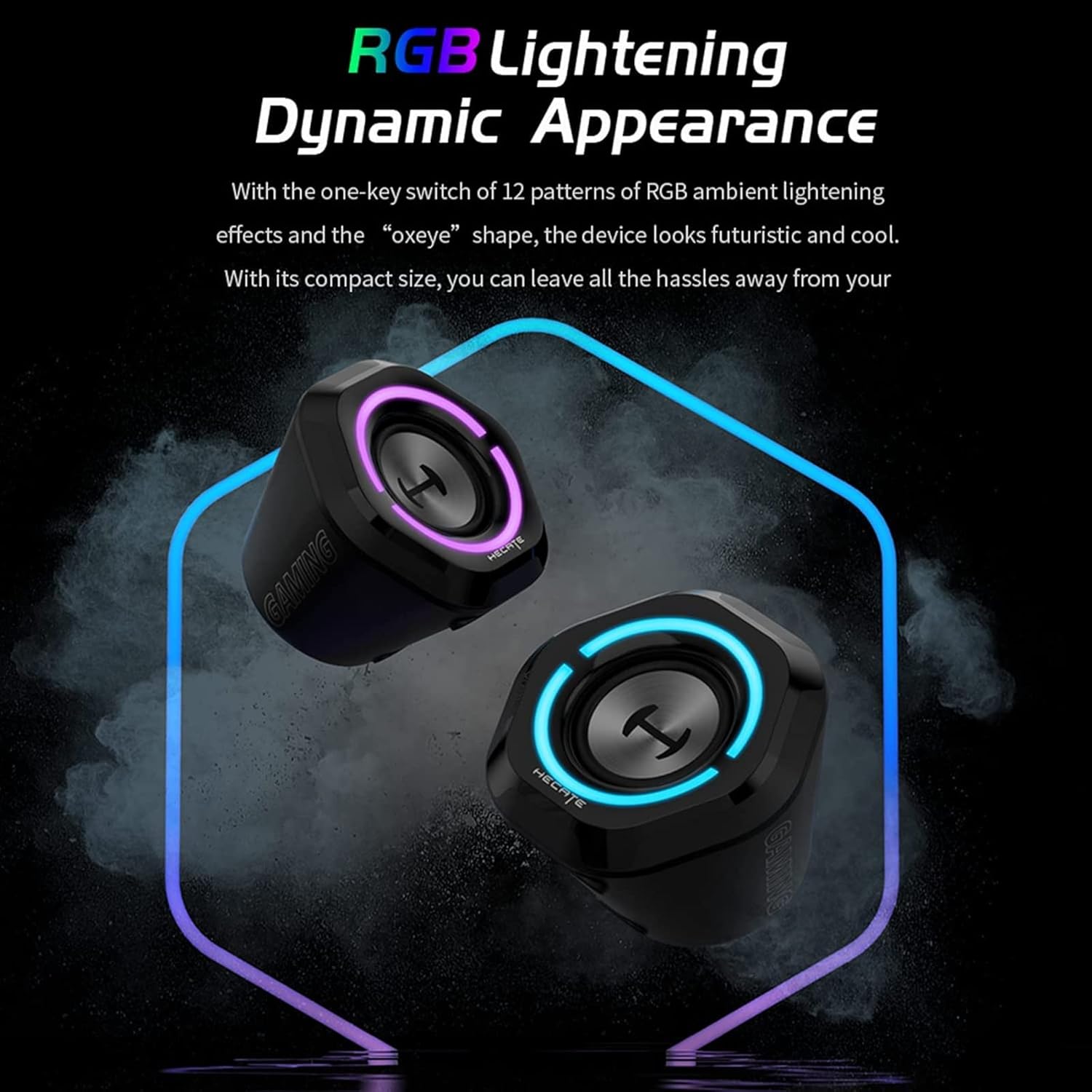
- Kesan Pencahayaan RGB: Short press the Lightening Effect Switch Button to cycle through 12 different RGB ambient lighting effects.

Image: The Edifier G1000 speakers displaying dynamic RGB lighting effects, highlighting their aesthetic appeal.
Nota: While the product specifications mention "App" as a control method, the primary control is through the wired module as described above.
Penyelenggaraan
To ensure the longevity and optimal performance of your Edifier G1000 speakers, follow these maintenance guidelines:
- Pembersihan: Use a soft, dry cloth to wipe the speaker surfaces. Avoid using abrasive cleaners, solvents, or sprays directly on the speakers.
- Penyingkiran habuk: Regularly dust the speaker grilles and vents to prevent accumulation, which can affect sound quality and internal components.
- Storan: Apabila tidak digunakan untuk tempoh yang lama, simpan pembesar suara di tempat yang sejuk dan kering, jauh daripada cahaya matahari langsung dan suhu yang melampau.
- Elakkan Cecair: Do not expose the speakers to water or other liquids. The product is not waterproof.
Menyelesaikan masalah
If you encounter issues with your Edifier G1000 speakers, refer to the following common problems and solutions:
| Masalah | Kemungkinan Punca | Penyelesaian |
|---|---|---|
| Tiada suara dari pembesar suara |
|
|
| Penggandingan Bluetooth gagal |
|
|
| RGB lights not working or blinking unexpectedly |
|
|
| Keluaran volum rendah |
|
|
Spesifikasi
Key technical specifications for the Edifier G1000 speakers:
| Ciri | Perincian |
|---|---|
| Nama Model | G1000 |
| Jenis Pembesar Suara | Pembesar Suara Komputer |
| bahan | plastik |
| Teknologi Ketersambungan | Bluetooth 5.3, USB, 3.5mm AUX |
| Kuasa Output Maksimum Pembesar Suara | 10 Watt |
| Mod Keluaran Audio | Stereo |
| Konfigurasi Saluran Bunyi Sekeliling | 2.0 (Note: Product description states 2.1, but these are 2.0 stereo speakers.) |
| Kaedah Kawalan | Wired Control Module (App also mentioned in specifications) |
| Peranti Serasi | Laptop, Personal Computer, Phones, Television |
| Dimensi Produk (L x W x H) | 9.8"D x 5.9"W x 6.1"H (lebih kurang 24.9cm D x 15cm W x 15.5cm H) |
| Berat Barang | 0.97 Kilogram (2.14 paun) |
| Sumber Kuasa | Elektrik Bertali arus (Berkuasa USB) |
| Pencahayaan RGB | 12 different light effects |
| Mod Bunyi | Gaming and Music optimized |

Image: Diagram showing the dimensions of a single Edifier G1000 speaker.
Maklumat Waranti
The Edifier G1000 speakers come with a Waranti Terhad. Specific terms and duration may vary by region and retailer. Please retain your proof of purchase for warranty claims.
For detailed warranty information, please refer to the official Edifier webtapak atau hubungi sokongan pelanggan.
Optional extended protection plans may be available for purchase from retailers:
- Pelan Perlindungan 2 Tahun
- Pelan Perlindungan 3 Tahun
- Complete Protect (pelan bulanan)
These protection plans are separate from the manufacturer's limited warranty and offer additional coverage as specified by the plan provider.
Sokongan Pelanggan
For further assistance, technical support, or warranty inquiries, please contact Edifier customer service:
- Webtapak: Visit the official Edifier webtapak untuk Soalan Lazim, sumber sokongan dan maklumat hubungan.
- E-mel/Telefon: Refer to the contact details provided on the Edifier webtapak atau pembungkusan produk anda.
When contacting support, please have your product model (G1000) and proof of purchase readily available.


