pengenalan
Welcome to the user manual for your Infinity by Harman CLUBZ 250 Portable Waterproof Wireless Speaker. This guide provides essential information on setting up, operating, maintaining, and troubleshooting your speaker to ensure optimal performance and longevity. Please read this manual thoroughly before using your device.
Apa yang ada dalam Kotak
Setelah membuka kotak, sila sahkan bahawa semua item berikut disertakan:
- 1 x Infinity CLUBZ 250 Speaker
- 1 x Kabel Pengecasan
- 1 x Panduan Mula Pantas (QSG)
Produk Selesaiview
The Infinity CLUBZ 250 is a compact and powerful portable wireless speaker designed for robust audio performance and durability. It features intuitive controls and a rugged, waterproof design.

Imej: Depan view of the Infinity CLUBZ 250 Portable Wireless Speaker in red, showcasing its cylindrical design and top-mounted control buttons.
Kawalan dan Penunjuk
- Butang Kuasa: Located on the top surface, used for turning the speaker on/off.
- Butang Turun Kelantangan (-): Mengurangkan kelantangan audio.
- Butang Naik Kelantangan (+): Meningkatkan kelantangan audio.
- Play/Pause Button (►►): Mengawal main balik media.
- Bluetooth Pairing Button (∞): Memulakan mod berpasangan Bluetooth.
- Penunjuk LED: Memaparkan kuasa dan status sambungan.
Persediaan
1. Mengisi Speaker
Before first use, fully charge your speaker. Connect the provided charging cable to the speaker's charging port and a compatible USB power adapter (not included). The LED indicator will show charging status and turn off when fully charged.

Image: The Infinity CLUBZ 250 speaker on a beach, illustrating its portability and the '10 Hours Playtime' feature.
A full charge provides approximately 10 hours of music playtime under optimum audio settings.
2. Hidupkan/Mati Kuasa
- Untuk Menghidupkan: Tekan dan tahan butang Kuasa sehingga penunjuk LED menyala.
- Untuk Mematikan: Tekan dan tahan butang Kuasa sehingga penunjuk LED dimatikan.
3. Berpasangan Bluetooth
- Pastikan pembesar suara dihidupkan.
- The speaker will automatically enter Bluetooth pairing mode if not connected to a device. The LED indicator will flash.
- Pada peranti mudah alih anda, dayakan Bluetooth dan cari peranti yang tersedia.
- Select "Infinity CLUBZ 250" from the list of devices.
- Once connected, the LED indicator will glow solid blue.
4. Dual Speaker Connect (TWS Mode)
You can pair two Infinity CLUBZ 250 speakers together for a stereo sound experience.

Image: Two Infinity CLUBZ 250 speakers wirelessly connected to a laptop, demonstrating the Dual Connect feature for stereo sound.
- Ensure both CLUBZ 250 speakers are powered on and not connected to any Bluetooth device.
- On one speaker (this will be your primary speaker), press and hold the Bluetooth pairing button (∞) for 3 seconds. It will enter TWS pairing mode.
- Pembesar suara utama akan mencari pembesar suara kedua secara automatik.
- Once connected, you will hear an audible confirmation, and the LED indicators on both speakers will change to a solid color.
- Now, connect your mobile device to the primary speaker via Bluetooth as described in step 3.
Arahan Operasi
1. Kawalan Asas
- Main/Jeda: Press the Play/Pause button (►►) once to play or pause music.
- Kelantangan: Tekan butang '+' untuk meningkatkan kelantangan.
- Perlahankan suara: Tekan butang '-' untuk mengurangkan kelantangan.
- Lagu Seterusnya: Double-press the Play/Pause button (►►).
- Trek Sebelumnya: Triple-press the Play/Pause button (►►).
2. Dual Equalizer Modes
The CLUBZ 250 features Dual Equalizer modes, allowing you to switch between 'Normal' and 'Deep Bass' sound profiles.
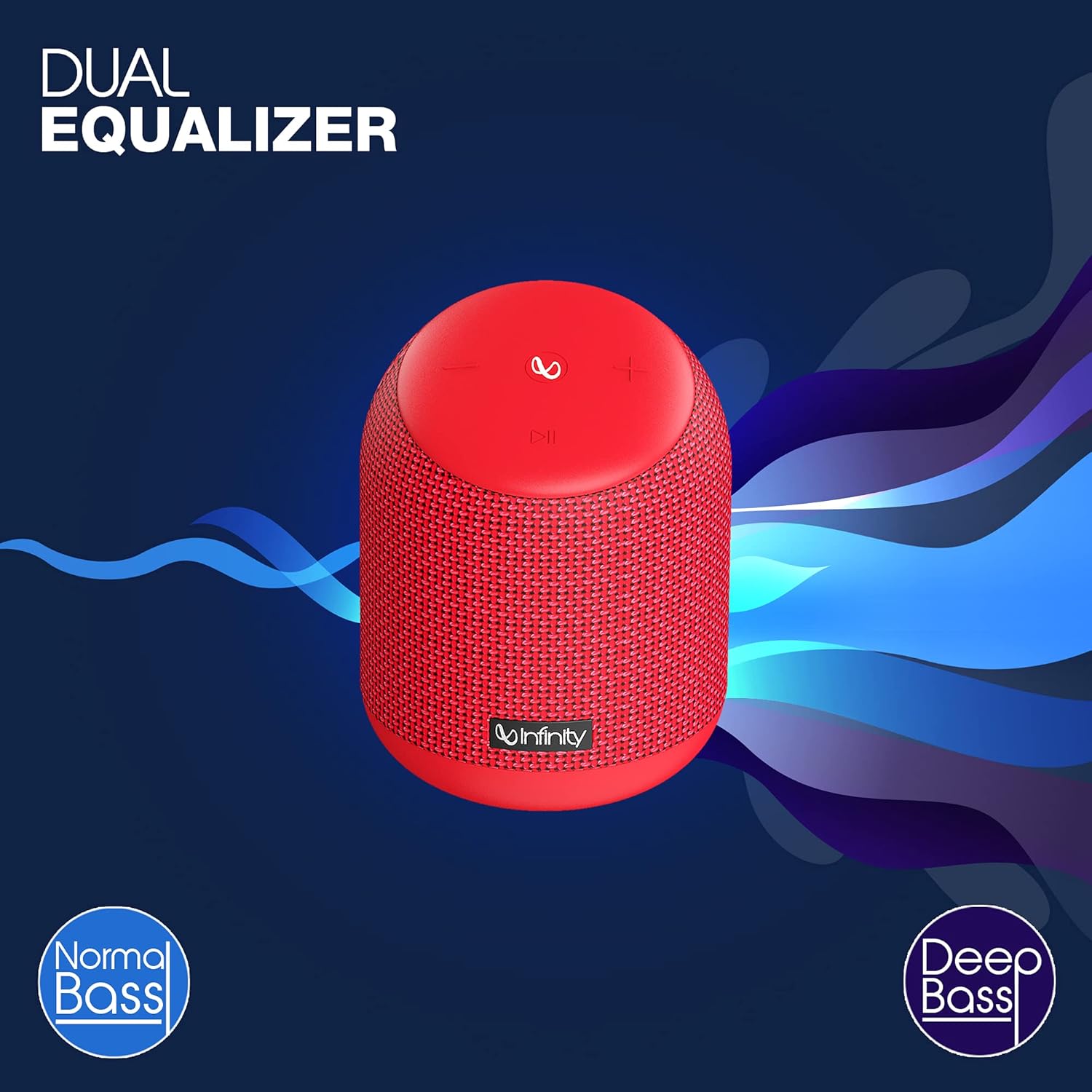
Image: The Infinity CLUBZ 250 speaker highlighting the 'Dual Equalizer' feature with options for 'Normal Bass' and 'Deep Bass'.

Image: The Infinity CLUBZ 250 speaker with a 'Deep Bass' graphic, emphasizing its enhanced bass capabilities.
To switch between modes, press the Bluetooth pairing button (∞) once. You will hear an audible cue indicating the active mode.
3. Integrasi Pembantu Suara
Access your device's voice assistant (e.g., Google Assistant, Siri) directly through the speaker.

Image: A woman interacting with the Infinity CLUBZ 250 speaker, which displays a voice assistant interface on a laptop screen, demonstrating 'Voice Assistant Integration'.
To activate, press and hold the Play/Pause button (►►) for 2 seconds. The speaker will then relay your commands to your paired device's voice assistant.
4. Panggilan Bebas Tangan
When connected to your smartphone, the speaker can be used for hands-free calls.
- Jawab Panggilan: Press the Play/Pause button (►►) once.
- Tamatkan Panggilan: Press the Play/Pause button (►►) once during a call.
- Tolak Panggilan: Press and hold the Play/Pause button (►►) for 2 seconds.
Penyelenggaraan
1. Kalis Air (IPX7)
The Infinity CLUBZ 250 is IPX7 waterproof, meaning it can be submerged in water up to 1 meter for up to 30 minutes. This makes it suitable for use near water, but it is not designed for prolonged underwater use.

Image: The Infinity CLUBZ 250 speaker with water splashing around it, indicating its 'IPX7 Waterproof' rating.
- Pastikan penutup port pengecasan ditutup dengan selamat sebelum mendedahkan pembesar suara kepada air.
- Do not expose the speaker to salt water or other chemicals. If exposed, rinse with fresh water and dry thoroughly.
2. Pembersihan
Bersihkan pembesar suara dengan lembut, damp cloth. Do not use abrasive cleaners or solvents, as these may damage the finish or internal components.
3. Penyimpanan
Simpan pembesar suara di tempat yang sejuk dan kering jauh dari cahaya matahari langsung dan suhu yang melampau. Jika menyimpan untuk tempoh yang lama, cas bateri secara berkala untuk mengekalkan jangka hayatnya.
Menyelesaikan masalah
- Tiada Kuasa: Ensure the speaker is charged. Connect it to a power source and try turning it on again.
- Tiada Bunyi: Semak tahap kelantangan pada kedua-dua pembesar suara dan peranti anda yang disambungkan. Pastikan pembesar suara dipasangkan dengan betul melalui Bluetooth.
- Isu Berpasangan Bluetooth: Make sure the speaker is in pairing mode (flashing LED). Turn off Bluetooth on other nearby devices that might be interfering. Try unpairing and re-pairing the speaker from your device's Bluetooth settings.
- Kualiti Bunyi Lemah: Ensure the speaker is within the Bluetooth range of your device. Move away from sources of interference (e.g., Wi-Fi routers, microwaves).
- Dual Speaker Connect Failure: Pastikan kedua-dua pembesar suara dicas sepenuhnya dan tidak disambungkan ke mana-mana peranti Bluetooth lain sebelum memulakan pasangan TWS.
Spesifikasi
| Ciri | Spesifikasi |
|---|---|
| Nama Model | KELAB 250 |
| Kuasa Keluaran | 15 Watt |
| Ketersambungan | Bluetooth |
| Hayat Bateri | Sehingga 10 Jam |
| Penilaian Kalis Air | IPX7 |
| Kaedah Kawalan | Sentuh |
| Dimensi (LxWxH) | 11.6 x 11.6 x 17.8 cm |
| Berat Barang | 421 Gram |
| Jenis Bateri | Litium Ion (1 termasuk) |
Waranti dan Sokongan
Your Infinity by Harman CLUBZ 250 speaker comes with a 1-year manufacturer's warranty. Please refer to the warranty card included in your packaging for detailed terms and conditions.
For technical support, service, or warranty claims, please contact Infinity customer service through their official webtapak atau maklumat hubungan yang diberikan dalam Panduan Mula Pantas anda.