1. Pengenalan
This manual provides detailed instructions for the proper use, setup, and maintenance of your cellularline Key In-Ear True Wireless Earbuds. Please read this manual thoroughly before using the product to ensure optimal performance and longevity.
2. Kandungan Pakej
- cellularline Key In-Ear True Wireless Earbuds (Left and Right)
- Sarung Pengecasan dengan Paparan LED
- Kabel Pengecas USB-C
- Manual Pengguna
3. Produk Lebihview
The cellularline Key In-Ear True Wireless Earbuds offer a compact design with intuitive touch controls and a convenient LED display charging case.

Rajah 3.1: The cellularline Key In-Ear True Wireless Earbuds resting in their charging case.

Rajah 3.2: The charging case features an LED display that indicates the current battery level.

Rajah 3.3: The compact and lightweight design of the charging case allows for easy portability.
4. Mengecas Fon Telinga dan Sarung
To ensure optimal performance, fully charge your earbuds and charging case before first use.
4.1. Mengecas Fon Telinga
- Letakkan fon telinga ke dalam slot masing-masing dalam bekas pengecasan.
- Ensure the charging case has sufficient power. The earbuds will begin charging automatically.
4.2. Mengecas Sarung Pengecasan
- Sambungkan kabel pengecas USB-C yang disediakan ke port pengecasan pada kes itu.
- Sambungkan hujung kabel USB-C yang satu lagi ke sumber kuasa USB yang serasi (cth., penyesuai dinding, port USB komputer).
- The LED display on the case will show the current charge level. A full charge takes approximately 4 hours.
The earbuds provide up to 4 hours of continuous playback on a single charge, with an additional 12 hours of playtime available from the fully charged case, totaling 16 hours of battery life.
5. Persediaan dan Berpasangan
Follow these steps to pair your cellularline Key Earbuds with your device.
5.1. Gandingan Awal
- Pastikan fon telinga anda dicas.
- Buka bekas pengecas. Fon telinga akan dihidupkan secara automatik dan memasuki mod berpasangan.
- Pada telefon pintar atau peranti yang didayakan Bluetooth anda, navigasi ke tetapan Bluetooth.
- Cari untuk available devices and select "cellularline Key" from the list.
- Setelah disambungkan, anda akan mendengar pengesahan yang boleh didengar, dan fon telinga akan sedia untuk digunakan.
5.2. Penyambungan Semula Automatik
Selepas pemasangan awal, fon telinga akan bersambung secara automatik ke peranti yang terakhir dipasangkan apabila ditanggalkan daripada bekas pengecas, dengan syarat Bluetooth didayakan pada peranti.

Rajah 5.1: The earbuds are designed for seamless wireless connection with your smartphone for music and calls.
6. Arahan Operasi
The cellularline Key Earbuds feature intuitive touch controls for managing calls, music, and volume.
6.1. Kawalan Sentuh
| Fungsi | Tindakan |
|---|---|
| Main/Jeda Muzik | Ketik sekali pada salah satu fon telinga |
| Trek Seterusnya | Ketik dua kali pada fon telinga kanan |
| Trek Sebelumnya | Ketik dua kali pada fon telinga kiri |
| Jawab/Tamatkan Panggilan | Ketik sekali pada salah satu fon telinga |
| Tolak Panggilan | Tekan dan tahan salah satu fon telinga selama 2 saat |
| Aktifkan Pembantu Suara | Triple tap on either earbud (functionality may vary by device) |
6.2. Double Master Function
The earbuds support a double master function, allowing you to use either the left or right earbud independently for calls or music playback. This provides flexibility and convenience.
7. Penyelenggaraan dan Penjagaan
Penjagaan yang betul akan memanjangkan hayat fon telinga anda.
- Pastikan fon telinga dan bekas pengecas bersih dan kering.
- Use a soft, dry cloth to wipe the surfaces. Avoid using abrasive cleaners or solvents.
- Simpan fon telinga dalam bekas pengecasnya apabila tidak digunakan untuk melindunginya dan memastikan ia dicas.
- Elakkan suhu yang melampau dan cahaya matahari langsung.
- Do not attempt to disassemble the product, as this will void the warranty.
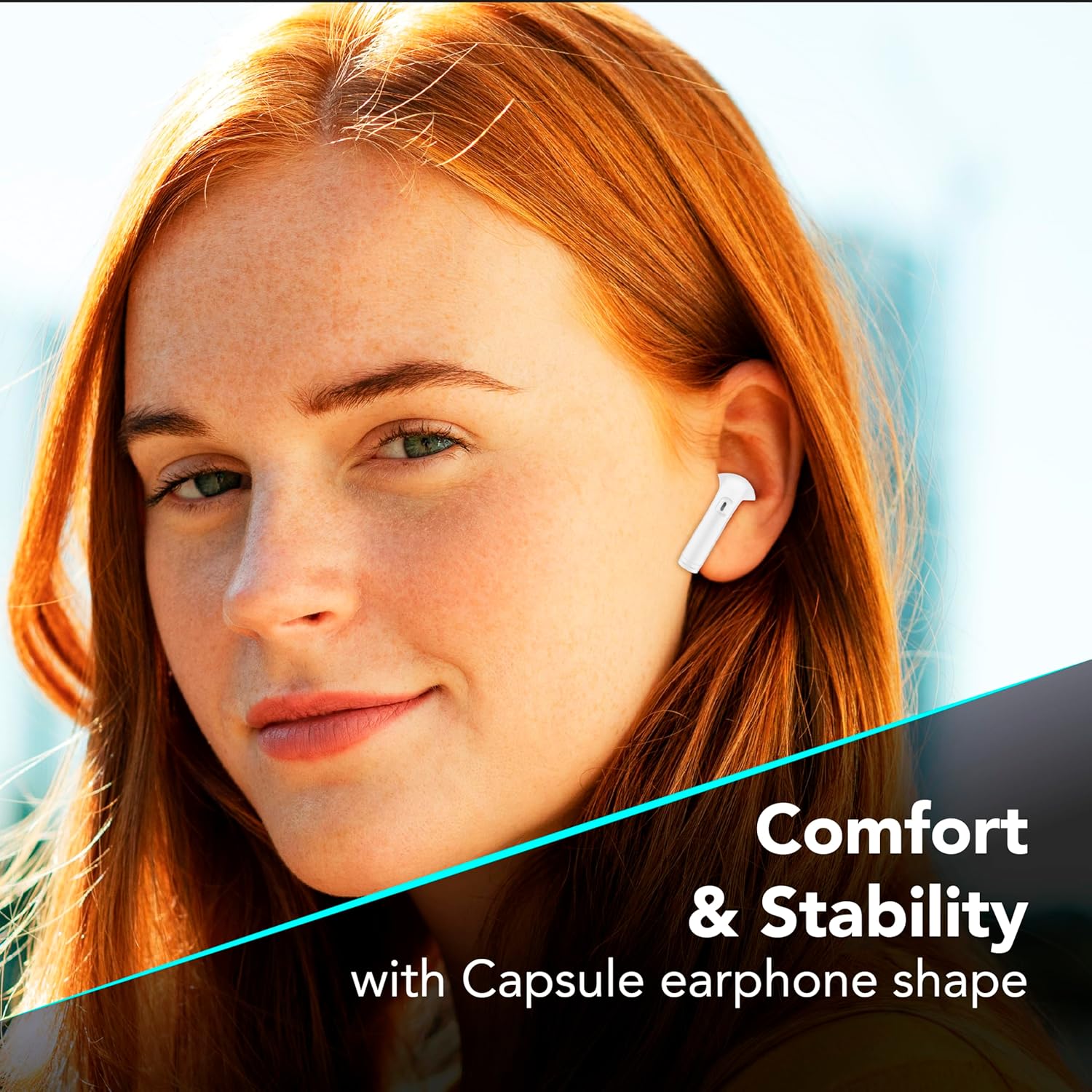
Rajah 7.1: The in-ear design provides a comfortable and stable fit for extended wear.
8. Penyelesaian masalah
If you encounter issues with your earbuds, refer to the following common solutions.
| Masalah | Penyelesaian yang Mungkin |
|---|---|
| Fon telinga tidak berpasangan |
|
| Tiada bunyi dari satu fon telinga |
|
| Kes pengecas tidak dicas |
|
| Kawalan sentuh tidak bertindak balas |
|
9. Spesifikasi
| Ciri | Perincian |
|---|---|
| Nombor Model | BTKEYTWSW |
| Ketersambungan | Bluetooth 5 |
| Hayat Bateri Earbud | Sehingga 4 jam (caj tunggal) |
| Jumlah Masa Main (dengan kes) | Sehingga 16 jam |
| Masa Pengecasan (Kes) | Lebih kurang 4 jam |
| Port Pengecasan | USB-C |
| bahan | plastik |
| Ciri Khas | True Wireless, Touch Control, LED Display Charging Case, Double Master Function |
10. Waranti dan Sokongan
Your cellularline Key In-Ear True Wireless Earbuds are covered by a standard manufacturer's warranty. For specific warranty details, please refer to the warranty card included in your product packaging or visit the official cellularline webtapak.
For technical support, troubleshooting assistance beyond this manual, or warranty claims, please contact cellularline customer service through their official channels.


