pengenalan
This user manual provides comprehensive instructions for the safe and efficient operation, maintenance, and troubleshooting of your hOmeLabs 1,500 Sq. Ft Energy Star Dehumidifier. Please read this manual thoroughly before using the appliance and retain it for future reference.
Maklumat Keselamatan
Untuk mengelakkan kecederaan kepada pengguna atau orang lain dan kerosakan harta benda, arahan berikut mesti dipatuhi. Operasi yang salah kerana mengabaikan arahan boleh menyebabkan bahaya atau kerosakan.
- Always ensure the dehumidifier is placed on a level, stable surface to prevent tipping.
- Jangan kendalikan unit dengan kord kuasa atau palam yang rosak.
- Keep the air inlet and outlet clear of obstructions to ensure proper airflow.
- Jangan masukkan jari atau benda asing ke dalam lubang udara.
- Cabut plag penyahlembap sebelum membersihkan atau melakukan sebarang penyelenggaraan.
- Perkakas ini direka untuk kegunaan kediaman sahaja.
- Jangan gunakan dehumidifier di kawasan di mana gas atau cecair mudah terbakar disimpan.
Produk Selesaiview
Familiarize yourself with the main components and features of your hOmeLabs Dehumidifier.
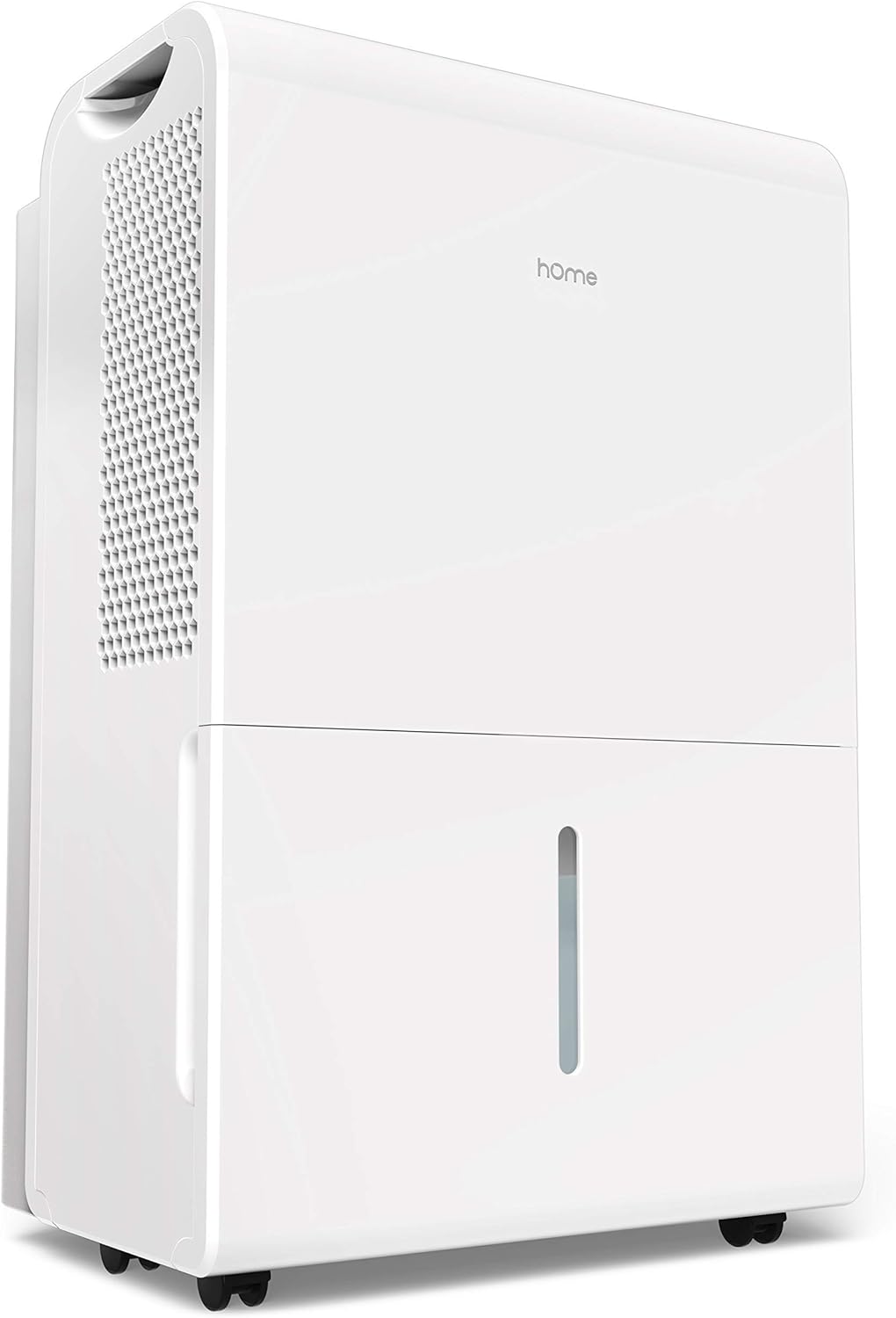
Rajah 1: Kanan depan view of the hOmeLabs 1,500 Sq. Ft Dehumidifier, showcasing its compact design and water tank.

Rajah 2: Atas ke bawah view of the control panel, highlighting the Comfort, Continuous, and Turbo operating modes. The display shows the current humidity level.

Rajah 3: sebelah view illustrating the compact dimensions of the dehumidifier: approximately 19.7 inches in height, 15.2 inches in width, and 10 inches in depth.

Rajah 4: jarak dekat view of the integrated wheels, designed for easy movement and positioning of the dehumidifier.

Rajah 5: The removable water tank, shown partially extracted, allows for convenient manual emptying of collected moisture.

Rajah 6: A jelas view of the water level indicator on the front of the dehumidifier, allowing users to easily monitor the water tank's fill status.
Persediaan
Membongkar dan Meletakkan
- Keluarkan dehumidifier dengan berhati-hati daripada pembungkusnya. Simpan bahan pembungkusan untuk penyimpanan atau pengangkutan masa hadapan.
- Place the unit upright on a firm, level surface in the area where dehumidification is desired.
- Ensure there is at least 8 inches (20 cm) of space around all sides of the unit for proper air circulation. Do not block the air inlet or outlet.
- Avoid placing the unit near heat sources, direct sunlight, or in areas exposed to freezing temperatures.
Sambungan Kuasa
- Palamkan kord kuasa ke salur keluar elektrik yang dibumikan. Pastikan voltage and frequency match the specifications on the unit's rating label.
Arahan Operasi
Fungsi Panel Kawalan
The control panel allows you to manage the dehumidifier's settings and modes.
- Butang Kuasa: Tekan untuk menghidupkan atau MATI unit.
- Butang Tetapan Kelembapan (Anak Panah Atas/Bawah): Adjust the desired humidity level between 35% RH and 85% RH in 5% increments.
- Butang Mod: Cycle through operating modes:
- Mod Keselesaan: Automatically sets a comfortable and healthy humidity level based on the ambient temperature.
- Mod Berterusan: The unit will continuously dehumidify regardless of the set humidity level. This is the default setting when turned on. To adjust humidity, turn off Continuous mode.
- Mod Turbo: Increases fan speed to high for maximum moisture removal and odor reduction.
- Butang Pemasa: Set a timer for automatic ON/OFF operation (e.g., 2 hours, 4 hours, etc.).
- Butang Penapis: Illuminates to indicate when the air filter needs cleaning. Press to reset after cleaning.
Persediaan Saliran Berterusan
For continuous operation without manually emptying the water tank, you can set up continuous drainage.
- Locate the drainage outlet on the back or side of the unit (refer to product diagram if available).
- Attach a standard garden hose (not included) to the drainage outlet. Ensure a secure connection to prevent leaks.
- Direct the other end of the hose to a floor drain or a suitable container where water can be continuously discharged. Ensure the hose is sloped downwards to allow gravity drainage.
Penyelenggaraan
Penyelenggaraan tetap memastikan prestasi optimum dan memanjangkan jangka hayat penyahlembap anda.
Mengosongkan Tangki Air
- When the water tank is full, the unit will automatically shut off and an indicator light will illuminate.
- Tarik keluar tangki air dari bahagian hadapan unit dengan berhati-hati.
- Kosongkan air yang terkumpul ke dalam singki atau longkang.
- Luncurkan tangki kosong kembali ke dalam unit sehingga ia berbunyi klik pada tempatnya. Unit akan menyambung semula operasi.
Membersihkan Penapis Udara
The air filter should be cleaned every two weeks or when the "Filter" indicator light illuminates.
- Matikan penyahlembap dan cabut plagnya dari salur keluar kuasa.
- Locate the air filter (usually on the back or side of the unit). Gently pull it out.
- Bersihkan penapis dengan air sabun suam. Bilas dengan teliti dan biarkan ia kering sepenuhnya sebelum dipasang semula. Jangan gunakan mesin basuh pinggan mangkuk.
- Once the filter is dry, slide it back into its slot.
- Plug in the unit and press the "Filter" button to reset the indicator.
Membersih Bahagian Luar
- Lap bahagian luar unit dengan lembut, damp kain. Jangan gunakan bahan kimia yang keras atau pembersih yang kasar.
Menyelesaikan masalah
Sebelum menghubungi sokongan pelanggan, sila rujuk jadual berikut untuk isu biasa dan penyelesaiannya.
| Masalah | Kemungkinan Punca | Penyelesaian |
|---|---|---|
| Dehumidifier tidak dihidupkan. | No power; Power cord loose; Water tank full or not properly seated. | Check power outlet; Ensure power cord is securely plugged in; Empty and re-seat water tank. |
| Unit berjalan tetapi tidak mengumpul air. | Tetapan kelembapan terlalu tinggi; Suhu bilik terlalu rendah; Penapis udara tersumbat. | Lower desired humidity setting; Ensure room temperature is above 41°F (5°C); Clean air filter. |
| Unit bising. | Unit bukan pada permukaan yang rata; Penapis udara tersumbat. | Place unit on a firm, level surface; Clean air filter. |
| Air bocor dari unit. | Water tank not properly seated; Continuous drainage hose loose or clogged. | Re-seat water tank; Check continuous drainage hose connection and ensure it's not blocked. |
Spesifikasi
Key technical specifications for the hOmeLabs 1,500 Sq. Ft Dehumidifier.
| Ciri | Perincian |
|---|---|
| Jenama | hOmeLabs |
| Liputan Keluasan Lantai | 1500 Kaki Persegi |
| warna | putih |
| Ciri Khas | Manual, Boleh Diprogram |
| Penggunaan yang Disyorkan | Kediaman |
| Komponen yang Disertakan | Dehumidifier, Manual Pengguna |
| bahan | plastik |
| Mod Operasi | Berterusan |
| Dimensi Produk | 15.2 x 10.2 x 19.7 inci |
| ASIN | B095WHXJ9R |
| UPC | 656942065036 |
Waranti dan Sokongan
For warranty information or technical support, please refer to the warranty card included with your product or visit the official hOmeLabs website. You may also contact hOmeLabs customer service directly for assistance with product operation, parts, or service inquiries.
Note: This product is listed as "Renewed". Please refer to the specific warranty terms provided by the seller for renewed products, as they may differ from new product warranties.