1. Pengenalan
The Dell S2722DGM is a 27-inch curved gaming monitor designed to provide an immersive visual experience. It features a QHD (2560 x 1440) resolution, a 1500R curvature, and a high refresh rate for smooth gameplay and clear visuals.
Ciri-ciri utama termasuk:
- Kadar Refresh 165Hz: Ensures fluid motion and faster reaction times.
- 1ms MPRT / 2ms Gray to Gray Response Time: Minimizes motion blur for crisp images.
- 1500R Curved QHD Display: Enhances field of vision and reduces distortion, glare, and reflection.
- Gaming Console VRR Support: Compatible with Variable Refresh Rate technologies for tear-free gaming.
- Pendirian boleh laras: Offers height and tilt adjustments for ergonomic viewing.
2. Apa yang ada di dalam Kotak
Sahkan bahawa semua komponen terdapat dalam pembungkusan:
- Pantau
- Berdiri riser dan alas
- DisplayPort to DisplayPort cable (ver 1.2) (1.8m)
- Kabel kuasa
- Kabel HDMI
- Panduan persediaan pantas
- Maklumat Keselamatan/Persekitaran/Kawal Selia
3. Persediaan
3.1 Perhimpunan Monitor
Attach the stand riser to the monitor panel, then secure the base to the riser. Ensure all connections are firm.
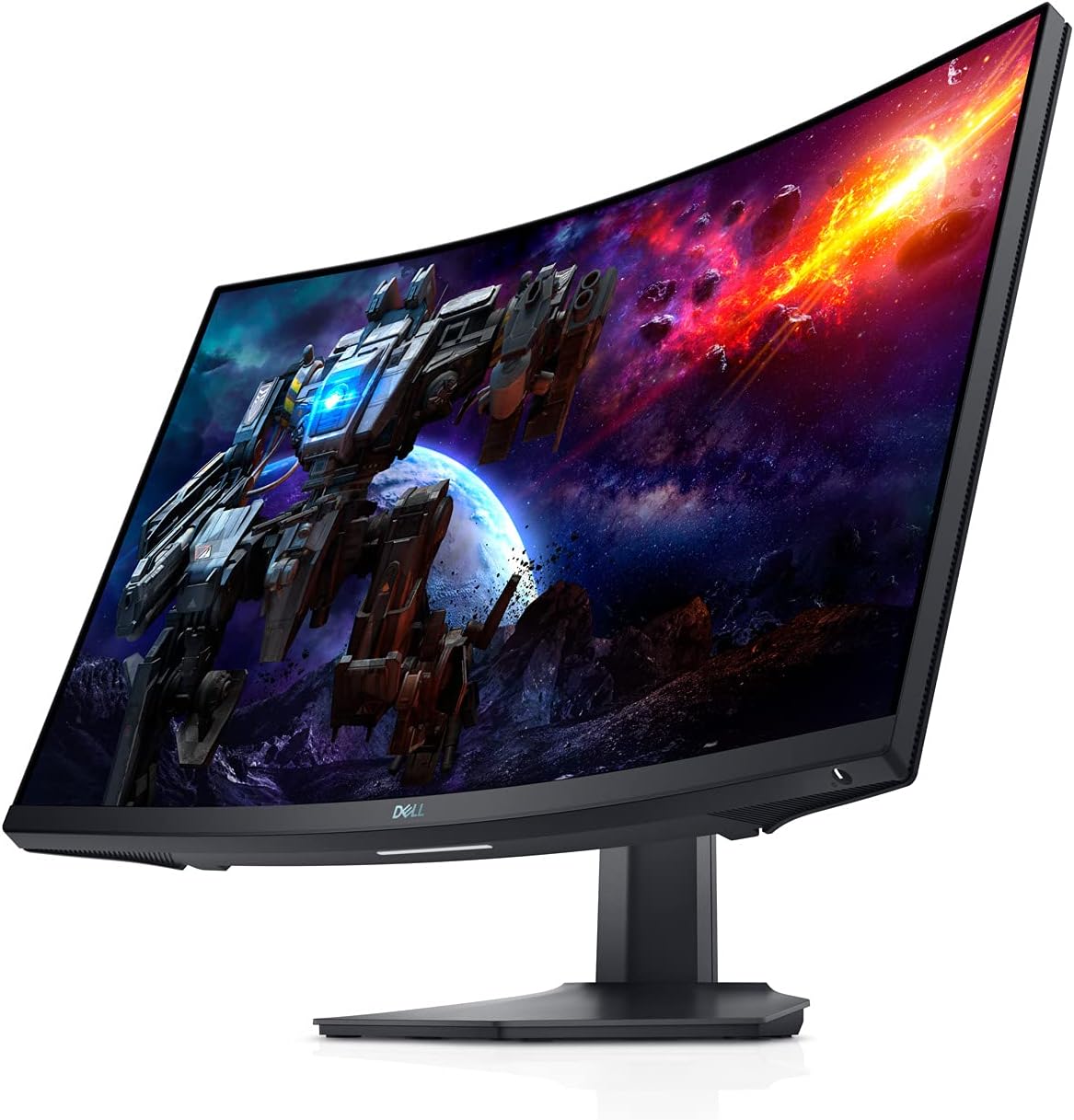
Rajah 3.1: Depan view of the Dell S2722DGM Curved Gaming Monitor with stand.

Figure 3.2: Monitor dimensions, showing the curved screen and stand.
3.2 Menyambung Monitor
Connect the power cable to the monitor and a power outlet. Use either the provided DisplayPort or HDMI cable to connect the monitor to your computer or gaming console. The monitor features multiple input ports for versatile connectivity.
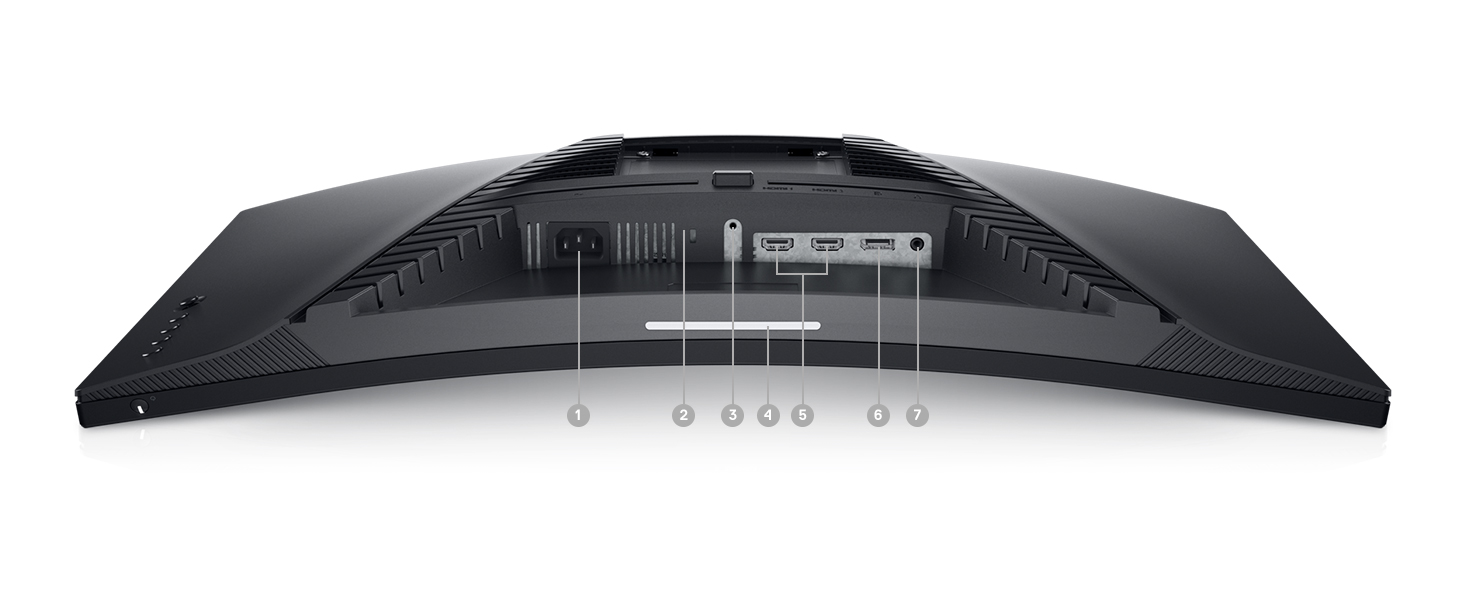
Rajah 3.3: Belakang view of the monitor, highlighting the power input, DisplayPort, HDMI ports, and audio output.
Monitor termasuk:
- Penyambung kuasa
- Port HDMI 2x
- 1x DisplayPort
- Port saluran keluar audio
4. Mengendalikan Monitor
4.1 Hidupkan/Mati Kuasa
The power button is located on the bottom right side of the monitor. Press it to turn the monitor on or off.
4.2 Kawalan Paparan Pada Skrin (OSD).
The OSD menu allows you to adjust various monitor settings such as brightness, contrast, color, input source, and gaming features. The control buttons are located on the back right side of the monitor. Use these buttons to navigate the menu and make selections.

Rajah 4.1: Sisi view of the monitor, showing the OSD control buttons for menu navigation.
4.3 Melaraskan Dirian
The monitor stand supports height and tilt adjustments. Gently adjust the monitor to your preferred viewing angle and height for optimal comfort.
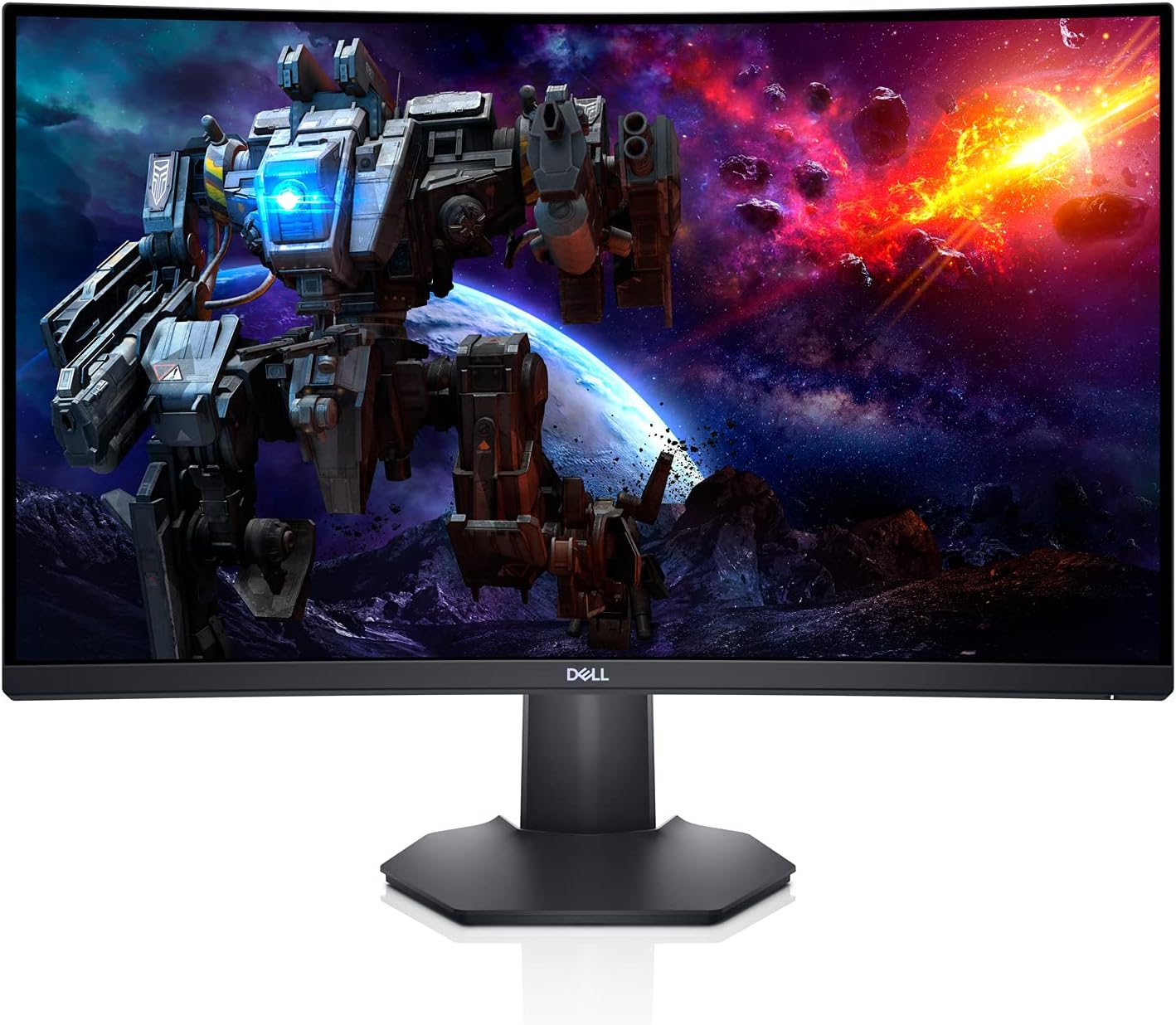
Rajah 4.2: Pro sampinganfile of the monitor, illustrating the adjustable stand.
5. Ciri-ciri
- Immersive Curved Display: The 1500R curved screen with a 3-sided narrow border enhances your field of vision, providing a more engaging experience for gaming and media consumption.
- Kadar Segar Semula Tinggi & Masa Respons Pantas: Experience smooth, tear-free visuals with a 165Hz refresh rate and a rapid 1ms MPRT (Moving Picture Response Time) or 2ms Gray to Gray response time, crucial for fast-paced games.
- QHD Resolution: The 2560 x 1440 resolution offers 77% more screen content compared to Full HD, providing sharper details and more workspace.
- AMD FreeSync Premium: This technology synchronizes the monitor's refresh rate with your GPU, eliminating screen tearing and stuttering for a fluid gaming experience.
- Ambient Downlight: A subtle downlight feature provides ambient lighting during low-light gaming sessions, adding to the aesthetic and reducing eye strain.
- Pelesapan Haba yang Dipertingkatkan: Uniquely designed vents located at the back of the monitor help maintain optimal operating temperatures during extended use.
Video 5.1: Official Dell S2722DGM Gaming Monitor overview, tunjukkancasing key features like refresh rate, response time, and curved display.
Video 5.2: Product feature video demonstrating the monitor's design and visual capabilities.
6. Spesifikasi
| Ciri | Spesifikasi |
|---|---|
| Saiz paparan skrin berdiri | 27 Inci |
| Resolusi Skrin | 2560x1440 (QHD Wide 1440p) |
| Resolusi Skrin Maks | 2560 x 1440 Piksel |
| Kadar Segar Semula | 165Hz (Port Paparan) |
| Masa Tindak Balas | 1ms MPRT / 2ms Gray to Gray |
| Nisbah Aspek | 16:9 |
| Penerangan Permukaan Skrin | Matte |
| Ketersambungan | HDMI, DisplayPort |
| Berat Barang | 5.76 paun |
| Dimensi Produk (LxWxH) | 23.95 x 3.79 x 14.34 inci |
| warna | Hitam |
7. Penyelenggaraan
To ensure the longevity and optimal performance of your Dell S2722DGM monitor, follow these maintenance guidelines:
- Membersihkan Skrin: Lap skrin perlahan-lahan dengan kain lembut yang tidak berbulu. Untuk calitan degil, ringan dampen the cloth with water or a non-ammonia, non-alcohol based glass cleaner. Avoid spraying liquid directly onto the screen.
- Membersihkan Casing: Gunakan kain lembut dan kering untuk membersihkan monitor casing. Elakkan pembersih atau pelarut yang melelas.
- Pengudaraan: Pastikan bukaan pengudaraan monitor bersih dan tidak terhalang untuk mengelakkan terlalu panas.
- Pengurusan tenaga: Matikan monitor apabila tidak digunakan untuk tempoh yang lama untuk menjimatkan tenaga dan memanjangkan jangka hayatnya.
8. Penyelesaian masalah
Jika anda menghadapi masalah dengan monitor anda, rujuk langkah penyelesaian masalah biasa berikut:
- Tiada Kuasa:
- Periksa sama ada kabel kuasa disambungkan dengan selamat ke kedua-dua monitor dan alur keluar kuasa.
- Pastikan soket kuasa berfungsi dengan memasang peranti lain.
- Tekan butang kuasa pada monitor.
- Tiada isyarat:
- Verify that the video cable (HDMI or DisplayPort) is securely connected to both the monitor and your computer/console.
- Pastikan sumber input yang betul dipilih pada menu OSD monitor.
- Cuba kabel atau port video lain jika tersedia.
- Isu Paparan (cth., berkelip-kelip, imej herot):
- Check the video cable for damage.
- Adjust the resolution and refresh rate settings on your computer/console to match the monitor's specifications.
- Perform a factory reset through the OSD menu.
- No Audio (if using monitor's audio output):
- Ensure external speakers or headphones are properly connected to the monitor's audio line-out port.
- Check the audio settings on your computer/console and the monitor's OSD menu.
For more detailed troubleshooting, refer to the comprehensive user manual available on the Dell support webtapak.
9. Waranti dan Sokongan
The Dell S2722DGM Curved Gaming Monitor comes with a standard limited hardware warranty. For specific warranty terms and conditions, please refer to the 'Safety/Environmental/Regulatory Information' document included in your product packaging or visit the official Dell support webtapak.
For technical assistance, driver downloads, and additional support resources, please visit www.dell.com/support and search for your model (S2722DGM).


