pengenalan
This manual provides essential information for the proper use and maintenance of your Blitzwolf BW-AT2C Smartwatch. Please read these instructions carefully before using the device to ensure optimal performance and longevity. This smartwatch features Bluetooth calling, comprehensive health monitoring, various sports modes, and smart notifications.
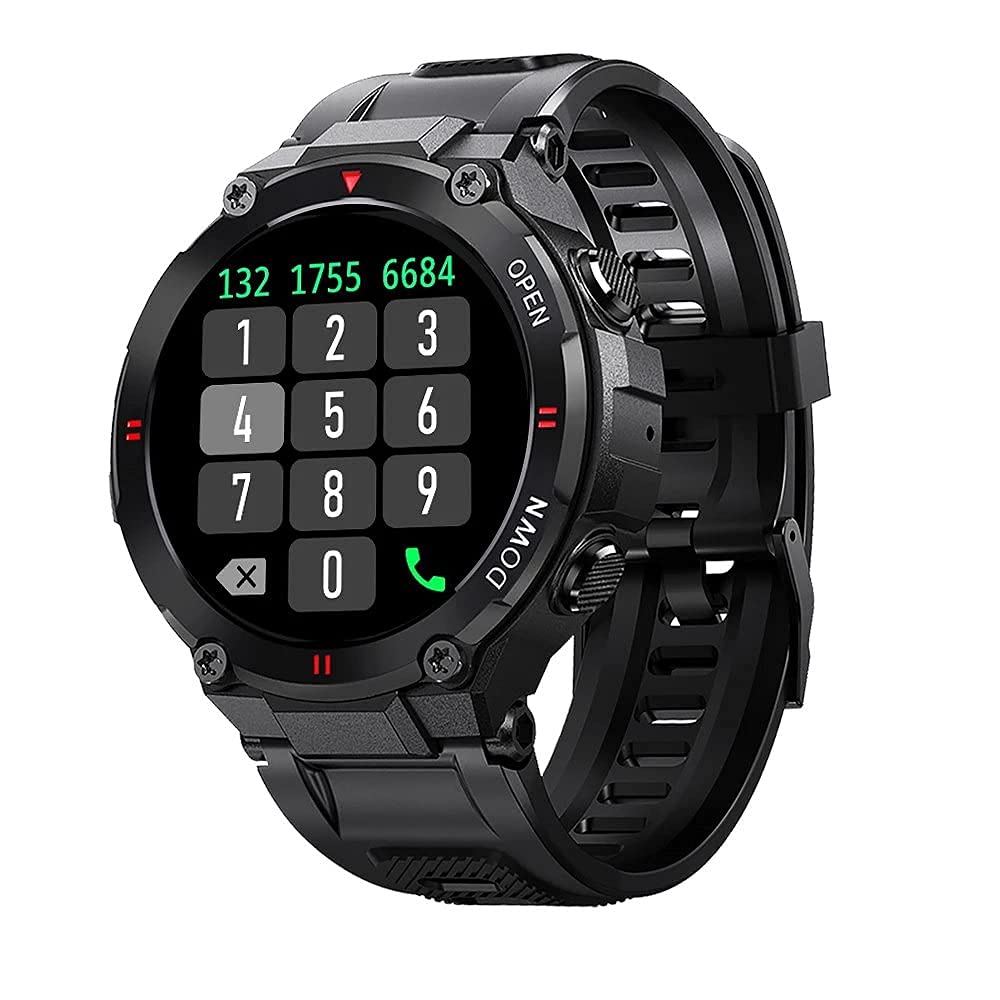
Imej: Depan view of the Blitzwolf BW-AT2C Smartwatch, displaying a digital watch face with time, date, battery, and step count.
Produk Selesaiview
The Blitzwolf BW-AT2C Smartwatch is designed for daily use, fitness tracking, and communication. It features a durable build and a clear display.
- paparan: 1.3-inch IPS full touch screen.
- Kawalan: Full touch screen and two side buttons.
- Penderia: Heart rate, blood pressure, blood oxygen, pedometer, sleep monitor.
- Ketersambungan: Bluetooth 5.0 for calls and data synchronization.
- Ketahanan: rintangan air IP54.

Image: The smartwatch displaying weather information, highlighting its robust design and metal buttons.

Imej: Belakang view of the smartwatch, showing the optical heart rate sensor and magnetic charging contacts, along with the model number BW-AT2C.
Persediaan
1. Mengecas Peranti
Before initial use, fully charge your smartwatch. Connect the magnetic charging cable to the charging contacts on the back of the watch and plug the USB end into a power adapter (not included) or a computer's USB port. The watch screen will indicate charging status. A full charge takes approximately 2 hours.
2. Pemasangan Apl dan Berpasangan
- Muat turun Apl: Cari untuk "Da Fit" in your smartphone's app store (Google Play Store for Android or Apple App Store for iOS) and install it.
- Dayakan Bluetooth: Pastikan Bluetooth didayakan pada telefon pintar anda.
- Buka Aplikasi Da Fit: Launch the "Da Fit" application on your smartphone.
- Tambah Peranti: In the app, navigate to the "Device" section and select "Add Device". The app will search for available devices.
- Pilih Jam Tangan Anda: Choose "BW-AT2C" from the list of found devices to initiate pairing.
- Sahkan Gandingan: Follow any on-screen prompts on both your phone and watch to confirm the pairing.
- Enable Call Function: For the Bluetooth call feature, you may need to pair the watch a second time through your phone's Bluetooth settings. Look for "BW-AT2C_CALL" or similar in your phone's Bluetooth device list and connect to it.
Nota: For full functionality, ensure the "Da Fit" app has all necessary permissions (e.g., location, notifications, contacts) enabled on your smartphone.
Arahan Operasi
Navigasi Asas
- Skrin Sentuh: Leret ke kiri/kanan, atas/bawah untuk menavigasi menu dan ciri. Ketik untuk memilih.
- Butang Sisi: The top button typically acts as a power/wake button and a back button. The bottom button may be a shortcut to sports modes or other functions, depending on customization.
- Skrin Bangun: Angkat pergelangan tangan anda atau tekan butang sisi untuk membangunkan skrin.
- Pelarasan Kecerahan: Adjust screen brightness through the watch settings or the Da Fit app for better visibility in various lighting conditions.
- Muka Jam Tersuai: Change watch faces directly on the watch or via the Da Fit app. You can also customize watch faces with your own photos.
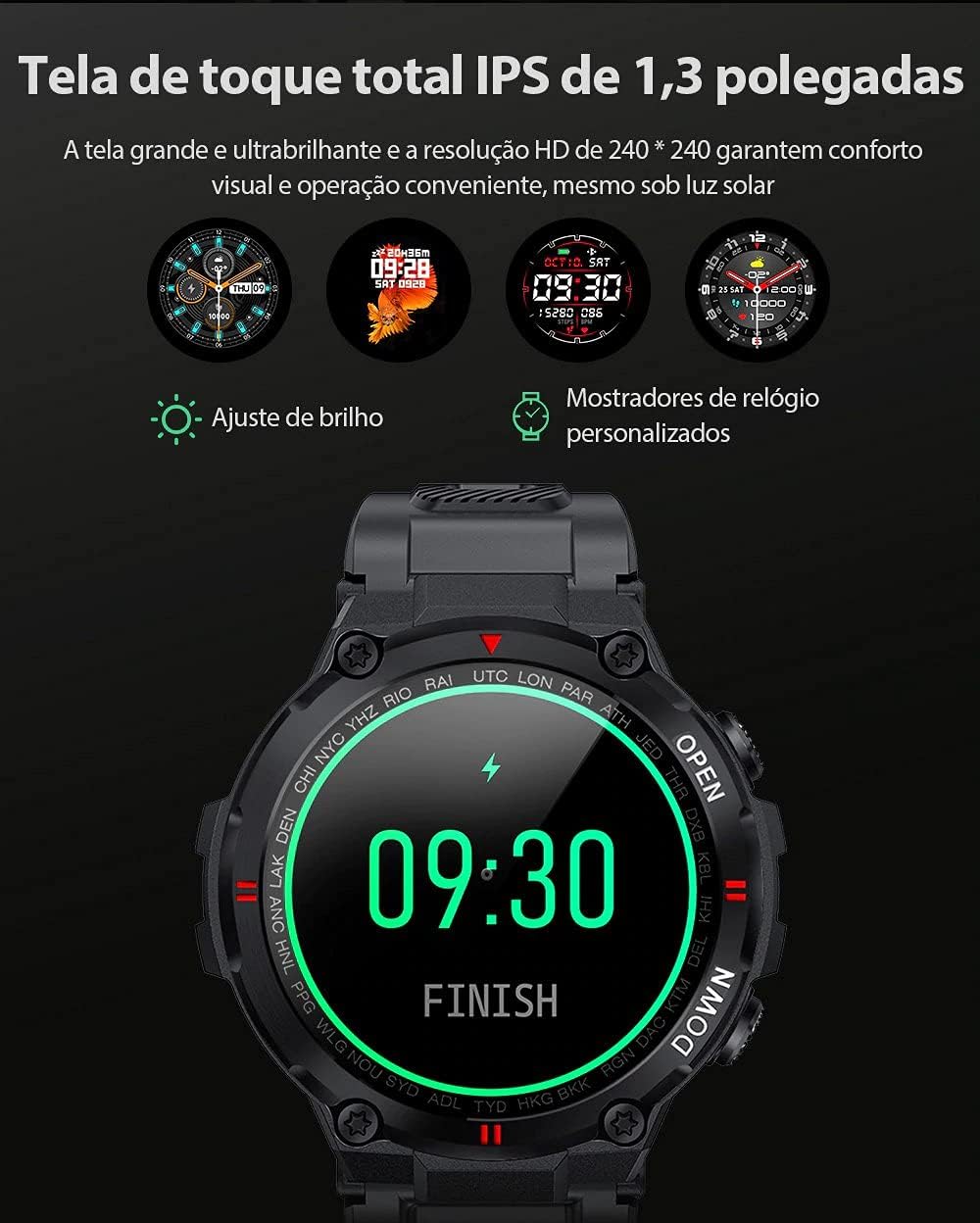
Image: The smartwatch displaying multiple customizable watch faces and options for brightness adjustment.
Membuat dan Menerima Panggilan
The BW-AT2C allows you to make and receive calls directly from your wrist after successful Bluetooth pairing (including the call function pairing).
- Menerima Panggilan: When a call comes in, the watch will display the caller ID. You can answer or reject the call directly from the watch screen.
- Membuat Panggilan: Akses pad dail atau senarai kenalan pada jam tangan untuk memulakan panggilan.

Image: A comparison showing the BW-AT2C model with its Bluetooth call function (dial pad visible) next to the BW-AT2 model without this feature.
Kawalan Muzik
Control music playback on your smartphone directly from your watch. Functions include play, pause, skip forward, and skip backward.
Pemantauan Kesihatan
The smartwatch continuously monitors various health metrics.
- Kadar Jantung: Pemantauan kadar denyutan jantung masa nyata. View your current heart rate and historical data in the app.
- Tekanan darah: Measure your blood pressure on demand.
- Oksigen Darah (SpO2): Pantau tahap ketepuan oksigen darah anda.
- Pemantauan Tidur: Tracks your sleep patterns, including deep sleep, light sleep, and wake times.
- Pedometer: Counts your daily steps, distance, and calories burned.

Image: The smartwatch screen showing a graph of heart rate data, indicating current BPM and historical trends.
Mod Sukan
The watch supports multiple sports modes to track your workouts accurately. Available modes include Walking, Running, Cycling, Skipping Rope, Badminton, Basketball, and Football. Select your desired mode before starting an activity to record relevant data.
Pemberitahuan
Receive notifications from your smartphone directly on your watch. This includes call reminders, message alerts, and app notifications from platforms like WhatsApp, Instagram, Facebook, and Twitter. Ensure notification permissions are granted in the Da Fit app and your phone's settings.

Image: The smartwatch on a user's wrist, showing an incoming call alert and SMS reminder, indicating its notification capabilities.
Ciri-ciri lain
- Jam loceng: Set up to three alarms via the app.
- Jam randik: Use the built-in stopwatch for timing activities.
- Peringatan Sedentari: The watch will alert you if you remain inactive for too long.
- Kawalan Kamera Jauh: Gunakan jam tangan anda sebagai pengatup jauh untuk kamera telefon anda.
- Find Watch/Find Phone: Locate your watch or phone using the respective functions in the app or on the watch.
- Kalendar: Akses maklumat kalendar.
Penyelenggaraan
- Pembersihan: Lap jam tangan dan tali dengan kerap menggunakan kain lembut dan kering. Untuk kotoran degil, gunakan sedikit pembersihamp kain dan keringkan dengan teliti. Elakkan bahan kimia yang keras.
- Rintangan Air (IP54): The BW-AT2C is IP54 water-resistant, meaning it is protected against dust ingress and splashing water from any direction. It is suitable for daily use like hand washing or light rain. Do not submerge the watch in water, wear it while swimming, showering, or in saunas. Prolonged exposure to water or high-pressure water jets may cause damage.
- Mengecas Kenalan: Keep the magnetic charging contacts clean and dry to ensure proper charging.
- Storan: Simpan jam tangan di tempat yang sejuk dan kering apabila tidak digunakan.
Menyelesaikan masalah
| Masalah | Penyelesaian |
|---|---|
| Jam tangan tidak menyala. | Pastikan jam tangan dicas sepenuhnya. Sambungkannya ke pengecas selama sekurang-kurangnya 30 minit. |
| Tidak boleh berpasangan dengan telefon pintar. |
|
| Pemberitahuan tidak diterima. |
|
| Fungsi panggilan tidak berfungsi. | Ensure you have paired the "BW-AT2C_CALL" device in your phone's Bluetooth settings in addition to the main watch pairing. |
| Data kesihatan yang tidak tepat. | Ensure the watch is worn snugly on your wrist, not too tight or too loose. Keep the sensor clean. Note that this device is not a medical device and data is for reference only. |
Spesifikasi

Image: Diagram illustrating the dimensions of the Blitzwolf BW-AT2C Smartwatch, including watch face diameter, strap width, and total length.
| Ciri | Perincian |
|---|---|
| Jenama | Blitzwolf |
| Model | BW-AT2C |
| warna | Hitam |
| Versi Bluetooth | 5.0 |
| OS yang serasi | Android 4.4+ / iOS 8.0+ |
| Mod Operasi | Full Touch Screen + 2 Side Buttons |
| Apl Pendamping | Da Fit |
| Tahan Air | IP54 |
| Pemantauan Kesihatan | Heart Rate, Blood Pressure, Blood Oxygen, Sleep, Pedometer |
| Mod Sukan | Walking, Running, Cycling, Skipping Rope, Badminton, Basketball, Football |
| Saiz Skrin | IPS 1.3 inci |
| Resolusi | 240 x 240 piksel |
| Kapasiti Bateri | 400mAh |
| Masa Tunggu Sedia | Lebih kurang 30 hari |
| Masa Penggunaan | Approx. 4-7 days (varies by usage) |
| Masa Mengecas | lebih kurang 2 jam |
| Jenis Pengecasan | Pengecasan Magnet |
| Bahan Tali | silikon |
| Lebar tali | 22mm (Removable) |
| Dimensi Produk | 52 x 12 mm (Watch Face) |
| Berat Produk | 55 gram |
Waranti dan Sokongan
For warranty information and technical support, please refer to the documentation provided with your purchase or visit the official Blitzwolf webtapak. Simpan bukti pembelian anda untuk tuntutan waranti.
If you encounter issues not covered in the troubleshooting section, please contact customer support for assistance.


