pengenalan
The MOVSSOU E7 Active Noise Cancelling Headphones are designed to provide a superior audio experience with advanced noise cancellation, deep bass, and comfortable wear. This manual provides detailed instructions for setup, operation, and maintenance of your headphones, ensuring you get the most out of your device.
Apa yang ada dalam Kotak
Sahkan bahawa semua item terdapat dalam pembungkusan:
- 1 * MOVSSOU E7 Active Noise Cancelling Bluetooth Wireless Headphones
- 1 * Charge Cable
- 1 * Audio Cable (3.5mm)
- Manual Pengguna

Image: The MOVSSOU E7 headphones in black, along with their charging cable and audio cable, as typically found in the product packaging.
Produk Selesaiview
Familiarize yourself with the main components and controls of your MOVSSOU E7 headphones.

Image: A close-up of the headphone ear cup highlighting key features: Active Noise Cancelling, 30 Hours Playtime, and Built-in Microphone.

Imej: Terperinci view of the headphone's control panel, showing buttons for power, volume, and ANC, along with ports.
Kawalan dan Penunjuk
- Butang Kuasa: Tekan dan tahan untuk menghidupkan/mematikan kuasa.
- Kelantangan Naik (+): Tekan pendek untuk meningkatkan kelantangan. Tekan lama untuk trek seterusnya.
- Perlahankan suara (-): Tekan pendek untuk mengurangkan kelantangan. Tekan lama untuk trek sebelumnya.
- Butang pelbagai fungsi: Play/Pause music, Answer/End/Reject calls.
- Butang ANC: Activates/deactivates Active Noise Cancelling.
- Penunjuk LED: Memaparkan kuasa, berpasangan dan status pengecasan.
- Bicu Audio 3.5mm: Untuk sambungan audio berwayar.
- Port Pengecasan USB-C: Untuk mengecas fon kepala.
Persediaan
Mengecas Fon Kepala
Before first use, fully charge the headphones to ensure optimal battery performance.
- Sambungkan kabel pengecas USB yang disediakan ke port pengecasan pada fon kepala.
- Sambungkan hujung kabel yang satu lagi ke penyesuai kuasa USB (tidak disertakan) atau port USB komputer.
- Penunjuk LED akan menunjukkan status pengecasan (contohnya, merah semasa mengecas, mati apabila dicas penuh).
- Cas penuh mengambil masa kira-kira 4 jam dan menyediakan sehingga 30 jam masa bermain.
Berpasangan Bluetooth
To connect your MOVSSOU E7 headphones to a Bluetooth-enabled device:
- Pastikan fon kepala dimatikan.
- Tekan dan tahan butang Kuasa sehingga penunjuk LED berkelip biru dan merah secara berselang-seli, menunjukkan mod berpasangan.
- Pada peranti anda, dayakan Bluetooth dan cari peranti yang tersedia.
- Select "MOVSSOU E7" from the list.
- Once connected, the LED indicator will turn solid blue or flash slowly.

Image: The MOVSSOU E7 headphones demonstrating Bluetooth 5.0 connectivity with a phone, tablet, laptop, desktop, and TV, highlighting versatile compatibility.
Arahan Operasi
Hidupkan/Mati Kuasa
- To power on, press and hold the Power button for approximately 2 seconds.
- To power off, press and hold the Power button for approximately 3 seconds.
Pembatalan Bunyi Aktif (ANC)
The ANC function reduces ambient noise for an immersive listening experience.
- Press the ANC button once to activate noise cancellation. The ANC indicator light will illuminate.
- Tekan butang ANC sekali lagi untuk menyahaktifkan pembatalan hingar.
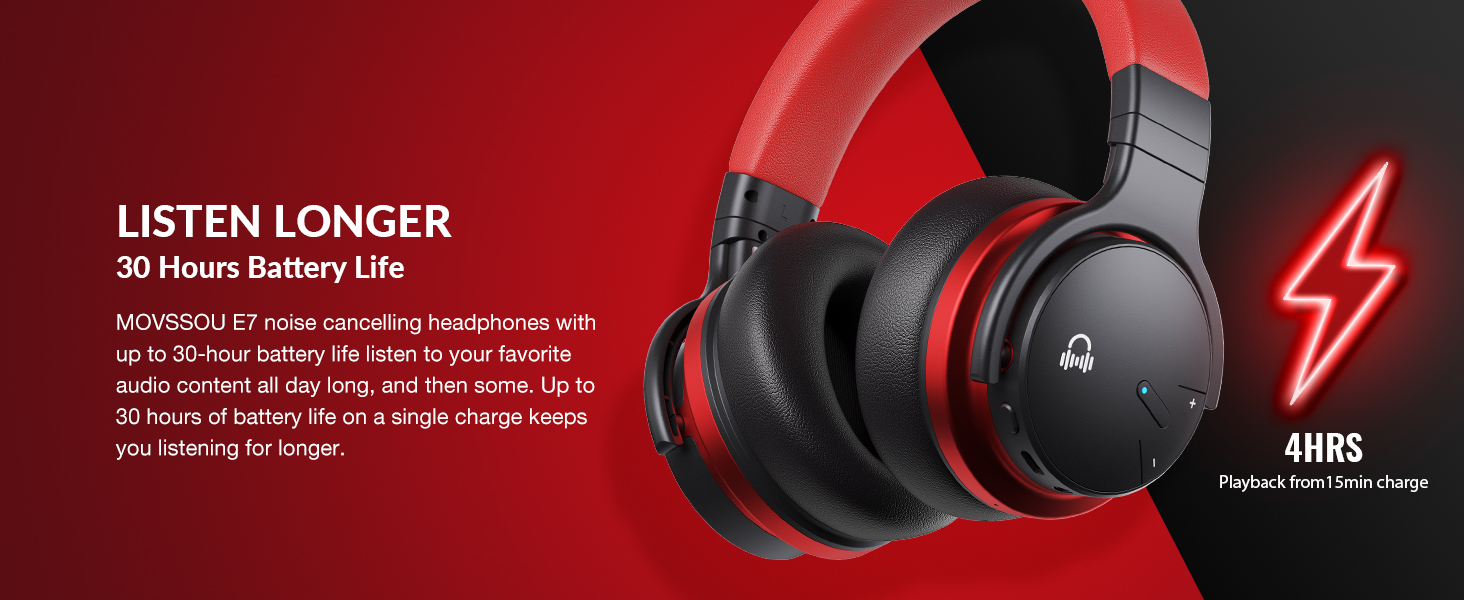
Image: A person wearing MOVSSOU E7 headphones, illustrating the activation of ANC mode with a single touch for a quieter personal audio experience.
Main balik Muzik
- Press the Multi-function button once to Play/Pause music.
- Short press Volume Up (+) to increase volume.
- Short press Volume Down (-) to decrease volume.
- Long press Volume Up (+) for the next track.
- Long press Volume Down (-) for the previous track.
Pengurusan Panggilan
- To answer an incoming call, press the Multi-function button once.
- To end a call, press the Multi-function button once.
- To reject an incoming call, press and hold the Multi-function button for 2 seconds.
- To redial the last number, double-press the Multi-function button.

Image: A woman wearing MOVSSOU E7 headphones, demonstrating clear hands-free calling capabilities with the built-in microphone.
Penyelenggaraan dan Penjagaan
Proper care will extend the lifespan of your MOVSSOU E7 headphones.
- Bersihkan fon kepala dengan kerap menggunakan kain lembut dan kering. Jangan gunakan pembersih atau pelarut yang melelas.
- Elakkan dedahkan fon kepala kepada suhu yang melampau, kelembapan atau cahaya matahari langsung.
- Store the headphones in a cool, dry place when not in use, preferably in a protective case.
- Jangan cuba membuka atau mengubah suai fon kepala, kerana ini akan membatalkan jaminan.
- Keep the charging port free of dust and debris to ensure proper charging.
Menyelesaikan masalah
If you encounter any issues with your headphones, refer to the table below for common problems and solutions.
| Masalah | Penyelesaian |
|---|---|
| Fon kepala tidak dihidupkan. | Pastikan fon kepala dicas. Sambungkan ke sumber kuasa dan cuba lagi. |
| Tidak boleh berpasangan dengan peranti. | Ensure headphones are in pairing mode (flashing blue/red). Turn off and on Bluetooth on your device. Move headphones closer to the device. |
| Tiada bunyi atau kelantangan rendah. | Semak tahap kelantangan pada kedua-dua fon kepala dan peranti yang disambungkan. Pastikan fon kepala dipasangkan dengan betul. Cuba mulakan semula kedua-dua peranti. |
| ANC tidak berfungsi dengan berkesan. | Ensure ANC is activated. ANC is most effective for low-frequency, constant noises. Ensure earcups form a good seal around your ears. |
Spesifikasi
Detailed technical specifications for the MOVSSOU E7 headphones.
| Ciri | Perincian |
|---|---|
| Nama Model | Fon Kepala Pembatal Bunyi Tanpa Wayar E7 |
| Teknologi Ketersambungan | Wayarles (Bluetooth 5.0) |
| Saiz Pemacu Audio | 45 Milimeter |
| Hayat Bateri | Sehingga 30 Jam |
| Masa Mengecas | 4 Jam |
| Respons Kekerapan | 20Hz - 20kHz |
| Julat Bluetooth | 33 Kaki (10 meter) |
| Kawalan Bunyi | Pembatalan Bunyi Aktif |
| Jack Fon Kepala | Jack 3.5 mm |
| Berat Barang | 13.8 auns (0.86 paun) |
| Dimensi Produk | 7.68 x 7.2 x 2.17 inci |
| bahan | plastik |
| Jenis Kawalan | Noise Control, Voice Control, Call Control, Volume Control |
Waranti dan Sokongan
MOVSSOU products are designed and manufactured to the highest quality standards. For detailed warranty information and technical support, please refer to the warranty card included with your product or visit the official MOVSSOU webtapak.
For further assistance, you may contact MOVSSOU customer support through their official channels. Please have your product model (E7 Basic C) and purchase information ready when contacting support.