1. Pengenalan
This manual provides detailed instructions for the installation, programming, operation, and maintenance of your LaView LV-D01-R Electronic Deadbolt Lock. Please read this guide thoroughly before installation and use to ensure proper function and security.

Rajah 1: LaView LV-D01-R Electronic Deadbolt Lock (Exterior and Interior Units)
2. Senarai Semak Prapemasangan
Sebelum memulakan pemasangan, pastikan pintu anda memenuhi spesifikasi berikut:
- Diameter Lubang Pintu: 2-1/8 inches (54 mm).
- Set belakang: Adjustable to either 2-3/8 inches (60 mm) or 2-3/4 inches (70 mm).
- Diameter Lubang Tepi Pintu: 1 inch (25 mm).
- Ketebalan pintu: 1-3/8 inches to 2 inches (35 mm to 50 mm).
If drilling is required, refer to the provided cutout template in your product packaging.

Figure 2: Door Measurement and Component Diagram
3. Panduan Pemasangan
Ikuti langkah ini untuk pemasangan yang berjaya:
- Adjust Latch (if necessary): The latch can be adjusted for 2-3/8" (60mm) or 2-3/4" (70mm) backsets. Rotate and pull the backset as instructed to extend the latch if needed.
- Pasang Selak: Insert the latch into the door edge hole. Ensure the latch plate is flush with the door edge and secure with screws.
- Pasang Perhimpunan Luaran: Place the exterior keypad assembly onto the door, aligning the spindle through the latch.
- Pasang Plat Pemasangan: Pasangkan plat pelekap dalaman pada pemasangan luaran menggunakan skru yang disediakan.
- Sambungkan Kabel: Sambungkan kabel dari pemasangan luar ke pemasangan dalam dengan berhati-hati.
- Pasang Perhimpunan Dalaman: Attach the interior assembly to the mounting plate, ensuring the thumb turn spindle engages correctly. Secure with screws.
- Pasang Bateri: Masukkan 4 bateri AA ke dalam petak bateri.
- Operasi Ujian: Test the lock with the default master code and the physical key to ensure smooth operation.
4. Pengaturcaraan dan Operasi
The default master PIN code is 12345678. For security, you will be prompted to change this code before adding any other user codes.
4.1 Tukar Kod Induk
To change the master code:
- Tekan **.
- Enter the current master code (default: 12345678).
- Tekan #.
- Tekan 1.
- Tekan #.
- Enter your new master code (4-10 digits).
- Tekan #.
- Re-enter your new master code to verify.
- Tekan # to store the new master code.
A green indicator light confirms successful setting; a red light indicates failure.
4.2 Add User Codes
You can program up to 20 unique user codes (4-10 digits) for family and friends.
- Tekan **.
- Masukkan kod induk.
- Tekan #.
- Tekan 2.
- Tekan #.
- Enter a new user code (4-10 digits).
- Tekan #.
- Re-enter the new user code to verify.
- Tekan # to store the user code.
4.3 Add One-Time Codes
One-time codes are useful for temporary access and expire after a single use.
- Tekan **.
- Masukkan kod induk.
- Tekan #.
- Tekan 7.
- Tekan #.
- Enter a new one-time code (4-10 digits).
- Tekan #.
- Re-enter the new one-time code to verify.
- Tekan # to add the one-time code.
The one-time code will expire after unlocking the lock once.
4.4 Enable/Disable Auto-Lock
The Auto-Lock function automatically locks the door after 30 seconds of inactivity. It is disabled by default.
- To Enable Auto-Lock: Tekan ** + Kod Induk + # + 51 + #.
- To Disable Auto-Lock: Tekan ** + Kod Induk + # + 52 + #.

Figure 3: Auto-Lock Feature
4.5 Enable Vacation Mode
Vacation mode provides enhanced security when you are away. If the lock is unlocked by key or thumb turn in this mode, it will beep for 1 minute.
- Tekan **.
- Masukkan kod induk.
- Tekan #.
- Tekan 6.
- Tekan # to enable Vacation Mode.
To disable Vacation Mode, repeat the same steps.
4.6 Key Override
The lock includes a physical key override for manual access, especially useful if batteries are depleted.

Figure 4: Key Override for Manual Access
5. Penyelenggaraan
5.1 Penggantian Bateri
The lock is powered by 4 AA batteries. A low battery indicator will alert you when replacement is needed.
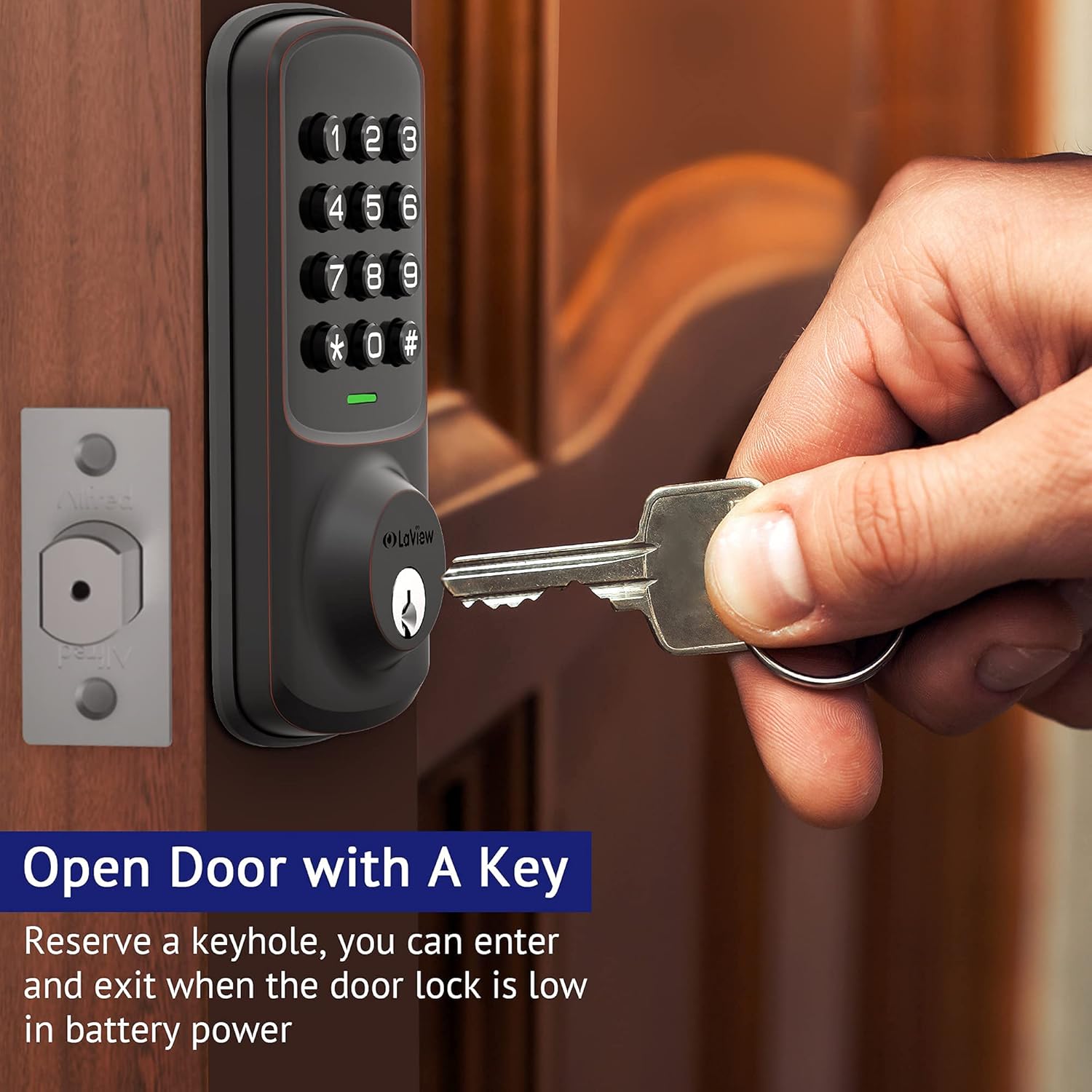
Figure 5: Low Battery Alert
To replace batteries, remove the interior cover, replace the old batteries with new ones, and reattach the cover.
5.2 Pembersihan
Bersihkan bahagian luar kunci dengan lembut, damp kain. Elakkan pembersih atau pelarut yang melelas yang boleh merosakkan kemasan atau komponen elektronik.
6. Spesifikasi
| Ciri | Perincian |
|---|---|
| Pengeluar | LaView |
| Nombor Model | LV-D01-R |
| Dimensi Produk | 17.78 x 12.7 x 10.16 cm |
| Berat Barang | 454 g |
| warna | Gangsa |
| bahan | logam |
| Jenis Kunci | Papan kekunci |
| Ciri Khas | Keyless Entry, Auto Lock, 20 User Codes, 1-Touch Motorized Locking |
| Bateri Diperlukan | Ya (4 bateri AA) |
| Komponen yang Disertakan | Backup Key*1, Deadbolt/Latch*1, Exterior Assembly*1, Mounting Plate*1, Strike Screws*2, Strike*1 |
7. Penyelesaian masalah
- Kunci Tidak Membalas: Check battery levels. Replace batteries if the low battery indicator is active.
- Incorrect Code Entry: Ensure you are pressing the correct sequence and the '#' key after each code entry.
- Setting Failure: If the indicator light flashes red after attempting a setting change, the operation was unsuccessful. Re-attempt the steps carefully.
- Physical Key Not Working: Pastikan kunci dimasukkan sepenuhnya dan dipusing dengan betul. Periksa sebarang halangan pada laluan kunci.
- Kerosakan Kunci Automatik: Verify that the Auto-Lock function is enabled (refer to section 4.4).
8. Waranti dan Sokongan
LaView offers lifetime technical support from the date of purchase. For any concerns or assistance, please contact their customer service team:
- Online Phone Calls: Monday to Friday, 9 am to 5 pm PDT.
- 24/7 Online After-Sales Email Service.
Refer to your product packaging or the official LaView webtapak untuk butiran hubungan khusus.