1. Produk Lebihview
This manual provides detailed instructions for the installation, operation, and maintenance of your ZWNAV Tesla Style Android Radio. This multimedia head unit is designed to replace the factory radio in Dodge Ram 1500 models from 2019 to 2021, offering advanced features such as GPS navigation, wireless CarPlay, Android Auto, and a large touch screen display.

Image 1.1: Before and After Installation of the ZWNAV Tesla Style Android Radio in a Dodge Ram 1500.
2. Persediaan dan Pemasangan
Professional installation is highly recommended for this product. Incorrect installation may lead to damage to the unit or vehicle. Ensure the vehicle's power is disconnected before beginning installation.
2.1 Kandungan Pakej
Sahkan bahawa semua komponen terdapat dalam pakej:
- Unit Ketua Utama
- Kabel Kuasa
- Pemasangan Kenderaan
- Antena GPS
- Penyesuai USB
- RCA kabel
- Kabel Input Video
- Mikrofon
- Antena WiFi

Image 2.1: Included Installation Kits and Cables.

Image 2.2: RCA and Video Output/Input Cables.
2.2 Gambarajah Pendawaian
Refer to the provided wiring diagram for correct connections. Ensure all cables are securely connected to their respective ports.
Image 2.3: Wiring Diagram for the Head Unit.
2.3 Hidupkan Kuasa Awal
After installation, reconnect the vehicle's power. The unit should power on automatically. Follow any on-screen prompts for initial setup, including language selection and time zone.
3. Arahan Operasi
This section details the primary functions and features of your ZWNAV Android Radio.
3.1 Navigasi Antara Muka Pengguna
The large touch screen allows for intuitive navigation. Swipe left/right to access different home screens, tap icons to open applications, and use the bottom bar for quick access to common functions like climate control (if integrated) and volume.
3.2 Navigasi GPS
The unit comes with built-in GPS functionality. Access the Navigation app from the main menu. Ensure the GPS antenna is properly installed for optimal signal reception. You can download and use various navigation applications from the app store.
3.3 Audio and Multimedia Playback
The unit supports various audio and video sources:
- Radio (RDS): Tune into FM/AM stations. The Radio Data System (RDS) provides additional information like station name and song title.
- Main Balik USB: Connect USB drives to the provided USB interfaces for music and video playback.
- Audio Bluetooth: Pair your smartphone via Bluetooth to stream audio wirelessly.
- App-based Media: Use pre-installed or downloaded apps for streaming music and videos.


Image 3.1: Multimedia and Connectivity Icons.
3.4 CarPlay Tanpa Wayar dan Android Auto
Connect your smartphone wirelessly to access CarPlay or Android Auto. This allows for seamless integration of phone features like navigation, music, calls, and messages directly on the head unit's screen.

Image 3.2: Wireless CarPlay Functionality.
3.5 Pemproses Bunyi Digital (DSP)
The built-in DSP system features a 16-band equalizer and sound effects settings. Adjust speaker delay and sound field to optimize your audio experience. This unit utilizes a TDA7850 power amplifier chip for high-fidelity sound.
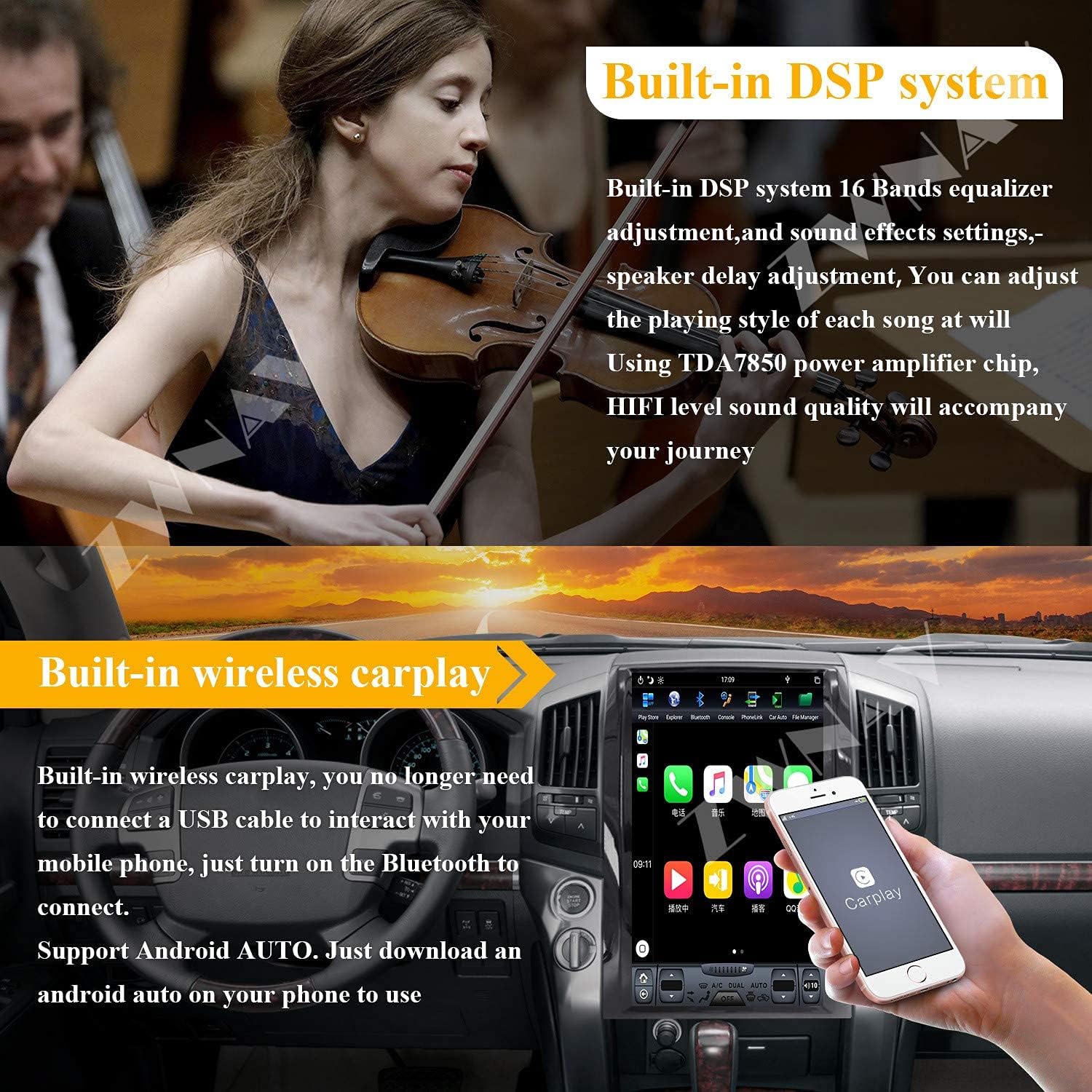
Image 3.3: Built-in DSP System Interface.
3.6 Fungsi Skrin Pisah
Utilize the split screen feature to run two applications simultaneously, such as navigation and video playback. Note that not all applications support split screen mode.

Image 3.4: Split Screen Functionality.
3.7 Kawalan Roda Stereng
The unit supports the original vehicle's steering wheel control functions, allowing you to adjust volume, change tracks, and manage calls without taking your hands off the wheel.
Image 3.5: Steering Wheel Control Integration.
3.8 Belakang View Sokongan Kamera
Connect a compatible rear view camera to the unit for enhanced parking assistance and safety. The display automatically switches to the camera feed when reversing.

Imej 3.6: Belakang View Sokongan Kamera.
3.9 Output HDMI
The unit features a DP interface that can be converted to an HDMI interface, allowing connection to rear seat screens or car roof screens for high-definition video output.
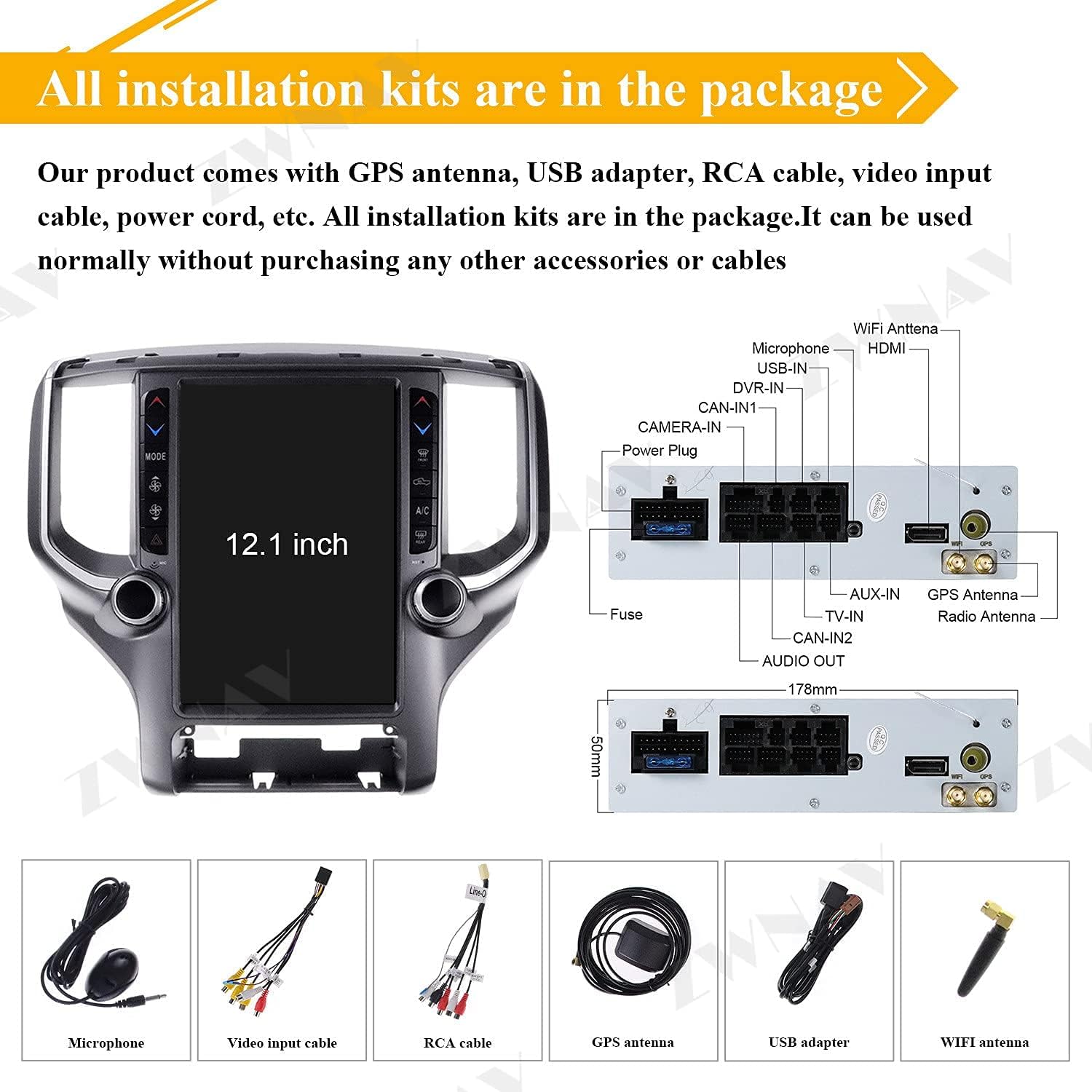
Image 3.7: HDMI Output for External Displays.
3.10 App Download and Wi-Fi Connectivity
Connect to Wi-Fi to download additional applications from the Google Play Store, expanding the functionality of your head unit.


Image 3.8: App Download and Wi-Fi Icons.
3.11 Video Demonstrasi Produk
Watch this video for a demonstration of the ZWNAV Tesla Style Android Radio's features and user interface.
Video 3.1: Demonstration of ZWNAV Tesla Style Android Radio features for Dodge RAM 1500 (2018-2021).
4. Penyelenggaraan
Proper maintenance ensures the longevity and optimal performance of your Android Radio.
4.1 Pembersihan Skrin
Gunakan kain lembut dan tidak berbulu sedikit dampened with water or a screen-specific cleaning solution to clean the touch screen. Avoid harsh chemicals or abrasive materials that could damage the screen surface.
4.2 Kemas Kini Perisian
Periodically check for software updates to ensure you have the latest features and performance improvements. Updates can typically be found in the system settings menu or on the manufacturer's webtapak.
5. Penyelesaian masalah
Jika anda menghadapi masalah, rujuk kepada masalah dan penyelesaian biasa berikut:
- Tiada Kuasa: Check all power connections and vehicle fuses. Ensure the unit is correctly installed.
- Tiada Bunyi: Verify speaker connections. Check volume levels and DSP settings. Ensure Bluetooth audio is not connected to another device.
- GPS Tidak Berfungsi: Ensure the GPS antenna is properly connected and has a clear view dari langit. Semak tetapan GPS dalam menu sistem.
- Skrin Sentuh Tidak Responsif: Try restarting the unit. If the issue persists, a factory reset might be necessary (refer to system settings).
- Bluetooth/Wi-Fi Connectivity Issues: Ensure Bluetooth/Wi-Fi is enabled on both the unit and your device. Try re-pairing or reconnecting.
- Steering Wheel Controls Not Functioning: Verify wiring connections for steering wheel control. Check settings within the unit to ensure proper configuration.
For persistent issues, contact ZWNAV customer support or a qualified technician.
6. Spesifikasi
Key technical specifications for the ZWNAV Tesla Style Android Radio:
| Ciri | Spesifikasi |
|---|---|
| Nombor Model | B093DF4WZ4 |
| Sistem Operasi | Android |
| Saiz Paparan | 12 Inci |
| Berat Barang | 11.82 paun |
| Dimensi Pakej | 21.2 x 19.8 x 9.4 inci |
| Perintah Suara | Mikrofon, Skrin Sentuh |
| Teknologi Ketersambungan | Bluetooth, WiFi |
| Ciri Khas | Wireless CarPlay, Parking Assist |
| Jenis Peta | jalan raya |
| Komponen yang Disertakan | Power cable, Vehicle mount |
| Mod Keluaran Audio | Speaker, Stereo |
| Jenis Pemasangan | Pemasangan Papan Pemuka |
| Pemproses | Rockchip PX6 6-core (RX3399) |
| RAM | 4GB |
| Storan Dalaman | 64GB |

Image 6.1: ZWNAV Android Radio in a Dodge Ram 1500.
7. Waranti dan Sokongan
ZWNAV products typically come with a manufacturer's warranty. Please refer to the warranty card included with your product or visit the official ZWNAV webtapak untuk terma dan syarat jaminan terperinci.
7.1 Sokongan Pelanggan
For technical assistance, troubleshooting, or warranty claims, please contact ZWNAV customer support through their official webtapak atau maklumat hubungan yang diberikan dalam pembungkusan produk anda.