1. Pengenalan
Terima kasih kerana membeliasing the Technical Pro SPARK8GNEON Portable Bluetooth Speaker. This manual provides essential information for the safe and efficient operation of your device. Please read it thoroughly before use and retain it for future reference.
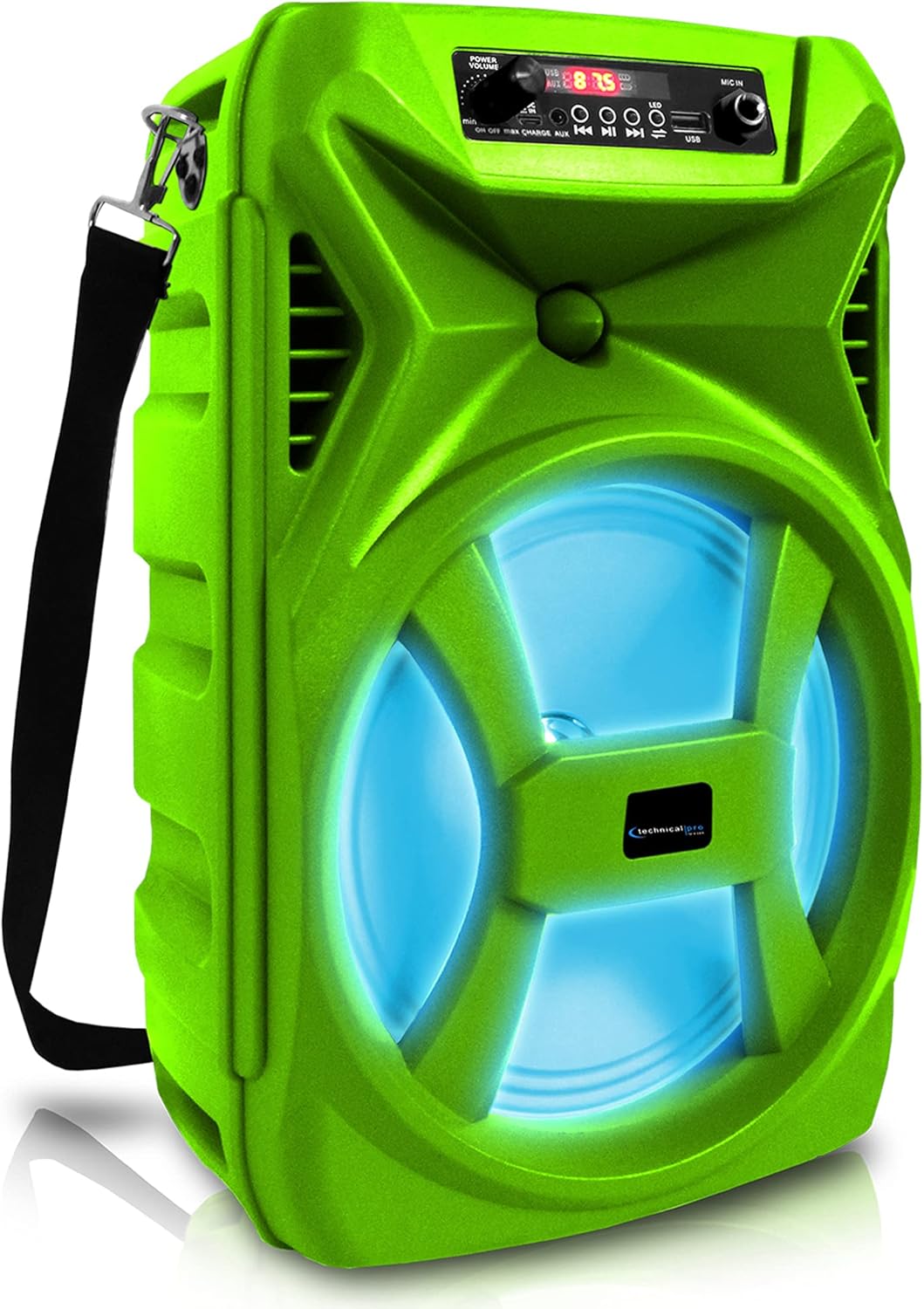
Depan view of the Technical Pro SPARK8GNEON portable Bluetooth speaker, showcasing its vibrant green casing, illuminated woofer, and the top-mounted control panel.
2. Maklumat Keselamatan
- Jangan dedahkan pembesar suara kepada suhu, kelembapan atau cahaya matahari langsung yang melampau.
- Elakkan daripada menjatuhkan atau menundukkan pembesar suara kepada impak yang kuat.
- Jangan cuba membuka atau mengubah suai pembesar suara. Ini akan membatalkan jaminan.
- Jauhkan pembesar suara daripada air dan cecair lain.
- Gunakan hanya kabel pengecasan yang disediakan atau setara yang diperakui.
- Pastikan pengudaraan yang betul semasa mengendalikan pembesar suara.
3. Kandungan Pakej
Sila pastikan semua item ada dalam pakej:
- Technical Pro SPARK8GNEON Portable Bluetooth Speaker
- Kabel Pengecas USB
- Tali Bahu
- Manual Pengguna (dokumen ini)
4. Produk Lebihview
Biasakan diri anda dengan komponen dan kawalan pembesar suara.

An infographic detailing the main features of the Technical Pro SPARK8GNEON speaker, such as its built-in rechargeable battery, True Wireless Stereo (TWS) capability, Bluetooth compatibility, USB and card inputs, durable ABS plastic construction, and support for A2DP & AVRCP stereo Bluetooth devices.
Control Panel (Top View)
- Butang Kuasa: Tekan dan tahan untuk menghidupkan pembesar suara ON/OFF.
- Butang Mod: Short press to switch between Bluetooth, USB, TF Card, and AUX modes.
- Butang Main/Jeda: Tekan untuk memainkan atau menjeda audio.
- Butang Sebelumnya/Kelantangan Rendah: Tekan sebentar untuk trek sebelumnya, tekan lama untuk mengurangkan kelantangan.
- Butang Seterusnya/Kelantangan Naik: Tekan sebentar untuk trek seterusnya, tekan lama untuk meningkatkan kelantangan.
- Butang Lampu LED: Press to cycle through LED light modes or turn them off.
- Port USB: Untuk main balik pemacu kilat USB.
- Slot Kad TF: Untuk main balik kad TF (MicroSD).
- Input AUX: Bicu 3.5mm untuk peranti audio luaran.
- Port Pengecasan: Untuk menyambungkan kabel pengecas USB.
5. Persediaan
5.1 Pengecasan Awal
- Before first use, fully charge the speaker for 8-10 hours.
- Connect the USB charging cable to the speaker's charging port and the other end to a USB power adapter (not included) or a computer's USB port.
- Lampu penunjuk pengecasan akan menyala semasa pengecasan dan padam apabila dicas sepenuhnya.
5.2 Menghidupkan/Mematikan
- To power ON, press and hold the Power Button until the display illuminates.
- To power OFF, press and hold the Power Button again until the display turns off.
6. Arahan Operasi
6.1 Berpasangan Bluetooth
- Hidupkan pembesar suara. Ia akan memasuki mod berpasangan Bluetooth secara automatik, ditunjukkan oleh ikon Bluetooth yang berkelip pada paparan.
- Pada peranti mudah alih anda (telefon pintar, tablet, dll.), dayakan Bluetooth dan cari peranti yang tersedia.
- Select "SPARK8GNEON" from the list of devices.
- Setelah dipasangkan, pembesar suara akan mengeluarkan nada pengesahan dan ikon Bluetooth akan berhenti berkelip.
- Anda kini boleh memainkan audio daripada peranti anda melalui pembesar suara.
6.2 Main Semula Kad USB/TF
- Insert a USB flash drive or TF (MicroSD) card into the respective port.
- Pembesar suara akan bertukar secara automatik ke mod USB atau Kad TF dan mula memainkan audio files. If not, press the Mode Button to select the correct mode.
- Gunakan butang Main/Jeda, Sebelumnya dan Seterusnya untuk mengawal main balik.
6.3 Input AUX
- Sambungkan satu hujung kabel audio 3.5mm (tidak disertakan) ke port input AUX pembesar suara.
- Sambungkan hujung yang satu lagi ke bicu output audio peranti luaran anda (cth., pemain MP3, komputer riba).
- Press the Mode Button to select AUX mode.
- Kawal main balik dan kelantangan daripada peranti luaran anda.
6.4 Penggandingan Stereo Tanpa Wayar Sebenar (TWS)
The TWS function allows you to connect two SPARK8GNEON speakers wirelessly for a stereo sound experience.

Illustration demonstrating the True Wireless Stereo (TWS) feature, showing two Technical Pro SPARK8GNEON speakers wirelessly connected to a single smartphone for synchronized audio playback.
- Ensure both SPARK8GNEON speakers are powered on and in Bluetooth mode, but not yet paired with any device.
- On one of the speakers (this will be the primary speaker), press and hold the TWS button (if available, or a specific button designated for TWS pairing, otherwise assume it's initiated by a long press of the Mode button or a dedicated TWS button not explicitly listed but implied by feature).
- The speakers will attempt to connect to each other. A confirmation tone will sound once connected.
- Sekarang, sambungkan peranti mudah alih anda ke pembesar suara utama melalui Bluetooth seperti yang diterangkan dalam bahagian 6.1.
- Audio kini akan dimainkan dalam stereo merentasi kedua-dua pembesar suara.
6.5 Lampu LED
Press the LED Light Button on the control panel to cycle through various light modes or to turn the LED lights off.
7. Penyelenggaraan
- Pembersihan: Gunakan kain lembut dan kering untuk membersihkan bahagian luar pembesar suara. Jangan gunakan pembersih atau pelarut yang melelas.
- Storan: Apabila tidak digunakan untuk tempoh yang lama, simpan pembesar suara di tempat yang sejuk dan kering, jauh daripada cahaya matahari langsung.
- Penjagaan Bateri: To prolong battery life, fully charge the speaker before storing it for long periods and recharge it every 3-6 months.
8. Penyelesaian masalah
| Masalah | Kemungkinan Punca | Penyelesaian |
|---|---|---|
| Speaker tidak dihidupkan. | Bateri habis. | Cas pembesar suara sepenuhnya. |
| Tiada bunyi. | Kelantangan terlalu rendah; mod yang salah dipilih; peranti tidak disambungkan. | Increase volume on speaker and connected device; press Mode button to select correct input; ensure Bluetooth/AUX connection is established. |
| Peranti Bluetooth tidak boleh berpasangan. | Pembesar suara tidak berada dalam mod berpasangan; peranti terlalu jauh; gangguan. | Ensure speaker is in Bluetooth pairing mode (flashing icon); move device closer to speaker; turn off other Bluetooth devices nearby. |
| Gandingan TWS gagal. | Speakers are too far apart; one speaker already paired to a device. | Ensure speakers are within close proximity; disconnect any Bluetooth devices from both speakers before initiating TWS pairing. |
9. Spesifikasi
- model: SPARK8GNEON
- Output Kuasa: 500 Watt (Puncak)
- Saiz pembesar suara: 8 Inch Woofer & Tweeter
- Ketersambungan: Bluetooth, USB, TF Card, AUX (3.5mm)
- Versi Bluetooth: (Not specified, assuming standard)
- Bateri: 1 bateri Lithium Ion (termasuk)
- Hayat Bateri: (Not specified, varies with usage)
- Masa Pengecasan: 8-10 hours (initial charge)
- Dimensi Produk (L x W x H): 8.86 x 7.48 x 14.17 inci
- Berat Barang: 4 paun
- Impedans: 3 Ohm
- UPC: 817802016296

Diagram illustrating the physical dimensions of the Technical Pro SPARK8GNEON speaker, measuring 14.17 inches in height, 8.86 inches in width, and 7.48 inches in depth.
10. Waranti dan Sokongan
For warranty information or technical support, please refer to the warranty card included with your product or visit the official Technical Pro website. You may also contact Technical Pro customer service directly for assistance.
Webtapak: Technical Pro Store on Amazon


